


I Ditched My Keyboard for 2 Weeks — This AI Voice Tool Changed Everything
I tested Wispr Flow for 14 days, using only voice to write emails, code, and messages. The speed was incredible — but the privacy trade-offs gave me serious pause.
What Is Wispr Flow?
It was 9 AM on a Monday. I had 47 emails to answer, a 2,000-word article to draft, and a Slack channel blowing up with urgent messages. My wrists were already aching from yesterday's typing marathon. I made a decision: for the next 14 days, I would use Wispr Flow for everything. Every email. Every message. Every line of code. Every word of this review.
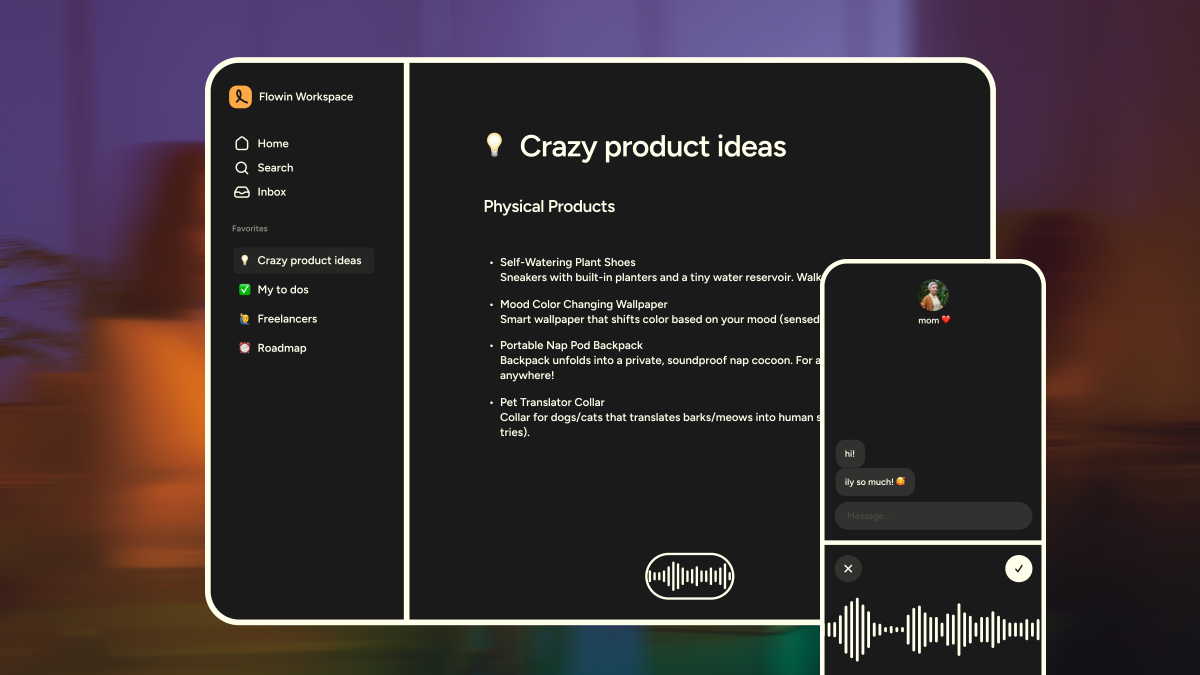
Wispr Flow is an AI-powered voice dictation app that works across Mac, Windows, iPhone, and Android. Unlike basic speech-to-text built into your OS, Flow uses AI models to not just transcribe — but rewrite your speech into polished, formatted text. It removes filler words, fixes grammar, adds punctuation, and even adapts tone based on which app you're using.
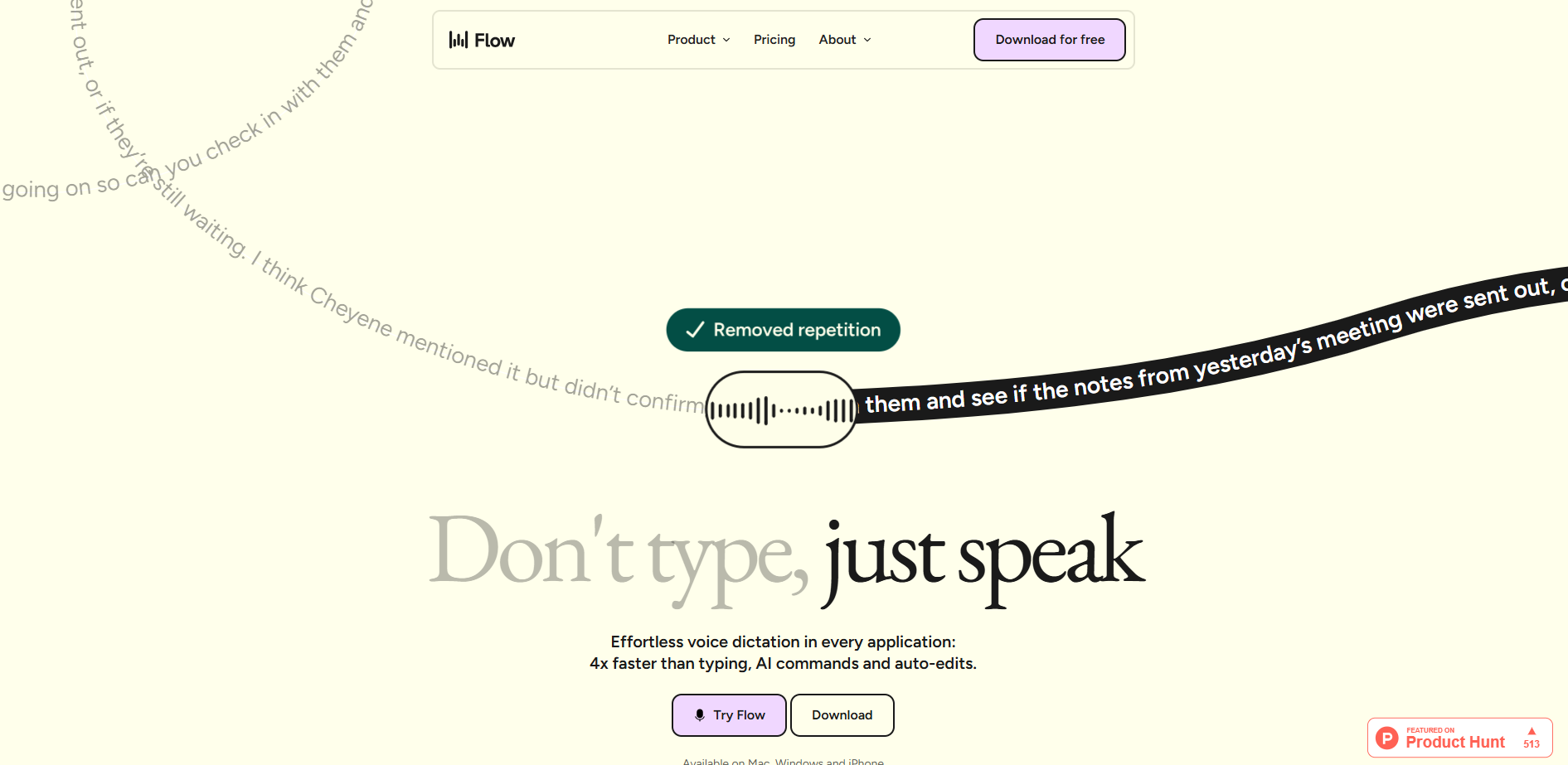
Backed by $81 million in funding, Wispr Flow has positioned itself as the "Apple product of dictation tools" — clean, polished, and magical when it works. But after 14 days of voice-only productivity, I discovered the magic comes with significant caveats.
The 2-Week Experiment: My Voice-Only Challenge
Day 1 felt ridiculous. I was sitting in my home office, talking to my laptop like a crazy person. "Hey team, just following up on the Q2 roadmap..." — then pressing the hotkey, watching the text appear, and realizing I sounded more formal when speaking than when typing.
Week 1: The Learning Curve
The first three days were awkward. I'd forget to press the hotkey mid-sentence. I'd ramble, then watch Flow struggle to clean up my mess. I'd dictate an email, then spend 5 minutes editing what Flow got wrong. My "productivity gain" was negative.
But by day 4, something clicked. I learned to speak in complete thoughts. I stopped saying "um" and "uh" because Flow would just delete them anyway. I started dictating entire paragraphs in one breath — and Flow's AI would turn my stream-of-consciousness into structured, readable prose.
Week 2: The Speed Revelation
By day 10, I was dictating at 180 words per minute. My average typing speed is 65 WPM. I wrote a 2,500-word article in 22 minutes — something that normally takes me 90 minutes. I answered 30 emails in 45 minutes. I even dictated Python code comments and docstrings without touching my keyboard.
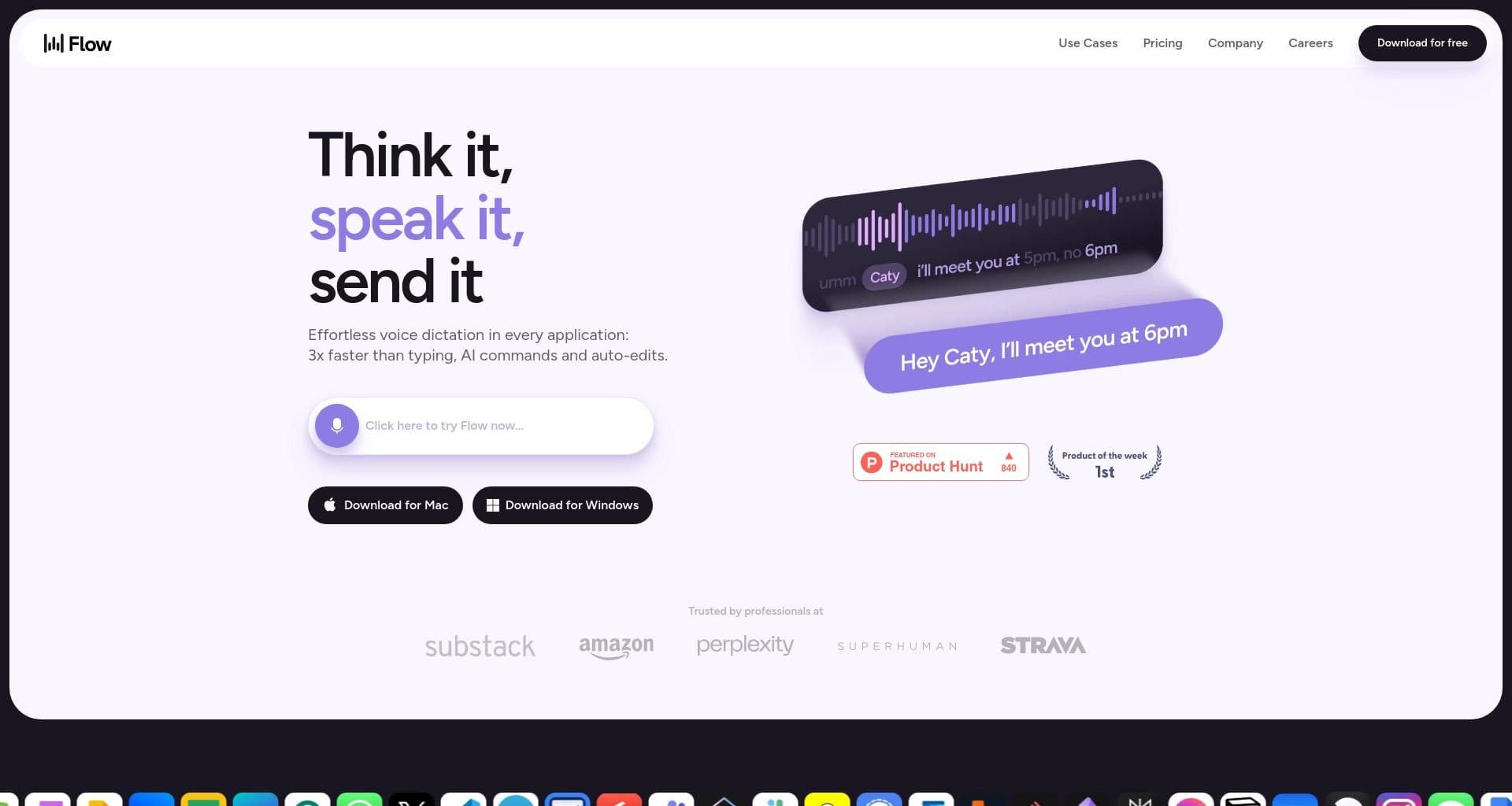
The moment that sold me? I was walking my dog, dictating a response to a complex client question through my AirPods. By the time I got home, the email was drafted, formatted, and ready to send. I literally worked while walking.
"I have Parkinson's, and this app has just made my life so much easier using my Mac. I can't even explain the change that it has provided for me."
— Rich Pankey, Indirect Sourcing Manager (Wispr Flow testimonial)How It Actually Works
Wispr Flow runs as a lightweight desktop app and mobile keyboard. The workflow is dead simple:
Press Hotkey
Configurable keyboard shortcut (default: double-tap Fn). Works in any app — Slack, Gmail, VS Code, Notion, anywhere.
Speak Naturally
No need to dictate punctuation. Say "new paragraph" or "comma" if you want, but Flow's AI handles formatting automatically.
AI Processing
Voice sent to cloud AI (OpenAI/Meta models). Transcription, filler removal, grammar fix, and tone adaptation happen in ~1-2 seconds.
Text Appears
Polished text inserts directly into your active app. No copy-paste. No switching windows. Seamless.
100+ Languages
Auto-detects language. Switch between English, Spanish, French, German, Hindi, Mandarin mid-sentence without changing settings.
Cross-Device Sync
Personal dictionary, snippets, and settings sync across Mac, Windows, iPhone, and Android. One account, all devices.
So what? Most dictation tools transcribe. Flow rewrites. When I dictate into Slack, it produces casual messages. When I dictate into Gmail, it produces formal emails. When I dictate into VS Code, it shapes text toward code comments. This context-awareness is the killer feature — and what justifies the cloud processing (and privacy trade-off).
The Magic: AI Auto-Edits
This is where Wispr Flow separates itself from every competitor I tested. The "AI Auto-Edits" feature doesn't just remove "um" and "uh" — it completely restructures your speech into readable prose.
Here's a real example from my test:
What I said:
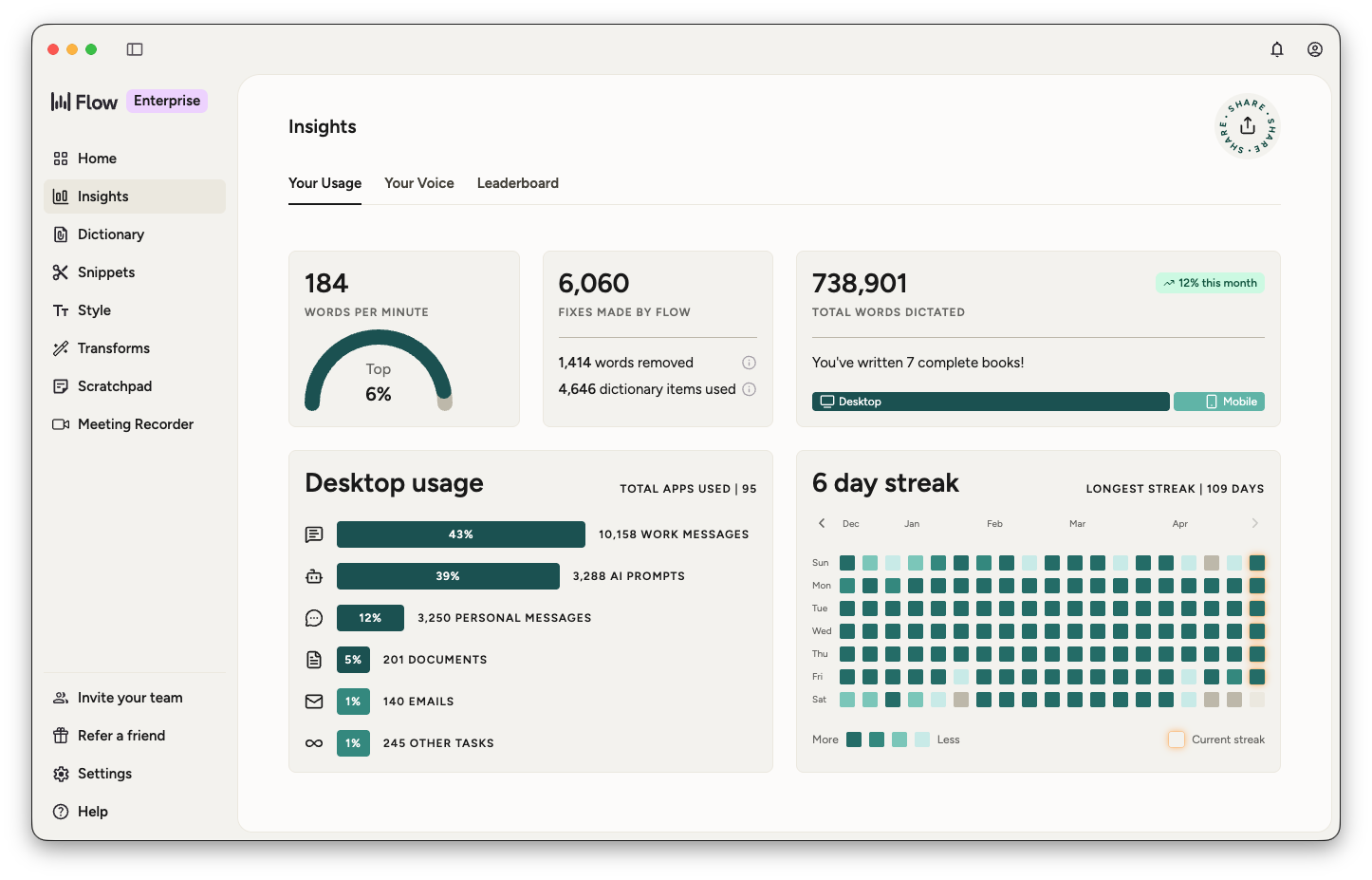
"Umm, hope your week has started well... I was talking to Cheyene earlier but reception was really bad and I think their going to handle the first part of the project, but I'm not totally sure. Also, I told the team the the new timeline should be ready by Friday, although it's probably going to slip. There's been a lot of back and forth and honestly the the whole thing's been kind of chaotic, like nobody really knows what's going on so can you check in with them and see if the notes from yesterday's meeting were sent out, or if they're still waiting. I think Cheyene mentioned it but didn't confirm, and now I'm a little lost."
What Flow produced:
"Hope your week is off to a good start. I was talking to Cheyene earlier, but the reception was really bad. I think they're going to handle the first part of the project, but I'm not totally sure. I also told the team the new timeline should be ready by Friday — although it might slip. There's been a lot of back and forth, and honestly, the whole thing has been a bit chaotic. It feels like nobody really knows what's going on. Can you check in with them and see if the notes from yesterday's meeting were sent out, or if they're still waiting? I think Cheyene mentioned it, but didn't confirm — and now I'm a little lost!"
Personal Dictionary & Snippets
Two features that saved me hours during the 2-week test:
Personal Dictionary: Flow learns your unique words automatically. Names like "Cheyene," "Nguyen," "SaaS," "Caltrain" — it remembers them after the first correction. By day 5, it was spelling my entire team roster correctly without prompting.
Snippet Library: Voice shortcuts for repetitive text. I set up:
- "Calendar" → inserts my Calendly link
- "Support intro" → inserts my standard customer support greeting
- "FAQ" → inserts a link to our help center
- "Elevator pitch" → inserts my 2-sentence company description
These snippets turned 30-second typing tasks into 2-second voice commands. For customer support reps, sales teams, or anyone sending repetitive messages, this alone justifies the subscription.
Pricing: Free vs Pro
Wispr Flow's pricing is straightforward but restrictive. The free tier is designed to hook you, not serve you.
| Plan | Price | Word Limit | Key Features | Best For |
|---|---|---|---|---|
| Free | $0 | 2,000/week (desktop) 1,000/week (iOS) |
Basic dictation, 100+ languages, personal dictionary | Testing the concept |
| Pro ⭐ | $12/mo | Unlimited | AI auto-edits, snippets, custom vocabulary, priority processing | Daily dictation users |
| Annual | $144/yr | Unlimited | Same as Pro, 17% discount | Committed users |
Pros & Cons
✓ What I Loved
- ✅ 4x faster than typing — 180 WPM vs 45 WPM average
- ✅ AI auto-edits turn rambling speech into polished prose
- ✅ Works in every app — no switching, no copy-paste
- ✅ Context-aware tone (casual in Slack, formal in email)
- ✅ Personal dictionary learns your names and jargon
- ✅ Snippet library saves hours on repetitive messages
- ✅ 100+ languages with auto-detection
- ✅ Cross-device sync (Mac, Windows, iOS, Android)
✗ What Frustrated Me
- ❌ Cloud-only — voice data sent to OpenAI/Meta servers
- ❌ 800MB RAM usage even when idle (heavy for a dictation app)
- ❌ 8-10 second startup time disrupts quick dictation bursts
- ❌ Requires internet — completely useless offline
- ❌ Free tier is too limited (2,000 words/week)
- ❌ No lifetime purchase option — subscription only
- ❌ 2.7/5 Trustpilot rating citing reliability issues
- ❌ Captures screenshots of active window for "context"
Wispr Flow vs Competitors
How does Wispr Flow stack up against the other big names in voice dictation?
| Criteria | Wispr Flow | Superwhisper | MacWhisper | Apple Dictation |
|---|---|---|---|---|
| Accuracy | 90% | 95%+ | 95%+ | 85% |
| AI Rewriting | ✓ Advanced | ✓ Good | ✗ Basic | ✗ None |
| Processing | Cloud only | Local + Cloud | Local | On-device |
| Privacy | ✗ Data leaves device | ✓ Local option | ✓ Fully local | ✓ On-device |
| Platforms | Mac/Win/iOS/Android | Mac/Win/iOS | Mac only | Mac/iOS only |
| Pricing | $12/mo (no lifetime) | Free + paid tiers | Free + one-time | Free |
| Offline Mode | ✗ No | ✓ Yes | ✓ Yes | ✓ Yes (Apple Silicon) |
| Best For | Cross-platform AI rewriting | Privacy + control | Mac transcription | Casual short dictation |
The verdict: Wispr Flow wins on cross-platform reach and AI rewriting polish. But Superwhisper and MacWhisper beat it on privacy, accuracy, and pricing. If you're on Apple Silicon and privacy matters, Apple Dictation + Superwhisper is a better combo. If you need the smoothest UX across all devices and don't mind cloud processing, Wispr Flow is the premium choice.
Who Should Use It?
✓ Perfect For: Writers who dictate long-form content daily. Sales reps sending 50+ emails/day. Customer support teams with repetitive responses. People with RSI, carpal tunnel, or mobility limitations. Multilingual users switching between languages. Anyone who thinks faster than they type and doesn't mind cloud processing.
✗ Skip If: You work with sensitive data (legal, medical, financial). You're privacy-paranoid about cloud AI. You need offline dictation (flights, remote areas). You're on a tight budget (free tier is useless). You only dictate occasionally (Apple Dictation is free and sufficient). You want a one-time purchase (no lifetime option).
📎 Related Reviews from ToolRadar
Expert Verdict
I've tested every major voice dictation tool on the market — Dragon, Apple Dictation, Google Voice Typing, Superwhisper, MacWhisper, and now Wispr Flow. After 14 days of voice-only productivity, I can say this: Wispr Flow has the best user experience of any dictation tool I've used. The AI rewriting is genuinely magical. The cross-platform sync is seamless. The speed gains are real.
But I can't ignore the privacy implications. Every word I spoke for 14 days was processed by OpenAI and Meta servers. Every app I used was screenshotted for "context." My 800MB of RAM was constantly consumed by a background app. And when my internet dropped during a flight? Complete silence. No dictation at all.
My honest take? Wispr Flow is the Ferrari of dictation tools — fast, beautiful, and expensive to maintain. If you need cross-platform AI rewriting and don't mind the cloud dependency, it's unmatched. But if privacy, offline access, or budget matter, Superwhisper or MacWhisper are smarter choices. For casual users, Apple Dictation is still the best free starting point.
Would I keep using it? Yes — but only for non-sensitive writing. My legal contracts, medical info, and financial emails stay on my keyboard.
Final Verdict
The most polished voice dictation experience on the market — with significant privacy trade-offs. Wispr Flow delivers on its promise of 4x faster writing through AI-powered voice rewriting. The cross-platform support, personal dictionary, and snippet library create genuine productivity gains. But the cloud-only processing, heavy RAM usage, and lack of offline mode make it a risky choice for privacy-conscious users. At $12/month with no lifetime option, it's expensive for what is essentially a keyboard replacement. Use it if you prioritize speed and polish over privacy. Avoid it if you handle sensitive data or need offline access.
Frequently Asked Questions
Wispr Flow has a free tier with 2,000 words/week on desktop and 1,000 words/week on iOS. This is enough for light testing but insufficient for daily use. The Pro plan at $12/month ($144/year) is required for unlimited dictation. There is no lifetime purchase option.
No. Wispr Flow requires an active internet connection for all dictation. Voice data is sent to cloud servers (OpenAI and Meta) for processing. This makes it unusable on flights, in remote areas, or in offices with restricted internet. For offline dictation, use Apple Dictation (on Apple Silicon), Superwhisper, or MacWhisper.
No — not fully. Wispr Flow processes all voice data in the cloud through third-party AI providers. It also captures periodic screenshots of your active window for "context awareness." While the company claims SOC 2 Type II compliance, your voice and screen content leave your device. For sensitive work (legal, medical, financial), this is a significant risk. Consider local-first alternatives like Superwhisper or MacWhisper.
Apple Dictation is free, works offline on Apple Silicon, and processes everything on-device. Wispr Flow costs $12/month, requires internet, but offers AI rewriting, context-aware tone, cross-platform support, and personal dictionary. Apple Dictation is best for casual, short dictation. Wispr Flow is best for heavy daily use across multiple devices and apps.
Users report reliability issues after the free trial ends, including slow startup times, high RAM usage (800MB+), and frustration with the subscription model. Some also concerns about data handling practices and the app's intrusive system behavior (auto-startup, difficult uninstallation). The rating reflects real user frustration with performance and business practices, not just the core dictation quality.
🔑 Related Keywords
One Last Question
Would you trade your privacy for 4x faster writing? Or is your keyboard still the safest place for your thoughts?
Drop your thoughts below — I'm curious where the speed-privacy line is for you.

Comments
Post a Comment