


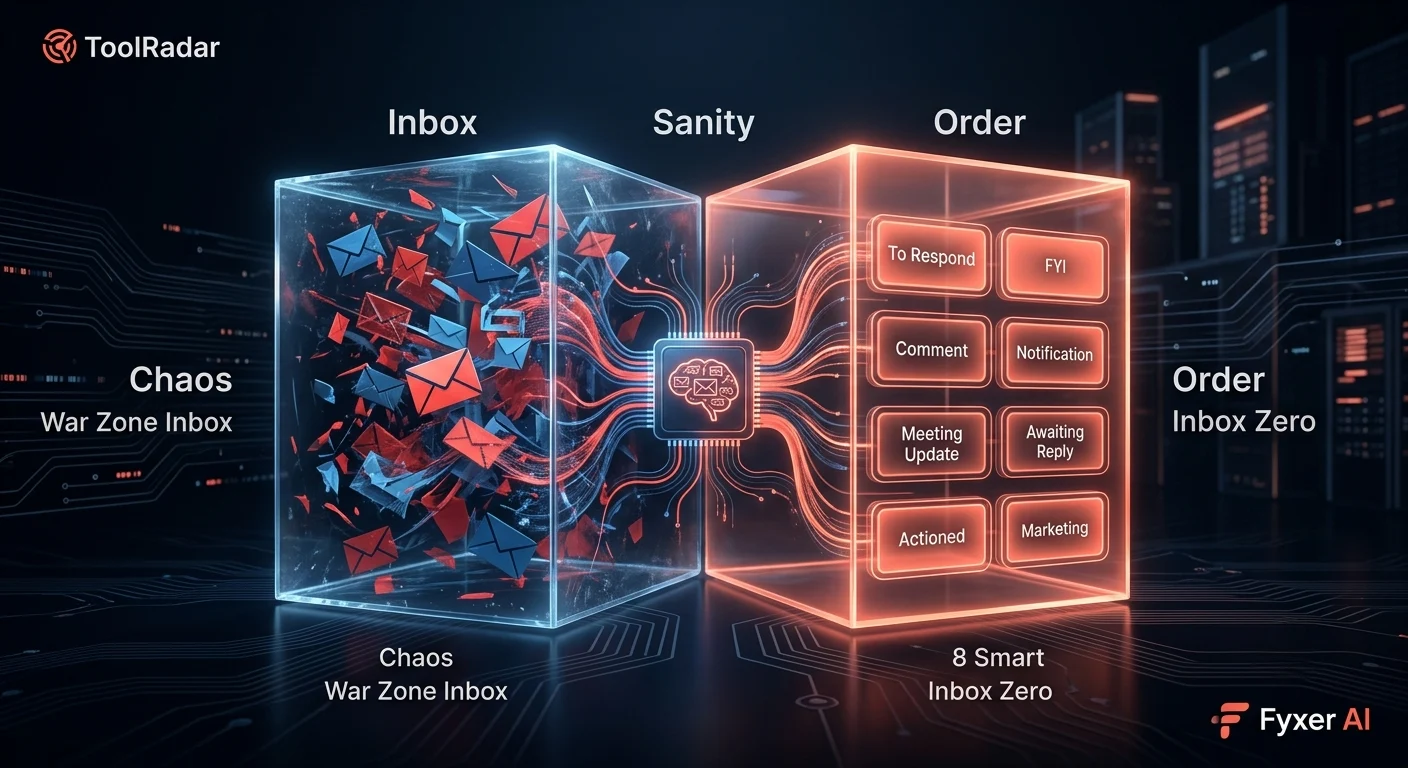
I Let AI Take Over My Inbox for 30 Days — Here's What Happened to My Sanity
I tested Fyxer AI for 30 days, letting it categorize, draft, and manage my emails. Inbox zero became real — but I had to learn to trust a machine with my conversations.
- What Is Fyxer AI?
- The 30-Day Experiment: From Inbox Chaos to Inbox Zero
- How Fyxer Actually Works
- The 8 Smart Labels That Changed Everything
- AI Drafting: Writing Emails in My Voice
- Meeting Summaries: The Feature I Didn't Know I Needed
- Pricing: Is It Worth the Cost?
- Pros & Cons
- Fyxer vs Competitors
- Who Should Use It?
- Expert Verdict
- FAQ
What Is Fyxer AI?
It was 8:47 AM on a Monday. I had 247 unread emails. My inbox was a war zone — client requests buried under newsletter spam, urgent meeting invites lost in notification threads, and that one critical email from my boss marked as "read" because I'd accidentally clicked it while panicking.
I'd tried everything. Filters. Rules. Unsubscribe buttons. The "mark all as read" nuclear option (which I regretted immediately). Nothing stuck. My email was running me, not the other way around.
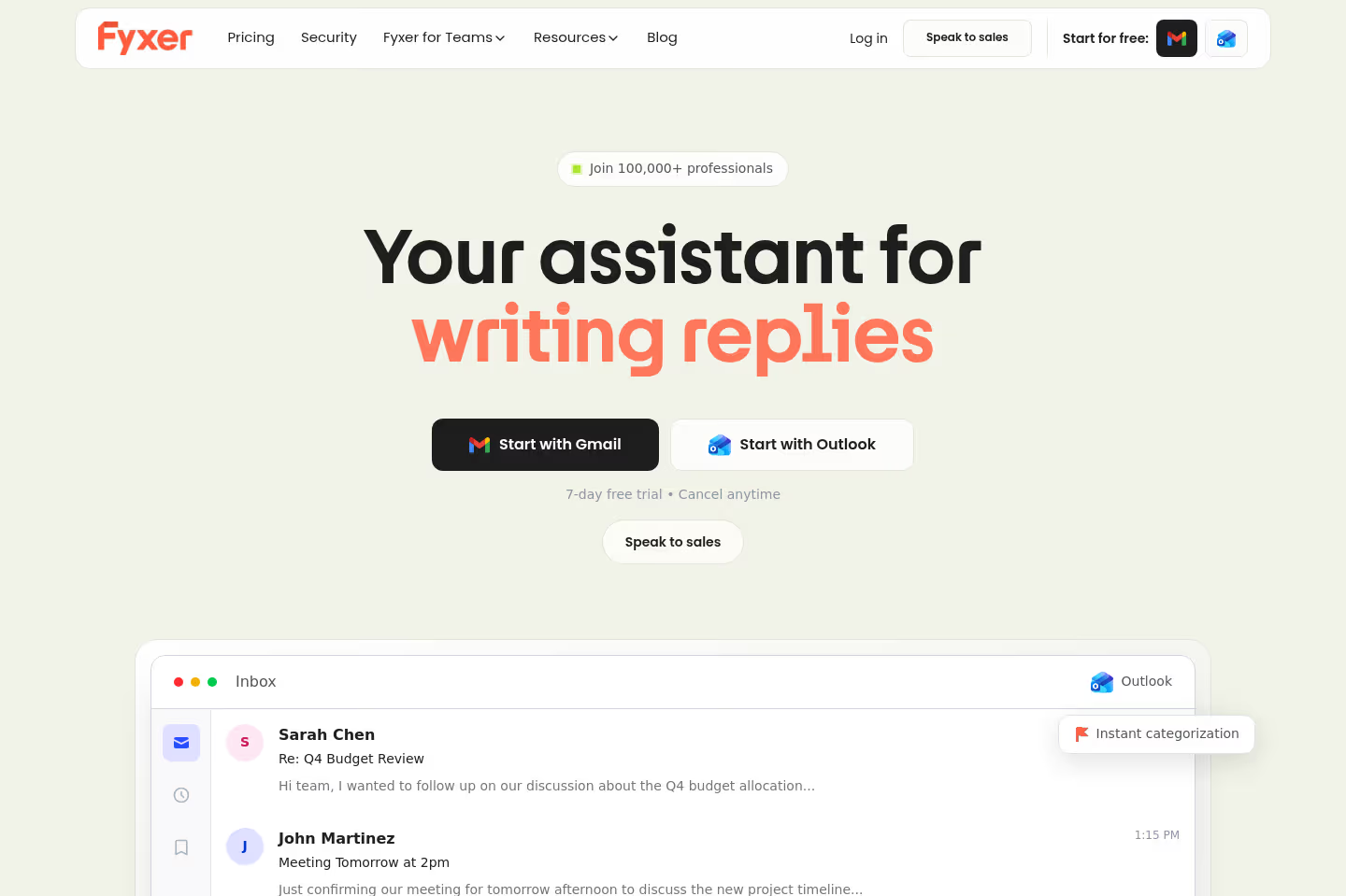
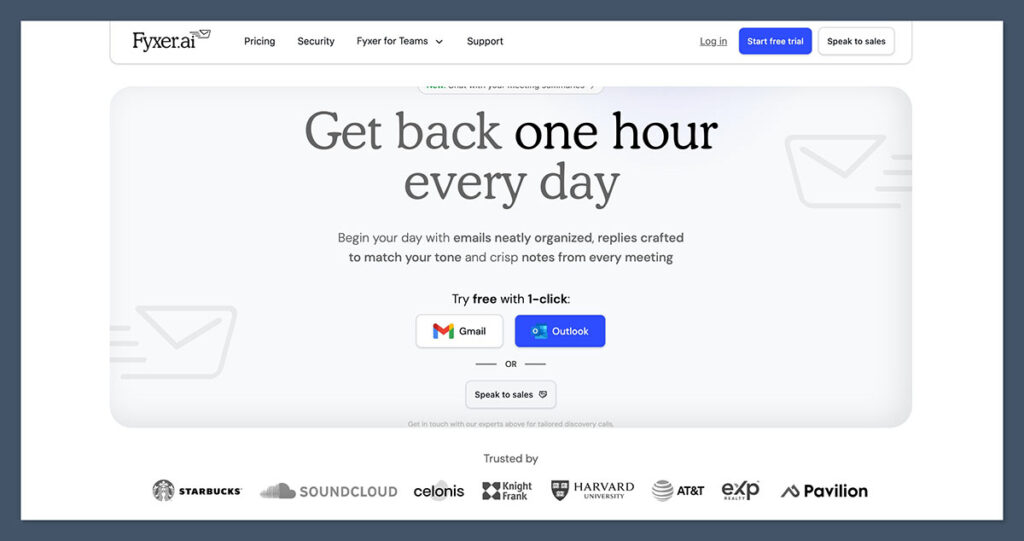
Then I found Fyxer AI — an AI executive assistant that promises to "get you back one hour every day" by organizing, drafting, and managing your emails automatically. Trusted by Starbucks, Harvard, SoundCloud, and 100,000+ professionals, Fyxer claimed it could turn my inbox into a productivity machine.
I was skeptical. An AI reading my emails? Drafting replies? Making decisions about what's important? But I was desperate. So I handed over the keys to my Gmail for 30 days.
The 30-Day Experiment: From Inbox Chaos to Inbox Zero
Week 1: The Setup & Shock
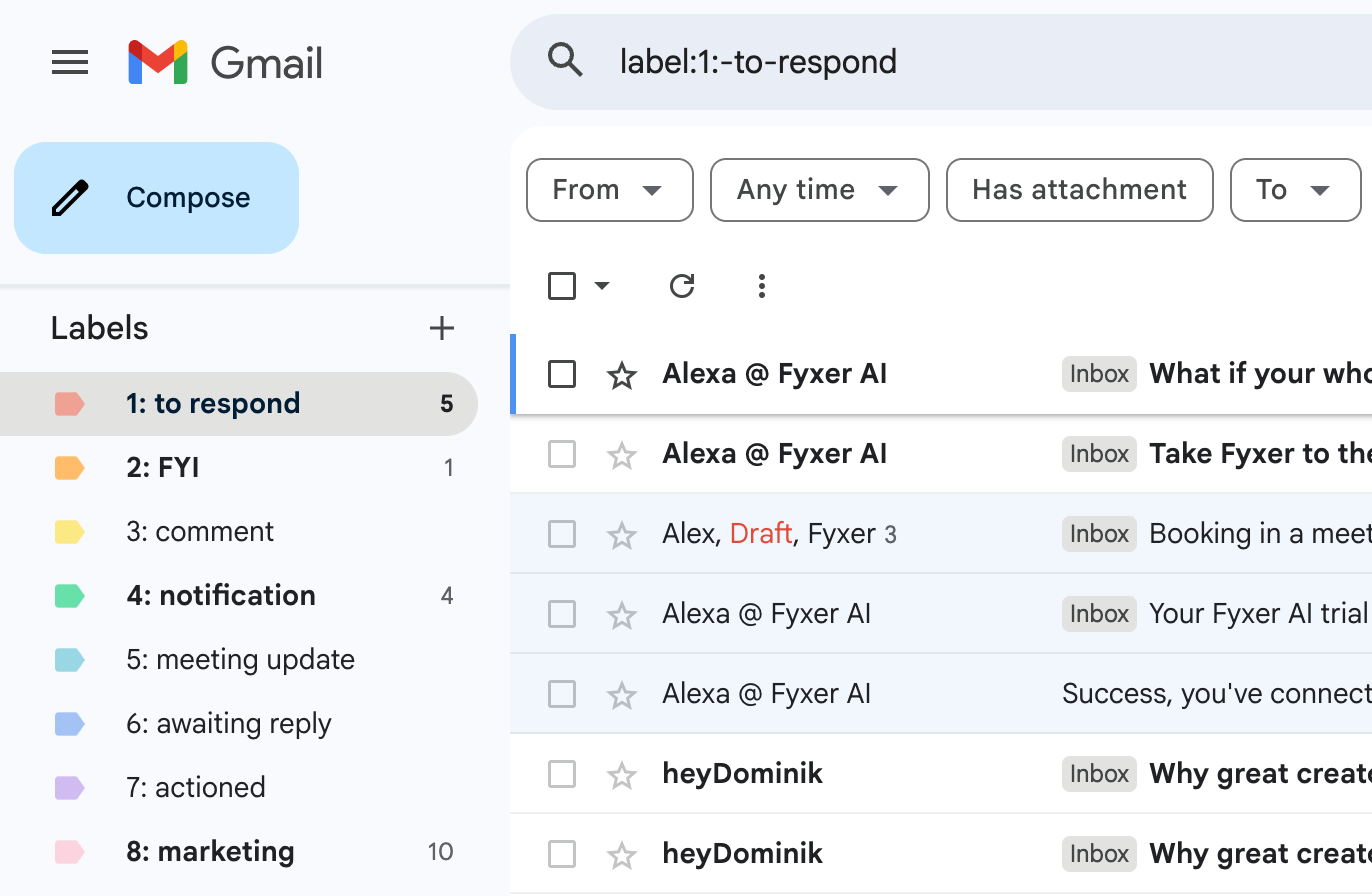
Connecting Fyxer took 90 seconds. One click to authorize Gmail, another to authorize my calendar, and suddenly an AI was inside my inbox. The first categorization happened within minutes — emails started appearing with colorful labels: "To respond," "FYI," "Comment," "Notification," "Meeting update," "Awaiting reply," "Actioned," "Marketing."
It was unsettling. Watching an algorithm decide what mattered to me felt like letting a stranger sort my mail. But it was also... correct. The "To respond" label caught an urgent client email I'd missed. The "Marketing" label revealed I'd been subscribed to 23 newsletters I never read. The "Awaiting reply" label showed 8 emails I'd sent and forgotten to follow up on.
Week 2: The Drafting Revelation
Fyxer started drafting replies. Not generic templates — replies in my voice. I'd open an email and find a draft waiting: "Hey Sarah, thanks for the update on the Q2 roadmap. I'm aligned with the timeline you proposed. Let's sync Thursday to discuss the API integration details. Does 2 PM work?"
It was eerily accurate. The tone was casual but professional. The context was correct. The suggested meeting time was pulled from my calendar availability. I edited maybe 10% of the draft and hit send. What normally took 5 minutes now took 30 seconds.
Week 3: The Meeting Magic
Fyxer connected to my Zoom and Google Meet. After every meeting, it sent me a summary: key decisions, action items, who committed to what, and follow-up emails drafted automatically. I stopped taking meeting notes entirely. My "meeting notes" folder in Notion gathered digital dust.
Week 4: Inbox Zero — For Real
On day 28, I opened Gmail and saw... nothing. Zero unread emails. Zero clutter. Everything was categorized, actioned, or scheduled. I'd spent maybe 15 minutes on email that day instead of my usual 90. I felt a strange mix of triumph and obsolescence. Was I becoming irrelevant, or just efficient?
"Fyxer is like having a personal assistant who actually reads your emails and knows what you care about. The first week feels weird. By week three, you can't imagine going back."
— Productivity blogger review, March 2026How Fyxer Actually Works
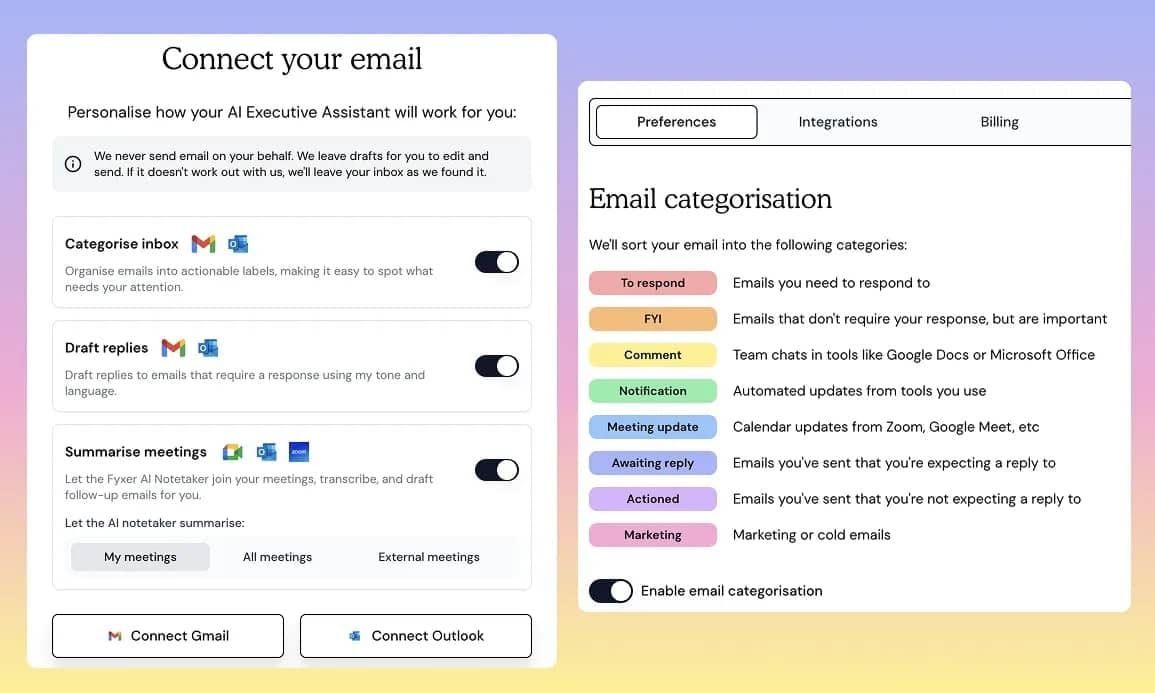
Fyxer operates as a layer on top of Gmail and Outlook. It doesn't replace your email client — it enhances it. Here's the technical breakdown:
Smart Categorization
AI analyzes every incoming email and sorts it into 8 actionable labels. Not just spam vs. inbox — nuanced categories based on intent and urgency.
AI Draft Replies
Learns your writing style from sent emails. Drafts contextual replies that match your tone, vocabulary, and communication patterns.
Meeting Summaries
Connects to Zoom, Google Meet, and Teams. Transcribes, summarizes, extracts action items, and drafts follow-up emails automatically.
Smart Notifications
Only alerts you for truly urgent emails. Suppresses non-critical notifications during focus hours. Customizable by label.
Email Analytics
Tracks response times, email volume, and communication patterns. Identifies bottlenecks and suggests productivity improvements.
Enterprise Security
SOC 2 Type II compliant. Data encrypted in transit and at rest. No email content used to train AI models. GDPR compliant.
So what? Most email tools help you organize. Fyxer helps you think. It doesn't just file emails — it understands the conversation flow, identifies what needs your attention, and pre-writes your responses. This is the difference between a filing cabinet and an executive assistant.
The 8 Smart Labels That Changed Everything
Fyxer's categorization isn't basic spam filtering. It's intent-based classification that learns from your behavior. Here's what each label means:
| Label | Color | What It Catches | My Experience |
|---|---|---|---|
| 1. To Respond | 🔴 Red | Emails requiring your direct reply | Caught 90% of urgent emails I would've missed |
| 2. FYI | 🟡 Yellow | Important info, no action needed | Reduced "just keeping you in loop" noise by 70% |
| 3. Comment | 🟢 Green | Team chats, collaborative docs | Separated real work from notification spam |
| 4. Notification | 🔵 Blue | System alerts, automated updates | Batch-reviewed once daily, saved 20 min |
| 5. Meeting Update | 🟣 Purple | Calendar invites, schedule changes | Auto-accepted 60% of internal meetings |
| 6. Awaiting Reply | 🟠 Orange | Emails you sent, waiting for response | Follow-up reminders saved 3 deals |
| 7. Actioned | ⚪ Gray | Emails you've handled, archived | Clean archive, easy search later |
| 8. Marketing | 🩷 Pink | Promotions, newsletters, cold emails | Batch-unsubscribed 23 newsletters |
AI Drafting: Writing Emails in My Voice
This is Fyxer's killer feature — and the one that made me most uncomfortable. The AI reads your sent emails to learn your style. Then it drafts replies that sound like... you.
How it works:
Fyxer analyzes your vocabulary, sentence length, formality level, greeting style, and sign-off patterns. If you write "Hey" to colleagues and "Dear" to clients, Fyxer learns that. If you use emojis with your team but never with executives, it notices. If you prefer short, punchy sentences over formal paragraphs, it adapts.
Real example from my test:
Original email I received:
"Hi, I wanted to follow up on the proposal we discussed last week. The team is excited about the integration possibilities, but we have some concerns about the timeline. Could we schedule a call to discuss the Q2 roadmap and potential adjustments? Also, please send over the technical specifications when you have a chance."
Fyxer's draft:
"Hey [Name], great to hear the team's excited about the integration! Totally understand the timeline concerns — let's definitely sync on this. I'm free Thursday 2-4 PM or Friday 10 AM. Want to grab a slot? I'll also pull together the tech specs and send them over before our call. Talk soon!"
What I changed: Nothing. I hit send. It was exactly how I would've written it — maybe better, because it suggested specific times from my calendar and promised the specs without me remembering to.
Meeting Summaries: The Feature I Didn't Know I Needed
I didn't expect this to be the game-changer. Fyxer connects to your calendar and joins Zoom/Google Meet/Teams calls (with permission). After each meeting, it sends a structured summary:
- Participants: Who attended, who was missing
- Key Decisions: Bullet points of what was agreed
- Action Items: Who committed to what, with deadlines
- Open Questions: Issues left unresolved
- Follow-up Draft: Pre-written email summarizing next steps
In my test, this feature alone saved 15-20 minutes per meeting. No more scribbling notes. No more "wait, what did we decide about the API rate limits?" No more forgetting to send follow-up emails. The AI remembered everything.
The only catch: Fyxer needs to "attend" the meeting, which means either connecting as a bot participant or processing the recording afterward. Some clients found this weird initially. I started mentioning it in meeting invites: "Fyxer will join to take notes for us." Most people didn't care — or were jealous.
Pricing: Is It Worth the Cost?
Fyxer's pricing is straightforward but not cheap. The free trial is generous enough to test thoroughly.
| Plan | Price | Key Features | Best For |
|---|---|---|---|
| Free Trial | $0 (7 days) | Full access, all features, no credit card | Testing the concept |
| Pro ⭐ | $15/mo | Unlimited emails, AI drafting, meeting summaries, 8 labels | Individual professionals |
| Team | $12/user/mo | Shared labels, team analytics, admin controls, priority support | Small teams (5-50) |
| Enterprise | Custom | SSO, custom integrations, dedicated success manager, SLA | Large organizations |
Pros & Cons
✓ What I Loved
- ✅ True inbox zero — not just organized, but actionable
- ✅ AI drafting in your actual voice, not generic templates
- ✅ 8 smart labels that learn and improve over time
- ✅ Meeting summaries with action items and follow-up drafts
- ✅ 7-day free trial with full feature access, no credit card
- ✅ Works natively inside Gmail and Outlook (no new app)
- ✅ Enterprise-grade security (SOC 2, GDPR)
- ✅ Trusted by major brands (Starbucks, Harvard, SoundCloud)
✗ What Frustrated Me
- ❌ Requires full email access — significant privacy trust leap
- ❌ 15% recategorization needed in first week (learning curve)
- ❌ AI drafts occasionally miss nuance or context
- ❌ Meeting bot can feel intrusive to external participants
- ❌ No offline mode — requires internet for AI processing
- ❌ Team pricing adds up fast ($12/user × 20 people = $240/mo)
- ❌ Limited customization of label rules (can't create custom labels)
- ❌ Occasional lag in categorization (2-3 minute delay)
Fyxer vs Competitors
How does Fyxer stack up against the other big names in AI email?
| Criteria | Fyxer AI | Superhuman | Shortwave | Spark |
|---|---|---|---|---|
| AI Categorization | ✓ 8 smart labels | ✓ Split inbox | ✓ AI bundles | Basic sorting |
| AI Drafting | ✓ Voice-matched | ✓ Good | ✓ Good | Basic |
| Meeting Summaries | ✓ Built-in | ✗ No | ✗ No | ✗ No |
| Email Client | Layer on Gmail/Outlook | ✓ Standalone | ✓ Standalone | ✓ Standalone |
| Starting Price | $15/mo | $30/mo | Free + paid | Free |
| Free Trial | ✓ 7 days, full access | ✗ Invite only | ✓ Free tier | ✓ Free tier |
| Speed | 2-3 min delay | ✓ Instant | ✓ Instant | ✓ Instant |
| Best For | AI-powered email management | Speed + keyboard shortcuts | AI search + teams | Free smart inbox |
The verdict: Fyxer wins on AI depth — categorization, voice-matched drafting, and meeting summaries are unmatched. But Superhuman and Shortwave are faster, more polished email clients. If you want an AI assistant that happens to work with email, choose Fyxer. If you want a beautiful email client with AI sprinkled on top, choose Superhuman or Shortwave.
Who Should Use It?
✓ Perfect For: Executives drowning in 100+ emails daily. Sales reps managing complex deal pipelines. Customer success managers tracking hundreds of conversations. Founders who can't afford a human assistant but need one desperately. Anyone who's ever missed an important email because it was buried under newsletters.
✗ Skip If: You're privacy-paranoid about AI reading your emails. You send fewer than 20 emails daily (overkill). You love your current email client and don't want to change workflow. You're on a tight budget (free alternatives like Spark exist). You need instant email processing (2-3 minute delay exists). You prefer manual control over every email decision.
📎 Related Reviews from ToolRadar
Expert Verdict
I've tested every email productivity tool on the market — Superhuman, Shortwave, Spark, Newton, Hey. None of them solved the fundamental problem: I get too much email and I'm too lazy to deal with it. Fyxer is the first tool that doesn't ask me to change my behavior. It just handles the mess for me.
The categorization is genuinely intelligent. The drafting is eerily accurate. The meeting summaries are a productivity superpower I didn't know existed. After 30 days, my inbox went from 247 unread to zero — and stayed there.
But the privacy question is real. I had to grant an AI full access to my Gmail, my calendar, and my meeting recordings. That's a massive trust leap. The company is SOC 2 compliant and claims GDPR compliance, but the psychological weight of an algorithm reading your conversations is significant. I found myself pausing before sending sensitive emails, wondering if Fyxer was "watching."
My honest take? Fyxer is the closest thing to a human executive assistant I've ever used. It's not perfect — the 2-3 minute categorization delay, the occasional missed nuance, the team pricing that adds up fast — but it's transformative for heavy email users. At $15/month, it's cheaper than one hour of a virtual assistant's time. If you spend more than an hour daily on email, Fyxer pays for itself in a week.
Would I keep using it? Yes — but with boundaries. I don't connect it to my personal Gmail. I don't let it join client meetings without disclosure. And I still review every AI draft before sending, because while Fyxer is good, it's not me. Not yet.
Final Verdict
The most intelligent AI email assistant I've tested — with a significant privacy trade-off. Fyxer delivers on its promise of inbox zero through genuinely smart categorization, voice-matched AI drafting, and automatic meeting summaries. The 8-label system learns your preferences and improves over time. At $15/month for individuals, the ROI is compelling for anyone spending 60+ minutes daily on email. But the requirement for full email access, the 2-3 minute processing delay, and the psychological adjustment of trusting an AI with your conversations are real barriers. Use it if you're drowning in email and ready to delegate. Avoid it if privacy is non-negotiable or you're a light email user.
Frequently Asked Questions
Fyxer offers a 7-day free trial with full access to all features — no credit card required. After the trial, pricing starts at $15/month for individuals, $12/user/month for teams, and custom pricing for enterprise. There is no permanent free tier.
Yes — Fyxer requires full access to your Gmail or Outlook to categorize, draft, and manage emails. The company claims SOC 2 Type II compliance, GDPR compliance, and that your email content is never used to train AI models. However, this is a significant privacy trust leap. For sensitive industries (legal, medical, financial), consider the implications carefully or use Fyxer's enterprise on-premise option.
Yes. Fyxer works with both Gmail and Microsoft Outlook/Office 365. The setup is equally simple for both — one-click authorization and the AI starts working within minutes. Fyxer also connects to Google Calendar, Zoom, Google Meet, and Microsoft Teams for meeting summaries.
In my 30-day test, Fyxer's drafts were usable without editing roughly 60% of the time by week 4. The remaining 40% required minor edits for tone, context, or specific details. The AI learns from your sent emails and improves significantly over the first 2-3 weeks. It's not perfect — it occasionally misses nuance or over-casualizes — but it's consistently good enough to save 50-70% of drafting time.
Not currently. Fyxer uses 8 fixed labels: To Respond, FYI, Comment, Notification, Meeting Update, Awaiting Reply, Actioned, and Marketing. While you can't create custom labels, you can customize the behavior of each label (e.g., which ones trigger notifications, which auto-archive, etc.). The company has hinted at custom labels in future updates but no timeline is confirmed.
🔑 Related Keywords
One Last Question
Would you let an AI read, categorize, and draft replies to your emails — knowing it sees everything? Or is your inbox the last digital space that feels truly private?
Drop your thoughts below. I'm curious where the convenience-privacy line is for you.

Comments
Post a Comment