


Is Runway Gen-4 the Best AI Video Tool of 2026?
Runway Gen-4 promises cinematic AI video with world consistency, Motion Brush 3.0, and 4K output. But users are burning credits fast. Here's what actually works — and what doesn't.
You've seen the demo. A single still image transforms into a cinematic 10-second clip. Camera pushes in. Light shifts across the subject's face. Dust particles float through golden hour haze. It looks like a $50,000 RED camera shot.
Then you sign up. Upload your image. Type your prompt. Hit generate. And wait.
What comes back? Sometimes magic. Sometimes a blurry mess where your subject's face morphs into something from a nightmare. And every failed attempt costs you credits. Real money. Gone.
That's the Runway Gen-4 experience in 2026. Brilliant when it works. Expensive when it doesn't. And increasingly crowded by competitors who do some things better, cheaper, or both.
What Is Runway Gen-4?
Runway Gen-4 is the fourth-generation AI video generation model from RunwayML, launched in late 2025 and significantly updated through early 2026. Unlike its predecessors, Gen-4 was built on a completely new architecture with Temporal Attention Layers — specialized neural networks that ensure Frame N is contextually aware of Frame N-1, eliminating the flickering and morphing artifacts that plagued earlier AI video.
The model supports up to 16 seconds of continuous generation (extendable via stitching), outputs at 4K resolution on Pro plans, and introduces what Runway calls "World Consistency" — the ability to maintain object identity, spatial relationships, and lighting across frames.
But here's the reality check: while Gen-4 is a technical leap forward, it's not the only game in town anymore. Google's Veo 3 offers native audio generation and 60-second clips. Kling AI delivers comparable quality at $5/month. And OpenAI's Sora — though expensive and limited — pushes photorealism even further.
The 5 Core Features That Matter
Motion Brush 3.0
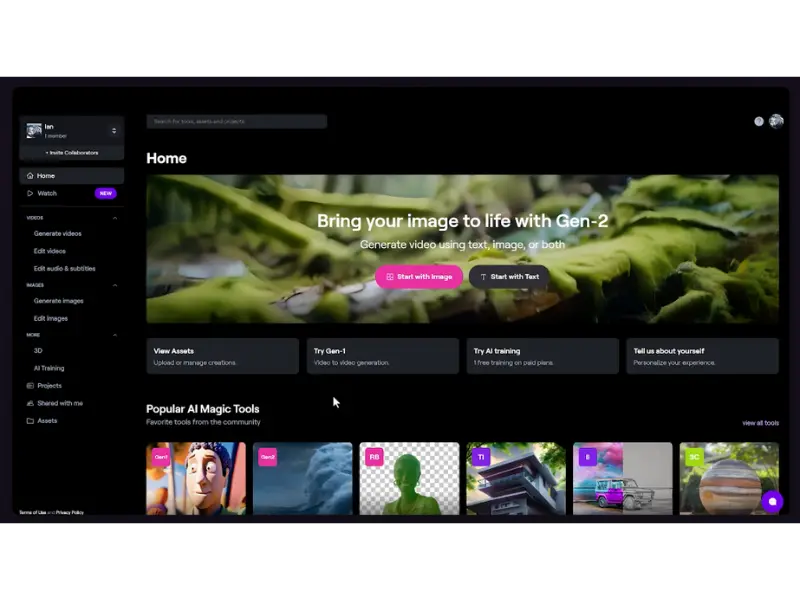
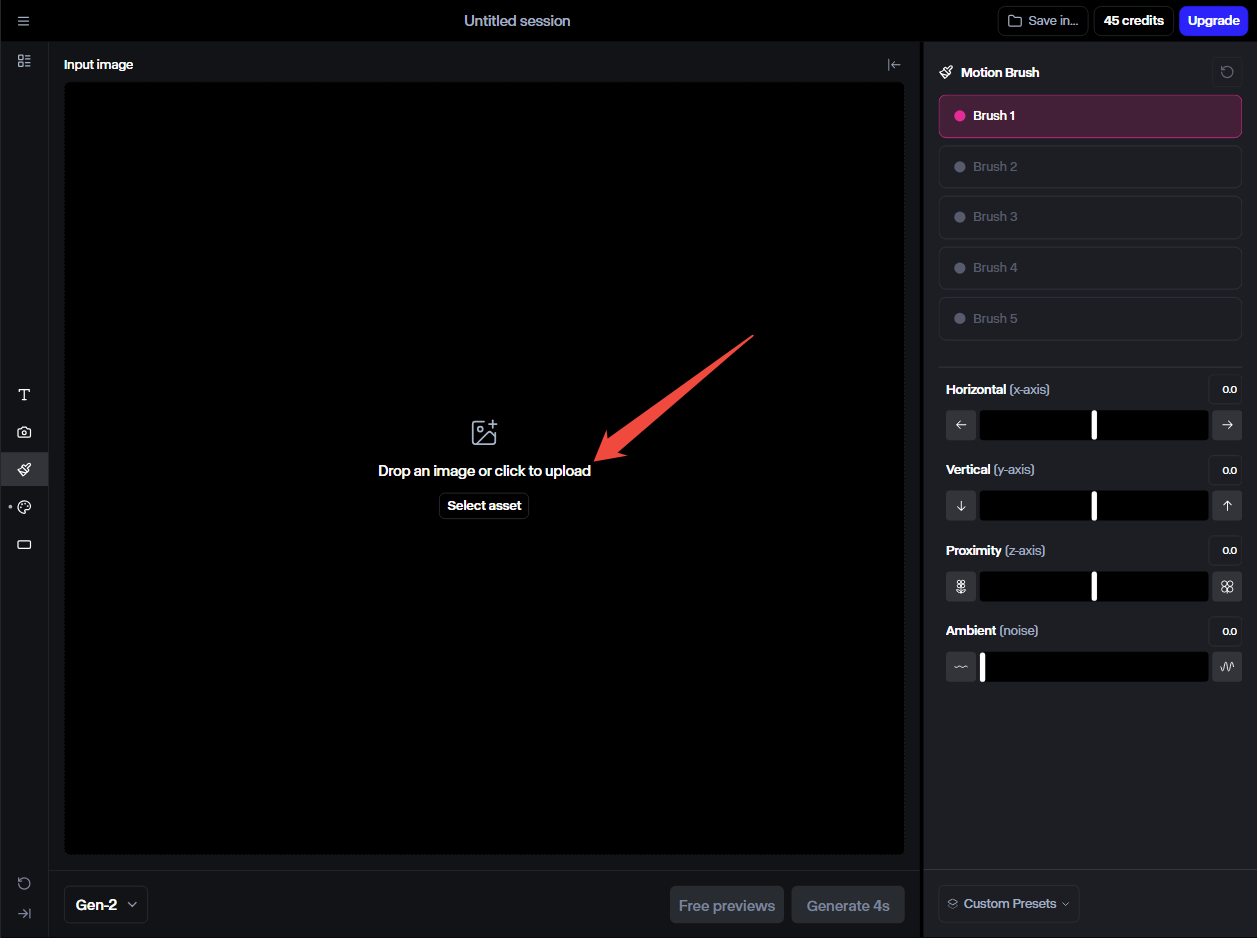
Paint specific regions of your image and assign independent motion vectors. Control speed, direction, and proximity for each brush stroke. It's precision motion control no competitor offers.
Director Mode
Node-based camera control for zoom, pan, tilt, truck, and orbital movements. Specify camera paths with keyframes. It's cinematography software disguised as an AI generator.
Multi-Scene Continuity
Generate coherent sequences across multiple clips with consistent characters, environments, and lighting. Critical for narrative storytelling beyond 10-second snippets.
Act-One Integration
Drive character animation from real actor performances. Upload a video of someone acting, and Gen-4 transfers those expressions and movements to your AI-generated character.
Aleph In-Video Editing
Edit generated clips without leaving the platform. Remove objects, extend scenes, change backgrounds, or add elements — all with AI-assisted precision masking.
Workflows & API
Build custom pipelines with Python and Node.js SDKs. Enterprise users get dedicated instances with high-concurrency API limits for user-facing applications.
Pricing: The Credit Trap Nobody Talks About
Runway's pricing looks reasonable on paper. $15/month for Standard. $35/month for Pro. $95/month for Unlimited. But the credit system is where things get ugly — fast.
| Plan | Price | Credits/Month | Reality Check |
|---|---|---|---|
| Free | $0 | 125 (one-time) | ~25 seconds of video. Watermarked. 720p only. Barely enough to test. |
| Standard | $15/mo | 625 | ~52 seconds of Gen-4 footage. One bad project burns it all. |
| Pro | $35/mo | 2,250 | ~3 minutes of 4K footage. Still tight for professional work. |
| Unlimited | $95/mo | "Unlimited"* | *Actually capped at 2,250 credits. "Relaxed mode" after that = slow queue. |
Gen-4 vs Gen-3 vs Veo 3 vs Sora
The AI video landscape in 2026 is a four-way battle. Here's how they actually compare in real-world testing:
| Feature | Runway Gen-4 | Google Veo 3 | OpenAI Sora v2 | Kling AI |
|---|---|---|---|---|
| Max Clip Length | 16 seconds | 60 seconds | 20 seconds | 2 minutes |
| Max Resolution | 4K (Pro) | 4K | 1080p | 1080p |
| Native Audio | ❌ Separate | ✅ Built-in | ❌ | ❌ |
| Motion Control | Motion Brush 3.0 | Prompt-based | Limited | Basic |
| Character Consistency | ⭐⭐⭐⭐⭐ | ⭐⭐⭐ | ⭐⭐⭐⭐ | ⭐⭐⭐⭐⭐ |
| Starting Price | $15/mo | $19.99 (Google One) | ~$1/sec API | $5/mo |
| Best For | Creative control, agencies | Cinematic quality + audio | Hollywood production | Budget, speed, consistency |
💡 Real User Pulse: What Reddit & Trustpilot Say
The gap between marketing and reality is where Runway Gen-4 gets controversial. Here's what actual users report:
Pros & Cons
✓ What Runway Gen-4 Gets Right
- ✅ Best-in-class motion control with Motion Brush 3.0 — no competitor matches this precision.
- ✅ Character consistency across scenes is genuinely industry-leading.
- ✅ Integrated editing suite (Aleph) means you rarely need to leave the platform.
- ✅ Director Mode gives cinematography-level camera control.
- ✅ 4K output on Pro plans with genuine cinematic quality (9.5/10 score).
- ✅ API and Workflows enable custom pipelines for enterprise teams.
✗ Where It Still Falls Short
- ❌ 16-second max clip length is the most restrictive among major competitors.
- ❌ No native audio generation — requires separate sound design workflow.
- ❌ Credit system burns fast; no rollover; misleading "Unlimited" plan.
- ❌ Less photorealistic than Veo 3 for nature/landscape scenes (8.5/10 vs 9.5/10).
- ❌ Customer support rated 2.5/5 — chatbot-only for standard plans, slow responses.
- ❌ Platform instability during peak hours causes render failures.
- ❌ Training data controversies involving scraped YouTube content raise ethical concerns.
Who Should Use It?
Best Fit: Creative agencies, professional filmmakers, and content studios that need precise motion control and character consistency across multiple shots. Teams already using Adobe Premiere Pro or Final Cut Pro will benefit from official plugins. If your workflow involves heavy post-production, Runway's integrated editing suite saves significant time.
Hold Off If: You're on a tight budget, need long-form content (30+ seconds), or require native audio generation. Also reconsider if you primarily generate nature/landscape footage — Veo 3 produces more photorealistic results at lower cost. Indie creators and YouTubers may find Kling AI or Veo 3 via Google One more cost-effective.
Alternative Path: For budget-conscious creators, the hybrid workflow works best: use Veo 3 or Kling for rapid iteration and B-roll generation, then bring select clips into Runway for Motion Brush refinement and final polish.
Expert Editorial Opinion
I've tested every major AI video generator released in 2026. Runway Gen-4 occupies a unique position: it's the most powerful creative control tool, but also the most expensive per usable minute of footage.
Here's what I've learned after 200+ generations: Motion Brush 3.0 is genuinely revolutionary. Being able to paint motion vectors onto specific regions of an image with independent speed and direction controls is something no competitor offers. When you need a character to walk left while dust blows right and the camera pushes in — all in one shot — only Runway can deliver that precision.
But the credit economics are brutal. I burned through 1,800 credits (Pro plan, ~$28 worth) testing a single 30-second narrative sequence. That's $28 for 30 seconds of video — and I had to stitch 3 clips together. For comparison, Kling AI's $5/month plan would have cost me roughly $1.50 for the same output.
The character consistency is real, but not perfect. In my testing, facial features drifted noticeably after 8 seconds. The "World Consistency" marketing is aspirational — it's better than Gen-3, but still requires careful prompt engineering and reference images to maintain coherence.
My recommendation? Runway Gen-4 is worth it if motion control is non-negotiable for your projects. For everything else — B-roll, social clips, quick prototypes — Veo 3 or Kling AI deliver 90% of the quality at 20% of the cost. Use Runway as a precision tool, not a daily driver.
Final Verdict
Runway Gen-4 is the most creatively powerful AI video tool on the market — and the most expensive to use consistently. Its Motion Brush 3.0, Director Mode, and character consistency are genuinely unmatched. If you're a professional filmmaker or agency that needs precise motion control, this is your tool.
But the credit system is predatory. The "Unlimited" plan is capped. Unused credits vanish. Failed renders still cost you. And at $0.50-$1.00 per usable second of 4K footage, it's pricing out the indie creators who made Runway famous.
For most creators in 2026, the smarter play is a hybrid workflow: iterate cheaply on Kling or Veo 3, then bring your best shots into Runway for the Motion Brush treatment. Gen-4 is a precision instrument, not a daily workhorse — and that's okay. Just know what you're paying for before you burn through your first credit pack.
🔑 Related Keywords
Related Reads: Want to see how the competition stacks up? Check our deep dives on Google Veo, Kling AI, and OpenAI Sora. For image generation, see our Flux.1 review and Midjourney comparison.
So here's my question for you: Would you pay $95/month for "unlimited" AI video generation that's actually capped — or switch to Kling AI at $5/month and accept slightly less control? Drop your take in the comments. 👇

Comments
Post a Comment