


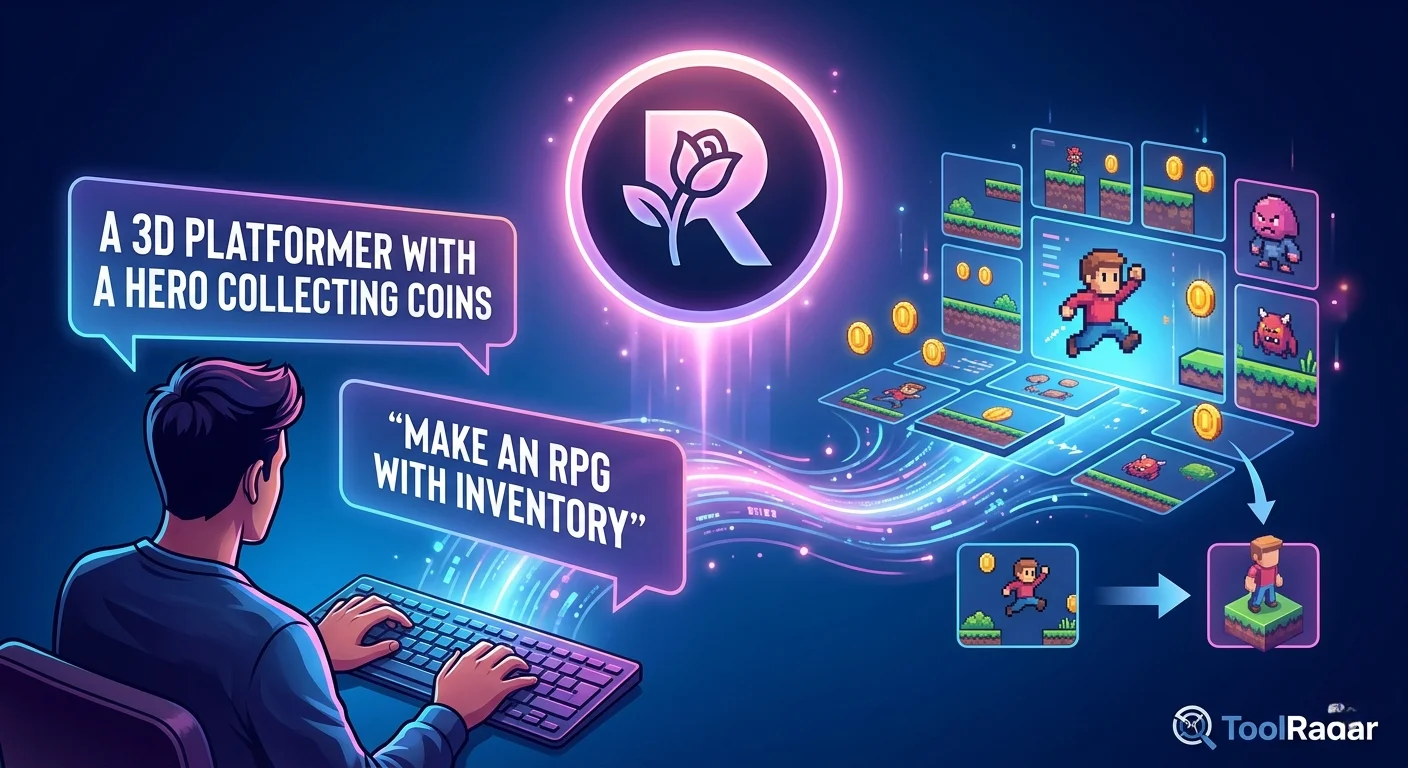
Can You Really Build a Game Without Coding?
I Put Rosebud AI to the Test
From text prompt to playable browser game in under an hour — but can it handle real complexity? Here's what 3 weeks of hands-on testing revealed.
I've always wanted to build a game. Not a massive RPG or a competitive shooter — just something simple, playable, and mine. But every time I opened Unity or Godot, I hit the same wall: code. Hours of tutorials, syntax errors, and the creeping realization that "simple" in game dev means "three months of learning."
Then I found Rosebud AI. The promise was almost too good: type what you want in plain English, and an AI assistant named Rosie builds the game for you. No downloads. No engine. Just a browser tab and a prompt. I had to try it.
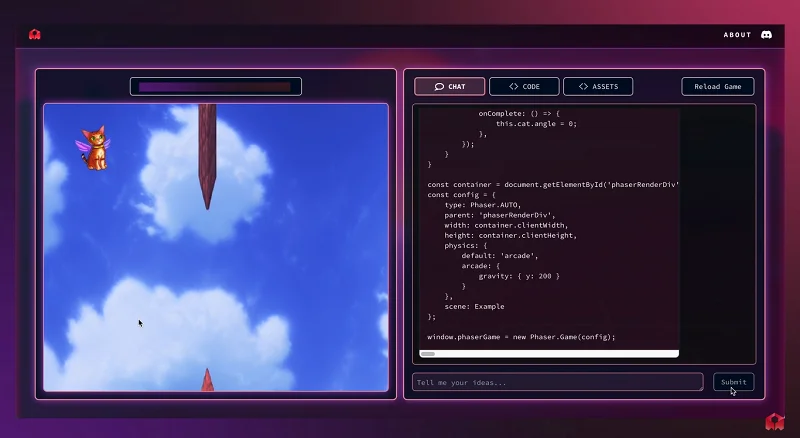
— GitHub Community Discussion, 2026
What Is Rosebud AI? (And What It Isn't)
Here's the first thing you need to know: Rosebud AI is actually two different products from two different companies. One is an AI journaling app (rosebud.app) backed by $6M in seed funding from Bessemer Venture Partners. The other — the one we're reviewing — is Rosebud AI Game Maker (rosebud.ai), a browser-based platform for creating 2D and 3D games through conversational prompts.
Don't confuse them. The journaling app has a 4.8/5 on Trustpilot with 220+ reviews. The game maker is newer, rougher, and aimed at a completely different audience.
Rosebud Game Maker runs entirely in your browser. You type a prompt like "A 3D platformer where the player collects coins and avoids enemies," and Rosie — the AI assistant — generates the code, assets, and physics. You test it immediately, then refine through conversation. The platform supports 2D Playground, 3D Game Maker, Visual Novel Maker, RPG Maker, Cozy Games Maker, Interactive Story Maker, and Platformer Tools.
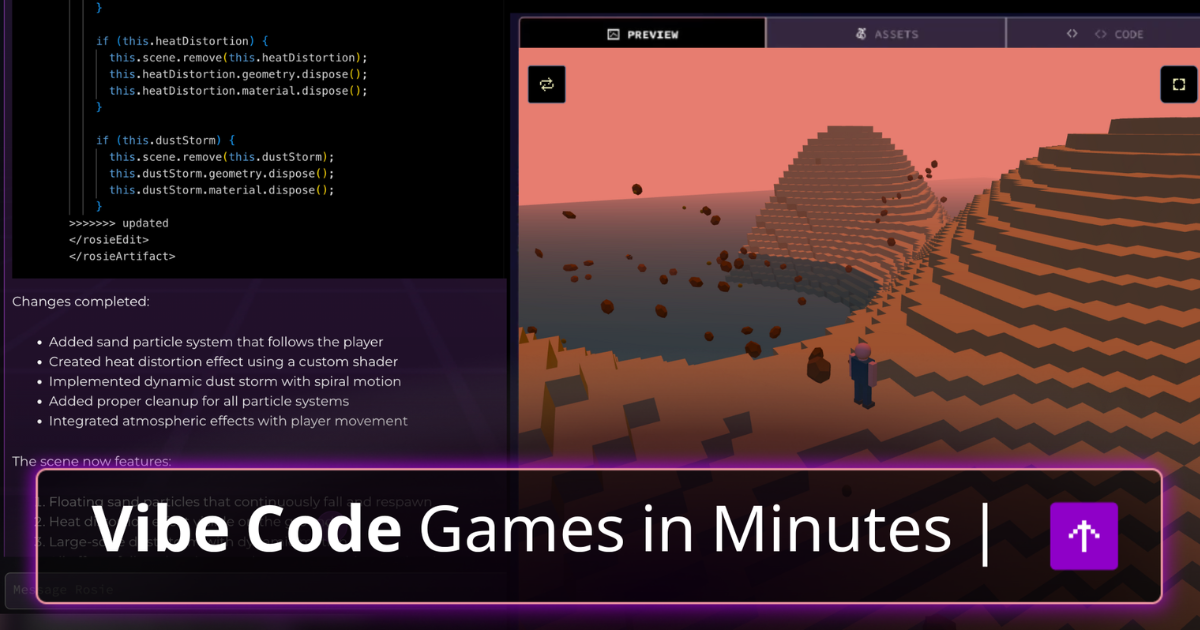
Meet Rosie: The AI Game Assistant
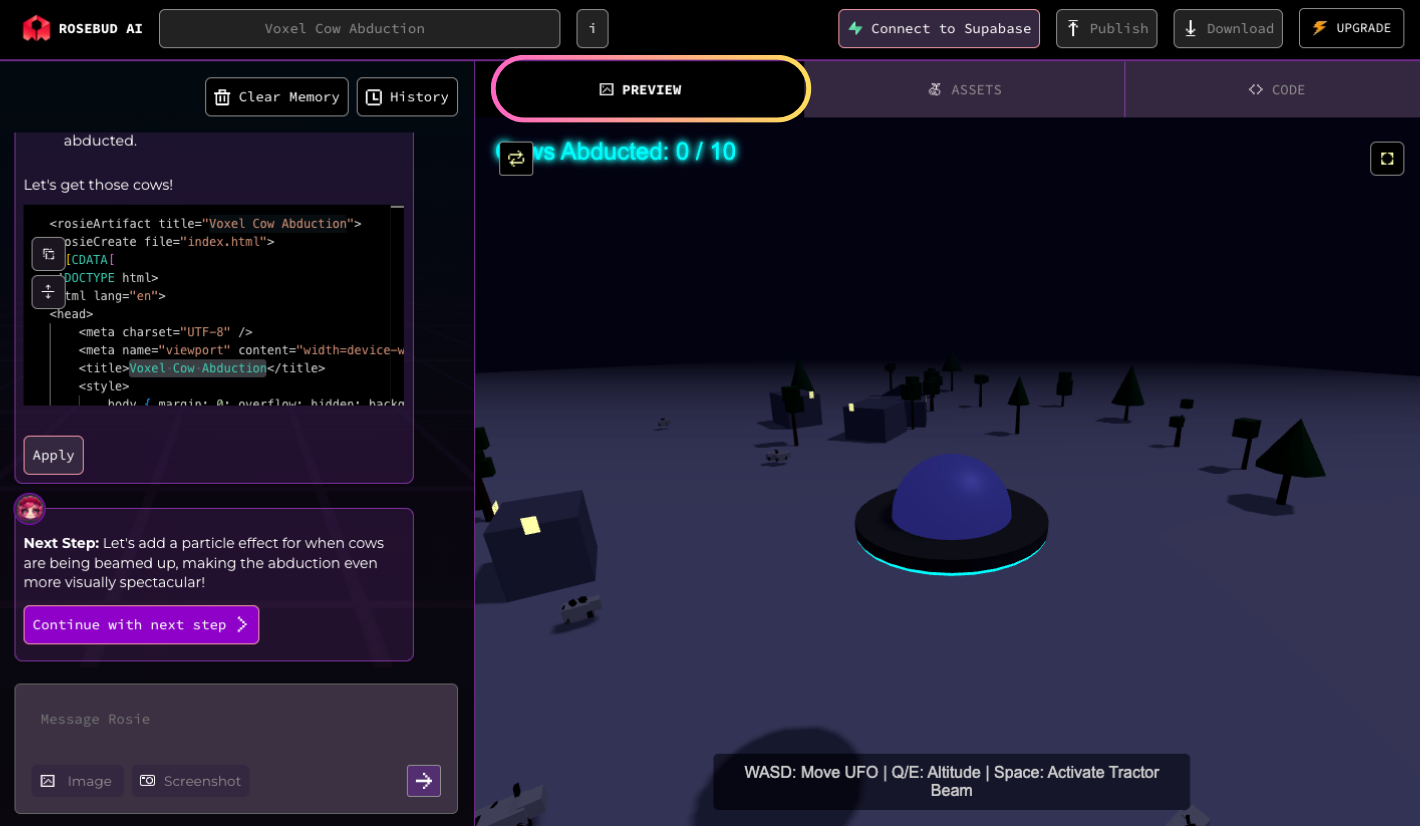
Rosie is the heart of the experience. She's not just a code generator — she's a conversational partner. You can ask her to add features, change visuals, fix bugs, or explain how something works. The interface is split into three tabs: Chat (where you talk to Rosie), Code (where you can view and edit the generated code directly), and Assets (where you manage uploaded models, images, and audio).
From my testing, Rosie excels at:
- Generating basic game structures quickly (platformers, simple RPGs, visual novels)
- Adding common mechanics like jumping, scoring, enemy AI, and inventory systems
- Creating environments and assets based on text descriptions
- Making iterative changes without you touching code
But she struggles with:
- Complex logic that requires multiple conditions or state machines
- Very specific requests that need precise parameter tuning
- Debugging — some bugs are hard to pin down through conversation alone
- Large projects that cause slower response times and context degradation
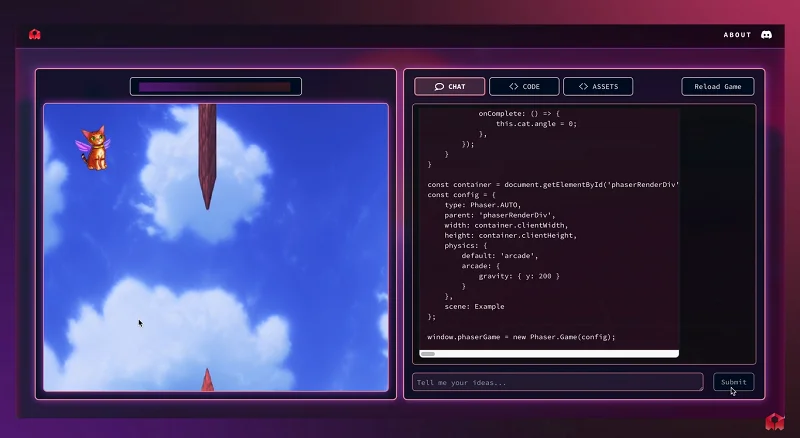
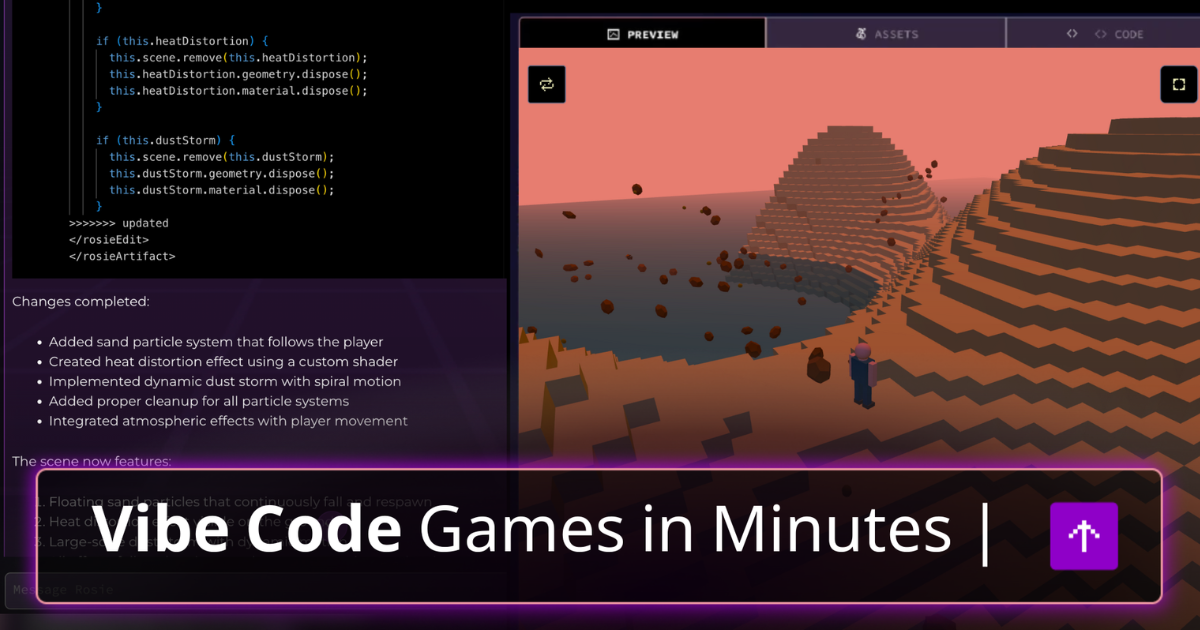
Rosebud AI interface: Chat with Rosie on the left, live game preview on the right
What Can You Actually Build?
I spent three weeks building different game types. Here's what worked and what didn't:
2D Platformers
Excellent results. Rosie generated a fully playable platformer with jumping, enemies, and collectibles in about 15 minutes. Best starting point for beginners.
Visual Novels
Strong performance. Branching narratives, character portraits, and choice-based dialogue trees work reliably. Great for story-driven creators.
RPGs
Moderate. Basic inventory and quest systems work, but complex battle mechanics require significant manual refinement.
Cozy Games
Very good. Low-stress, relaxing games with simple mechanics are Rosebud's sweet spot. Think farming sims, pet simulators, and walking simulators.
The platform handles 2D games more reliably than complex 3D projects. If you're planning something ambitious with advanced physics, multiplayer, or custom shaders, expect to spend more time refining and debugging.

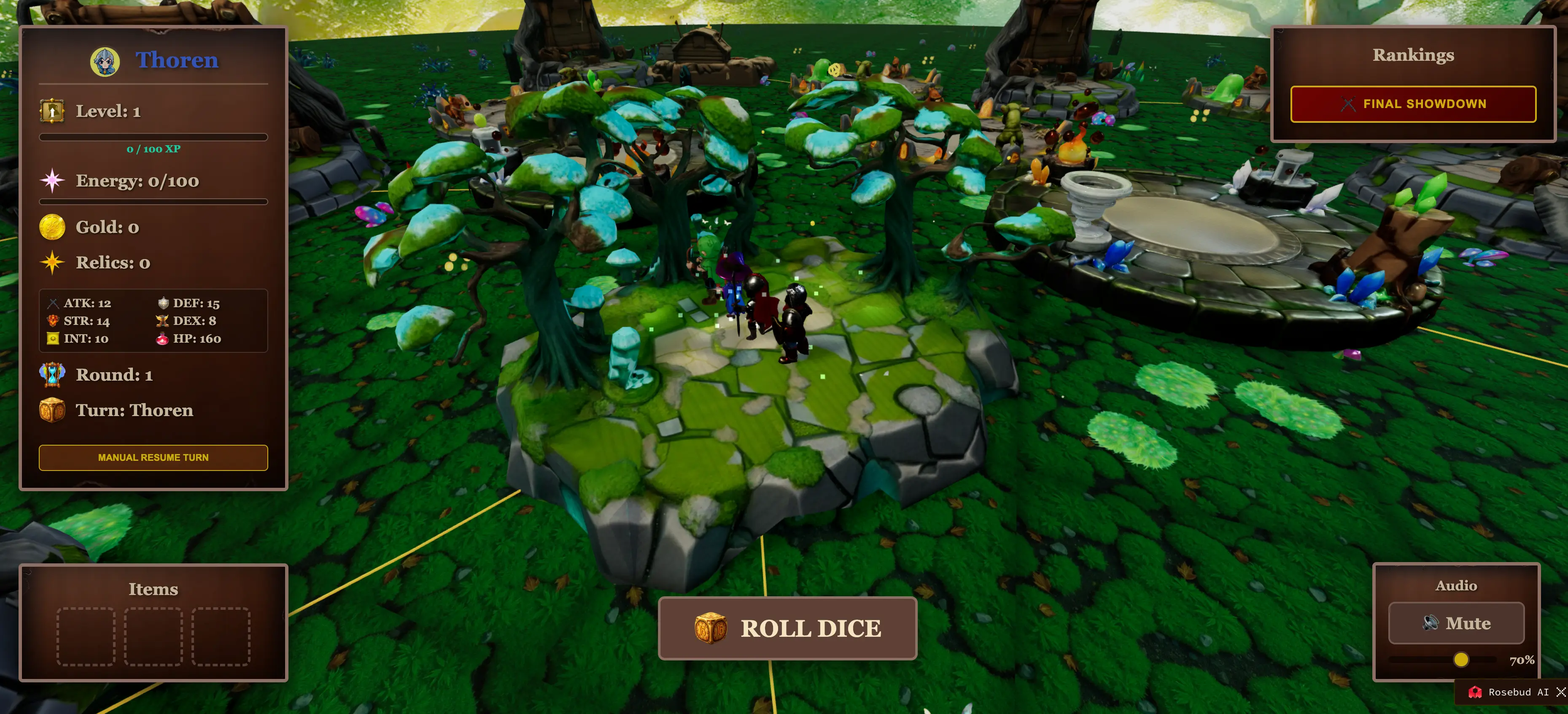
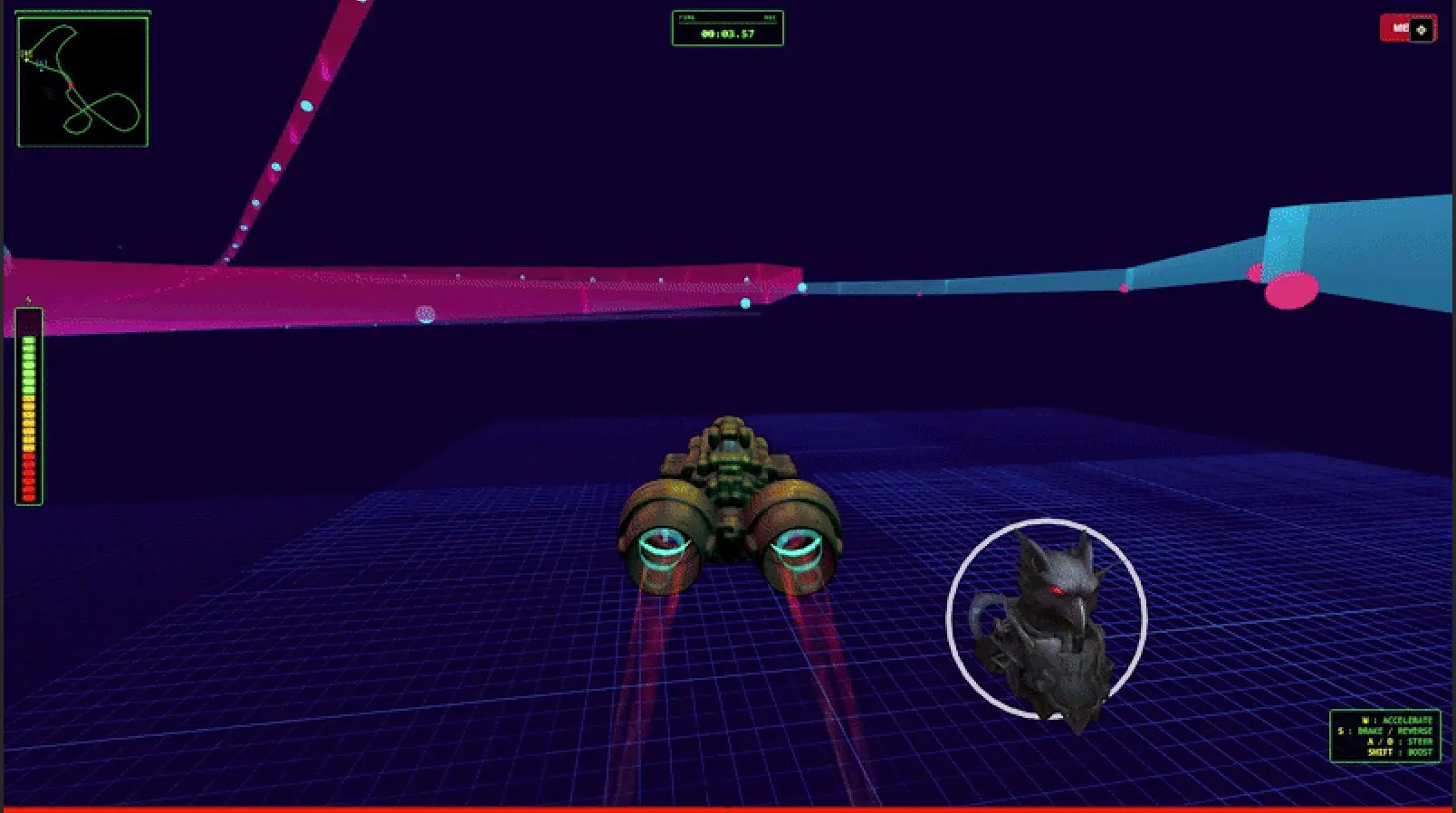
Games created with Rosebud AI: 3D RPG and racing game examples
Pricing: Free vs Pro
| Feature | Free Plan | 10x Dev / Pro Plan |
|---|---|---|
| Weekly Credits | 8,000 credits | Unlimited |
| Commercial Rights | ❌ Personal use only | ✅ Full commercial usage |
| Revenue Share | N/A | ✅ Keep 100% of profits |
| Code Access | Limited | ✅ Full source code access |
| AI Generations | Capped | ✅ Unlimited prompts |
| Support | Community | ✅ Priority support |
| Price | $0 | ~$19.99/mo |
The free plan is genuinely useful for exploring the platform and creating small projects. But 8,000 credits per week fills up fast once you start iterating. If you want to publish or take Rosebud seriously, you'll need the Pro plan. The good news: they don't take a cut of your earnings.
Try Rosebud AI Free →Pros & Cons
✓ What Works
- ✅ Fast prototyping: From idea to playable game in under an hour.
- ✅ No coding barrier: Create something playable without writing a single line of code.
- ✅ Active community: Discord server with helpful creators and Rosebud team members.
- ✅ Learning opportunity: Access to generated code helps you learn game dev principles.
- ✅ Instant publishing: Games are live immediately — just share a link.
- ✅ Asset uploads: Supports .glb, .gltf, and .obj formats for custom 3D models.
✗ What Frustrates
- ❌ Prompt sensitivity: Results vary wildly based on phrasing. "Add an enemy" might work perfectly or create something completely different.
- ❌ Bugs and instability: Some features break unexpectedly. Complex mechanics often need multiple attempts.
- ❌ 3D limitations: Complex 3D projects hit walls quickly. The platform favors simpler projects.
- ❌ Processing time: Large projects slow down noticeably. Expect longer wait times for code generation.
- ❌ No Steam export: No paid tier adds desktop or mobile export. Browser-only output.
- ❌ Brittle output: Changes to generated code often don't stick, requiring reprompting.
💡 Real User Pulse: Reddit, Trustpilot & Discord
"Its awesome how I can achieve a lot more this way than by using gamemaker. It's much easier to create complex game elements and features using the AI. But there are some issues and bugs that are really frustrating also. When I change code directly and apply it often just doesn't seem to stick. Sometimes what should be the simplest command can be incredibly difficult to apply. For example I can't currently get my player sprite animation during walking to scale to the size I want? I'm spending hours just trying to change the size of a sprite animation? Pulling my hair out about this one."
— Reddit user, September 2025
"I have been using Rosebud for just over a week, and it has already improved my life. I love that I can talk-to-text each journal, and the transcription quality is really good. Just being able to talk through how I'm feeling each day, click the Go Deeper button, and have the AI help me explore the root of my feelings deeper, has reduced my anxiety and helped me be more productive at work and in my personal life."
— Verified Trustpilot Review, April 2026
"AN EXPENSIVE HEADACHE. 2 years ago I tried a free trial. I cancelled the trial before the trial was up and was charged the 1 year membership fee. I contacted the 'contact' and received an email from AI saying I would be refunded. That was January 2025. January 2026 same thing charged and have NEVER used the product and have NOT been refunded for either transaction and not heard from a human. Buyer beware."
— Verified Trustpilot Review, January 2026
"Rosebud is unparalleled for 'speed to market.' However, for extremely complex, high-fidelity AAA titles, the abstraction layer might feel limiting for veteran C++ or C# developers. It is perfect for those who want to use AI to make games without getting bogged down in syntax."
— GitHub Discussion, April 2026
Rosebud AI vs Competitors
| Criteria | Rosebud AI | Nilo | Summer Engine |
|---|---|---|---|
| Approach | Prompt-to-game | Hands-on 3D engine | Chat-to-Godot 4 |
| 3D Support | Basic | Full 3D with LOD | Full 3D |
| Export Options | Browser link only | FBX, glTF, Roblox | Steam, Desktop, Mobile |
| Collaboration | None | Real-time multiplayer | Limited |
| Best For | Quick prototypes & jams | Serious builders & Roblox | Shipping real games |
| Free Tier | 8K credits/week | 1,000 credits/month | Available |
According to a February 2026 Nilo survey, 93% of builders recommend Nilo and 82% rate their experience as "Awesome" or "Good." Nilo offers text-to-3D, vibe coding, real-time multiplayer collaboration, and exports to Roblox and Unity — areas where Rosebud falls short.

Who Should Use Rosebud AI?
🚀 Perfect For:
• Complete beginners who want to make games without learning code first
• Game design students looking to prototype ideas quickly
• Non-technical creators with game concepts but no programming background
• Educators teaching game development concepts in classrooms
• Game jammers who need something playable by tonight
• Aspiring developers who want to learn game logic by examining generated code
⚠️ Look Elsewhere If:
• Your end goal is a Steam page, a real 3D game, or a sellable product
• You need robust 3D capabilities for advanced projects
• You want project ownership and long-term growth of one codebase
• You need team collaboration or real-time multiplayer building
• You expect polished, commercial-grade games without significant refinement


AI-generated games with Rosebud: FPS prototype and 3D fantasy environment
Expert Editorial Opinion
I spent three weeks with Rosebud AI, building everything from a simple platformer to a visual novel to a 3D UFO abduction game. Here's my honest take: the first 15 minutes are magical, but the next 3 hours are where reality sets in.
When I asked Rosie to build "a 3D game where a UFO abducts cows," she generated a working prototype in about 10 minutes. The UFO moved, the tractor beam activated, and cows disappeared when caught. It was genuinely impressive. But when I tried to add scoring, a timer, and multiple levels, things got messy. Code changes didn't always stick. Simple adjustments like changing sprite sizes became hour-long battles of reprompting. And the 3D physics felt floaty and imprecise.
The platform's biggest strength is also its biggest weakness: speed without depth. Rosebud is unbeatable for throwaway prototypes, classroom demos, and game jams. You can have a playable game in a browser tab in minutes, share the link, and move on. But if you want to iterate, refine, and ship something polished, you'll hit the ceiling fast.
My recommendation? Start with the free plan. Build a few simple games. If the workflow clicks and you love the speed, consider upgrading. But if you find yourself fighting the tool more than using it — and many users do — consider alternatives like Nilo or Summer Engine that offer real export capabilities and deeper editing.
The honest framing: Rosebud is worth it for the fastest possible path to a playable, shareable browser game. It is not worth it if Steam, 3D ownership, or long-term growth is your goal.
Final Verdict
Rosebud AI is the game development equivalent of a Polaroid camera: instant, fun, and surprisingly capable — but not a replacement for a professional DSLR. For beginners, educators, and game jammers, it's an 8.2/10 gem that turns "I wish I could make a game" into "I just made a game" in under an hour. The no-code barrier removal is genuinely transformative.
But for anyone with ambitions beyond browser prototypes, Rosebud is a stepping stone, not a destination. The lack of export options, the brittleness of generated code, and the 3D limitations mean you'll eventually outgrow it. The smart move? Use Rosebud to learn, prototype, and fall in love with game creation. Then graduate to a real engine when you're ready to ship.
So here's the real question: Do you want to make a game today, or do you want to become a game developer? Rosebud answers the first. For the second, you'll need more.
🔑 Related Keywords
Related Reads: Vibe Coding Revolution · Cursor 3 Review · v0.dev Deep Dive · Bolt.new Analysis · Replit Agent Review

Comments
Post a Comment