


Magic Patterns Review 2026: The AI Prototyping Tool That Turns Your Screenshot Into Production-Ready React
Describe what you need in plain language. Get production-ready React, Tailwind, and Vue components that match your design system — then push them straight to Figma and GitHub.
- What Is Magic Patterns and Why Does It Matter?
- Key Features: From User Story to Production Code
- Pricing: Free Tier to Enterprise
- Pros & Cons: The Honest Breakdown
- Real User Pulse: What Product Hunt Reviewers Say
- Magic Patterns vs Competitors: The Comparison
- Who Should Use Magic Patterns (And Who Shouldn't)
- Expert Editorial Opinion
- Final Verdict
- Related ToolRadar Reviews
- Frequently Asked Questions
For most of the history of product design, the handoff between design and engineering has been the most expensive seam in the software development process. Designers produce pixel-perfect Figma files. Engineers translate those files into code. Something is always lost in translation — spacing wrong by 4 pixels, a font weight misread, a hover state that was in the design but never made it into the spec. The cost is not just the time to fix it. It is the accumulated friction of every handoff across every feature, multiplied by every team member who has to interpret someone else's intent.
Magic Patterns attacks this problem from an unusual angle. Instead of making the handoff cleaner, it makes the handoff shorter. Founded in 2023 by Alexander Danilowicz and Teddy Ni — both ex-Robinhood engineers — and backed by Y Combinator, the tool converts user stories, text prompts, and screenshots into UI designs that export production-ready React, Tailwind, and Vue code. Teams upload their design system, and Magic Patterns applies those rules to everything it generates. The result is not a faster way to produce Figma files that still need re-implementation. It is a path from having an idea to having working code, with the design system already baked in. Updated June 2026, this review examines whether Magic Patterns genuinely collapses the design-to-code gap or simply moves the friction to a different part of the pipeline.
What Is Magic Patterns and Why Does It Matter?
Magic Patterns is an AI-powered prototyping platform that sits at the intersection of design and engineering. The core workflow is deceptively simple: describe what you need in plain language, upload a screenshot for reference, or paste a user story — and the tool generates mockups, interactive prototypes, and production-ready components that match your existing design system. The output is not static images. It is real code in React, Tailwind, or Vue that can be reviewed, modified, and merged directly into a codebase.
The significance of this approach is architectural. Traditional design tools produce artifacts that engineers must re-create. Magic Patterns produces artifacts that engineers can start from. The design system matching feature — which imports branding guidelines, spacing rules, typography, and component libraries — ensures that generated outputs are visually consistent with the existing product rather than generic AI-looking interfaces. For teams with established design languages, this is the difference between a tool that accelerates workflow and one that creates more cleanup work.
With over one million designs created by more than 100,000 users, Magic Patterns has moved well past the early-adopter phase. The April 2026 launch of Agent 2.0, which generated 358 upvotes on Product Hunt, introduced a more autonomous multi-step generation flow that handles full feature prototypes rather than individual screen elements. The tool is now used by software teams ranging from startups building MVPs to enterprise organizations with strict procurement requirements — a breadth of adoption that signals the core workflow is reliable enough for daily professional use.
Key Features: From User Story to Production Code
Design System Matching
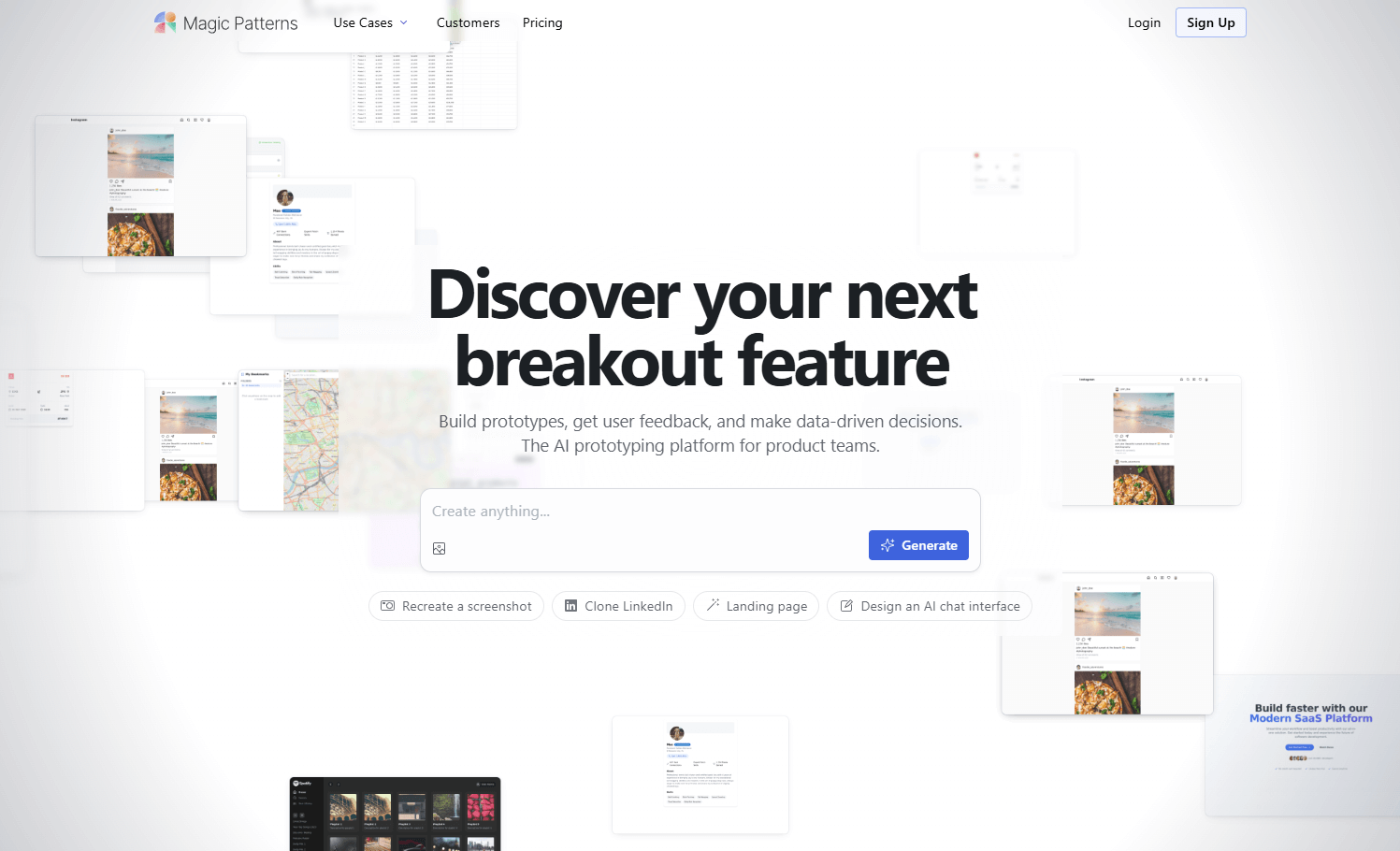
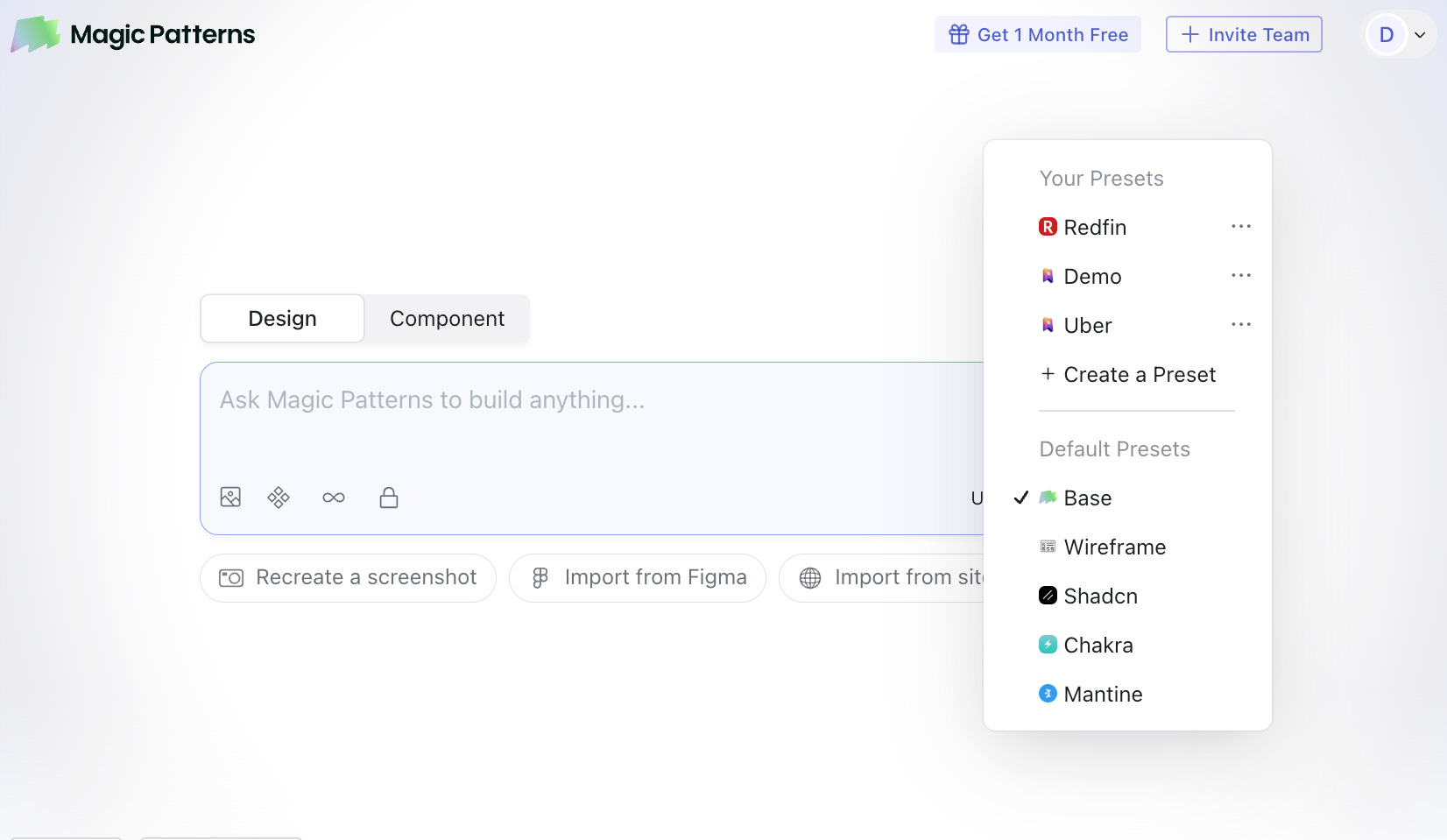
Import your existing design system so Magic Patterns replicates your exact styling, spacing, typography, and component library across every generated screen. Produces consistent enterprise-grade prototypes rather than generic AI output — the feature that separates Magic Patterns from tools that generate visually inconsistent results.
Production-Ready Code Export
Outputs clean React, Tailwind CSS, and Vue code designed for direct integration into existing codebases. Sends layered designs directly into Figma for further refinement. Eliminates the gap between prototype and developer handoff — engineers receive components to review and merge, not designs to re-implement from scratch.
GitHub Sync & Real-Time Multiplayer
Designers and engineers edit, share, and iterate live on the same prototype simultaneously. Direct GitHub integration tracks generated components in version control, enabling seamless collaboration between design and engineering without context switching between tools.
MCP Integration
Connects to the Model Context Protocol to interact with other AI applications, enabling Magic Patterns to sit inside broader AI-powered workflows rather than operating as a standalone island. Integrates with Claude, Cursor, and other MCP-compatible tools for end-to-end AI-assisted development pipelines.
Chrome Extension for Component Capture
Captures UI elements from live websites or local builds and brings them into projects as building blocks for new designs. Eliminates manual recreation of existing components — screenshot, import, and iterate from a real reference rather than starting from a blank canvas.
SOC 2 & ISO 27001 Certified
Enterprise-grade security with audit reports available via the Trust Center. One of the few AI prototyping tools that meets enterprise procurement requirements, making it viable for organizations with strict compliance and security review processes.
Pricing: Free Tier to Enterprise
| Plan | Price | What's Included |
|---|---|---|
| Free | $0 | 100 monthly credits, basic generation, no export integrations — for learning and experimenting only |
| Starter | $20/seat/mo | 1,000 monthly credits, export via MCP, GitHub, and Figma, on-demand pay-as-you-go usage available, 15% off annual billing |
| Business | $100/seat/mo | 5,000 monthly credits, SSO, usage reporting, 10+ users in shared workspace, on-demand usage, priority support |
| Enterprise | Custom | Enterprise-grade security, dedicated support, custom infrastructure at scale, SOC 2 and ISO 27001 compliance, audit reports via Trust Center |
The pricing structure is straightforward but carries meaningful gaps. The free tier at 100 credits is genuinely tight — enough for light exploration but not for real project work. The jump from free to $20 per seat per month is an all-or-nothing commitment with no mid-tier entry point, which may deter freelancers and small teams who need more than 100 credits but cannot justify $20 monthly per user. The Business plan at $100 per seat becomes expensive quickly for teams of 10 or more, particularly compared to design tools with flat team pricing.
The on-demand credit system at $0.02 each with configurable budget limits is a thoughtful addition that prevents bill shock, but it also means unpredictable monthly costs for teams with variable workloads. The credit scaling — where simple changes cost fewer credits than full prototypes — is a fair evolution from the previous flat model, though it adds complexity to cost forecasting. For teams that can accurately estimate their generation volume, the Starter plan offers reasonable value. For teams with spiky or unpredictable usage, the Business plan's higher base quota may be necessary insurance.
Try Magic Patterns Free →Pros & Cons: The Honest Breakdown
✓ What Magic Patterns Gets Right
- ✅ Production-ready code export — React, Tailwind, and Vue output that engineers can review and merge, not re-implement
- ✅ Design system matching — imports existing branding, spacing, typography, and components for visually consistent output
- ✅ Real-time multiplayer editing — designers and engineers iterate live on the same prototype without version conflicts
- ✅ Enterprise security certifications — SOC 2 and ISO 27001 with audit reports, rare in AI prototyping tools
- ✅ Strong community adoption — 1M+ designs created, 100K+ users, 4.9/5 Product Hunt rating signals real reliability
- ✅ Agent 2.0 autonomous generation — multi-step feature prototyping that moves beyond single-screen generation
✗ Where Magic Patterns Falls Short
- ❌ Component-first, not screen-first — generates individual components that must be assembled manually into full prototypes
- ❌ No Figma import — cannot import existing Figma files, creating friction for teams whose design history lives there
- ❌ Learning curve for AI-prototyping newcomers — meaningful ramp-up period before generating consistently high-quality, on-brand output
- ❌ Free tier is tightly limited — 100 credits covers exploration but not real work; jump to $20/seat is steep with no mid-tier
- ❌ Business plan pricing escalates quickly — $100/seat/month becomes expensive for teams of 10+ compared to flat-priced alternatives
- ❌ Not built for live product iteration — works best for new interfaces; precise modifications to existing deployed apps face more friction
💡 Real User Pulse: What Product Hunt Reviewers Say
Magic Patterns vs Competitors: The Comparison
| Feature | Magic Patterns | v0.dev | Uizard |
|---|---|---|---|
| Code Export | React, Tailwind, Vue | React, Tailwind | React, HTML |
| Design System Match | Full import + apply | Shadcn components | Limited |
| Figma Integration | Export to Figma | None | Export to Figma |
| Figma Import | Not supported | Not supported | Supported |
| Pricing Entry | Free / $20/mo | Free / $20/mo | Free / $12/mo |
| Enterprise Security | SOC 2 + ISO 27001 | Basic | Basic |
The comparison positions Magic Patterns as the enterprise-ready choice in the AI prototyping space. Against v0.dev, it wins on design system depth, Figma export, and security certifications but loses on the sheer speed and simplicity of Vercel's single-prompt-to-UI workflow. v0.dev is the better tool for rapid individual experimentation; Magic Patterns is the better tool for team workflows that need consistency, version control, and compliance. Against Uizard, Magic Patterns wins on code quality and design system fidelity but loses on Figma import capability and entry pricing — Uizard's $12 monthly entry is more accessible for freelancers and small teams.
The ideal stack for many product teams may actually include both: v0.dev for rapid individual ideation and exploration, Magic Patterns for team-aligned production prototyping with design system enforcement and GitHub integration. The choice is not which tool is better in isolation but which tool fits the specific friction point in your workflow — speed versus consistency, individual versus team, experiment versus ship.
Who Should Use Magic Patterns (And Who Shouldn't)
Ideal for: Design agencies creating multiple client projects where visual consistency and brand alignment are non-negotiable. Startups building MVPs quickly who need usable front-end code rather than static mockups. Front-end developers wanting AI-generated scaffolding they can directly integrate and modify. Large design teams accelerating screen creation before refinement in Figma, particularly those with established design systems that need to be enforced across all generated output. Enterprise product teams with procurement requirements that demand SOC 2 and ISO 27001 certifications. Teams already using GitHub for version control who want generated components tracked alongside their codebase.
Look elsewhere if: You want to start from an exact live product screen and modify it directly — Magic Patterns is component-first, not screen-first, and alternatives like Uizard handle full-screen capture better. Your design history and component libraries live in Figma and you need to import them for iteration — the lack of Figma import creates genuine friction. You are a solo freelancer on a tight budget — the $20 entry point with no mid-tier may be hard to justify against free alternatives. You need to make precise modifications to an existing deployed application — the tool works best for new interfaces rather than live product iteration. You are new to AI-assisted design and need immediate high-quality output — the learning curve for generating consistently on-brand results is real and measurable.
Expert Editorial Opinion
Magic Patterns occupies a genuinely important position in the AI tooling landscape because it addresses a problem that most AI design tools ignore: the handoff. Most tools in this category optimize for the design phase — faster mockups, prettier prototypes, more impressive demos. Magic Patterns optimizes for the transition from design to code, which is where the majority of actual cost and friction lives in product development. When a tool exports production-ready React that matches your design system, the engineer's job shifts from re-implementation to review and refinement. That is not a marginal improvement. It is a different category of value.
The design system matching feature is the technical foundation that makes this possible. Without it, AI-generated UI has a recognizable look — clean, generic, slightly off-brand. With it, the output is visually indistinguishable from manually crafted designs in the same visual language. This is not a cosmetic feature. It is the difference between a tool that accelerates workflow and one that creates cleanup work. For enterprise teams with strict brand guidelines, this capability is often the deciding factor in procurement decisions.
The pricing gap analysis reveals both opportunity and risk. At $20 per seat for Starter, Magic Patterns is competitively positioned against v0.dev but more expensive than Uizard's entry point. The Business plan at $100 per seat escalates quickly for larger teams, and the absence of a mid-tier between Free and Starter may push price-sensitive users toward alternatives. The question for Magic Patterns is whether the enterprise security certifications, design system depth, and GitHub integration justify the premium over faster, cheaper tools. For teams that need those features, the answer is clearly yes. For teams that do not, the free tier is worth exploring but the upgrade path may feel steep. The 1M+ designs created and 4.9/5 Product Hunt rating suggest that for the right user, the value is already proven.
Final Verdict
Magic Patterns earns an 8.2 out of 10 for delivering one of the most complete AI prototyping workflows available — from user story to production-ready React with design system fidelity, real-time collaboration, and enterprise security. The code export quality, GitHub integration, and SOC 2 certification make it a genuine contender for team workflows that need consistency and compliance, not just speed. The deduction reflects the component-first architecture that requires manual assembly, the absence of Figma import, the steep pricing jump from free to paid tiers, and the learning curve for teams new to AI-assisted design. It is not the fastest tool for individual experimentation, but it is one of the most thoughtful tools for team-based product development. For design agencies, startups with design systems, and enterprise product teams, Magic Patterns is a strong recommendation. For solo freelancers and teams who need screen-first capture, alternatives may fit better. Updated June 2026.
🔗 Related ToolRadar Reviews
More tools from AI Design Tools
- Can a Non-Designer Really Build a Prototype? We Tested the Claim
- v0.dev vs Bolt.new vs Cursor: Which AI Builder Wins in 2026?
- v0.dev 2026: The AI Tool That Turns Prompts Into Production UI
- Bolt.new 2026 Review: The Ultimate 1-Click AI Builder?
- Uizard Review 2026: Your Napkin Sketch to App in Minutes
- Generative UI 2026: From Prompt to Interface
- Lovable.dev 2026 Review: Will It Kill Traditional Development?
- Google Stitch: Turns Napkin Sketch Into Working App
❓ Frequently Asked Questions
How many hours did your last design handoff cost you?
Magic Patterns turns user stories into production-ready React in minutes, not days. The free tier gives you 100 credits to prove it works with your design system. The only question is which feature you prototype first.
Try Magic Patterns Free →
Comments
Post a Comment