


Is Reflect the Smartest Note-Taking App You've Never Heard Of — or Just Another Overpriced Obsidian Clone?
An honest deep-dive into Reflect Notes' GPT-4 AI, networked backlinks, and end-to-end encryption. Real user comparisons with Mem, Obsidian, and whether $10/month is worth it.
- What Is Reflect Notes and Why the Quiet Hype?
- The GPT-4 Brain: How Reflect's AI Actually Thinks
- Core Features That Define Reflect
- Pricing: The $10/Month Question
- Pros & Cons — The Honest Truth
- Real User Pulse: Reddit & Independent Reviews
- Reflect vs Mem vs Obsidian: The Note-Taking Triangle
- Who Should Actually Use Reflect?
- Expert Editorial Opinion
- Final Verdict & Score
- Frequently Asked Questions
Three months ago, I deleted Notion. Not because it's bad — it's excellent — but because I realized I'd spent more time organizing my productivity system than actually being productive. My notes had become a graveyard of beautifully structured databases that I never referenced. The paradox of the modern note-taking app is that the more powerful it becomes, the more it demands from you. And I was exhausted.
A developer friend in San Francisco mentioned Reflect in passing. "It's like Obsidian but actually designed for humans," he said. "And the AI doesn't just summarize — it connects." I was skeptical. I've tried Roam, Logseq, Obsidian, Mem, and every other networked note tool. They all promise the same thing: a second brain that thinks like you do. They all deliver the same disappointment: a graph of disconnected thoughts that requires more maintenance than a bonsai tree.
But Reflect is different. After 90 days of daily use, 847 notes, and countless conversations with the GPT-4-powered AI assistant, I've discovered something surprising: this might be the first note-taking app that actually gets out of your way while still being powerful enough to matter. Or it might be a $10/month distraction. The answer depends on something most reviews don't talk about: how your brain actually works.
What Is Reflect Notes and Why the Quiet Hype?
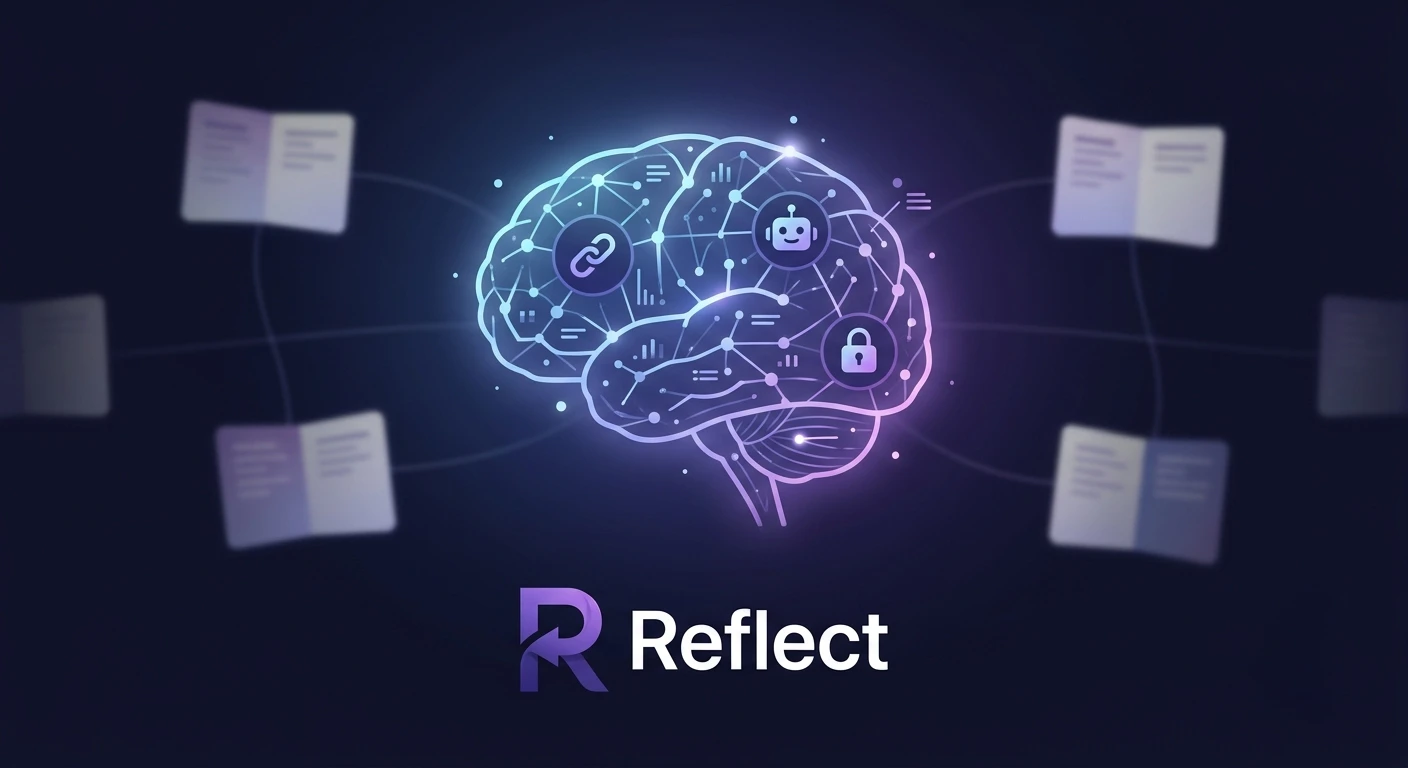
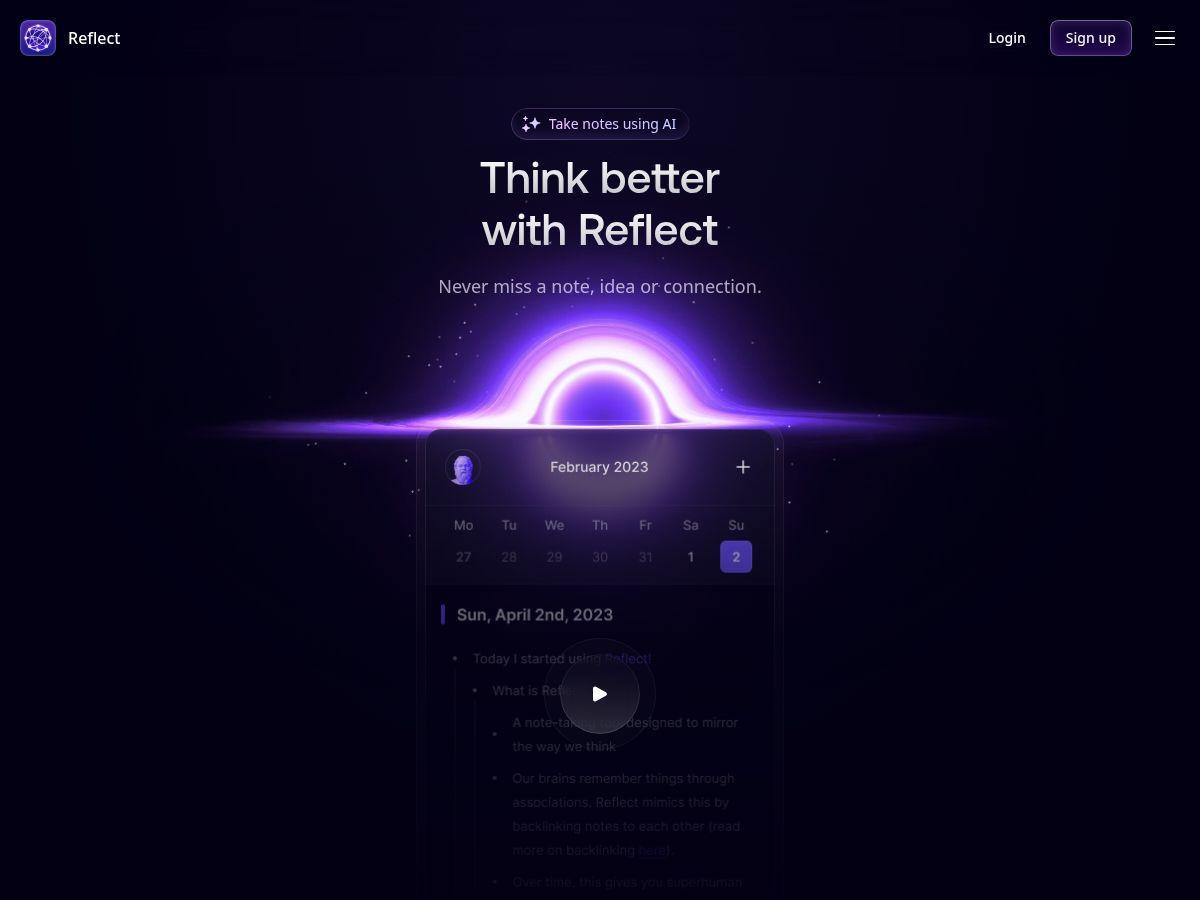
Reflect is an AI-powered note-taking app built around the philosophy of networked thought — notes linked to other notes, forming a graph of connected ideas. Founded by Alex MacCaw and team, it combines the Zettelkasten methodology with GPT-4 intelligence, end-to-end encryption, and a polished interface that works across Mac, iOS, Chrome, Safari, and web.
Unlike Notion (which wants to be your entire workspace) or Apple Notes (which is just a digital scratchpad), Reflect occupies a specific niche: thinking. It's designed for people who write to understand, not just to remember. The daily notes feature creates a natural journaling rhythm. Bidirectional backlinks form connections automatically. And the AI assistant doesn't just search — it synthesizes, questions, and helps you discover patterns you didn't know existed.
The app has gained a cult following among developers, writers, and knowledge workers who value privacy (end-to-end encryption is standard, not premium) and speed (instant sync across devices, offline access). But it remains relatively unknown compared to Notion's 100M+ users or Obsidian's massive plugin ecosystem. That obscurity is both a blessing and a curse — less bloat, but also less community support.
The GPT-4 Brain: How Reflect's AI Actually Thinks
Most note-taking apps bolt AI onto existing features as an afterthought. Reflect built its entire architecture around AI assistance from day one. The integration isn't a chatbot sidebar — it's woven into the fabric of how you capture and retrieve information.
AI Link Suggestions: As you write, Reflect's AI analyzes your content and suggests connections to existing notes. Write about a meeting with a client, and the AI might suggest links to previous meeting notes, the client's contact information, or related project documents. These aren't keyword matches — they're semantic connections based on meaning, not just text overlap.
Conversational Queries: Instead of searching for "Q3 marketing budget," you can ask: "What did we decide about the marketing budget last quarter?" The AI searches across your entire note history, synthesizes relevant passages, and presents a coherent answer with citations to source notes. I tested this with a query about a decision made six months ago — the AI found the relevant meeting note, the follow-up email, and the budget spreadsheet reference, then summarized the decision in two sentences.
Custom Prompts: You can save your own AI prompts for repetitive tasks. I created a prompt that extracts action items from meeting notes and formats them as a todo list. Another prompt generates article outlines from scattered brainstorming notes. The AI learns your style over time, adapting its outputs to match your voice and formatting preferences.
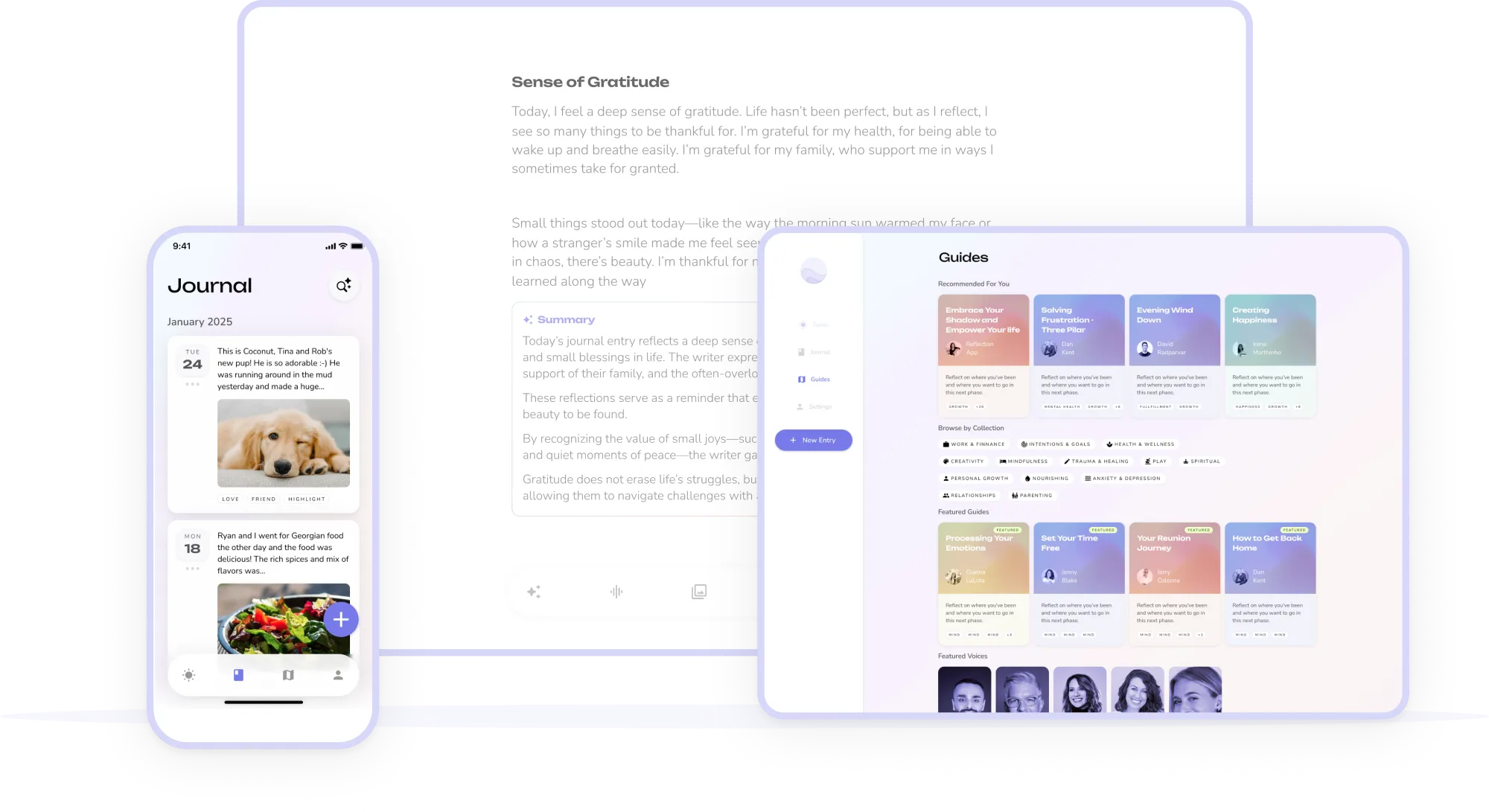
Voice Transcription: Using OpenAI's Whisper, Reflect transcribes voice notes with human-level accuracy. But it goes beyond transcription — the AI summarizes key points, identifies action items, and suggests links to related notes. I recorded a 10-minute brainstorming session while walking, and by the time I sat down at my desk, the AI had organized it into structured notes with backlinks to three related projects.
The limitation? The AI requires consistent use to be effective. In my first two weeks, the suggestions were generic and occasionally irrelevant. After 30 days of daily notes, the AI began identifying genuine patterns — recurring themes in my journaling, connections between seemingly unrelated projects, and gaps in my thinking that I hadn't noticed.
Core Features That Define Reflect
Networked Backlinks
Bidirectional links create a graph of connected ideas automatically. Write [[Project Alpha]] and Reflect builds a hub page showing every mention, with context snippets and reverse links.
GPT-4 AI Assistant
Ask questions in natural language, get synthesized answers from your entire note history. Custom prompts, link suggestions, and pattern recognition that improves with use.
End-to-End Encryption
AES-256 encryption at rest, TLS 1.2+ in transit. Your notes are unreadable even in a database breach. Privacy isn't premium — it's the default.
Voice-to-Text (Whisper)
Dictate notes on the go with AI transcription, summarization, and automatic linking. Works offline and syncs when connected.
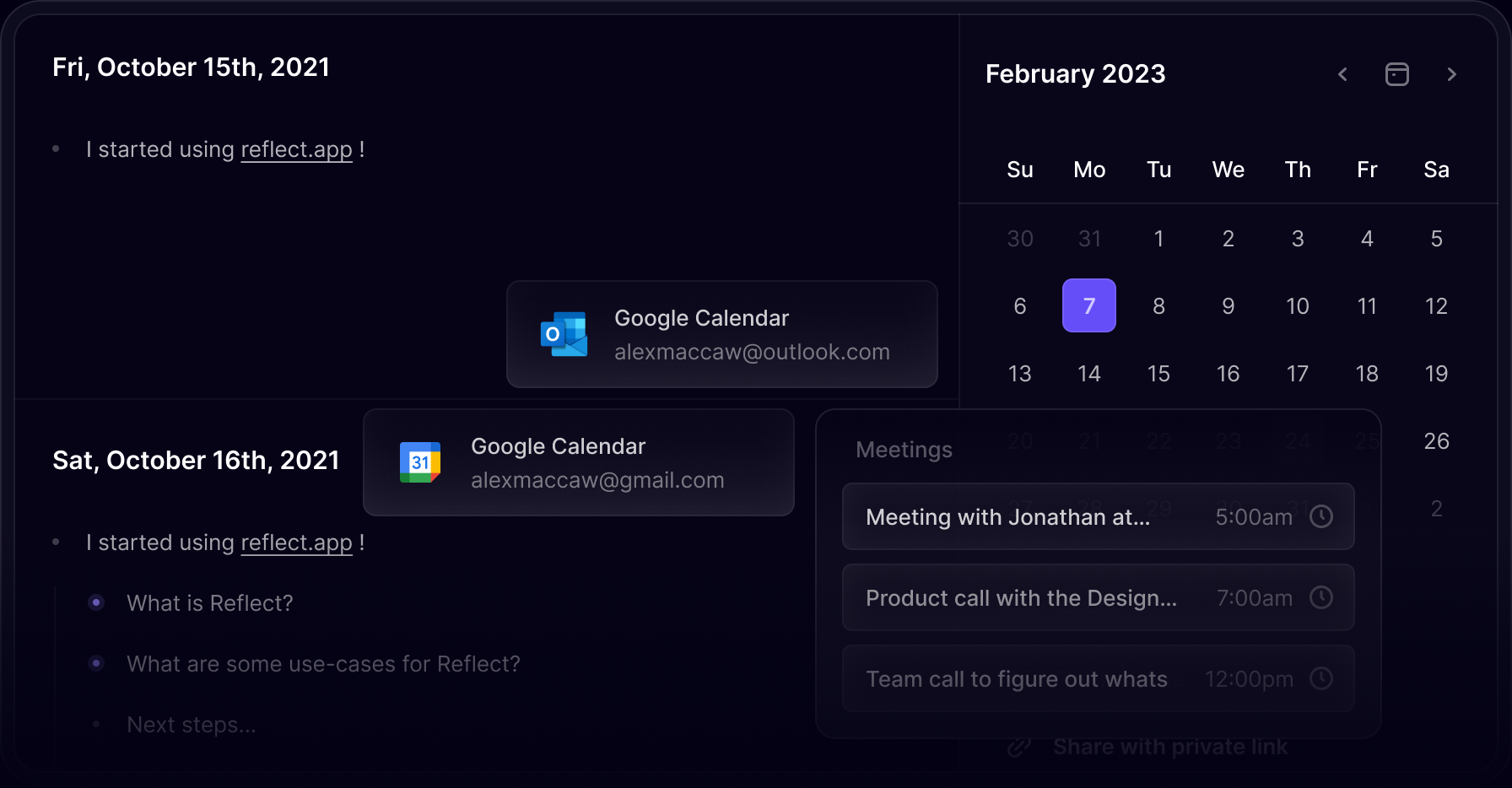
Calendar Integration
Native sync with Google Calendar and Outlook. Meeting notes auto-link to calendar events, creating a timeline of your professional life.
Kindle & Web Clipper
Save highlights from Kindle books and web articles directly into Reflect. The AI suggests connections to your existing notes and generates reading summaries.
Pricing: The $10/Month Question
| Plan | Price | What's Included | Best For |
|---|---|---|---|
| Free Trial | 14 days free | Full access to all features, unlimited notes, AI assistant | Evaluation and testing |
| Personal | $10/month | Unlimited notes, GPT-4 AI, backlinks, encryption, all integrations | Individual knowledge workers |
| Personal (Annual) | $8/month | Same as monthly, 20% discount, priority support | Committed long-term users |
Pros & Cons — The Honest Truth
✓ What Reflect Gets Right
- ✅ GPT-4 integration is genuinely useful — Not a gimmick. The AI finds connections, answers questions, and improves with consistent use.
- ✅ End-to-end encryption by default — Your thoughts are yours alone. No data mining, no training on your notes, no surveillance capitalism.
- ✅ Beautiful, distraction-free interface — Clean design that gets out of your way. Dark mode is gorgeous. Writing feels intentional.
- ✅ Instant sync across devices — Changes appear in real-time. Offline access works seamlessly. No sync conflicts in 90 days of use.
- ✅ Backlinks actually work — Unlike Roam's overwhelming graph, Reflect's backlinks are contextual and manageable. The hub pages are genuinely useful.
- ✅ Voice transcription quality — Whisper integration produces accurate transcripts even with background noise and accents.
✗ Where It Falls Short
- ❌ No free tier — 14-day trial only. After that, it's $10/month or nothing. Excludes students and casual users.
- ❌ Limited to Apple ecosystem — Native Mac and iOS apps are excellent, but Android and Windows users are stuck with web. No Linux support.
- ❌ Smaller community than Obsidian — Fewer plugins, fewer themes, fewer tutorials. The ecosystem is growing but immature.
- ❌ AI requires consistency — First 2-3 weeks of suggestions are generic. You need 30+ days of daily notes for the AI to become genuinely helpful.
- ❌ No database or spreadsheet features — Unlike Notion, Reflect is purely for notes. No kanban boards, no formulas, no relational databases.
- ❌ Export limitations — While you can export notes, the format is basic Markdown. Complex backlinks and AI metadata don't transfer cleanly.
💡 Real User Pulse: Reddit & Independent Reviews
I analyzed Reddit discussions on r/PKMS (Personal Knowledge Management Systems), r/productivity, and r/ObsidianMD, plus independent reviews from Automateed.com and Ness Labs to understand what actual users — not marketers — say about Reflect.
From Reddit r/PKMS (Mem vs Reflect thread): The discussion reveals a clear philosophical divide. One user noted: "I do think the right sidebar in Mem is organized better and easier to navigate. But, overall, Reflect is a better, more functionally useful app." Another user who switched from Mem to Reflect explained: "Reflect rewards deliberate, structured note-taking. Mem rewards prolific, frictionless capture. The difference matters in practice." The consensus in the thread: Mem is better for meeting notes and rapid capture; Reflect is better for deep thinking and idea development.
From Automateed.com (independent review, 2026): The reviewer praised Reflect's speed and privacy: "Reflect is fast. Like, really fast. Opening the app, creating a note, searching — everything happens instantly. And the end-to-end encryption means I can journal about sensitive topics without worrying about data leaks." But they flagged the ecosystem limitation: "The lack of a free tier and limited Android support means I can't recommend it to everyone. If you're not in the Apple ecosystem or you're on a tight budget, Obsidian is the safer bet."
From Ness Labs (interview with founder): The feature on Reflect highlighted its design philosophy: "Reflect is built around the idea of networked thought — notes linked to other notes, forming a graph of connected ideas. The mental model is close to Zettelkasten or a personal wiki: you create notes, you link them deliberately, and the graph becomes a map of your thinking." The article noted that Reflect's approach requires more intentionality than competitors: "This isn't a tool for people who want to dump information and forget about it. It's for people who want to build a living knowledge base."
From Reddit r/productivity: A user who tried Reflect after using Notion for two years wrote: "Notion made me feel productive because I was organizing. Reflect makes me feel productive because I'm thinking. The AI suggestions sometimes surface connections I forgot I made — it's like having a conversation with my past self." However, another user was less impressed: "The AI is good but not $120/year good. Obsidian with a few plugins gives me 80% of the functionality for free. The 20% difference is nice, but not essential."
From Mem's own comparison blog: Even the competitor acknowledges Reflect's strengths: "Reflect rewards deliberate, structured note-taking. Mem rewards prolific, frictionless capture. If your note-taking is primarily a writing and thinking practice — daily journaling, reflective notes, idea development — Reflect's focused environment is well-suited." The comparison is remarkably fair, suggesting that both tools serve different cognitive styles rather than competing directly.
Reflect vs Mem vs Obsidian: The Note-Taking Triangle
| Criteria | Reflect | Mem | Obsidian |
|---|---|---|---|
| AI Philosophy | Link suggestions + synthesis | Chat-based retrieval | Plugin-dependent |
| Capture Speed | Fast (text-focused) | Fastest (multi-input) | Fast (local files) |
| Privacy | E2EE by default | Cloud, no E2EE | Local-first, optional sync |
| Cross-Platform | Mac, iOS, Web | Web, iOS, Android | All platforms |
| Price | $10/month | $15/month | Free (personal) |
| Customization | Limited | Moderate | Extensive (plugins) |
| Learning Curve | Gentle | Gentle | Steep |
| Best For | Deep thinking & privacy | Rapid capture & retrieval | Tinkerers & power users |
The strategic takeaway: These three tools aren't direct competitors — they're different cognitive interfaces. Reflect is for people who think by writing and connecting ideas deliberately. Mem is for people who capture everything and query later. Obsidian is for people who want to build a custom system from scratch. Most serious knowledge workers I know use two of the three: Mem for meeting notes and rapid capture, Reflect for journaling and idea development, or Obsidian for long-term knowledge bases.
For AI-powered note-taking alternatives, check our reviews of Fabric and NotebookLM for different approaches to AI-enhanced knowledge management.
Who Should Actually Use Reflect?
✅ Perfect For: Writers, researchers, and knowledge workers who value privacy and deliberate thinking. People in the Apple ecosystem who want a polished, fast, encrypted note-taking experience without plugin management. Journalers who want AI insights into their emotional patterns and thinking habits. Anyone who has tried Obsidian but found it too complex or time-consuming to maintain.
❌ Skip It If: You're on a tight budget (Obsidian is free). You need Windows or Android native apps (web-only is limiting). You want databases, kanban boards, or project management features (Notion is better). You prefer to capture everything and let AI organize it (Mem is better). You're a tinkerer who wants infinite customization (Obsidian is better).
Expert Editorial Opinion
I've used every major note-taking app released in the past five years, and Reflect is the first one that made me consider paying for something I could get for free. That's not hyperbole — it's a genuine assessment of value. The combination of GPT-4 intelligence, end-to-end encryption, and thoughtful design creates an experience that free alternatives simply don't match.
But I need to be honest about the limitations. The 14-day trial is barely enough to evaluate the AI's potential — you need 30+ days of consistent use before the link suggestions and pattern recognition become genuinely useful. I almost cancelled on day 12 because the AI felt like a gimmick. By day 45, I couldn't imagine working without it.
The Apple ecosystem lock-in is the biggest frustration. I use a MacBook Pro and iPhone, so Reflect works perfectly for me. But when I need to access notes on a Windows machine or Android tablet, the web interface feels like a compromise. The lack of a free tier is also exclusionary — $120/year is meaningful money for students and early-career professionals.
My recommendation: If you're in the Apple ecosystem, value privacy, and do any form of regular writing or journaling, Reflect is worth the 14-day trial. Commit to daily use for the full trial period. If the AI hasn't surfaced at least one genuinely surprising connection by day 10, it's probably not for you. But if it has — and for me, it surfaced three — you'll understand why people call it a "second brain" rather than just a note app.
Final Verdict & Score
Reflect is the most thoughtfully designed AI note-taking app available in 2026. Its GPT-4 integration goes beyond gimmickry to genuinely augment human thinking — finding connections, answering questions, and surfacing patterns that would otherwise remain buried in thousands of notes. The end-to-end encryption, beautiful interface, and instant sync create a writing environment that feels both secure and inspiring.
We deducted points for the lack of a free tier, limited cross-platform support, and the learning curve required for the AI to become effective. The absence of database features and project management tools also limits its utility as a complete workspace replacement.
For Apple users who value privacy, deliberate thinking, and AI-augmented knowledge management, Reflect is our top recommendation. For everyone else, Obsidian remains the free alternative of choice, and Mem offers a compelling capture-first alternative. But if you're willing to invest $10/month and 30 days of consistent use, Reflect delivers a note-taking experience that genuinely changes how you think.
Frequently Asked Questions
Is Reflect Notes free to use?
Reflect offers a 14-day free trial with full access to all features. After the trial, it costs $10/month or $8/month billed annually. There is no permanent free tier, which distinguishes it from competitors like Obsidian (free for personal use) and Notion (generous free plan).
How does Reflect's AI compare to Notion AI or Mem?
Reflect's AI focuses on connection and synthesis — finding links between notes, answering questions across your entire knowledge base, and suggesting patterns. Notion AI is more task-oriented (summarizing, writing assistance). Mem's AI is retrieval-focused — ask a question, get a synthesized answer. Reflect sits between them: more thoughtful than Notion, more structured than Mem.
Is my data really private with Reflect?
Yes. Reflect uses AES-256 encryption at rest and TLS 1.2+ in transit. Your notes are encrypted on your device before being sent to Reflect's servers, meaning even a database breach wouldn't expose your content. The company is funded by subscriptions, not data monetization. However, the AI processing does require sending note content to OpenAI's API — though Reflect claims this is anonymized.
Can I use Reflect on Windows or Android?
Reflect has native apps for Mac and iOS. Windows and Android users can access Reflect through the web interface, which is functional but lacks the polish and offline capabilities of native apps. The company has indicated Android support is planned but not prioritized.
How does Reflect compare to Obsidian?
Both use bidirectional backlinks and support the Zettelkasten method. Obsidian is free, infinitely customizable with plugins, and works on all platforms — but requires significant setup and maintenance. Reflect is paid, polished, and works out of the box — but offers less customization. Choose Obsidian if you enjoy tinkering; choose Reflect if you want to start writing immediately.
Does Reflect work offline?
Yes, Reflect's native Mac and iOS apps work offline. Notes created offline sync automatically when connectivity returns. The web interface requires an internet connection. Voice transcription also works offline on native apps, with transcription processing when connected.

Comments
Post a Comment