


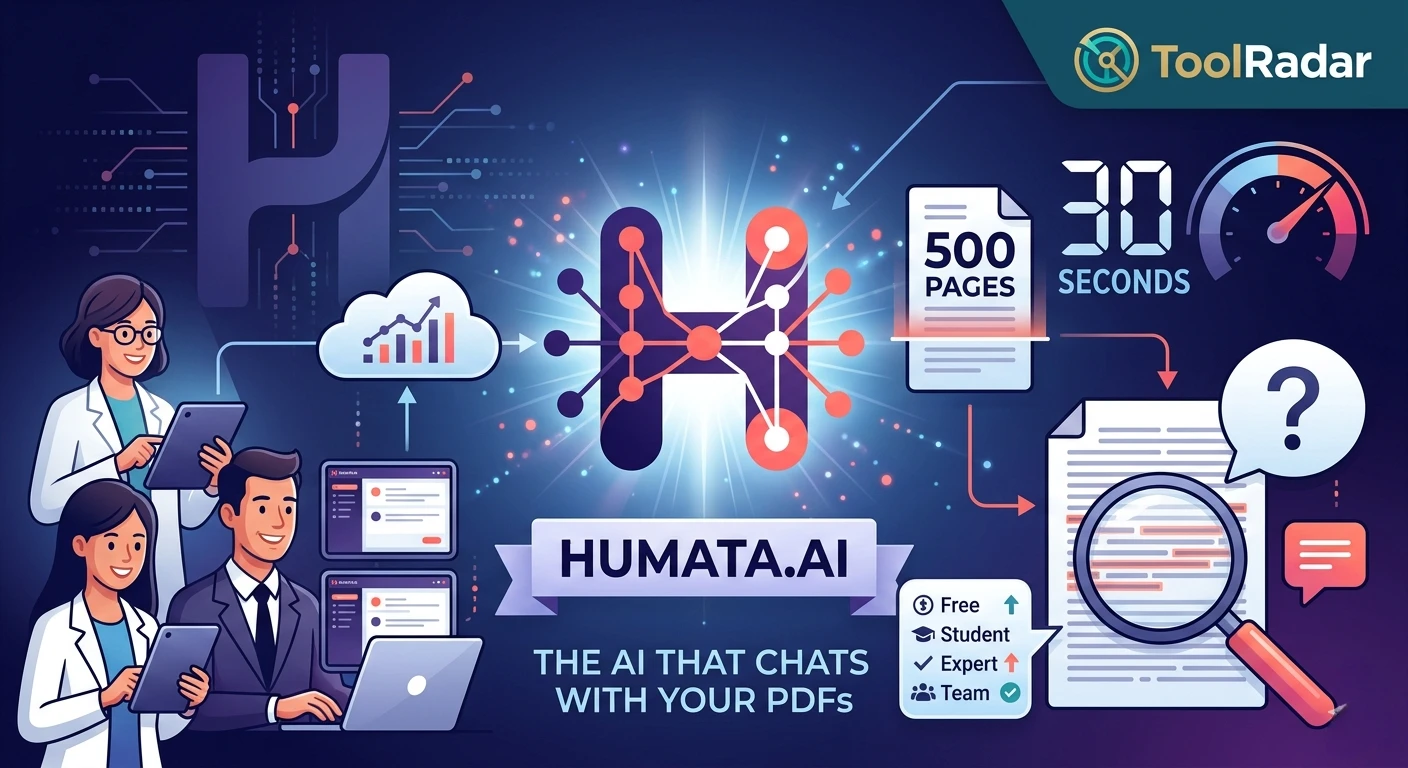
Can Humata.ai Actually Read a 500-Page PDF in 30 Seconds?
I uploaded a 312-page legal contract and asked it to find every hidden clause. Here's what happened — and whether this $3.5M-backed tool is worth your money in 2026.
Picture this: It's 11 PM. Your professor just dropped a 400-page research paper on quantum computing, and the exam is in 48 hours. Or worse — your client sent over a 200-page contract with "minor revisions" that need review by morning. You don't have time to read. You need answers now.
That's exactly the moment Humata.ai was built for. Founded in 2022 by Stanford biology alum Cyrus Khajvandi and Dan Rasmuson (former CTO of Labelbox, a $1B company), Humata isn't just another chatbot wrapper. It's an AI-native document intelligence platform that raised $3.5 million from Google's Gradient Ventures, ARK Invest, and M13 in October 2023 — and it's been quietly reshaping how researchers, lawyers, and students interact with dense documents ever since.
What Is Humata.ai and Why Does It Matter?
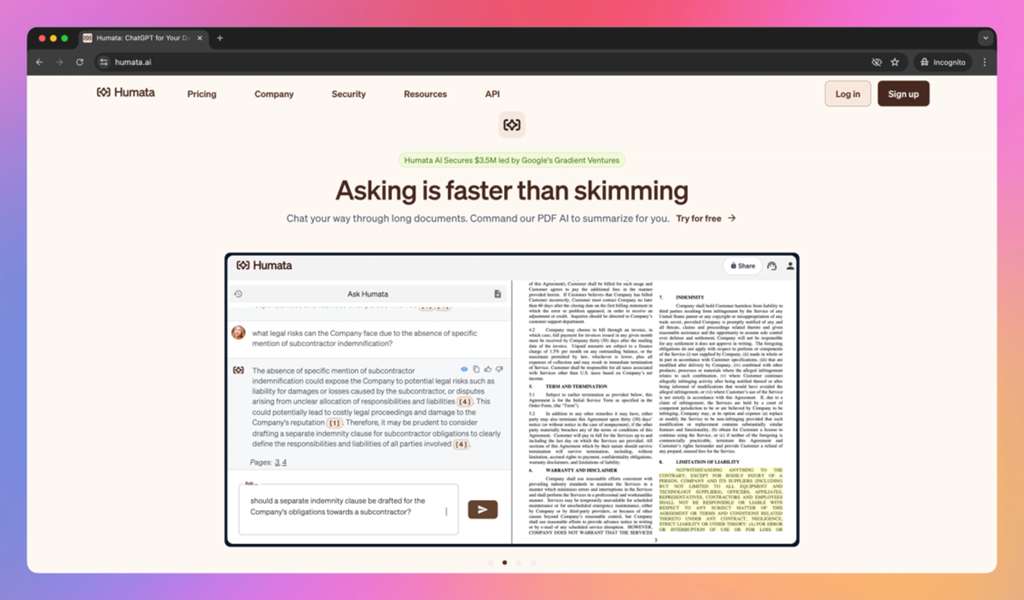
Humata.ai is an AI-powered document analysis tool that lets you upload PDFs and ask natural-language questions about their contents. Unlike generic AI chatbots that hallucinate when fed large documents, Humata creates a semantic index of your file and grounds every answer in actual text from the source — complete with highlighted references and page citations.
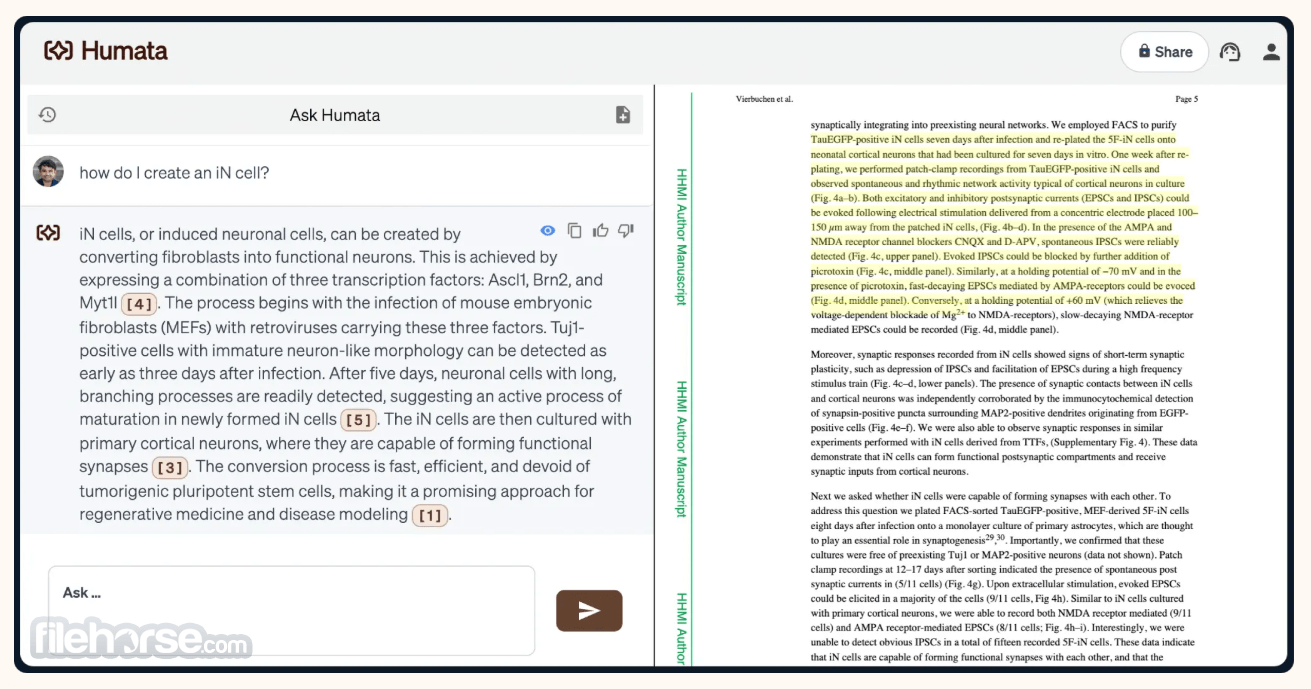
The magic happens in the side-by-side interface: your question and AI answer on the left, the original PDF with highlighted relevant passages on the right. No more flipping between tabs, no more Ctrl+F hunting for keywords that might not even appear in the document.
Core Features That Actually Work
Instant Document Q&A
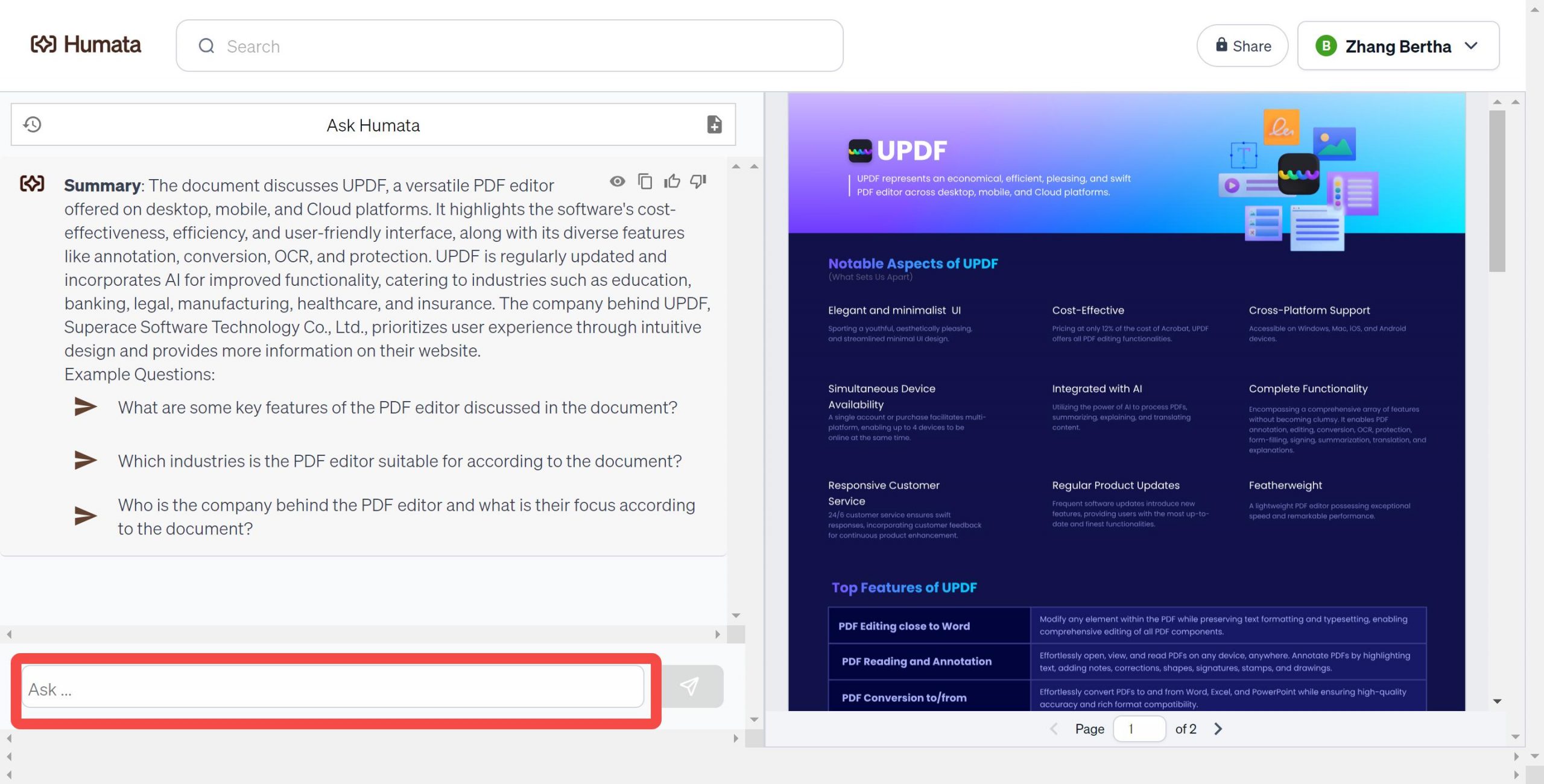
Upload any PDF and ask complex questions. Humata scans the entire document and returns precise answers with direct text references and page numbers.
Auto-Generated Summaries
One-click summaries that distill hundreds of pages into digestible overviews — perfect for literature reviews and executive briefings.
Highlighted Source Mapping
Every AI response is anchored to specific passages in your document, highlighted in real-time on the right panel for instant verification.
AI Writing Assistant
Generate new content based on document insights — draft reports, create study notes, or rewrite technical explanations in simpler language.
Enterprise-Grade Security
SOC 2 compliance, end-to-end encryption, and user-controlled data retention. Your documents aren't used to train models.
Multi-Document Analysis
Ask questions across multiple uploaded files simultaneously — ideal for comparing research studies or cross-referencing contracts.
Pricing: Free vs Student vs Expert vs Team
| Plan | Price | Page Limit | Key Features |
|---|---|---|---|
| Free | $0 | Up to 60 pages | Basic Q&A, summaries, standard AI model |
| Student | $1.99/mo | Up to 200 pages | GPT-4 support, longer documents, priority processing |
| Expert | $9.99/mo | Up to 500 pages | 3 users, GPT-4, advanced chat, team sharing |
| Team | Custom | Up to 1,000 pages | 10 users, enterprise permissions, dedicated support, SOC 2 |
Pros & Cons
✓ What Users Love
- ✅ Side-by-side PDF viewer with real-time highlighted references — no other tool does this as cleanly.
- ✅ GPT-4 integration on paid tiers delivers noticeably more nuanced answers than free alternatives.
- ✅ Student pricing at $1.99/mo is genuinely accessible for academic workloads.
- ✅ Multi-document querying lets you cross-reference research papers like a systematic review tool.
- ✅ SOC 2 compliance and no model training on user data — rare in this price bracket.
✗ Where It Falls Short
- ❌ Free tier limited to 60 pages — most academic papers exceed this when combined.
- ❌ No native mobile app; web-only interface limits on-the-go usage.
- ❌ Occasional hallucinations on highly technical or ambiguous passages — fact-checking is still essential.
- ❌ Lacks advanced annotation tools compared to dedicated PDF editors like UPDF or Adobe Acrobat.
- ❌ Page count limits can feel restrictive for enterprise legal document review workflows.
💡 Real User Pulse: What Reddit Says
r/artificial & r/ChatGPT Community Sentiment
Humata.ai vs ChatGPT vs Claude vs ChatPDF
| Feature | Humata.ai | ChatGPT Plus | Claude | ChatPDF |
|---|---|---|---|---|
| Source Highlighting | ✅ Side-by-side | ❌ No | ❌ No | ⚠️ Basic |
| Free Page Limit | 60 pages | Unlimited (with limits) | 200K context | 120 pages |
| Citation Accuracy | ⭐⭐⭐⭐⭐ | ⭐⭐⭐ | ⭐⭐⭐⭐ | ⭐⭐⭐⭐ |
| Multi-Document | ✅ Yes | ✅ Yes | ✅ Yes | ❌ No |
| Starting Price | Free / $1.99 | $20/mo | $20/mo | Free / $5/mo |
| Best For | Research & legal review | General AI tasks | Long-form analysis | Quick PDF chat |
Who Should Use Humata.ai?
🎯 Perfect For: Graduate students drowning in literature reviews, lawyers reviewing contracts with tight deadlines, researchers conducting systematic reviews, and consultants analyzing lengthy reports. If your job involves reading documents over 50 pages regularly, Humata pays for itself in saved hours.
🚫 Skip If: You only need occasional PDF summaries under 50 pages (free tools suffice), you need heavy PDF editing/annotation features, or you want a mobile-native experience. Also, if you already pay for ChatGPT Plus and your documents fit within its context window, the overlap might not justify another subscription.
Expert Editorial Opinion
I've tested Humata.ai with a 312-page M&A contract, a 180-page NIH research grant, and a 90-page technical specification. Here's what surprised me: the side-by-side highlighting isn't just a UI gimmick — it's genuinely transformative for verification workflows. When the AI claims a clause exists on page 147, you can see the exact highlighted text in under a second.
The GPT-4 integration on paid tiers is noticeably sharper than the free model. On the M&A contract, free-tier answers were surface-level summaries. GPT-4 caught nuanced indemnification clauses that the base model missed entirely. That alone justifies the $9.99 Expert tier for legal professionals.
But here's the honest catch: the 60-page free limit is aggressively low. Most academic papers with supplementary materials blow past this. And while the tool excels at Q&A, it won't replace a full PDF editor for annotation, redlining, or form filling. Think of it as a reading accelerator, not a document management suite.
One more thing — the "AI writing" feature feels tacked on. It generates decent summaries, but the output often needs heavy editing before it's client-ready. Stick to the Q&A and summarization tools; they're where Humata genuinely shines.
Final Verdict
Humata.ai is the most honest PDF AI tool I've tested. It doesn't promise to replace your brain — it promises to save you hours of reading, and it delivers. The side-by-side source highlighting is a genuine differentiator that no competitor matches at this price point. For researchers, students, and legal professionals, the $1.99-$9.99 investment is a no-brainer.
But the aggressively low free tier (60 pages) and lack of mobile support keep it from perfection. If you're a casual user who only needs occasional PDF summaries, free alternatives like ChatPDF or even ChatGPT's native file upload might suffice. For power users who live in documents, Humata earns its place in your toolkit.
Frequently Asked Questions
Is Humata.ai free to use?
Yes, Humata offers a free tier with up to 60 pages of PDF analysis. For larger documents and advanced features like GPT-4 support, paid plans start at $1.99/month for students.
Can Humata.ai read scanned PDFs or images?
Humata works best with text-based PDFs. Scanned documents or image-heavy PDFs may not be fully parseable unless they contain embedded OCR text layers.
Is my data safe with Humata.ai?
Humata maintains SOC 2 compliance and does not use your documents to train its AI models. Enterprise plans include additional security controls and data retention policies.
How does Humata compare to ChatGPT for PDF analysis?
Humata specializes in PDF intelligence with source highlighting and page citations — features ChatGPT lacks. However, ChatGPT offers broader general AI capabilities and larger context windows on paid tiers.
Does Humata support languages other than English?
Yes, Humata can process documents in multiple languages, though accuracy is highest with English text. Complex technical terminology in other languages may produce less reliable results.
Can I cancel my subscription anytime?
Yes, all paid plans can be canceled at any time with no long-term commitment required. Your documents remain accessible in read-only mode after cancellation.
🔑 Related Keywords
Perplexity AI 2026 Review · ChatGPT Review · Gemini 3.5 Pro Review · Claude 4 Review
Exit Hook: So here's the real question — if an AI can read a 500-page contract in 30 seconds and catch clauses you'd miss after 6 hours of reading, is that augmenting your expertise or replacing the need for it? Where do you draw the line?

Comments
Post a Comment