


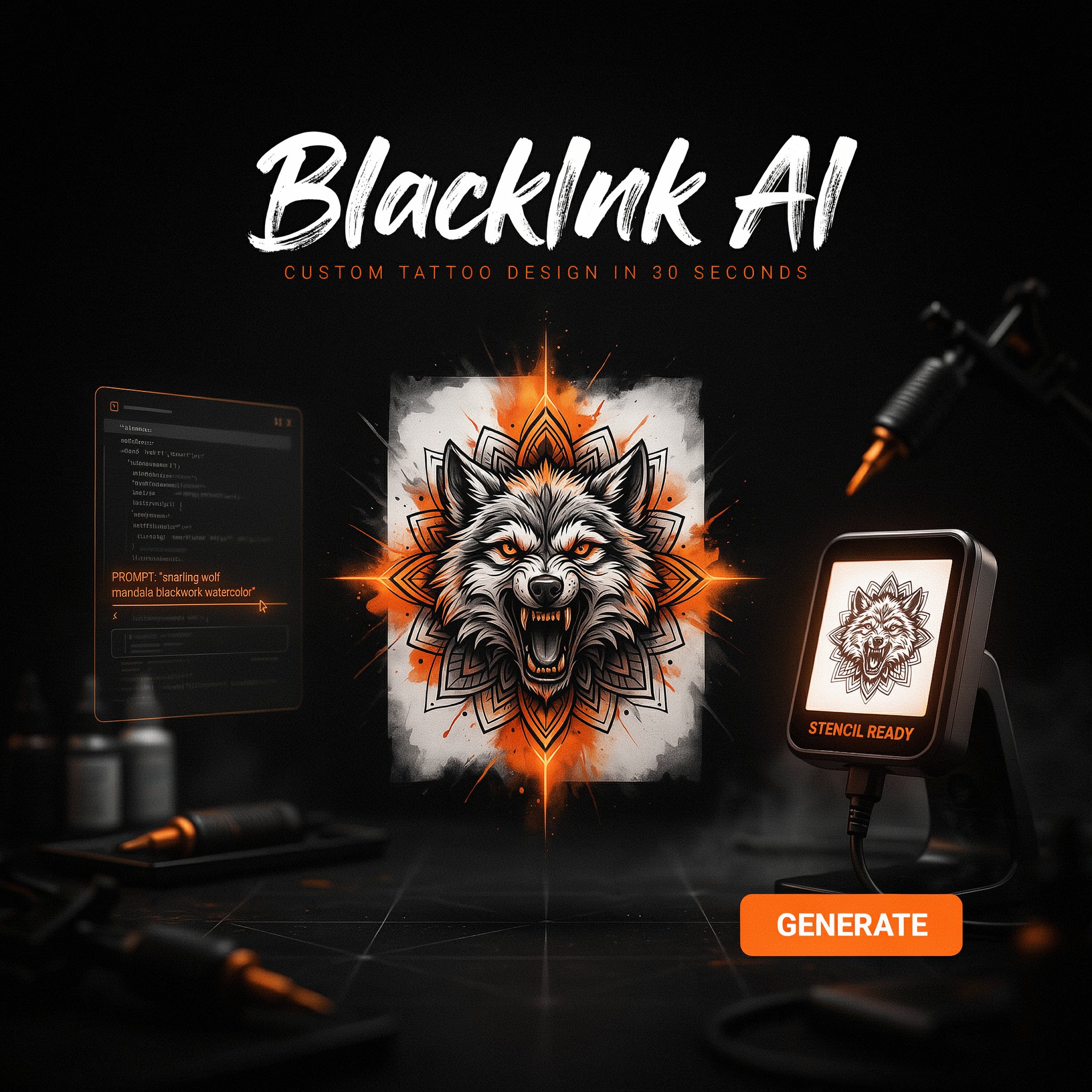
BlackInk AI Review 2026: The Most Powerful AI Tattoo Generator — 1.5M Users, 30-Second Designs, and a Full Studio Suite for $6/Month
Built specifically for tattoo planning — not repurposed from a general image generator — BlackInk AI turns text descriptions into custom tattoo artwork in 30 seconds. Cover-up tools, gap fillers, stencil converters, font generators, and body preview. Used by over 1.5 million people worldwide. Free to start.
By ToolRadar Editorial Team · Review methodology: technical evaluation, pricing analysis, and verified user feedback
You've been scrolling Pinterest for two hours. Every lion head looks the same. Every infinity symbol has been done ten thousand times. You have an idea in your head — a Kitsune mask with cyberpunk elements, a floral arrangement wrapping a sword, a geometric sleeve that ties into your existing work — but you can't find a reference that matches it, and trying to describe it to your artist from a ransom note of saved images feels impossible. BlackInk AI was built specifically to solve that problem.
Founded in Chicago and serving over 1.5 million users worldwide, BlackInk AI is the most feature-complete dedicated AI tattoo generator available in 2026. The platform goes far beyond text-to-image generation: it understands the language of ink — linework, shading, stencil transfer, style consistency, and how a design will actually behave on skin. The tool suite covers the complete tattoo planning workflow: generate from a text prompt, convert to a stencil, fill gaps in existing work, plan a cover-up, pick your font, and preview on your body before you book. Pro access starts at $6/month — less than $0.20 per day. Updated July 2026.
What Is BlackInk AI?
BlackInk AI is a dedicated AI tattoo design platform built from the ground up for tattoo planning — not a general-purpose image generator with a tattoo filter applied on top. The platform serves tattoo enthusiasts, first-timers planning their first piece, and professional artists who need fast concept generation and client-ready references. The core generator turns text descriptions into custom tattoo artwork in approximately 30 seconds across 40+ styles including American Traditional, Neo-Traditional, Realism, Anime, Blackwork, Dotwork, Ignorant Style, Chicano, Geometric, Minimalist, Watercolor, and more. Beyond generation, BlackInk offers a complete tattoo planning toolkit: an Image-to-Stencil Converter that transforms any design into a transferable stencil template, a Gap Filler that generates designs specifically sized and styled to complete existing work, a Cover-Up Tool that analyzes your existing tattoo and generates designs that would conceal it effectively, a Font Generator for lettering and script tattoos, and virtual body preview so you can see the design on skin before committing. Output is rendered at 4K super-resolution — professional quality that tattoo artists can work directly from.
Key Features
40+ Style-Specific AI Generator
Enter your description, select your style (Realism, Blackwork, Anime, Geometric, Chicano, Ignorant, Watercolor, and 35+ more), set complexity (simple, medium, complex), adjust line weight and color palette, and get a 4K design in 30 seconds. Style-specific training means a Blackwork output looks like actual Blackwork — not a generic AI illustration with dark colors.
Image-to-Stencil Converter
Upload any image — a sketch, a reference photo, an AI-generated design — and BlackInk converts it into a clean, transferable stencil template a tattoo artist can use directly. Eliminates hours of manual redrawing and makes bringing custom references to your appointment straightforward.
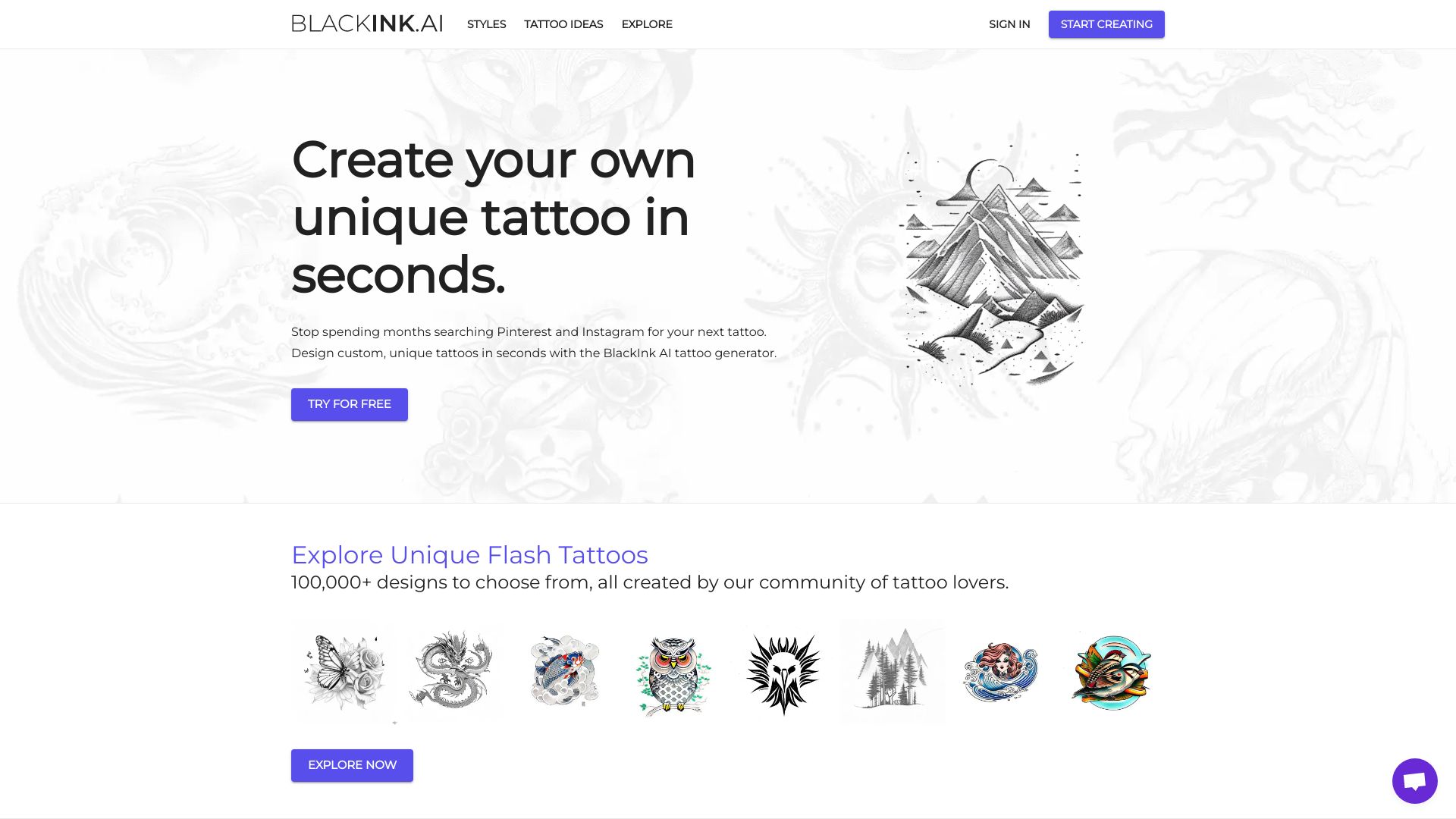
Gap Filler + Cover-Up Tool
Gap Filler generates designs specifically sized and styled to complete spaces in existing tattoo work — for sleeves, patches, and expanding pieces. The Cover-Up Tool analyzes an uploaded photo of an existing tattoo and generates designs with sufficient density and coverage to conceal it effectively. Both tools are unique to BlackInk in the AI tattoo category.
Virtual Body Preview + Temporary Tattoos
Preview any generated design on a body reference before committing. For users who want to go further, BlackInk offers temporary tattoo printing — wear the design for real before booking the permanent appointment.
Pricing Plans
| Plan | Price | What You Get |
|---|---|---|
| Free | $0 | 5 credits, no credit card required · AI tattoo generator access · Basic styles and templates · Standard resolution — designs may be deleted after 30 days |
| Basic | ~$6/month (billed annually) | Unlimited generation · Full style library (40+) · 4K resolution · Stencil converter · Body preview · Most popular plan |
| Pro Unlimited | ~$15/month (billed monthly) / $0.19/day billed annually | Unlimited generation · All tools including Gap Filler and Cover-Up · Temporary tattoo prints · Priority generation · Commercial license · Money-back guarantee |
| One-Time | $29 for 1 month Pro | Full Pro access for the duration of the planning process · Best for users planning a single tattoo or appointment |
Note: BlackInk AI offers a money-back guarantee on paid plans. The free plan (5 credits) is sufficient to test one or two designs before committing. Annual billing on the Pro Unlimited plan brings cost to $0.19/day — one of the lowest per-use costs in the AI design tool category. Updated July 2026.
Try BlackInk AI Free — 5 Credits, No Credit Card →ToolRadar may earn a commission if you purchase through this link at no extra cost to you.
Pros & Cons
✓ What Works
- ✅ Built specifically for tattoos — not a repurposed general image generator; understands style-specific requirements like linework, shading, and stencil transfer
- ✅ Complete planning toolkit — generates, converts to stencil, fills gaps, plans cover-ups, picks fonts, and previews on body — one platform for the full tattoo journey
- ✅ 4K super-resolution output — professional quality that tattoo artists can work from directly
- ✅ $0.19/day on annual plan — one of the most affordable AI creative tools available
✗ What Holds It Back
- ❌ Free plan is limited to 5 credits — enough to test but not enough to plan a full tattoo
- ❌ Web-based only for most features — iOS app available but Android app not yet available
- ❌ AI-generated designs may need artist refinement — line weights and fine details sometimes need adjustment for actual skin application
- ❌ Text tattoos require human verification — AI-generated multilingual text should always be checked by a native speaker before tattooing
💡 Community Feedback
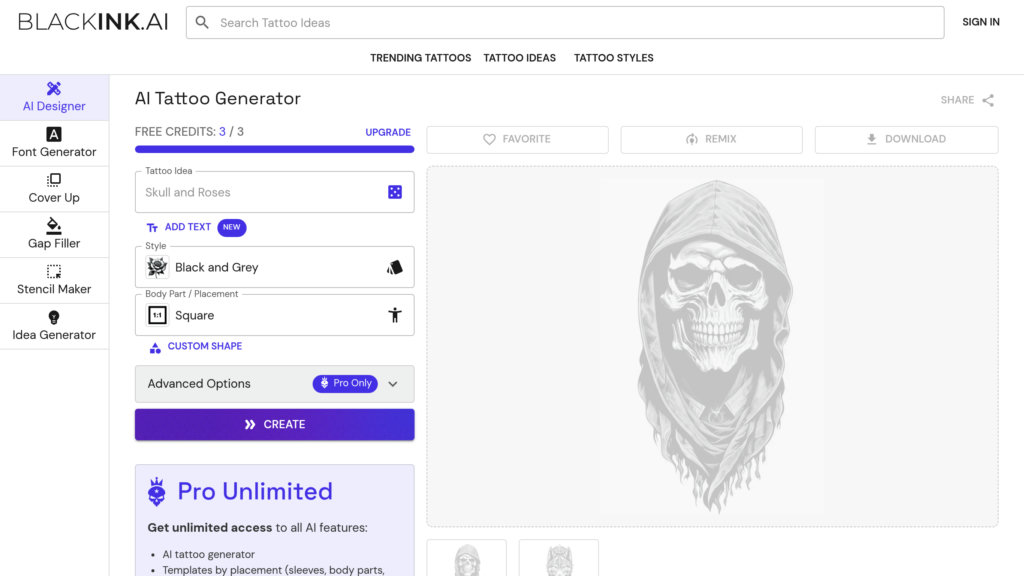
Comparison: BlackInk AI vs Alternatives
| Feature | BlackInk AI | Ink Studio AI | Midjourney | Canva AI |
|---|---|---|---|---|
| Built for Tattoos | YES dedicated platform | YES dedicated | NO general image | NO general design |
| Cover-Up Tool | YES | NO | NO | NO |
| Stencil Converter | YES | YES | NO | NO |
| Starting Price | Free (5 credits) | Free (1 design) | $10/mo | Free (limited) |
| Virtual Try-On | YES | YES | NO | NO |
| 4K Output | YES | YES | YES | NO |
Analysis: BlackInk AI occupies the most comprehensive position in the AI tattoo generator landscape. Ink Studio AI offers comparable dedicated tattoo features with a one-time purchase model ($12.99–23.99) rather than subscriptions, making it attractive for users who want to avoid recurring charges. Midjourney produces the highest raw artistic quality but lacks every practical tattoo tool — no stencil conversion, no body preview, no cover-up planning, and output that is often too detailed for actual skin application. Canva AI is free for basic use but is a general design tool with no tattoo-specific training or features. BlackInk wins on workflow completeness: it is the only platform that covers generation, stencil conversion, gap filling, cover-up planning, font selection, and body preview in one subscription. The tradeoff is the subscription model — Ink Studio AI's one-time purchase may be more economical for users planning a single tattoo.
Learning Curve
BlackInk AI is designed for accessibility. The interface presents style selection as visual thumbnails rather than technical parameters, and the prompt field accepts natural language descriptions without requiring prompt engineering expertise. First-time users can generate a design within 60 seconds of landing on the site.
Compared to competitors, BlackInk has a shallower learning curve than Midjourney (which requires Discord familiarity and prompt engineering skill) and is comparable to Ink Studio AI in simplicity. The Gap Filler and Cover-Up Tools add complexity for advanced users but are optional — the core generator works immediately. The Pro Unlimited plan unlocks all features, but the Basic plan at $6/month covers the needs of most users. Expect full proficiency within 30 minutes of active use.
Who Should Use BlackInk AI
Best For: Anyone planning a tattoo who wants to visualize their concept before the appointment — first-timers with an idea they can't find a reference for, collectors planning the next piece in an existing sleeve, clients who want to show their artist a precise visual rather than a vague Pinterest board. Professional tattoo artists who want to offer AI-assisted concept generation as part of their consultation process. Anyone planning a cover-up who wants to understand their design options before booking.
Consider Alternatives If: You only need to explore vague tattoo ideas casually without committing to a tool — Midjourney or Adobe Firefly produce impressive visuals if you have prompting experience. You need a full suite of body placement AR try-on features — InkHunter's camera-based AR preview is more immersive for visualizing scale and placement. You want the most beginner-friendly interface with the fastest onboarding — Ink Studio AI's single-design free tier and clean layout may feel less overwhelming for a first-time user.
Expert Editorial Opinion
BlackInk AI's competitive position in 2026 is clearer than ever: it's the only AI tattoo tool that has built a complete planning workflow rather than stopping at generation. The Cover-Up Tool and Gap Filler are features that don't exist in any competing dedicated tattoo platform and reflect a product team that actually understands how tattooed people think about their bodies over time — not as blank canvases, but as ongoing, evolving collections where new pieces need to interact with existing ones.
The 4K super-resolution output is the feature that converts the product from a fun toy into a professional reference tool. Tattoo artists routinely tell clients that AI-generated references from general tools like Midjourney are too low-resolution, too stylistically inconsistent, or too detailed in ways that won't translate to skin. BlackInk's style-specific models — trained on actual tattoo styles, not general illustration — produce output that artists consistently describe as workable. That workability is what justifies the $6–$15/month price tag for anyone actually planning to get tattooed.
The honest limitation is the text tattoo problem — a limitation shared by every AI image generator on the market in 2026. AI-generated lettering, foreign scripts, and number tattoos require human verification before going under the needle. BlackInk's own FAQ acknowledges this explicitly, which is responsible product communication. For anyone considering a text tattoo, the tool is valuable for font selection and layout inspiration — but a native speaker and the tattoo artist should always verify the final output. For everything else, BlackInk AI is the clearest choice in its category.
Pricing Gap Analysis: At $6/month on the Basic annual plan, BlackInk AI is priced competitively against Ink Studio AI's one-time model ($12.99–23.99) and dramatically cheaper than Midjourney ($10/month) for tattoo-specific use. The Pro Unlimited plan at $15/month or $0.19/day annually offers exceptional value for anyone planning multiple tattoos or working as a professional artist. The One-Time plan at $29 is a smart option for users planning a single piece — full access without subscription commitment. The free plan's 5-credit limit is sufficient for evaluation but intentionally restrictive for actual planning, which is a fair freemium strategy.
Does the free plan work? For testing the platform and generating one or two concepts, yes. For planning a full sleeve, a cover-up, or multiple pieces, no — the 5-credit limit and standard resolution make the free plan a teaser, not a tool. The $6 Basic plan is the real entry point for serious use, and at less than $0.20 per day, it is one of the best value propositions in the AI creative tool market. The money-back guarantee removes the risk for users unsure whether the output quality meets their needs.
Final Verdict
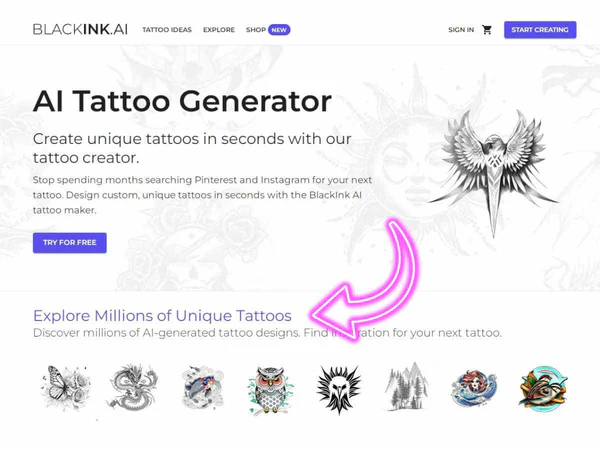
BlackInk AI is the best AI tattoo generator available in 2026 — not because it has the most impressive single image output, but because it's the only tool that covers the complete tattoo planning workflow from concept to stencil. The dedicated style models, 4K resolution, Cover-Up Tool, Gap Filler, stencil converter, and body preview put it in a different category from general image generators moonlighting as tattoo tools. At $6/month on an annual plan, the price-to-value ratio is exceptional. For anyone planning a tattoo — first piece or fiftieth — this is a 9.0 out of 10 and the first tool to open before your next appointment.
Technical Quality: 9.5/10 · Price-to-Value: 9.0/10 · Maturity & Documentation: 8.5/10
🔗 Related ToolRadar Reviews
More tools from AI Design Tools
- I Designed My Dream Tattoo in 30 Seconds — Here's How
- The AI Image Generator That Actually Understands Style
- Can AI Really Design Your Next Tattoo?
- I Replaced My Graphic Designer With AI — Here's What Happened
- Best AI Tools for Creatives 2026
- AI Logo Generator vs Human Designer — Who Wins?
- I Created 100 Designs in One Hour With AI
- The AI Tool Every Tattoo Artist Is Talking About
❓ Frequently Asked Questions
What's your next tattoo going to be?
You've got the idea. You've got the artist. The only thing missing is the design that ties it all together. BlackInk AI turns the image in your head into something you can see, refine, and bring to your appointment — in 30 seconds, for free. The question isn't whether AI can design your tattoo. The question is why you would start without it.
Comments
Post a Comment