


Make Review 2026: The Automation Platform Turning Workflows Into AI Agents
Make review 2026 (formerly Integromat): visual automation with AI Agents built into the same canvas, an MCP server and client, a conversational builder called Maia, and credit-based pricing that rewards efficient workflow design.
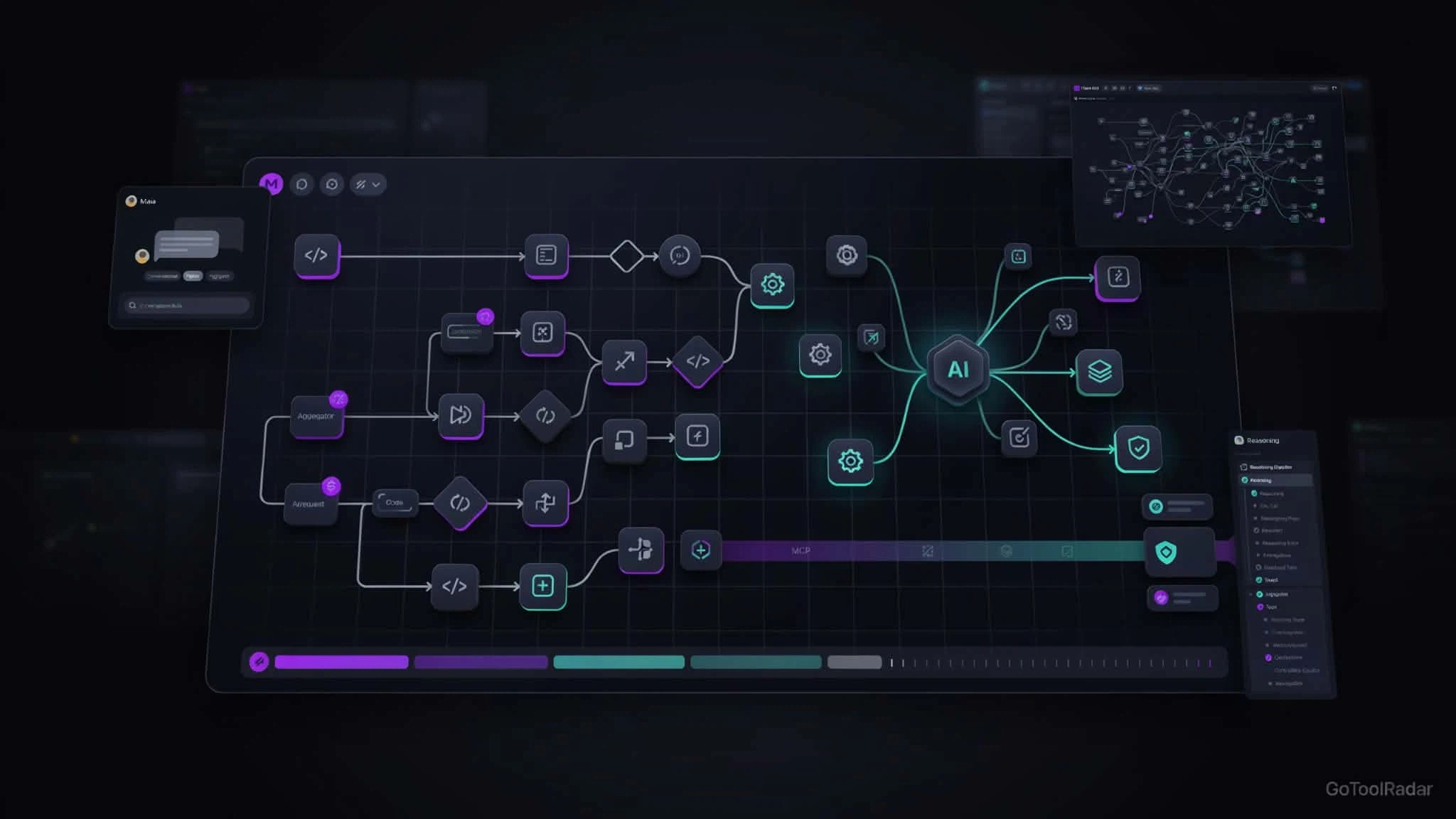
Make review 2026: Make — the platform formerly known as Integromat, which rebranded in February 2022 — built its reputation on a visual canvas that makes complex, branching automation genuinely legible: routers, iterators, aggregators, and data transformations you can actually see rather than a black-box "if this then that." In 2026, that same canvas now hosts AI Agents directly, an MCP server that turns any Scenario into a callable tool for Claude, ChatGPT, or Cursor, and a conversational builder called Maia that constructs workflows from a plain-language request while you watch it happen on the canvas.
Make is part of Celonis, a process-mining company valued around $13 billion, and says more than 400,000 organizations across 200+ countries use the platform — a company-reported figure worth treating as exactly that, not an audited customer count. This review covers the genuinely new agentic layer, the credit-based pricing that replaced the old "operations" model on August 27, 2026, and an honest look at where cost predictability gets harder as workflows scale.

What Make Actually Does
Visual Scenarios
Workflows ("Scenarios") are built as a visual graph with routers, filters, iterators, and aggregators — every branch, input, and output is visible on the canvas, not hidden in a list of steps.
AI Agents, redesigned February 2026
Agents live inside the same Scenario Builder rather than a separate interface — they interpret input, choose tools, make decisions, and execute steps, with a Reasoning Panel showing which tool was used and why at each step.
MCP Server and Client
The MCP Server exposes any Scenario as a callable tool for external agents (Claude, ChatGPT, Cursor); the MCP Client lets a Make Scenario call external MCP tools — available on all plans, turning Make into an orchestration hub rather than a closed ecosystem.
Maia — conversational builder (Aug 2026)
Describe what you want in plain language and Maia builds it visibly on the canvas, asking clarifying questions and explaining existing automations — conversational building with visual verification, not a black-box generator.
Make Grid
A visual map of scenarios, apps, agents, and dependencies across an organization — positioned as a governance/observability layer once automation scales past a handful of workflows.
HTTP, Custom Apps & Make Code
Beyond 3,000+ built-in apps, HTTP requests and custom apps reach almost any service with a public API, and Make Code runs JavaScript or Python directly inside a Scenario for cases no-code can't cover.
Pricing — Credits, Explained
*At the 10,000-credits/month tier; Enterprise is custom. As of August 27, 2026, Make bills in credits rather than the older "operations" unit — most single actions (a Gmail read, a Sheets write, a search) cost 1 credit, but Make Code execution runs 2 credits per second, and the company is explicit that a single Scenario can consume anywhere from 2 credits to several thousand depending on complexity. Routers themselves don't consume credits, which softens the cost of branching logic specifically. The free plan includes 1,000 credits/month, 3,000+ apps, and the full visual builder with no time limit on the account itself — genuinely usable, not a trial. Paid tiers add unlimited active scenarios, faster minimum scheduling (down to 1 minute), priority execution, and — from Teams up — team roles and shared templates. Annual billing on Pro and Teams lets credits carry validity across the year rather than resetting monthly, which suits irregular usage patterns better than the monthly reset.
Learning Curve
Make is deliberately layered: drag-and-drop is enough for simple scenarios, HTTP/custom apps cover gaps in the 3,000+-app catalog, and Make Code (JavaScript/Python) or the MCP client handle what no-code genuinely can't. That range is a strength, but it also means the learning curve is steeper than Zapier's for a first-time user — understanding routers, iterators, and aggregators well enough to design cost-efficient Scenarios takes real practice, not just a five-minute tutorial.
Pros & Cons
✓ Strengths
- ✅ Visual canvas makes complex, branching automation genuinely inspectable — not a black box, including the new Reasoning Panel for AI Agents
- ✅ MCP Server and Client (on all plans) turn Make into an orchestration hub rather than a closed ecosystem
- ✅ Genuinely usable, non-expiring free tier (1,000 credits/month)
- ✅ Enterprise depth: SOC 2 Type II (completed June 2025), on-prem Agent for internal systems, AWS hosting in EU/North America
✗ Weaknesses
- ❌ Credit consumption can be genuinely hard to predict in loop- or polling-heavy workflows, per independent reviews
- ❌ AI Agents and Maia are still fairly new additions (Feb and Aug 2026 respectively) compared to the mature core automation engine
- ❌ Steeper learning curve than Zapier for simple, single-step automations
- ❌ Not self-hostable like n8n — you're on Make's managed cloud (with an on-prem Agent bridge for internal systems, not full self-hosting)
Make vs. Zapier vs. n8n
| Platform | Model | Best fit |
|---|---|---|
| Make | Managed SaaS, visual-first, credit-based | Complex, branching workflows with AI decision points |
| Zapier | Managed SaaS, simplicity-first | Simple, general-purpose automation; broadest beginner UX |
| n8n | Self-hostable, developer-first | Teams wanting full infrastructure control and deep customization |
None of these is a strict upgrade over the others — they're different bets. Zapier trades workflow complexity for the easiest possible onboarding. n8n trades managed simplicity for full infrastructure control via self-hosting. Make sits between them: SaaS-managed like Zapier, but built for the branching, data-heavy, multi-app logic that Zapier handles awkwardly — now extended with AI Agents and MCP so the same visual philosophy applies to agent-driven decisions, not just deterministic triggers.
Who Should Use It
Ideal user: a team or builder with multi-app, branching business logic — order processing, lead routing, data reconciliation — who wants AI decision points visible and inspectable on the same canvas as the deterministic steps around them, and is comfortable learning routers/iterators to keep credit usage efficient.
Look elsewhere if: you need only simple, single-step automation (Zapier is faster to start with), or you need full self-hosted infrastructure control (n8n fits that need directly, which Make's managed-cloud model doesn't).
Expert Editorial Opinion
The most interesting thing about Make in 2026 isn't that it added AI — every automation platform has by now. It's the specific architectural choice of keeping agents inside the same visual canvas as deterministic automation, rather than treating "agent" and "workflow" as separate product lines. The Reasoning Panel is honestly described as observability into an agent's tool-selection trace, not a claim of exposing a model's full internal chain-of-thought — that's the right level of precision for what it actually shows, and it's a meaningfully different pitch than "black box AI agent platform."
Make's own guidance — that agents work best as decision modules inside deterministic control flow, not as a replacement for workflow engineering — is a more honest framing than most agent platforms offer, and it matches the general lesson every serious agent deployment in 2026 is learning the hard way: probabilistic reasoning needs deterministic guardrails around it.
The credit-billing model is the part most likely to surprise a new user. It isn't predatory — routers are free, the free tier is genuinely usable, and Make is explicit that consumption varies by workflow complexity — but "10,000 credits" doesn't map cleanly to "10,000 automations" the way a simpler flat-rate competitor's pricing might suggest. Budgeting for Make means budgeting for Scenario design, not just picking a plan tier.
Final Verdict
Make earns a Strong rating on the strength of a genuinely mature visual automation engine now extended with a well-architected agentic layer — AI Agents on the same canvas, an MCP server/client that avoids ecosystem lock-in, and Maia's visible, conversational building. The named caveats: credit consumption needs real attention in loop-heavy workflows, and the AI Agents/Maia layer, while promising, is young relative to the core product's maturity. For teams with genuinely complex, multi-app automation needs, this is a recommended platform with those caveats understood upfront.
| Dimension | Weight | Score /10 | Why | |---|---|---|---| | Technical quality | 30% | 8.5/10 | A mature, well-regarded visual automation engine (G2 4.6, Capterra 4.8) now extended with a genuinely well-architected agent layer | | Price-to-value | 25% | 7.5/10 | A real, non-expiring free tier and competitive paid pricing, offset by credit consumption that's genuinely hard to predict in complex workflows | | Maturity & documentation | 20% | 8.5/10 | Backed by Celonis, SOC 2 Type II since June 2025, and detailed public documentation of limits, logs, and pricing mechanics | | Ceiling & flexibility | 15% | 9.0/10 | HTTP/custom apps, Make Code, MCP server and client, and an on-prem Agent for enterprise give it an unusually high ceiling | | Honesty of positioning | 10% | 8.0/10 | Make is explicit that agents aren't magic and work best inside deterministic control flow — an honest framing most agent platforms don't offer | Weighted total: (8.5×0.30) + (7.5×0.25) + (8.5×0.20) + (9.0×0.15) + (8.0×0.10) = **8.275/10**, rounded to **8.3/10** — Score band: 8.0–8.9, "Strong — recommended with named caveats: design Scenarios with credit efficiency in mind, and treat the AI Agents/Maia layer as newer than the core product."❓ Frequently Asked Questions
🔗 Related ToolRadar Reviews
Official source: Make. Given the recent shift to credit-based billing and the fast pace of AI Agent/Maia development, verify current pricing and feature availability directly before budgeting a production workflow.
Comments
Post a Comment