


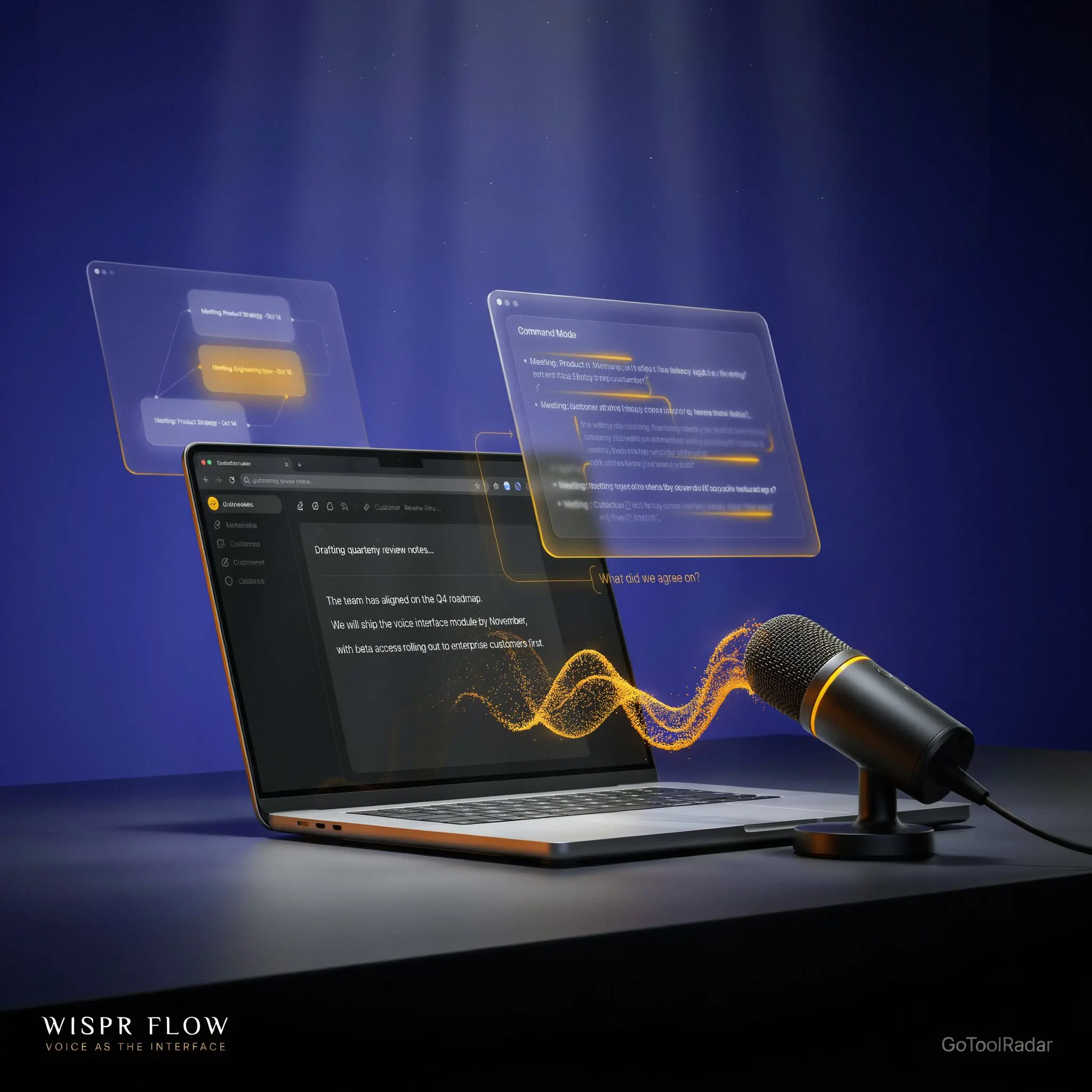
Wispr Flow Review 2026: The AI Dictation App That Wants You to Stop Typing
Most voice-to-text tools give you a transcript. Wispr Flow is trying to make speech the interface itself — and just raised $280M to prove it works beyond dictation, too.
- Voice as the Interface, Not Just Dictation
- The Quality Dip Nobody Marketed — and the Fix
- Notetaker: No Bot Doesn't Mean No Consent
- What Wispr Flow Actually Does
- Pricing — Simpler for Individuals, Messier for Teams
- Wispr Flow vs. Otter vs. Fireflies vs. Granola
- Strengths and Real Limitations
- Who Wispr Flow Is Actually For
- Expert Editorial Opinion
- Final Verdict
- FAQ
Wispr Flow review 2026: most voice-to-text tools solve the same narrow problem — turn what you said into a transcript, then let you deal with it. Wispr Flow's pitch is different: speak naturally inside whatever app you're already using — Slack, email, Docs, Notion, a code editor — and get polished, formatted text in place, with filler words and false starts cleaned up automatically. It's a genuinely different framing from dictation as most people have experienced it.
What makes 2026 the right moment to actually look at this closely is a run of fast-moving news: Wispr launched a meeting-notes product called Notetaker in August, brought it to Windows in September, and — days after that — raised $280 million at a $2 billion valuation. This review covers what Wispr Flow and Notetaker actually do, current 2026 pricing, a real quality issue the company had to publicly address, and how it stacks up against Otter, Fireflies, and Granola. It's built from Wispr's official documentation and pricing pages and independently verified third-party coverage — not a claim of hands-on testing of the product itself unless stated otherwise.
Voice as the Interface, Not Just Dictation
Founded in San Francisco in 2021 by Tanay Kothari and Sahaj Garg — who originally built a non-invasive wearable for phone control before pivoting to software — Wispr Flow launched on macOS in October 2024 and has since expanded to Windows, iOS, and Android. The company's own framing, echoed by its lead investor, is deliberately broader than "dictation app": Menlo Ventures partner Matt Kraning put it bluntly in the round announcement — "it isn't a dictation market... dictation is how you get in the door."
That ambition shows up in two features that separate Wispr Flow from basic speech-to-text. First, output isn't a literal transcript — filler words, false starts, and mid-sentence corrections get cleaned into polished text automatically. Second, Command Mode lets you speak instructions about existing text ("make this shorter," "rewrite professionally," "turn this into bullets") rather than only dictating new content — voice as an editing interface, not just an input method.
The Quality Dip Nobody Marketed — and the Fix
This is a detail that didn't come from Wispr's own marketing, and it's worth including precisely because of that. Alongside the Series B announcement, TechCrunch reported that several users had recently complained about a quality dip in Wispr Flow's dictation output. Wispr's response was to introduce Canto, its first proprietary speech-recognition model, which the company says cuts word error rates from over 30% down to roughly 5-10% in difficult conditions like background noise, wind, and strong accents.
Two things are worth holding at once here. First, this is a genuinely positive signal about how the company handled a real problem — acknowledging a regression publicly and shipping a named fix, rather than quietly patching it, is the more trustworthy path. Second, the improvement figures are Wispr's own claim about its own model, not an independently verified benchmark, so "reduces errors to single digits" should be read as the company's stated target rather than a confirmed, third-party-measured result.
Notetaker: No Bot Doesn't Mean No Consent
Wispr Flow Notetaker launched August 5, 2026, entering a space already occupied by Otter, Fireflies, Granola, and Fathom, but with a genuinely different mechanism: instead of a bot joining your call as a visible participant, Notetaker captures audio directly from your device. It identifies speakers, generates a transcript and summary, and — its most distinctive capability — lets you ask questions across your meeting history ("What did the client object to last month?"), turning a pile of individual meeting notes into something closer to searchable memory. Notes can also be pushed into Claude, ChatGPT, and other tools via MCP, so meeting context doesn't stay locked inside a single app.
The "no bot" framing is genuinely useful marketing, but it needs one honest caveat that Wispr itself includes: recording without a visible bot doesn't remove the legal or ethical requirement to tell meeting participants they're being recorded. Local capture changes the user experience, not the consent obligation — and a review that repeated "no bot" as a synonym for "no need to ask" would be doing readers a disservice. As of this review, Notetaker runs on Mac and Windows; mobile support is on Wispr's roadmap but not yet available.
What Wispr Flow Actually Does
Cross-App Dictation
Works inside the app you're already using — Slack, email, Docs, Notion, ChatGPT, Claude, coding environments — rather than a separate window you copy text out of.
100+ Languages
Broad language support for dictation, though as with any speech model, coverage doesn't guarantee equal accuracy across every supported language.
Custom Vocabulary
Learns names, jargon, and terminology specific to the user over time — a feature independently praised in recent G2 reviews for producing cleaner output than raw dictation.
Command Mode
Speak edits to existing text instead of only dictating new content — a genuinely different interaction model from standard speech-to-text.
Notetaker
Device-level meeting capture with speaker identification, cross-meeting Q&A, and MCP access to notes from other AI tools — see above for the full breakdown.
Privacy Controls
SOC 2 Type II and ISO 27001 compliance, the ability to opt out of model training, delete stored data, and HIPAA-ready dictation with a signed BAA — with enforced Zero Data Retention available at the Enterprise tier.
Pricing — Simpler for Individuals, Messier for Teams
| Plan | Price | What it includes |
|---|---|---|
| Free | $0 | 2,000 words/week on Mac/Windows, unlimited on Android, Notetaker included with weekly meeting limits |
| Pro | $15/mo | $12/mo billed annually — unlimited dictation, Notetaker with higher meeting limits, advanced models, no extra cost for Notetaker |
| Growth | from $23/mo | $18/mo billed annually — self-serve team plan; dictation-only and dictation+unlimited-Notetaker bundles priced differently |
| Enterprise | Custom | SSO, SCIM, MDM, audit logs, enforced Zero Data Retention, dedicated support |
For individuals, this is refreshingly simple: the free plan is a genuine product, not a disguised trial, and Pro at $12-15/month unlocks unlimited dictation plus Notetaker at no extra cost — a meaningfully better bundle than paying separately for a dictation tool and a meeting-notes tool. Every new account also gets a 14-day Pro trial with no credit card required.
For teams, it gets more complicated. Growth pricing varies by whether you want dictation alone or dictation bundled with unlimited Notetaker, and per-seat costs shift with billing currency and volume. If you're evaluating this for a team, get an exact quote for your specific bundle rather than assuming the $23 headline figure covers everything — Wispr's own plans documentation is explicit that Growth is priced per configuration, not one flat number.
Wispr Flow vs. Otter vs. Fireflies vs. Granola
| Tool | Core Focus | Meeting Capture Method |
|---|---|---|
| Wispr Flow | Voice-native writing input, with meetings as a second layer | Device-level capture, no visible bot |
| Otter | Meeting transcription and notes, first and foremost | Bot joins the call |
| Fireflies | Meeting intelligence plus sales/workflow integrations | Bot joins the call |
| Granola | Meeting notes without a traditional bot workflow | Device-level capture, closest direct competitor to Notetaker |
The comparison that actually matters for most readers is dictation-first versus meetings-first. Otter and Fireflies are built around the meeting as the core unit of work, with transcription and follow-up automation as the product. Wispr Flow's core product is writing anywhere, with Notetaker as a newer extension of the same "no separate app, no visible interruption" philosophy. Granola is the closest direct rival to Notetaker specifically, since both avoid the bot-in-the-call approach — the deciding factor there is less about capture method and more about whether you also want dictation as your everyday writing tool, which is where Wispr's broader product genuinely differs.
Strengths and Real Limitations
✓ What Wispr Flow Gets Right
- ✅ Genuinely different framing from standard dictation — cleaned-up, formatted output across the apps you already use, not a separate transcript to copy
- ✅ A real, usable free tier for both dictation and Notetaker — not a disguised trial
- ✅ Notetaker's cross-meeting Q&A turns individual meeting notes into searchable memory, a genuinely distinct capability
- ✅ Handled a real quality regression transparently, naming and shipping a specific fix (Canto) rather than a quiet patch
- ✅ Strong compliance story for a company this size — SOC 2, ISO 27001, HIPAA-ready with signed BAA
✗ Where to Be Careful
- ❌ There was a real, independently reported dictation quality dip in mid-2026, and the Canto fix's error-rate claims are self-reported, not independently benchmarked
- ❌ Notetaker is genuinely new (launched August 2026) and not yet available on mobile
- ❌ Growth team pricing isn't a single number — it varies by bundle and billing configuration, requiring a direct quote
- ❌ "No bot" marketing needs the consent caveat Wispr itself includes: participants still need to be told they're being recorded
- ❌ Independent review volume is still fairly small (single digits to low dozens on platforms like G2), even though early sentiment is strongly positive
Who Wispr Flow Is Actually For
Wispr Flow fits people who write constantly across many apps and want voice to become a primary input method rather than an occasional accessibility tool — developers dictating into code editors and terminals, writers and knowledge workers moving fast across Docs and Slack, and salespeople who'd rather talk through a follow-up email than type it. The Notetaker addition also makes it worth a look for anyone already sold on the dictation product who's been separately paying for Otter, Fireflies, or Granola for meetings.
It's a weaker fit if your only need is occasional meeting transcription — a dedicated meeting tool with a longer track record may serve that narrower job better right now — or if you need mobile meeting capture today, since Notetaker on phones isn't available yet. Anyone evaluating this specifically for dictation accuracy in noisy or accented conditions should also weigh the recent quality-dip report and treat Canto's error-rate claims as a target the company is working toward rather than an independently confirmed result.
Expert Editorial Opinion
The most interesting thing about Wispr Flow isn't the dictation accuracy claims, which are hard to verify independently either way — it's the strategic bet the company and its lead investor are making explicit. "Dictation is how you get in the door" is an unusually candid thing for a company to say about its own flagship product, and it reframes everything else in this review: Notetaker, the Advanced Interfaces Lab, the Canto speech model, all of it reads as building toward a broader voice-as-interface layer rather than defending a dictation-app moat.
The quality-dip story is the part I'd weight most heavily in judging the company's credibility, and it cuts in Wispr's favor more than it might first appear. A company confident enough to let a journalist report "users complained about quality dropping" alongside its funding announcement, and to respond with a named model and a specific target rather than vague reassurance, is behaving more transparently than most startups do when something breaks. That doesn't make the underlying accuracy problem less real — it happened, users noticed, and the fix is unverified by anyone outside the company — but the handling of it is a genuinely positive signal about how this company operates under pressure.
Command Mode is the feature I think is most underrated in most coverage of this product. Voice dictation that produces clean text is a solved-enough problem across several competitors at this point; voice as an editing interface for text that already exists is a meaningfully harder and less common capability, and it's the part of Wispr Flow's pitch that actually supports the "interface, not just input" framing rather than just being marketing language layered on ordinary dictation.
Notetaker's cross-meeting question-answering is the single feature in this review I'd flag as most likely to matter a year from now, more than the "no bot" framing that gets most of the marketing attention. Meeting notes that only exist as individual documents you have to remember to search through are marginally useful; meeting notes you can actually ask questions of, across your entire history, start to function as genuine institutional memory. Whether Wispr's version of that holds up against Granola's more mature meeting-specific product remains genuinely unresolved — reasonable third-party comparisons currently describe Granola as still ahead on integrations, even while praising Notetaker's transcription quality for names and jargon.
Is it worth trying? Yes, and the free tier removes most of the risk in finding out — the core dictation experience is different enough from typing-replacement tools that it's genuinely worth testing rather than taking someone else's word for it. For teams specifically evaluating Notetaker as a full Otter or Fireflies replacement today, I'd wait for either broader independent testing of the post-Canto accuracy or mobile support to land, whichever comes first, before committing a whole team's meeting workflow to a five-week-old product.
Final Verdict
Score band: 7.0-7.9 — Competent but compromised: a genuinely differentiated voice-input product with real momentum, held back by a recent, independently reported quality issue and a very new, mobile-limited meeting product.
| Dimension | Weight | Score /10 | Why |
|---|---|---|---|
| Technical quality | 30% | 7.5/10 | A genuinely distinct cross-app dictation and Command Mode experience, offset by a real, independently reported mid-2026 quality regression that prompted the Canto rebuild |
| Price-to-value | 25% | 7.5/10 | A strong individual bundle (dictation + Notetaker for one Pro price), undercut by genuinely confusing, non-fixed team pricing |
| Maturity & documentation | 20% | 7.0/10 | Well-documented pricing and features, but Notetaker is barely two months old at review time and still lacks mobile support |
| Ceiling & flexibility | 15% | 8.5/10 | 100+ languages, four dictation platforms, MCP integration, and enterprise-grade compliance give this real room to grow into its "voice interface" ambition |
| Honesty of positioning | 10% | 8.0/10 | Transparent handling of the quality-dip issue and a clear consent caveat on the "no bot" Notetaker framing are genuinely good signs, even though Canto's fix figures remain self-reported |
Weighted calculation: (7.5×0.30) + (7.5×0.25) + (7.0×0.20) + (8.5×0.15) + (8.0×0.10) = 7.60.

Comments
Post a Comment