


InVideo AI Review 2026: Turn Text Into Videos — But What Does Each One Really Cost?
InVideo AI review 2026: text-to-video generation across multiple models, a free plan with weekly-refreshing credits, current Starter/Plus/Max pricing, a full post-generation timeline editor, and the credit math that determines what a single video actually costs.
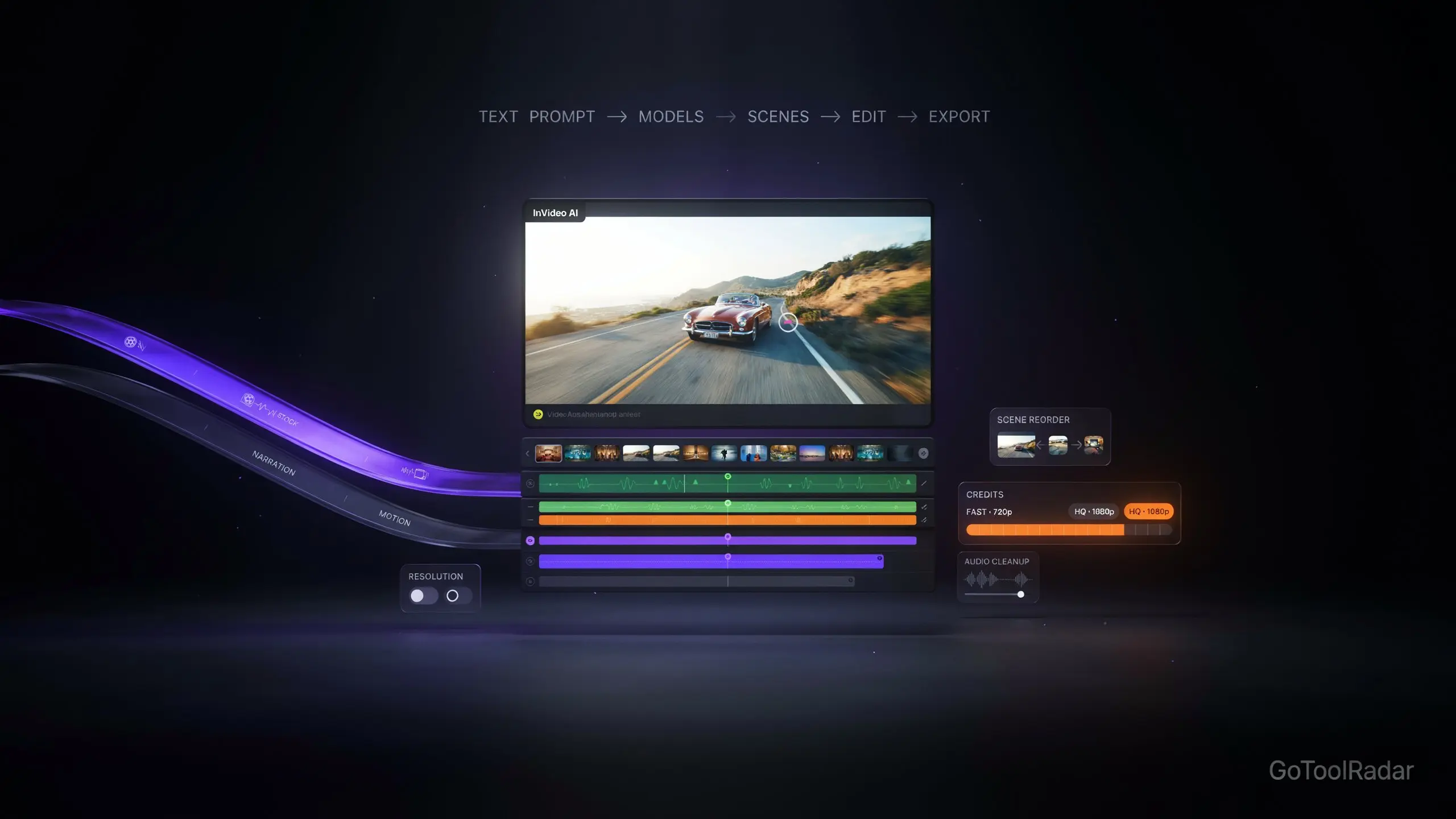
InVideo AI review 2026: most AI video tools make you choose one generation model and live with its specific look. InVideo's pitch is different — give it a text prompt or script, and it routes the work across multiple underlying video models, then hands you the result inside a real timeline editor for manual cleanup. For marketing explainers, narrated product videos, and content that needs sequential scenes with voiceover — not just a single cinematic clip — that combination of generation-plus-editing in one place is a genuine workflow advantage.
The part of this review that required the most care is cost. InVideo doesn't bill per finished video; it bills in credits consumed by whatever work the AI Agent and underlying models actually perform, and that consumption varies significantly by model choice, resolution, duration, and whether audio is involved. A $20/month plan and a $150/month plan both sound straightforward until you try to answer the question every prospective subscriber actually wants answered: how many finished videos does that plan realistically produce? This review answers that as precisely as InVideo's own published figures allow.

What InVideo AI Actually Does
Text-to-video generation
Describe the video you want and InVideo builds a full sequence — not just a single short clip — using whichever underlying model fits the request, available at its dedicated text-to-video tool.
Multiple generation models
Access to several video models (including Seedance variants) depending on plan tier, rather than being locked to one generator's specific look and motion style.
Full timeline editor after generation
Generated output lands in a real timeline editor for manual cleanup — adjusting pacing, audio, or scene order — and this manual editing doesn't consume AI credits.
AI Agent
Handles more complex, multi-step generation tasks beyond a single prompt-to-clip request, with access scaling by plan tier (limited on Starter, broader model access on Plus and Max).
Stock & storage included
Plans bundle premium stock assets (100+ files on Starter) and cloud storage (200GB–2,000GB depending on tier) alongside the generation credits themselves.
Current Pricing — and Why It's Dynamic
Starter includes 400 credits/month per seat, limited AI Agent access, the core timeline editor, 100 premium stock files, and 200GB storage. Plus jumps to 2,000 credits/month with access to more capable Agent tiers and Seedance model variants, plus 600GB storage and broader collaboration features. Max provides 5,000 credits/month, access to more advanced models and features, 2,000GB storage, and — per InVideo's own pricing page — a lower effective cost per credit than the tiers below it. A direct editorial note worth flagging: InVideo's pricing page has been observed showing different plan names and figures (Basic/Pro/Ultra in some views versus Starter/Plus/Max in others) depending on the visitor — this isn't a fixed, universal price list, and the figures above are what the official page showed on the date checked for this review. Check what the page shows you directly before subscribing.
How Much Does a Video Really Cost?
This is the question a monthly price alone can't answer, and InVideo's own pricing page gives enough detail to estimate it directly. Generation cost scales with model choice and resolution, not a flat per-video rate:
| Generation | Approximate credits (per ~5 seconds) |
|---|---|
| Seedance 2.0 Fast | ~30 credits |
| Seedance 2.5, 720p | ~56 credits |
| Seedance 2.5, 1080p | ~96 credits |
These are the figures InVideo's own page currently shows, not a fixed universal rate — model, resolution, duration, and whether audio is generated can all shift the actual cost. The practical implication: a 400-credit Starter plan does not translate to "400 videos," or even a fixed, predictable number of longer explainer-style videos. At higher resolutions, a single finished video of any real length can consume a meaningful fraction of a monthly allowance, and unused credits don't roll over to the next month. Anyone budgeting InVideo against a specific monthly content volume should estimate using these per-generation figures, not the plan's headline credit count alone.
Pros & Cons
InVideo AI vs. Single-Model Video Generators
Best for sequential, narrated marketing or explainer videos needing both multi-model generation and real post-generation editing in one place.
Best when you want direct control over one specific model's distinctive look, without InVideo's credit-routing layer in between.
Best for teams that want full manual control and predictable, flat-rate stock-footage costs rather than AI-generation credit variability.
Who Should Use It
Ideal user: a marketer or small business producing narrated, multi-scene explainer or promotional videos who wants generation and editing in one workflow, and is willing to do the per-generation credit math rather than assume a plan's headline credit count maps cleanly to a video count.
Look elsewhere if: you want a single, predictable price per finished video, you're specifically chasing one model's distinctive cinematic look (a dedicated single-model tool fits better), or you need absolute certainty about data handling across every provider InVideo routes generation through.
Expert Editorial Opinion
The strongest case for InVideo AI isn't generation quality alone — it's the combination of generation and a genuine editing environment in one place. A lot of AI video tools hand you a clip and consider the job done; InVideo assumes, correctly for most real marketing use cases, that the AI output is a starting point that needs pacing, audio, and sequencing adjustments before it's actually usable, and it doesn't charge AI credits for making those adjustments.
The credit system is where this review spent the most effort, because "how much does a video cost" is the question every reader actually wants answered and the one a simple pricing table can't answer on its own. Publishing the per-generation credit estimates directly — 30 credits for a fast, lower-quality 5-second clip versus 96 for a 1080p one — does more for a prospective subscriber's budgeting than repeating the headline plan prices alone, and it's worth doing that math before assuming a $20 or $60 plan covers a specific month's content calendar.
The dynamic pricing page deserves a direct, unembellished note rather than a dismissal. A pricing page that shows different plan names and numbers to different visitors is a genuine inconsistency, not a minor cosmetic variation — and it means this review's own figures should be treated as a snapshot from the date checked, not an immutable price list. That caveat isn't unique to InVideo, but it's worth stating plainly rather than presenting any single number with more confidence than the evidence supports.
On privacy, InVideo's current terms are genuinely more reassuring than many AI tools in this category — explicit language stating user data isn't used to train or fine-tune its models, and that content ownership remains with the user. The one caveat worth keeping in view is the third-party model layer: because generation routes through external providers, InVideo's own policy is necessarily only part of the full data-handling picture for sensitive material, a nuance worth remembering rather than assuming one company's privacy page covers every system a prompt passes through.
Final Verdict
InVideo AI earns credit for genuinely combining multi-model video generation with real post-generation editing, free-to-use manual editing and export, and privacy terms that are more reassuring than many competitors. The score reflects real cost-transparency issues: credit consumption varies significantly by model and resolution with no simple way to estimate "videos per plan," unused credits don't roll over, and the pricing page itself has shown inconsistent figures to different visitors. For marketers producing sequential, narrated content who are willing to do the credit math themselves, this is a capable, reasonably priced tool — not a tool where the monthly price alone tells the whole cost story.
| Dimension | Weight | Score /10 | Why |
|---|---|---|---|
| Technical quality | 30% | 8.0 | Genuine multi-model generation combined with a real, credit-free post-generation timeline editor |
| Price-to-value | 25% | 6.0 | Credit costs vary significantly by model/resolution with no simple video-count estimate, and unused credits don't roll over |
| Maturity & documentation | 20% | 6.5 | An established product, though the pricing page itself has shown inconsistent figures to different visitors |
| Ceiling & flexibility | 15% | 7.5 | Access to multiple generation models and a real editing layer give it reasonable range for marketing-focused video work |
| Honesty of positioning | 10% | 7.0 | Genuinely reassuring stated privacy terms (no training on user data, retained ownership), offset by cost transparency that requires real digging to understand |
Weighted total: (8.0×0.30) + (6.0×0.25) + (6.5×0.20) + (7.5×0.15) + (7.0×0.10) = 7.025/10, rounded to 7.0/10 — Score band: 7.0–7.9, "Competent but compromised — a genuinely useful generation-plus-editing workflow, with real cost transparency work left to the buyer."
❓ Frequently Asked Questions
🔗 Related ToolRadar Reviews
Official sources: InVideo AI pricing · Text-to-video tool · Privacy policy. Given the dynamic pricing page and credit cost variability, check the exact figures shown to you directly and estimate your real monthly video output before subscribing.
Comments
Post a Comment