


Recraft Review 2026: The AI Design Studio Built for Vectors, Brands & Creative Control
Recraft review 2026: V4.1 and V4.1 Flash, true editable SVG vectors, V4 Styles for brand consistency, a Vector Editor and Design Agent, plus access to external models like FLUX, Nano Banana, and Ideogram — pricing, commercial rights, API, and MCP.
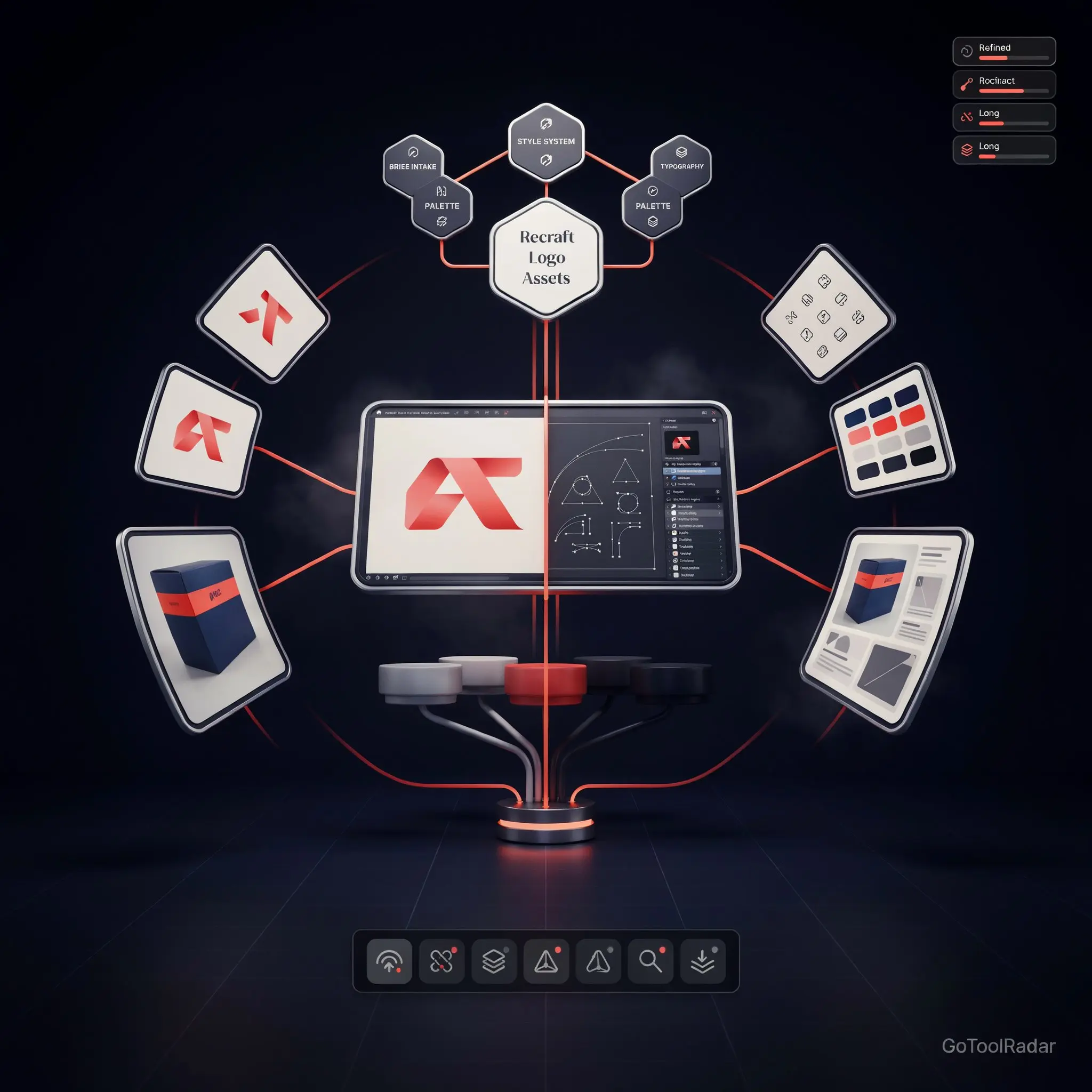
Recraft review 2026: most AI image generators stop at the picture. Recraft is trying to own what happens after the picture — generate, explore variations, edit, lock in a consistent style, vectorize into real editable SVG, refine the vector by hand, save it all as a reusable brand kit, and export for production. That's a genuinely different workflow than a typical text-to-image tool, and it's the reason Recraft is better described as a design studio than an image generator.
Recraft says it now has 3M+ users across 200+ countries who've generated 350M+ images, with companies including Netflix, HubSpot, Asana, and Airbus among its users — company-reported figures worth treating as exactly that. What's changed most in 2026 is the pace: V4 shipped in February, V4.1 in May, a Vector Editor and Design Agent in July, V4 Styles in August, and V4.1 Flash in September — each addition pushing Recraft further from "image generator" and closer to "production design environment."

What Recraft Actually Does
V4.1 & V4.1 Flash
V4.1 targets "design taste" — composition, color relationships, typography, art-directed output rather than stock-photo aesthetics. Flash (Sept 2026) generates in roughly 1.3 seconds end-to-end for rapid iteration, at a fraction of the standard model's cost.
True editable SVG vectors
V4.1 Vector outputs real, editable SVG — not a PNG traced into vector shape. Paired with the July 2026 Vector Editor, you can move anchor points, adjust curves, and recolor individual shapes directly inside Recraft.
V4 Styles
Launched August 2026: feed in 1-10 reference images and extract a reusable style applied consistently across future generations — the core tool for brand, e-commerce, and campaign consistency without re-describing "same colors, same mood" every time.
Design Agent
Describe a product or brand and it generates a coherent set — logo, color palette, typography, icons — saved as a reusable Design Kit, pushing Recraft toward "AI brand designer" territory.
External model access
Recraft Studio also hosts outside models — FLUX, Nano Banana, Ideogram, GPT Image, Imagen, Qwen Image, Seedream, and several video models (Veo, Kling, Sora, and others) — making it closer to a model marketplace than a single-model tool.
API & MCP
A developer API covering generation, editing, vectorization, upscaling, and batch jobs, plus an official MCP server so Recraft's capabilities can be called from Claude, Cursor, and other agent tools.
Pricing & Commercial Rights
| Plan | Price (third-party tracked) | Credits |
|---|---|---|
| Free | $0 | 30/day, non-commercial only |
| Basic | ~$12–12.50/mo | 1,000/mo |
| Pro 2K | ~$20/mo | 2,000/mo |
| Pro 4K–16K | Rising by tier | 4,000–16,000/mo |
A transparency note worth being upfront about: Recraft's own pricing page doesn't fully expose all tier numbers in easily indexable text, so the figures above are triangulated from consistent third-party pricing trackers checked in September 2026 rather than read directly off a fully transparent official table — worth confirming on Recraft's own site before committing to a plan. The more important distinction is commercial rights, not the exact dollar figure: Free-tier images are owned by Recraft, treated as public, and explicitly not licensed for commercial use. Paid plans grant ownership and commercial rights to assets created during that subscription — a real, easy-to-miss distinction if you're testing on Free and assuming the output is usable commercially.
The Model-Selection Problem
This is the most legitimate criticism of Recraft as it stands in late 2026: the model lineup has grown to roughly 16+ named variants — V4, V4 Pro, V4 Vector, V4.1, V4.1 Vector, V4.1 Pro, V4.1 Utility, V4.1 Flash, V4 Styles and its Vector/Pro combinations — each with different credit costs and different fitness for a given task, before even counting the external models hosted inside Studio. For a new user, "I want an image" can quickly become "which of sixteen models, and how many credits will that cost, and is this commercially usable." That's a real onboarding tax, even for a genuinely powerful toolset underneath it.
Pros & Cons
✓ Strengths
- ✅ True editable SVG output plus an in-app Vector Editor — a genuinely rare combination among AI image tools
- ✅ V4 Styles solves real brand-consistency pain that most single-shot generators don't address
- ✅ Access to external models (FLUX, Nano Banana, Ideogram, and more) inside one Studio, reducing tool-switching
- ✅ Strong G2 reception (4.7/5, 443 reviews) specifically praising ease of use, speed, and vector graphics
✗ Weaknesses
- ❌ A sprawling, 16+-variant model lineup creates real decision friction and unpredictable credit costs
- ❌ Not top-ranked on Artificial Analysis' current leaderboard (variants sit roughly in the #31–60 range), despite a past #5 snapshot in May 2026
- ❌ Official pricing page doesn't cleanly expose all tier numbers, requiring cross-referencing third-party trackers
- ❌ Free tier is genuinely non-commercial — easy to assume otherwise until reading the terms
Recraft vs. Firefly vs. FLUX.2 vs. Midjourney
Best for brand-consistent, vector-native design work — logos, icon sets, campaigns that need to look like they belong together across dozens of assets.
Best if you're already living inside Photoshop/Illustrator and want Adobe's commercial-safety story for its own models.
Best for developers who want open-weight, locally deployable, or API-first image generation without a design-studio layer on top.
Best for raw artistic/aesthetic image generation where vector output and brand-kit tooling aren't the point.
Who Should Use It
Ideal user: a designer, brand, or agency that needs genuinely consistent visual output across many assets — logos, icon sets, product catalogs, campaign visuals — and wants true editable vectors rather than a static image approximation.
Look elsewhere if: you want a single, simple model without navigating 16+ variants and credit tiers, you specifically need the top-ranked model on every independent benchmark, or you're testing on the free tier expecting commercially usable output.
Expert Editorial Opinion
Recraft's strongest argument isn't any single model's raw image quality — it's the workflow built around consistency and production. V4 Styles, the Vector Editor, and Design Agent form a coherent pitch that most competing tools don't make: not "here's a pretty picture," but "here's a system for making picture #2 through #50 look like they belong to the same brand, in a format your design team can actually finish editing."
The self-run 92%-preference benchmark for V4 Styles is worth citing carefully rather than dismissing or amplifying. Independent evaluators judged the results, which is better than a purely internal score — but Recraft designed the test, chose the 159 prompts, and competitors didn't participate in structuring it. That's "interesting company-reported evidence," not an independently adjudicated market verdict, and the honest framing matters here specifically because the underlying claim (style consistency) is genuinely Recraft's strongest differentiator and deserves scrutiny proportional to how much weight it's being asked to carry.
The model-sprawl problem is real and worth naming plainly: a platform with 16+ named model variants, each with different credit costs and commercial implications, is optimizing for power-user flexibility at a real cost to first-time clarity. That's a defensible tradeoff for a design-production tool aimed at professionals, but it should be named as a tradeoff, not glossed over as simplicity.
Final Verdict
Recraft earns credit for a genuinely differentiated design-production workflow — true editable SVG vectors, real brand-consistency tooling via V4 Styles, and an external-model marketplace inside one Studio. The score reflects real friction alongside that strength: a sprawling model lineup that complicates simple decisions, a pricing page that isn't fully self-explanatory, and a benchmark position that's respectable but not consistently top-tier. For design-production use specifically, this is a competent, differentiated tool — not an obvious pick for someone who just wants one simple image generator.
| Dimension | Weight | Score /10 | Why | |---|---|---|---| | Technical quality | 30% | 8.0/10 | Genuinely differentiated vector/consistency workflow; independent benchmark position is respectable (#31–60 range) but not consistently top-tier | | Price-to-value | 25% | 7.5/10 | Reasonable API pricing and a real free tier, though it's explicitly non-commercial and the consumer pricing page isn't fully self-explanatory | | Maturity & documentation | 20% | 7.5/10 | SOC 2 Type II and AIUC-1 certifications show real enterprise maturity, offset by a pricing page that requires third-party cross-referencing | | Ceiling & flexibility | 15% | 9.0/10 | Vector Editor, Design Agent, external model access, API, and MCP give it an unusually high ceiling for a design-production tool | | Honesty of positioning | 10% | 7.0/10 | The V4 Styles benchmark is clearly self-designed even with external evaluators, and the multi-tier training-data policy (individual vs. API vs. Teams) is easy to misread | Weighted total: (8.0×0.30) + (7.5×0.25) + (7.5×0.20) + (9.0×0.15) + (7.0×0.10) = **7.825/10**, rounded to **7.8/10** — Score band: 7.0–7.9, "Competent but compromised — a strong fit for brand/design production work, not the simplest choice for a casual user."❓ Frequently Asked Questions
🔗 Related ToolRadar Reviews
Official source: Recraft. Given the large model lineup and a pricing page that isn't fully self-explanatory, confirm the current credit cost and commercial-rights terms for your specific plan directly before production use.
Comments
Post a Comment