


Sloosh Gives You 43 AI Models for $19 a Month — But Only About 7 Seedance Videos
ShopOS just opened its enterprise image-and-video engine to everyone. Here is what the credits, the fine print and the still-contradictory documentation actually add up to.
📋 Table of Contents
This Sloosh review starts with a number that the launch coverage skips. Sloosh, the new AI image and video studio from Bengaluru-based ShopOS, advertises plans “from $19 a month” and a catalog of 43 models, yet the company’s own pricing page estimates that the entry plan produces roughly seven 8-second clips from Seedance 2.5 per month. If you have read our AI video pricing breakdown, that ratio will look familiar: the sticker price is rarely the story, the credit burn is.
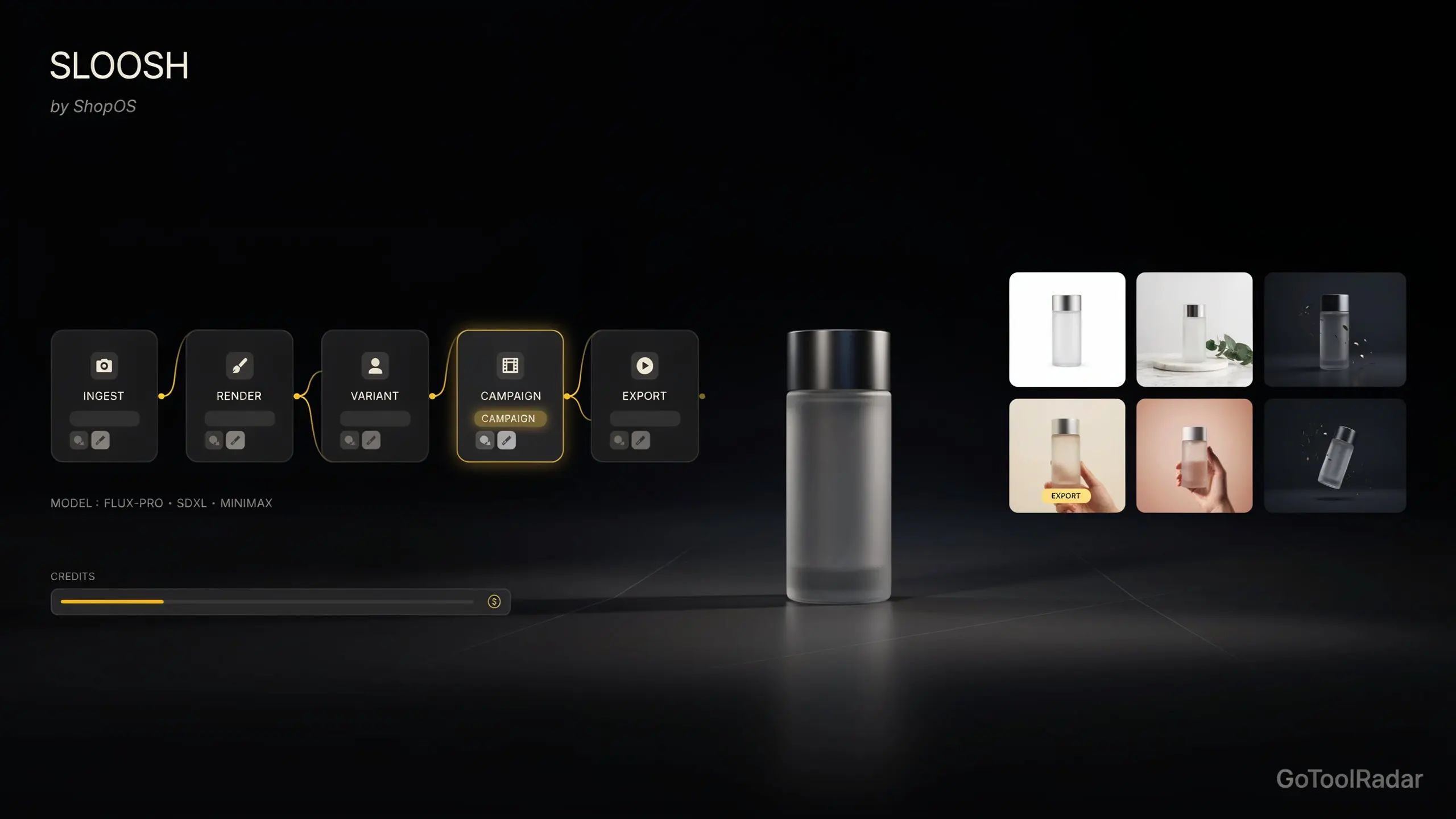
That does not make Sloosh a bad product, and the real pitch is more interesting than “another model aggregator.” ShopOS says Sloosh runs on the same orchestration engine it uses to produce content for fashion and retail brands, and what it sells is repeatability: reusable workflows called Spaces, a visual builder called Spacelab, and an MCP connection that lets Claude, ChatGPT or Cursor run those workflows for you. The product launched on October 22–23, 2026, still wears a “Beta” label on its own site, and its legal and pricing pages do not fully agree with each other yet. We read all of it so you do not have to, and where sources conflict, we say so. Pair this with our look at the real cost of AI images in 2026 if you want the wider pricing context.

What Sloosh Actually Includes
Strip away the launch language and Sloosh (sloosh.ai) is a credit-based workspace with five layers, listed below roughly from simplest to most advanced.
A 43-model catalog
Sloosh’s pricing page counts 43 models: 25 for images and 18 for video. The names include Nano Banana Pro, GPT Image 2.5, FLUX 3 Image, Seedream 5 Pro, Ideogram 4.5, Meta Muse, Seedance 2.5, Kling 3.0, Wan 3, MiniMax H3 and Gemini Omni 1.1 Flash. The list differs slightly from page to page and will keep changing, so check it before you subscribe for one specific model.
Studio
The simple prompt box: pick a model, describe the shot, see the credit cost on the Generate button before you spend it.
Spaces
A Space is a workflow hidden behind a form. You upload a product photo, fill in a few fields and get a fixed type of result: a white-background packshot, a 3×3 ad grid, an Amazon listing pack, a virtual try-on. Dozens of public Spaces are already listed, and on Pro and Max you can batch a Space across 50 or 200 items respectively.
Spacelab
A node-based canvas where inputs, models and edit steps are wired together, tested and then published as a Space that other people can run from a form. It is the part of Sloosh that is hardest to replicate with a plain model aggregator, and also the part where credit costs can quietly multiply, because every generate node spends credits each time it runs.
Character consistency tools
Elements let you save a character, product or background once and call it back by typing @ in a prompt. AI Influencer builds a reusable character, and Shadow Clone transfers the motion of a reference clip (up to 30 seconds) onto that character, or swaps a single object inside an existing video.
Agent access via MCP
Sloosh’s MCP server works with Claude, ChatGPT (Plus or Pro with Developer mode), Cursor, Codex, VS Code and Gemini CLI. The guardrails are unusually explicit: nothing paid runs until you set a daily spending limit, every paid run starts with a price quote, and the limit resets at midnight UTC. A Claude plugin adds skills for product images, ad variants and UGC storyboards. MCP is limited to Pro and Max.
One more item worth knowing: the launch release also mentions an Adobe After Effects plugin, with more integrations to follow. For ecommerce sellers, the practical draw is the catalog-style Spaces, which speak directly to the problem we described in why AI product photos still go wrong: one good image is easy, two hundred consistent ones is the hard part.
Pricing and Credits: What $19 Really Buys
Everything in Sloosh costs credits, and there is no free plan. A new workspace receives 20 starter credits once, enough to try Studio, a Space or Spacelab before paying. The plan prices below come from Sloosh’s live pricing page and its plans documentation (last updated October 19), checked on October 23, 2026, and the output estimates are the page’s own approximations at default settings.
195 credits a month, one seat, 4K outputs but 8-second videos, 3 concurrent runs. No batch runs, no MCP. Billed $228 once a year on yearly billing. Roughly 97 Nano Banana Pro 2K images or 7 Seedance 2.5 clips.
510 credits per seat, up to 10 seats, any video length, batch up to 50 items, MCP access, 6 concurrent runs. $588 per seat billed yearly. Roughly 253 Nano Banana Pro images or 18 Seedance 2.5 clips.
1,040 credits per seat, batch up to 200 items, 12 concurrent runs, everything in Pro. $1,188 per seat billed yearly. Roughly 517 Nano Banana Pro images or 37 Seedance 2.5 clips.
11 or more seats, SSO, invoicing and a done-for-you ShopOS team that owns the outcome. Priced per deployment, not per seat.
Do the arithmetic and the pattern is clear. Creator works out to about $0.10 per credit, and Pro and Max land at about the same rate, so upgrading buys you features and volume rather than a cheaper credit. On Creator, a roughly seven-clip Seedance allowance means each 8-second video costs about $2.70 in plan credits. Images are far friendlier: about 97 Nano Banana Pro 2K images works out near $0.20 each, and Meta Muse is listed at around 1,300 images a month on the same plan.
The top-ups are the part to read carefully. Sloosh sells 70 credits for $10, 185 for $25, 390 for $50 and 800 for $100, which is roughly $0.125 to $0.143 per credit, about 30 to 45 percent more than the plan rate. They are available to paid plans only, and they stay usable for 12 months. Plan credits, by contrast, reset every month.
Rights, Privacy and the Fine Print
For anyone selling what they generate, the Terms of Service (last updated October 15, 2026, issued by HOM.AI PTE. LTD. of Singapore) matter more than the feature list. The short version is favorable, with several caveats attached.
Ownership is generous on paper. Sloosh says it does not claim ownership of your outputs and grants you a perpetual, worldwide, royalty-free licence to use, modify, distribute and commercialise them, including the right to pass that licence to clients. It also says it does not use your content to train its own models.
Your data still travels. Inputs are processed by third-party model providers under their own terms, and the Terms say those providers may retain content or use it to improve their models. In other words, “we do not train on your data” describes Sloosh, not the whole chain. If you work with unreleased products or confidential client images, ask which provider runs the model you plan to use, and read that provider’s policy.
Exclusivity and protection are not promised. Outputs are not guaranteed to be unique, similar outputs may be generated for other users, and Sloosh makes no representation that outputs qualify for intellectual property protection. Some models also carry their own rules, such as non-commercial-only use or required attribution, and those override the general licence.
Publishing a Space is a real licence grant. If you publish a Space or template to the community, every other user gets a licence to recreate and remix it, including the prompts, settings and inputs, such as uploaded photos, that you published with it. Published content is shown with your first name. Do not publish a workflow built around confidential product shots.
Disclosure and consent are your job. Sloosh does not add a visible watermark. Some models embed invisible provenance data such as SynthID or C2PA credentials, and you must not strip it. You are responsible for disclosing AI-generated content where law or platform policy requires it, and for obtaining consent when you upload an identifiable person’s image. Users must be 18 or older, and the acceptable-use list bans deepfakes, impersonation and sexual content.
Contract terms. Payments are generally non-refundable apart from verified billing errors or where law requires, and cancellation takes effect at the end of the billing period. Liability is capped at the greater of one month’s fees or S$100, disputes go to arbitration in Singapore, and you are responsible for anything a connected AI agent does with your account, including the credits it spends.
One inconsistency to flag. The launch announcement and the site say Sloosh is available worldwide, but the same Terms still describe the service as “early-access, invitation-only.” That is probably a document that has not caught up with the launch, yet it is exactly the kind of gap a buyer should ask about.
Strengths and Weaknesses
Sloosh vs Magnific (Freepik), Krea and fal.ai
This is a positioning comparison, not a quality or cost test. None of the four has been benchmarked against the others here.
Model aggregator plus workflow layer: Spaces, Spacelab, batch and MCP. Credit-based, $19 to $99 per seat. Newest of the group and still labeled beta.
Rebranded from Freepik in April 2026, according to third-party coverage. A wide creative suite that pairs generation with a large stock library and credit-based tiers. Reports in mid-2026 described credits returning for premium models after an “unlimited images” push, so check the current terms. Its Flows workflow feature has reportedly been runnable through AI assistants since August.
Compute-unit plans with a free tier of 100 daily units, and paid plans starting around $9 a month on monthly billing, according to third-party trackers. Reviews mention plugins for Photoshop, After Effects and other tools. Its allowances have been revised repeatedly in recent months, so confirm before buying.
Aimed at developers who want programmatic model access to build their own apps. Sloosh is the easier fit if you want a ready interface; fal.ai is the likelier fit if you need an API, which Sloosh lists as not yet live.
The honest summary is that Sloosh’s differentiator is orchestration rather than model access. Many platforms already resell the same video engines we compared in Kling 3.0 vs Runway Gen-4.5 vs Luma Ray3, and suites such as Adobe Firefly compete on ecosystem. Whether Sloosh’s workflows save money is a calculation about cost per usable output, not about subscription price, and nobody has published that comparison yet.
How This Review Was Built
- Live pricing page, plans-and-credits docs (updated Oct 19), MCP page and docs, and the public Terms of Service (updated Oct 15), all read on Oct 23, 2026.
- Launch coverage published Oct 22–23, 2026 for company background, funding and positioning.
- Third-party pricing trackers and reviews for competitor context, treated as secondary and hedged where they disagree.
- No hands-on testing of Sloosh is claimed. Where sources conflict, the conflict is named instead of resolved by guesswork.
Who Should (and Shouldn’t) Pay for Sloosh
✅ Choose Sloosh if...
You run a store or small brand and need the same shot type repeated across many products, you want to trigger generations from Claude or ChatGPT with spending caps, or you would rather test many models under one credit balance than keep four subscriptions. Image-heavy users get the most out of the $19 plan; teams that need batches belong on Pro.
❌ Look elsewhere if...
Your main output is longer video, where about 7 eight-second clips a month will not go far. Also look elsewhere if you need an API today, if confidentiality rules out third-party model providers, or if you need rock-solid documentation before committing, since the product is days old and the pages still contradict each other.
Expert Editorial Opinion
Sloosh is easiest to understand as a company exporting an internal tool. ShopOS has spent a couple of years producing catalog and ad content for brands with AI agents, workflows and human reviewers, and the launch statement says the AI engine became good enough that it should not stay inside the company. That origin is the strongest argument for the product, because workflow tooling built under client pressure tends to be more practical than tooling built to demo well.
It is also the source of the most important caveat. The managed service includes human experts who refine AI output before delivery, and Sloosh, the self-serve version, does not obviously include that step. Whatever quality the enterprise customers receive is a blend of engine and editors. What a $19 subscriber receives is the engine alone, and nobody has independently measured how big that difference is.
Then there is the Pricing Gap. The headline price is a $19 entry point. The usable price for anyone doing video, agents or teamwork is $49 per seat and up, because MCP, batching and longer videos start at Pro. And in credit terms, each plan tier gives you almost the same price per credit, so there is no volume discount to reward you for scaling, only the unlocking of features.
Is it worth paying for without a free tier? There is no free plan, only 20 starter credits that disappear once. That is enough to run a handful of images and one or two Spaces, which is a reasonable audition for the workflow idea but a poor one for judging video quality. Treat the starter credits as a way to test one Space on your own product photos and nothing more.
For a tool this new, the right stance is cautious interest. The architecture is sensible, the MCP safeguards are better than we usually see, and the Terms are more readable than most. But the pricing numbers changed within days, the Terms contradict the launch messaging, and there is no independent user evidence yet. We would follow it, test it on a single Space, and revisit this score once real-world output reports and a stable pricing page exist.
Final Verdict
Sloosh lands in the “Competent but compromised” range (7.0–7.9): suitable for a specific user rather than for the majority. That specific user is an ecommerce seller or small team who values repeatable image workflows and agent access, and who treats video as an occasional extra instead of the main event. The idea is strong and the guardrails are thoughtful, but the credit math on video, the paywalled agent features, the beta status and the inconsistent documentation all hold the score back. It is a score for a promising product on day one, not a verdict on its output quality, which this review does not claim to have tested.
| Dimension | Weight | Score /10 | Why |
|---|---|---|---|
| Technical quality | 30% | 7.5 | Deep feature set and model catalog documented; output quality unverified without hands-on testing. |
| Price-to-value | 25% | 6.5 | Fine for images, thin for video (about 7 clips on Creator); top-ups cost 30–45% more per credit. |
| Maturity & documentation | 20% | 6.5 | Extensive docs, but beta label and contradictions on pricing, rollover and access. |
| Ceiling & flexibility | 15% | 8.0 | 43 models, Spacelab, batch and MCP; no public API yet and workflows live inside Sloosh. |
| Honesty of positioning | 10% | 7.0 | Beta is labeled openly and MCP spending is capped, but “worldwide” and “from $19” clash with Terms and page details. |
Calculation: (7.5 × 0.30) + (6.5 × 0.25) + (6.5 × 0.20) + (8.0 × 0.15) + (7.0 × 0.10) = 2.25 + 1.625 + 1.30 + 1.20 + 0.70 = 7.075, shown as 7.08.
Would you rather own the workflow or rent the model?
Sloosh bets that repeatable process matters more than the newest model. If you already pay for two or three separate generators, run your own numbers: credits per usable result, not dollars per month. Then try one Space on your own product photo before you commit.
❓ Frequently Asked Questions
🔗 Related ToolRadar Reviews
Want to check the current plans and model list yourself? The official pricing page is at sloosh.ai/pricing, and prices can change from one billing period to the next.
Comments
Post a Comment