


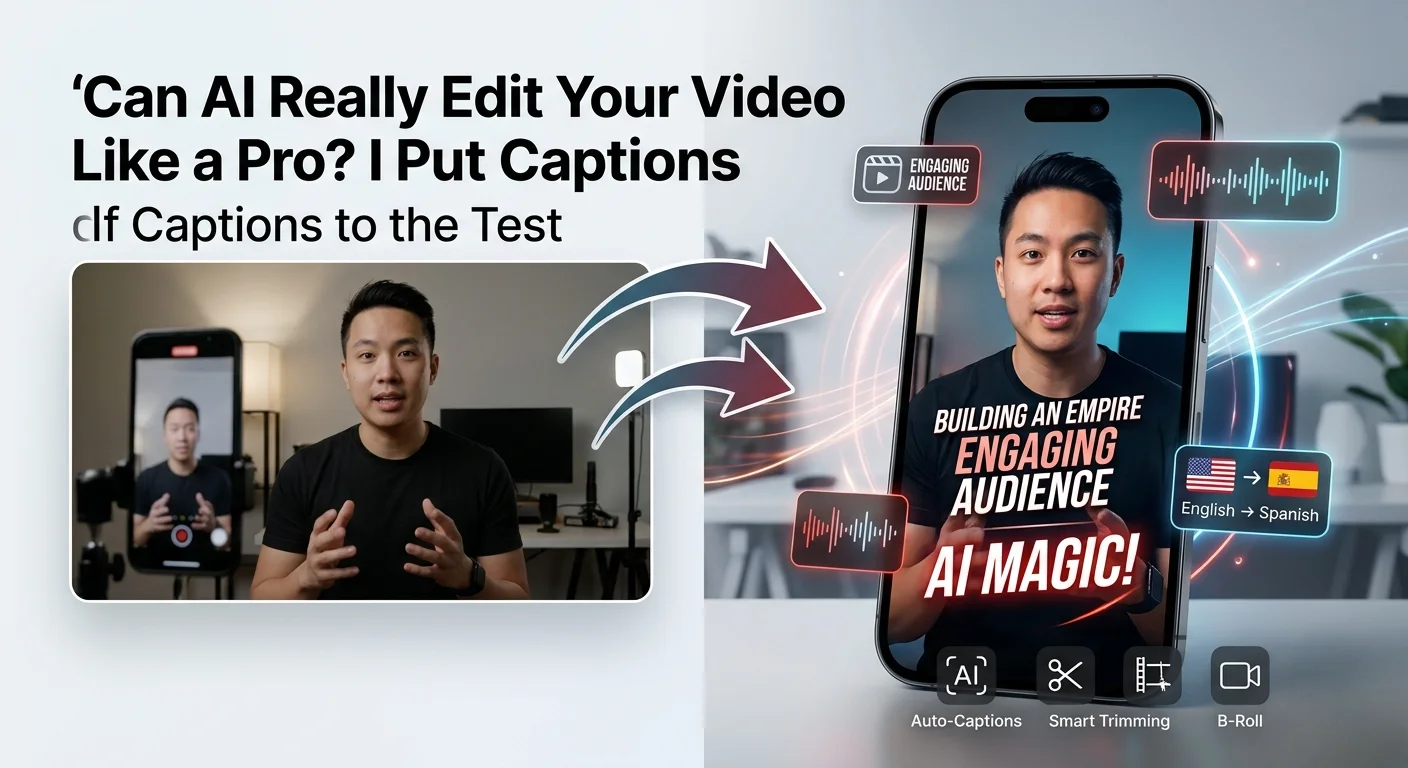
Can AI Really Edit Your Video Like a Pro?
I Put Captions to the Test
What happens when you hand your raw talking-head footage to an AI and ask it to produce a TikTok-ready video? I tested Captions AI for two weeks — here's the unfiltered truth.
- The Creator's Dilemma: Edit or Die
- What Is Captions AI and Who Built It?
- Core Features: From Raw Footage to Finished Video
- Pricing: Free vs Pro vs Max vs Scale
- Pros & Cons
- Real User Pulse: Creator Community Sentiment
- Captions vs Descript vs CapCut vs Submagic
- Who Should Use Captions?
- Expert Editorial Opinion
- Final Verdict
- Frequently Asked Questions
You just finished recording a 12-minute talking-head video. The content is solid. The lighting is decent. But now comes the part every creator dreads: editing. Trimming silences. Adding captions. Finding B-roll. Syncing music. Exporting in 9:16 for TikTok, 1:1 for Instagram, 16:9 for YouTube. Three hours of tedious work for a video that might get 400 views.
That's the exact pain point Captions AI was built to solve. Founded by Mirage in New York City, Captions is a mobile-first AI video editor designed specifically for talking-head content — the bread and butter of TikTok creators, coaches, educators, and product marketers. Unlike general-purpose editors that bolt AI onto traditional timelines, Captions was built from the ground up to automate the entire post-production pipeline: auto-captions, AI dubbing, smart trimming, B-roll insertion, and platform-specific exports.
But here's the question that matters: Can an AI that lives on your phone actually produce content that doesn't look like every other AI-edited video on the internet? I spent two weeks testing Captions with real footage — a product review, a coaching session, and a vlog-style walkthrough. Here's what happened.
The Creator's Dilemma: Edit or Die
Before diving into features, let's talk about the math that keeps creators awake. The average short-form video takes 45-90 minutes to edit manually: trim filler words, add animated captions, insert B-roll, apply color correction, add music, export in multiple formats. For creators posting daily, that's 15-30 hours per week of pure editing — time that could be spent creating more content, engaging with audiences, or sleeping.
Captions' pitch is simple: upload your raw footage, pick a style, and let AI handle the rest. The app analyzes your video content, identifies key moments, removes silences, adds dynamic captions, inserts relevant B-roll, and applies transitions — all in under 10 minutes. For creators who value speed over granular control, this is transformative. For perfectionists, it's terrifying.
What Is Captions AI and Who Built It?
Captions is built by Mirage, a New York-based startup focused on redefining video creation through AI. The company operates two primary products: the Captions mobile app (iOS and Android) for on-the-go editing, and Mirage Studio for desktop users who need batch processing and deeper control.
The platform is specifically optimized for talking-head videos — content where a person speaks directly to camera. This includes Reels, TikToks, YouTube Shorts, explainer videos, coaching sessions, and product demos. It's not designed for narrative filmmaking, multi-camera productions, or complex visual effects. The narrower focus is intentional: by specializing, Captions can deliver better automation for its core use case than general-purpose editors.
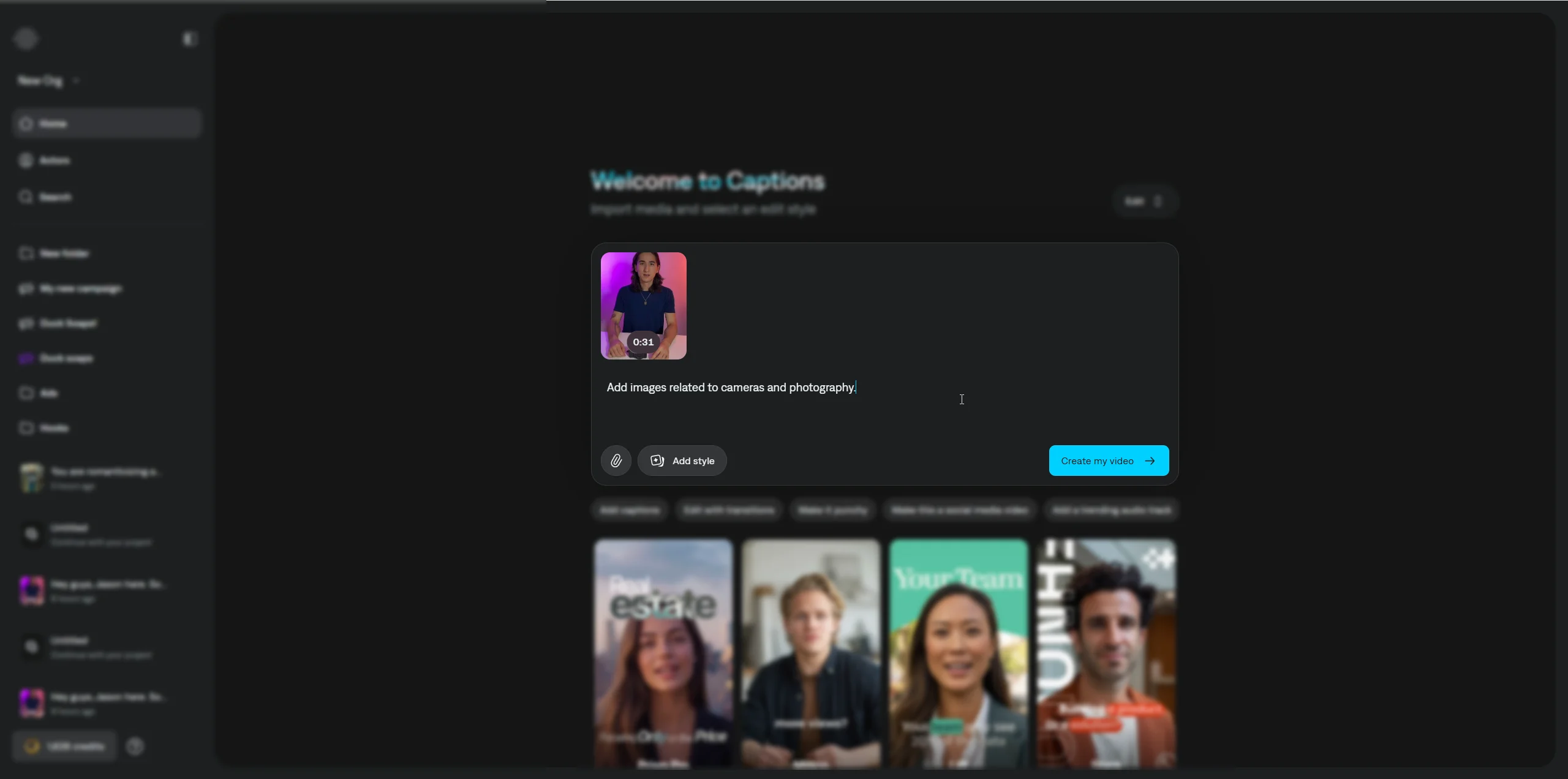
What differentiates Captions from competitors is its conversational editor. Instead of scrubbing timelines and adjusting keyframes, you type what you want: "Add a zoom when I mention the price" or "Replace the background with a city skyline." The AI interprets your request and applies the edit. It's not perfect — more on that later — but it's a fundamentally different interaction model than traditional video editing.
Core Features: From Raw Footage to Finished Video
AI Edit — One-Tap Video Generation
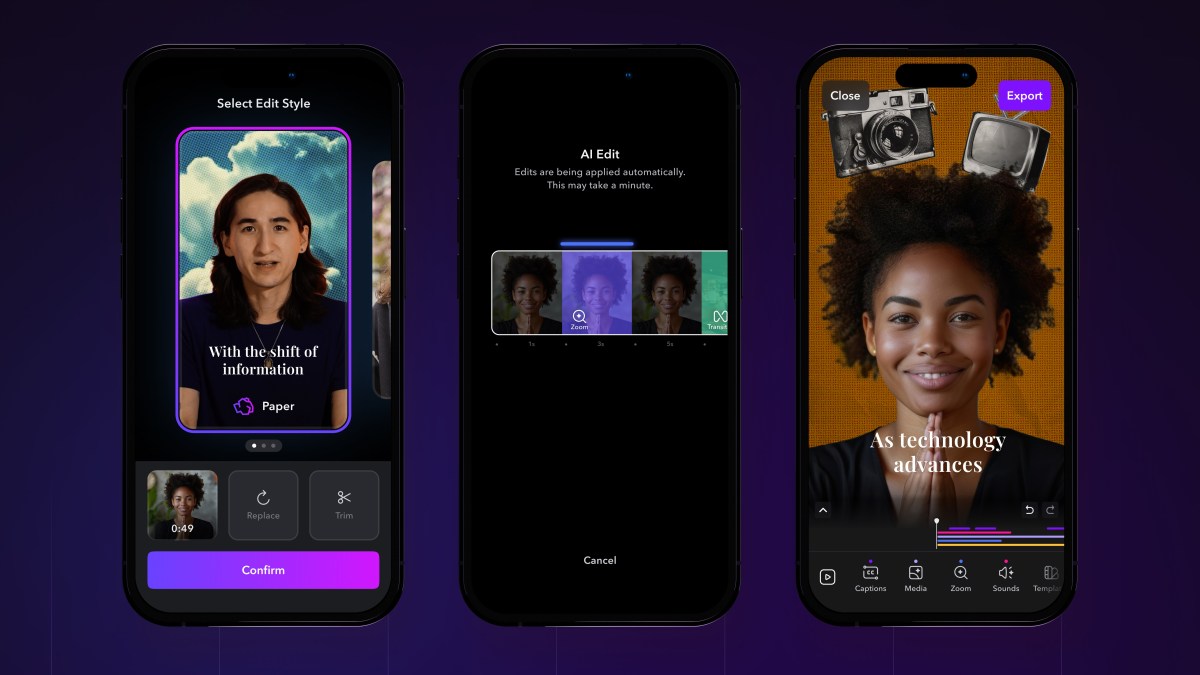
Upload footage, pick from curated AI Edit styles (Paper, Vinyl, Minimal, Bold), and get a fully-edited video with transitions, B-roll, music, and effects automatically applied. image_search:49#0
Auto-Captions in 100+ Languages
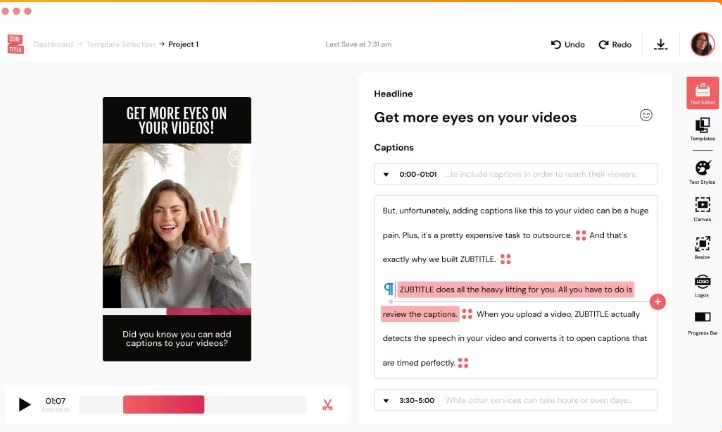
Real-time transcription with dynamic, animated captions. 100+ caption templates with customizable fonts, colors, and emphasis effects. Word-level highlighting for engagement. image_search:49#5
AI Dubbing & Lip Sync
Record once, speak in any language. AI dubbing in 29 languages with voice cloning and lip-sync technology. Perfect for creators targeting global audiences.
AI Twin & Custom Avatars
Create digital twins from selfies or generate custom AI actors. Switch outfits, backgrounds, and product placement without reshooting. Reuse the same actor across multiple videos.
Smart Trim & Filler Removal
Automatically cut filler words ("um," "uh," "like"), awkward pauses, and dead air. One-tap silence removal keeps videos snappy and engaging.
AI Music, Sound Effects & B-Roll
Generate custom music, sound effects, and B-roll images from text prompts. AI analyzes your content and suggests relevant visual and audio enhancements. image_search:49#2
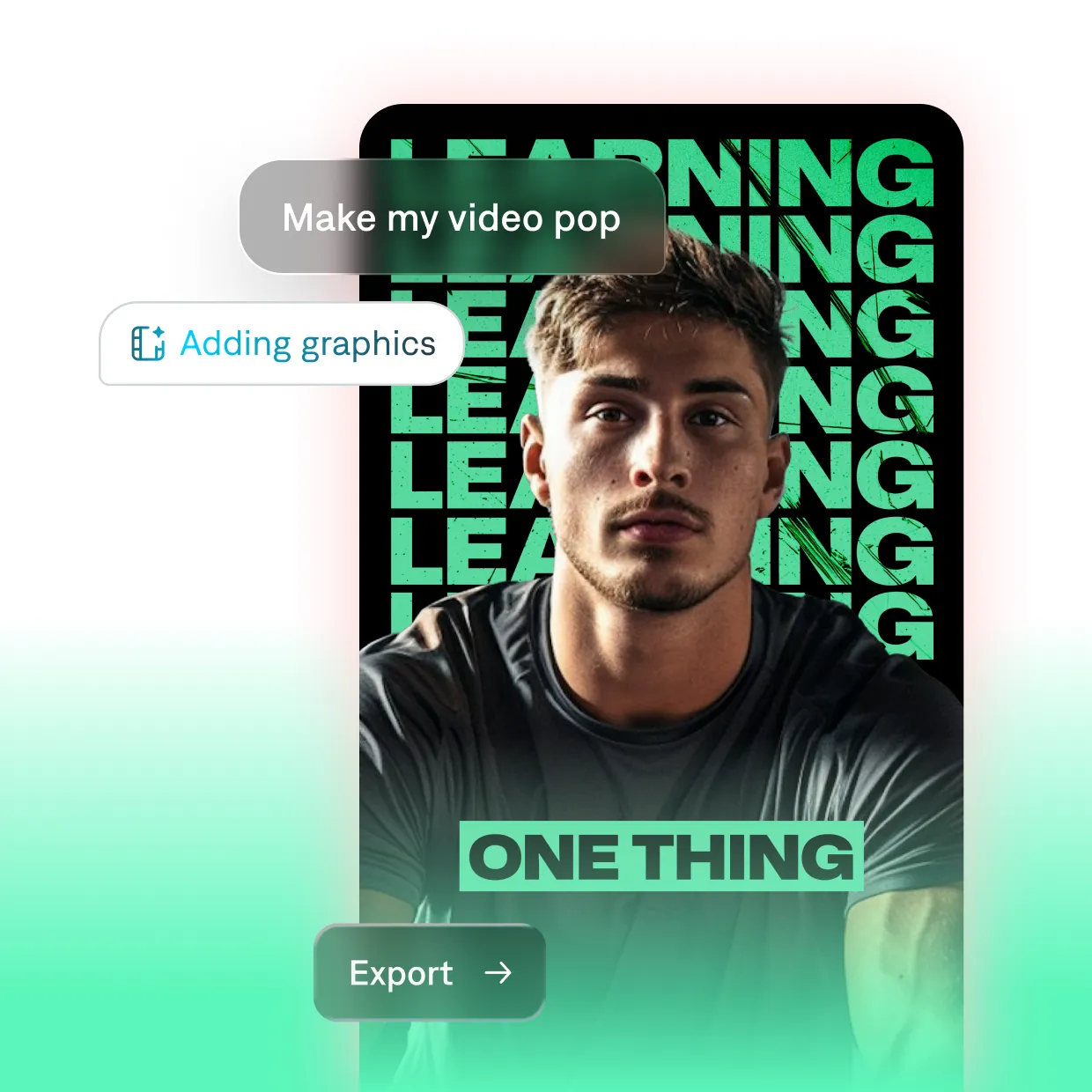
The chat-based editor is where Captions pushes boundaries. Type "Make my video pop" and the AI suggests graphics, zooms, and transitions. Ask "How can I make this more engaging?" and it analyzes your footage for pacing issues and recommends cuts. It's not always right — sometimes the suggestions are generic — but when it works, it feels like having a junior editor in your pocket.
Pricing: Free vs Pro vs Max vs Scale
| Plan | Price | AI Credits | Key Features |
|---|---|---|---|
| Free | $0 | 60-200 lifetime | Basic editing, captions, trim, zoom, no watermarks, limited exports |
| Pro | $9.99/mo | Low (monthly) | 100+ caption templates, AI editing tools, dubbing in 29 languages, watermark-free exports |
| Max | $24.99/mo | 500/month | AI Edit styles, AI Twin, generative AI, chat-based editor, custom B-roll/music/SFX |
| Scale | $69.99/mo | 1,400/month | Fastest generation, concurrent video processing, top-tier AI models, early access |
| Enterprise | Custom | Custom | Bulk credits, custom seats, dedicated manager, training data exclusion, white-glove support |
Pros & Cons
✓ What Creators Love
- ✅ Mobile-first design means you can shoot, edit, and publish entirely from your phone — no laptop required.
- ✅ AI Edit styles produce genuinely polished results in minutes, not hours. The "Paper" and "Vinyl" styles look professionally designed.
- ✅ AI dubbing in 29 languages with voice cloning is a game-changer for creators targeting global audiences.
- ✅ No watermarks on any plan — including free — which is rare in the freemium video editing space.
- ✅ Chat-based editor lowers the skill barrier dramatically. Non-editors can produce decent content with zero learning curve.
✗ Where It Falls Short
- ❌ Credit consumption is unpredictable and opaque — costs scale faster than the subscription price suggests.
- ❌ AI output can feel generic and template-heavy. Every "Paper" style video looks like every other "Paper" style video.
- ❌ Limited creative control compared to desktop editors. Fine-tuning timing, transitions, and effects requires patience.
- ❌ No true timeline editing — the AI-first approach sacrifices precision for speed.
- ❌ Web app pricing is hidden until export, which feels manipulative. PCMag called this out as "not a great practice."
💡 Real User Pulse: Creator Community Sentiment
r/TikTokCreators & r/ContentCreation Community Sentiment
Captions vs Descript vs CapCut vs Submagic
| Feature | Captions | Descript | CapCut | Submagic |
|---|---|---|---|---|
| Best For | Talking-head shorts | Podcasts & long-form | General mobile editing | Caption-focused clips |
| Platform | Mobile-first + Web | Desktop + Web | Mobile + Desktop | Web-only |
| AI Edit Styles | ✅ Curated Styles | ❌ No | ❌ Templates Only | ❌ No |
| AI Dubbing | ✅ 29 Languages | ⚠️ Limited | ❌ No | ❌ No |
| Caption Quality | ⭐⭐⭐⭐ | ⭐⭐⭐⭐⭐ | ⭐⭐⭐ | ⭐⭐⭐⭐⭐ |
| Starting Price | Free / $9.99 | $12/mo | Free / $7.99 | Free / $14 |
Who Should Use Captions?
🎯 Perfect For: TikTok creators, coaches, educators, and product marketers who produce talking-head content daily. If your workflow is "record on phone → edit on phone → publish to social," Captions is built for you. Multilingual creators who need dubbing without hiring voice actors. Teams that need to produce high-volume short-form content without hiring editors.
🚫 Skip If: You create narrative or cinematic content — Captions is too limited for storytelling. You need precise timeline control — the AI-first approach sacrifices granularity. You're budget-conscious about unpredictable costs — the credit system can surprise you. You primarily edit on desktop with complex multi-track projects — Descript or Premiere are better fits.
Expert Editorial Opinion
I tested Captions with three real videos: a 5-minute product review, a 12-minute coaching session, and a 3-minute vlog-style walkthrough. I used the Max plan ($24.99) to access all AI features. Here's what surprised me — and what disappointed me.
The AI Edit feature is genuinely impressive for short content. The 3-minute vlog became a polished 90-second TikTok with dynamic captions, zooms on key phrases, and relevant B-roll — all in 8 minutes. The "Vinyl" style added retro film grain and color grading that looked intentional, not automated. But the 12-minute coaching session? The AI struggled to identify "key moments" in slow-paced educational content. It cut important explanations and kept filler anecdotes. For long-form, the AI needs heavy manual guidance.
The dubbing feature is the standout. I recorded in English, cloned my voice, and generated a Spanish version. The lip-sync isn't perfect — there's a slight delay on plosive sounds — but it's dramatically better than traditional dubbing workflows. For creators with international audiences, this alone justifies the Max subscription. Just watch your credit burn: one 5-minute dubbed video consumed 85 credits.
The chat-based editor is half-brilliant, half-frustrating. "Add a zoom when I mention the price" worked perfectly. "Make this more engaging" produced generic suggestions that ignored the actual content. The AI understands explicit instructions but struggles with creative direction. It's a tool for execution, not ideation.
The credit system is my biggest complaint. At Max's 500 credits, I produced 6 fully AI-edited videos before hitting the limit. For a creator posting daily, that's a week of content, not a month. The Scale plan at $69.99 is the realistic option for professionals, making Captions more expensive than it first appears.
Final Verdict
Captions is the most focused AI video editor I've tested. It doesn't try to be everything — it tries to be the best tool for one specific job: turning talking-head footage into platform-ready short-form content. And for that job, it succeeds more often than it fails.
The 8.3 reflects genuine innovation held back by predictable pitfalls. The AI Edit styles produce professional-looking results fast. The dubbing feature opens global audiences to solo creators. The mobile-first design respects how modern content is actually made. But the credit system is expensive and opaque, the output can feel template-heavy, and the lack of timeline precision limits creative expression.
If you're a talking-head creator who values speed over uniqueness, Captions is a smart investment. Start with the free tier to test your workflow, then upgrade to Max if the dubbing and AI Edit features prove valuable. Just budget for Scale if you plan to post daily — the credit math doesn't work otherwise.
Frequently Asked Questions
Is Captions AI free to use?
Yes, Captions offers a free tier with basic editing features, captions, trim, zoom, and no watermarks. However, the free plan includes only 60-200 lifetime AI credits, which limits access to generative AI features. Most users upgrade to Pro ($9.99/month) or Max ($24.99/month) for full functionality.
Can Captions replace a professional video editor?
No — not for complex or narrative projects. Captions excels at automating talking-head short-form content but lacks the precision, timeline control, and advanced effects of professional editors like Premiere Pro or DaVinci Resolve. Think of it as an acceleration tool, not a replacement for professional post-production.
How does the credit system work?
AI-powered features (AI Edit, dubbing, B-roll generation, AI Twin) consume credits with each use. Pro plans include low monthly credits, Max includes 500/month, and Scale includes 1,400/month. Unused credits roll over up to 3 months. Every AI-generated element costs credits, so costs scale with usage beyond the subscription price.
Does Captions work on desktop?
Yes, via Mirage Studio — the web-based desktop companion to the mobile app. However, the desktop experience is more limited than the mobile app. Captions is fundamentally designed for phone-first workflows. For heavy desktop editing, Descript or Premiere are better options.
Is the AI dubbing accurate?
The dubbing is impressive for AI technology — voice cloning captures tone and cadence well, and lip-sync is reasonably synchronized. However, it's not perfect. Plosive sounds (b, p, t) can show slight delays, and emotional nuance is sometimes lost in translation. It's suitable for social content but not broadcast-quality productions.
Can I cancel my subscription anytime?
Yes, all paid plans can be canceled at any time. If you upgrade, new features are available immediately with prorated pricing. If you downgrade, your current plan remains active until the end of the billing cycle. Credits do not expire immediately upon cancellation.
🔑 Related Keywords
Descript Review · CapCut AI Review · HeyGen Review · Synthesia Review
Exit Hook: If an AI can produce a video that looks professional enough to fool 80% of viewers, does the remaining 20% who spot the "AI look" matter? Or are we entering an era where "good enough" content, produced at scale, simply outcompetes carefully crafted art?

Comments
Post a Comment