


NoClick Review 2026: Can This No-Code Platform Actually Build AI Agents That Work?
NoClick promises to build AI workflows and agents without writing code — 100+ integrations, MCP server builder, and real-time collaboration. But can a 2026 startup really compete with Zapier and Make?
- What Is NoClick and Why Does It Matter in June 2026?
- Core Features: From Workflow Builder to MCP Server Creator
- Pricing: Free Tier, Credits, and the Annual Lock
- Pros and Cons: The Honest Breakdown
- Real User Pulse: What Early Adopters Actually Say
- Comparison: NoClick vs. Zapier vs. Make vs. n8n
- Learning Curve and Who Should Actually Use It
- Expert Editorial Opinion
- Final Verdict
- Related ToolRadar Reviews
- Frequently Asked Questions
Here is the automation problem that most small teams and creators face in mid-2026. You need to scrape Hacker News every morning and post the top stories to your Discord community. You want to summarize your Slack channels before your standup. You need to reply to customer support emails using your own documentation, not generic AI responses. And you need to generate a weekly KPI report from your Postgres database without writing a single SQL query. The tools that exist — Zapier, Make, n8n — can do some of this. But they were built for a world where automation meant connecting a trigger to an action, not orchestrating AI agents that reason, decide, and act across multiple tools over multiple steps.
NoClick was built to bridge that gap. Launched in 2026 by a small team led by Dhruvy, it is a no-code AI workflow automation and agent builder with 100+ integrations, a dedicated MCP server builder, and real-time collaborative workflow editing. Updated for June 2026, this review examines whether NoClick can compete with established platforms, where its agent-first architecture wins, and where its early-stage limitations show.
What Is NoClick and Why Does It Matter in June 2026?
NoClick is not a chatbot builder. It is not a simple trigger-action automation tool. And it is not a low-code platform that eventually requires you to touch JSON. It is an agentic layer — a platform designed from the ground up for AI agents that reason, decide, and act autonomously across multiple tools and multiple steps. The core insight is that the workflow automation market of 2026 has a structural problem: Zapier, Make, and even n8n were architected for a world where automation meant connecting triggers to actions, not orchestrating agents. NoClick's bet is that building the agent layer as the primary product, rather than the newest feature added to an existing automation platform, produces a fundamentally different and more capable result.
The platform is SOC 2 Type I certified and CASA Tier 3 compliant — unusually strong security credentials for a product this early in its lifecycle. That matters because NoClick reads across your tools, processes your data, and builds persistent automations that run without human intervention. For teams handling customer data or working in regulated industries, the security baseline is not optional — it is the difference between adoption and rejection. The team built with compliance in mind from the architecture level, not as an afterthought, and that signal is one of the strongest credibility indicators NoClick has.
Core Features: From Workflow Builder to MCP Server Creator
100+ Integrations
Connects to a broad ecosystem of tools out of the box, covering communication, data, productivity, and developer services. Slack, Jira, Notion, GitHub, Postgres, Discord, WhatsApp, X, Apify, and more — all in a single platform. A creator building a content pipeline can connect RSS feeds, AI summarization, and social media posting in one workflow without managing multiple tools or API keys across platforms.
Agent Builder Suite
Native support for building agents on top of Claude Code, Codex, OpenCode, OpenClaw, Hermes, and more. Plus a dedicated MCP server builder for teams that want to create their own Model Context Protocol tools. This is not just an automation connector — it is infrastructure for the agent ecosystem. A developer can build an MCP server that exposes their internal API to any AI agent, turning proprietary tools into agent-accessible capabilities.
Real-Time Collaboration
Described as the only automation platform with real-time collaborative workflow editing. Teams can share credentials, node outputs, and other resources inside shared organizations. For teams where multiple people need to build and maintain the same workflows, this removes a significant coordination bottleneck that Zapier, Make, and n8n all lack natively.
Dual Interface: Visual + Conversational
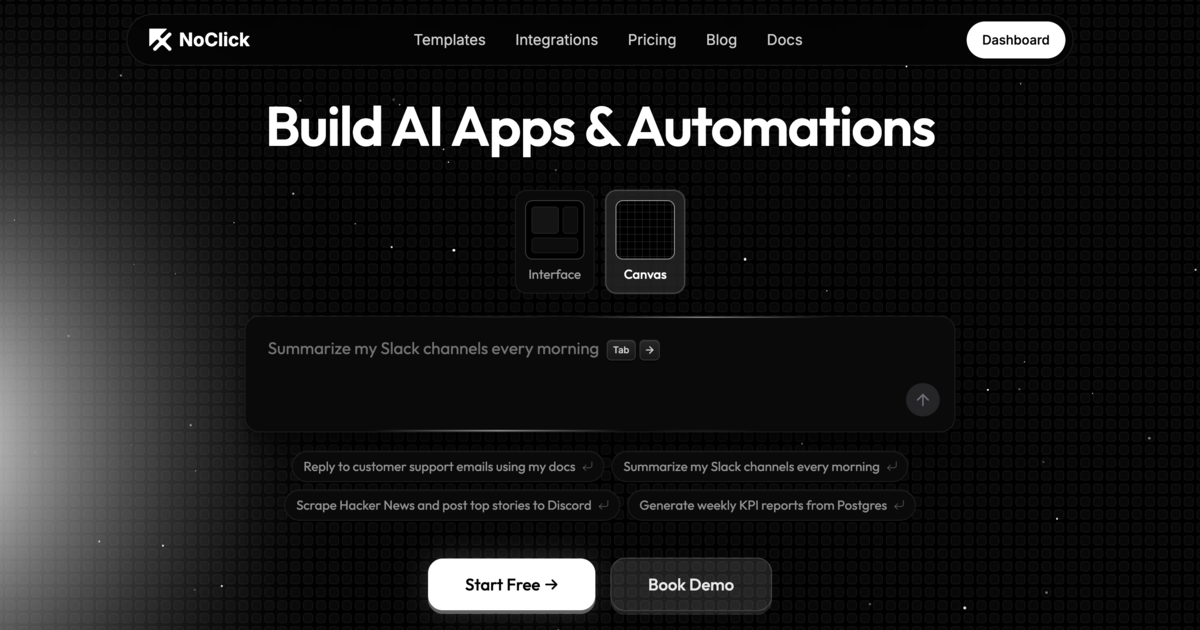
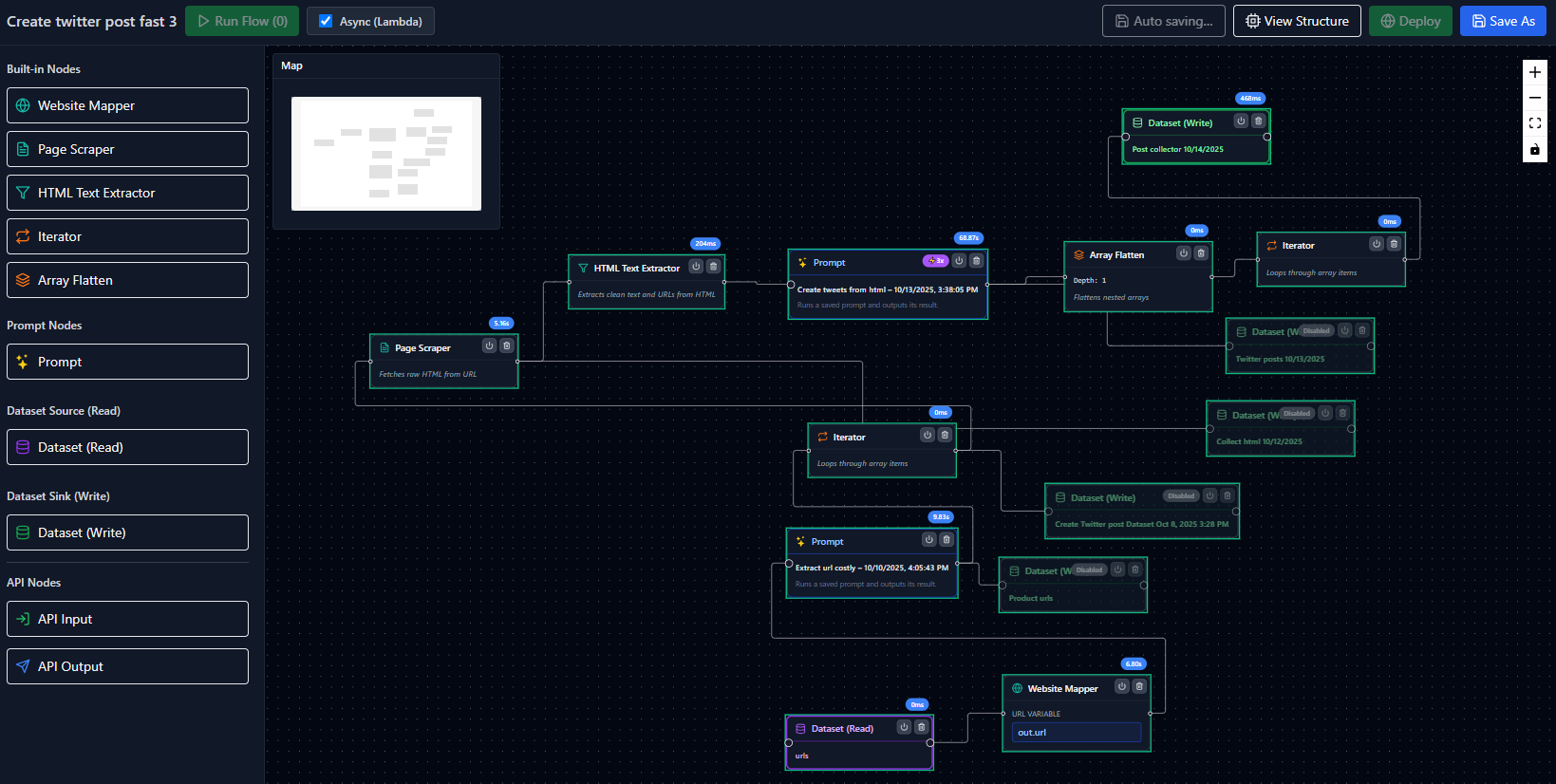
Both a visual workflow builder and a conversational prompt interface. Technical and non-technical team members can build automations in the way that feels natural to them. Type "scrape Hacker News and post top stories to Discord every morning" and NoClick builds the workflow. Or drag nodes on a canvas if you prefer visual control. This dual approach lowers the barrier to entry without sacrificing depth for power users.
Security is built in from day one, not bolted on later. SOC 2 Type I certification and CASA Tier 3 compliance are uncommon for a platform at this stage of maturity. Enterprise plans add SSO/SAML, whitelabeling, audit logs, admin dashboard, and role-based access control. For a tool that processes data across your entire stack, that security posture is the difference between a tool you can adopt and a tool your IT team will block.
Pricing: Free Tier, Credits, and the Annual Lock
| Plan | Price | What You Get |
|---|---|---|
| Free | $0 | 255 credits/day (reset monthly), 10 workflows, 1 credential per node type, 3 version history, 3 team members, community support |
| Plus | $15/month | 100 credits/month, 25 workflows, 3 credentials per node type, 10 version history, 10 saved outputs per node, priority support. Billed annually (40% off monthly). |
| Pro | $30/month | 100 credits/month, unlimited workflows, unlimited credentials, unlimited version history, unlimited saved outputs, 5 team members, 3 organizations, priority support. Billed annually. |
| Enterprise | Custom | SSO/SAML, whitelabeling, dedicated success manager, audit logs, admin dashboard, role-based access control, custom integrations, SLA. |
The credit system is NoClick's most confusing element. Credits are the single unit of paid usage — everything the platform pays for on your behalf draws from the same pool: AI builder chats, LLM steps inside workflows, third-party APIs like X and Apify, and persistent connections like WhatsApp. Both Plus ($15) and Pro ($30) include the same 100 credits/month, meaning the Pro plan's value is primarily in unlimited workflows and credentials rather than more AI usage capacity. Unused credits reset monthly, which penalizes users with inconsistent usage patterns. You can bring your own API keys to avoid drawing from your credit pool, but that adds setup complexity. The annual billing requirement (40% discount versus monthly) creates real commitment friction for teams still evaluating the platform.
Try NoClick Free →Pros and Cons: The Honest Breakdown
✓ What Works
- ✅ Agent-first architecture — built for AI agents, not retrofitted onto trigger-action workflows
- ✅ MCP server builder — create infrastructure that AI agents plug into, not just connectors
- ✅ Real-time collaborative workflow editing — unique among automation platforms
- ✅ Dual interface (visual + conversational) lowers barrier without sacrificing depth
- ✅ SOC 2 Type I and CASA Tier 3 compliance from day one — rare for early-stage products
✗ What Holds It Back
- ❌ Very early stage — limited independent reviews, community docs, and integration depth vs. Zapier/Make
- ❌ Credit ambiguity — all usage pooled into one bucket without per-action cost transparency
- ❌ Credits do not roll over — unused capacity resets monthly, penalizing inconsistent usage
- ❌ 100 credits/month on both Plus and Pro — Pro value is in unlimited workflows, not more AI usage
- ❌ 100+ integrations vs. Zapier's 7,000+ and Make's 2,000+ — gaps for less common tools
- ❌ No self-hosting option — cloud-only, unlike n8n which allows full on-premise deployment
💡 Real User Pulse: What Early Adopters Actually Say
Comparison: NoClick vs. Zapier vs. Make vs. n8n
| Feature | NoClick | Zapier | Make |
|---|---|---|---|
| Architecture | Agent-first (native AI reasoning) | Trigger-action (linear) | Visual scenarios (branching) |
| Integrations | 100+ | 7,000+ | 2,000+ |
| MCP Server Builder | Native | None | None |
| Real-Time Collaboration | Native (multi-user editing) | None | None |
| Conversational Builder | Type natural language, get workflow | AI agent builder (plain language) | Visual canvas only |
| Self-Hosting | Cloud-only | Cloud-only | Cloud-only |
| Starting Price | Free (255 credits/day) | Free (100 tasks) | Free (1,000 ops) |
| Paid Plans | $15–$30/month | $20+/month | $9+/month |
| Enterprise Security | SOC 2 Type I, CASA Tier 3 | SOC 2 | SOC 2 |
The comparison reveals NoClick's positioning with clarity. It is not trying to out-integrate Zapier — with 100+ integrations versus Zapier's 7,000+, that would be foolish. It is not trying to underprice Make — at $15–$30 per month versus Make's $9 entry point, NoClick is actually more expensive. What NoClick is betting on is that the future of automation is agentic, not linear, and that building the agent layer as the primary product produces capabilities that trigger-action platforms cannot match. The MCP server builder is the clearest expression of this: it positions NoClick as infrastructure for the agent ecosystem, not just another automation connector. For teams building AI agents that need to reason across tools, that architectural difference matters. For teams that just need to post form submissions to a spreadsheet, Zapier is still the simpler and cheaper answer.
Learning Curve and Who Should Actually Use It
NoClick is designed to be learned in under an hour, but the learning curve depends heavily on which interface you use. The conversational builder — type what you want and watch it build — is genuinely intuitive for non-technical users. A creator can go from idea to working automation in minutes. The visual workflow builder requires more familiarity with automation concepts: nodes, triggers, actions, credentials, and data flow. Technical team members will find it natural; non-technical users may need a few sessions to build confidence. The real-time collaboration feature means teams can learn together — one person builds while another watches and asks questions, removing the isolation that often slows adoption of new automation tools.
Ideal for: Individuals, creators, and growing teams that need AI workflow automation without technical expertise or hiring engineers. Small businesses and startups that want to deploy AI agents across their stack — scraping, summarizing, responding, reporting — without maintaining infrastructure. Teams already using Slack, Discord, Notion, and GitHub who want to connect them with AI reasoning, not just rule-based triggers. Developers building agentic workflows who need an MCP server builder to expose internal tools to AI agents. Teams where multiple people need to collaborate on the same workflows simultaneously.
Look elsewhere if: You need integration breadth above all else — Zapier's 7,000+ apps and Make's 2,000+ apps cover tools that NoClick does not yet support. You require self-hosting for data sovereignty — n8n is the only major platform with free self-hosted deployment. You have predictable, linear automation needs (form to spreadsheet, email to CRM) where trigger-action simplicity is sufficient and agentic reasoning is overkill. You need transparent per-action pricing — NoClick's pooled credit system makes cost forecasting difficult. You are a large enterprise with procurement runways and established vendor relationships — NoClick's early stage and small team may not meet enterprise reliability expectations yet.
Expert Editorial Opinion
NoClick addresses a transition that the automation market is still navigating awkwardly. Zapier, Make, and n8n were all built for a pre-agent world. Their AI features — Zapier Agents, Make's AI scenarios, n8n's AI nodes — are genuinely useful but fundamentally grafted onto architectures designed for linear workflows. NoClick's bet is that building agent-first produces a different and more capable result, and the MCP server builder is the strongest evidence that this bet is serious. It is not marketing language — it is infrastructure for a future where AI agents are the primary consumers of business tools, not humans clicking through interfaces.
The credit system is NoClick's most significant weakness. Pooling all usage — LLM calls, third-party APIs, persistent connections — into a single monthly bucket without per-action cost transparency makes budgeting genuinely difficult. Both Plus and Pro plans include the same 100 credits, which means the Pro upgrade is about workflow volume and team size, not about doing more AI work. The monthly reset policy penalizes teams with variable usage, and the ability to bring your own API keys mitigates the problem but adds setup friction. For a platform that promises simplicity, the credit mechanics are surprisingly complex.
Whether NoClick justifies adoption without a free tier depends on your automation ambition. If you need to post form submissions to a spreadsheet, the free tier is sufficient and the paid plans are irrelevant. If you are building AI agents that scrape, summarize, respond, and report across multiple tools, the Pro plan's unlimited workflows and credentials become essential — but the 100-credit cap on AI usage means you will likely need to bring your own API keys anyway. The value proposition is strongest for teams that need the agent builder and MCP server capabilities, not for teams that just need simple automations.
The early-stage risk is real. NoClick launched in 2026 with a small public footprint. Independent reviews, community documentation, and integration depth are all limited compared to Zapier's decade of enterprise adoption or n8n's 176,000+ GitHub stars. The SOC 2 Type I certification is a strong credibility signal, but it does not replace the reliability track record that comes from years of production use. Teams adopting NoClick now are betting on the architectural direction and the team's execution speed, not on a proven platform.
The long-term question is whether NoClick can build the integration depth and community ecosystem needed to compete with incumbents before those incumbents catch up architecturally. Zapier has 7,000+ integrations and a massive user base. If Zapier decides to build native agentic reasoning into its core architecture — not as an add-on feature — NoClick's standalone advantage weakens significantly. But for now, the window is open: no major platform has built agent-first from the ground up, and NoClick's MCP server builder gives it a unique position in the emerging agent infrastructure layer. The teams that start building on that layer now may find themselves with a meaningful head start.
Final Verdict
NoClick earns a 7.5 out of 10 for its agent-first architecture, MCP server builder, and strong security credentials from day one, but loses points on early-stage maturity, credit system complexity, and limited integration breadth compared to established competitors. It is the right tool for teams building AI agents that reason across tools — not for teams that just need simple trigger-action automations. The free tier is generous enough for evaluation, the conversational builder is genuinely fast, and the real-time collaboration is unique in the category. The credit ambiguity and monthly reset policy are genuine friction points that the team needs to address. For creators and small teams exploring AI automation without code, NoClick is worth the free tier test today. For enterprises needing proven reliability at scale, Zapier and Make remain the safer bets — for now. Updated June 2026.
🔗 Related ToolRadar Reviews
More tools from AI Workflow Automation
- Zapier AI Review 2026: Automation Tool
- Zapier Had a Good Run: n8n Just Made It...
- Gumloop: Build AI Workflows Without Code
- This AI Agent Works While You Sleep
- Meet Lindy AI: Your Virtual Chief of Staff
- Can an AI Agent Really Replace Your...
- I Replaced My Operations Team With AI
- Stop Downloading Files Manually: This AI...
❓ Frequently Asked Questions
How many hours did your team spend last month building automations that should have taken minutes?
If the answer is more than you want to admit, you are not alone. The automation tools of the past decade were built for a world where workflows were linear and predictable. The AI agent era demands something different — platforms that reason, decide, and act across your entire stack without human intervention for every step. NoClick is one of the first tools to build for that future from the ground up. Whether it becomes the standard or gets absorbed into larger platforms, the agent-first architecture it pioneered is the direction every automation tool will need to follow in 2026 and beyond.
Try NoClick Free →
Comments
Post a Comment