


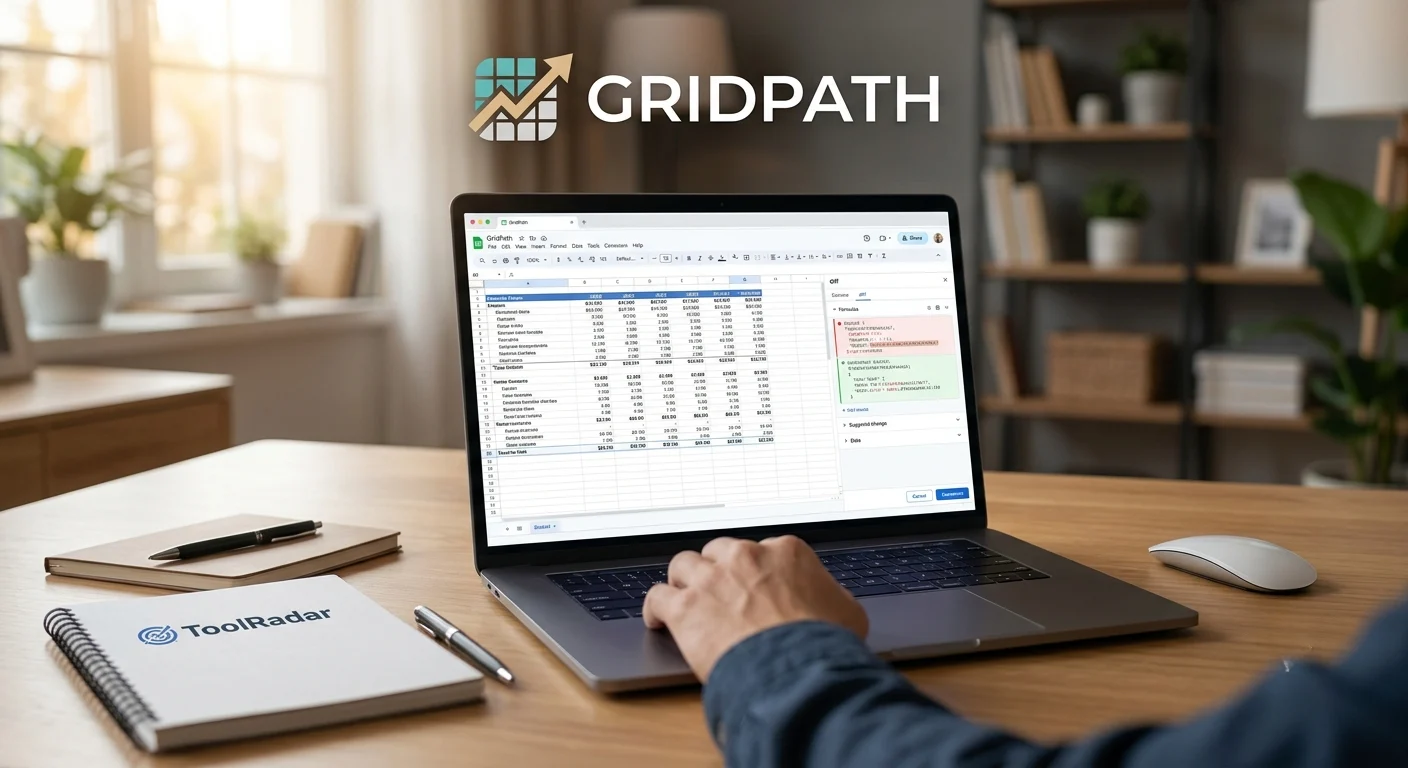
Is GridPath the AI Spreadsheet Agent That Finally Gets Finance Right?
Built like Cursor, shaped like Excel — GridPath promises to bring diff-first AI agent loops to your local spreadsheets. But can an early-stage tool win the trust of financial analysts?
- What Is GridPath and Why Does It Matter?
- Key Features: Formula-First, Diff-First, Local-First
- Pricing: Free App, Bring Your Own LLM
- Pros & Cons: The Early-Stage Reality
- Real User Pulse: What Reddit & Trustpilot Say
- How It Compares to Excel Copilot, GPTExcel & FormulaBot
- Who Should Use GridPath?
- Expert Editorial Opinion
- Final Verdict
- Related ToolRadar Reviews
- Frequently Asked Questions
Imagine asking an AI to build a three-statement financial model from a raw P&L export, and instead of pasting static numbers that break the moment your assumptions change, it writes live Excel formulas — =SUM, =VLOOKUP, =INDEX/MATCH — that recalculate dynamically as you adjust inputs. That is the promise of GridPath, a desktop AI agent for Excel that runs multi-turn agent loops directly against your local .xlsx files. Launched in 2026 by an independent team positioning the product through technical decisions rather than founder celebrity, GridPath describes itself as "built like Cursor, shaped like Excel" — and the analogy is more than marketing.
But here is the challenge every early-stage tool faces: trust. Financial analysts do not adopt new software casually. A single wrong formula in a model can propagate silently through every downstream calculation, turning a $50 million revenue forecast into a $5 million disaster. GridPath's answer to this problem is a diff-first, formula-first, local-first architecture that puts the user in control of every change before it touches the file. The question is whether this approach is enough to overcome the inertia of Excel-native workflows and the skepticism of analysts who have seen too many AI demos that break under real-world pressure. This review breaks down everything you need to know.
What Is GridPath and Why Does It Matter?
GridPath is a native desktop application for macOS (Apple Silicon, macOS 12+) and Windows 10/11 that brings multi-turn AI agent capabilities directly to your local Excel files. Unlike cloud-based spreadsheet AI tools that require uploading sensitive financial data to third-party servers, GridPath operates entirely on your machine — the .xlsx file stays on disk at all times, and only the prompt, sheet structure, and relevant cell data flow to the LLM provider. The application is built on a Rust core rather than Electron, delivering instant cold starts and approximately 75% prompt cache rate per turn. It connects to your existing Claude or ChatGPT subscription via OAuth or API key, meaning you pay nothing extra to GridPath itself — only what you already pay your LLM provider. This architecture makes GridPath one of the only AI spreadsheet tools with no per-seat or per-credit charge of its own, a genuinely disruptive pricing model in a category where competitors typically charge $20-50 per user per month.
Key Features: Formula-First, Diff-First, Local-First
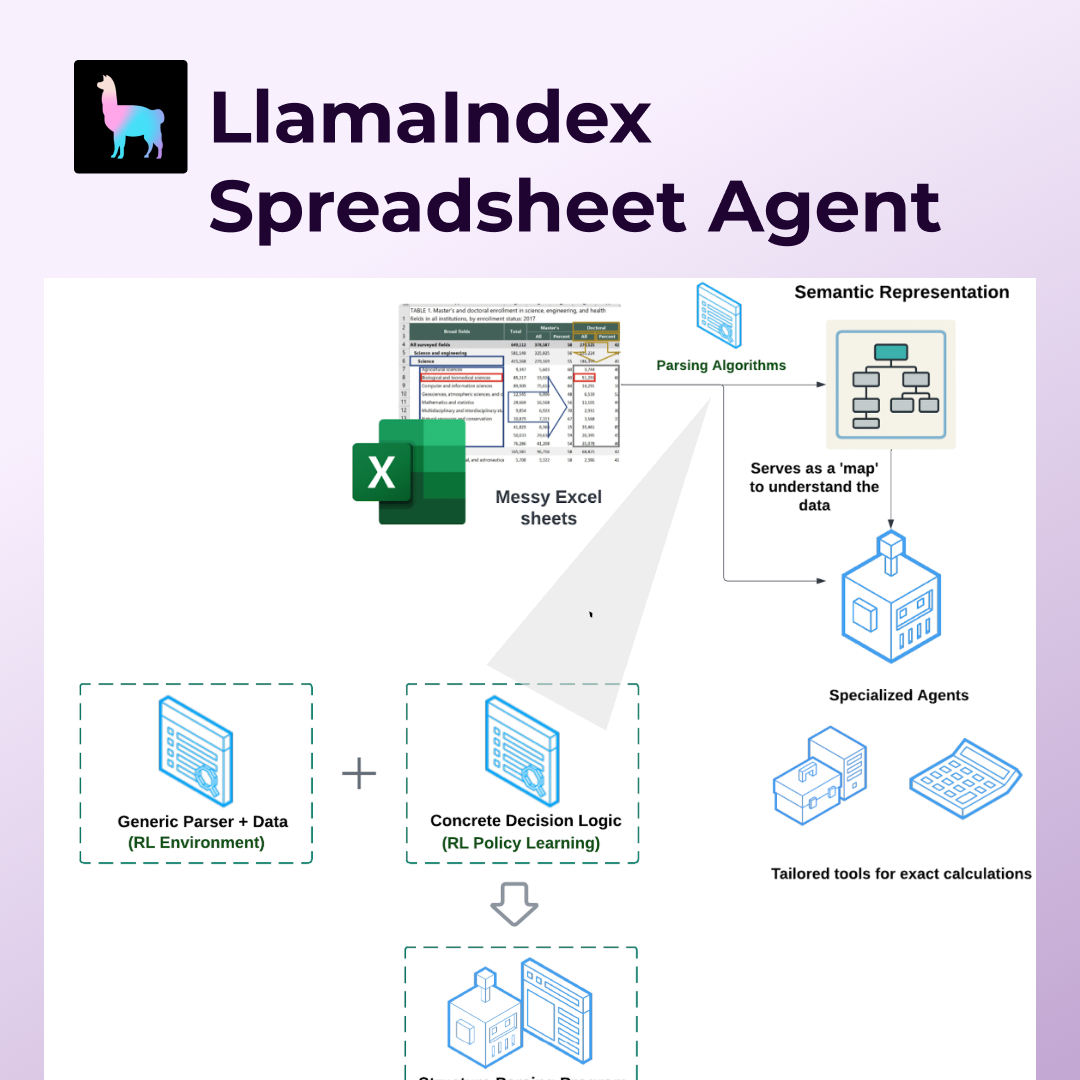
Multi-Turn Agent Loop with 10-15 Tool Calls
GridPath does not operate as a single-turn assistant that gives one answer and disappears. It runs a persistent agent loop that executes 10 to 15 tool calls per prompt, fetching web data, writing rows, applying formatting operations, and fixing its own formula errors until the model is genuinely finished. If the agent writes a VLOOKUP that returns #N/A, it detects the error, diagnoses the cause, and retries with a corrected formula — all within the same session. This self-correcting behavior is what separates agent-based tools from simple chat interfaces. For financial analysts building complex models, this persistence means you can ask GridPath to "build a DCF model from this revenue data" and watch it iterate through assumptions, formulas, and sanity checks rather than dumping a static template that may or may not be correct.
Formula-First Generation
This is GridPath's defining technical decision and the feature that makes it production-usable for serious spreadsheet work. Where most AI spreadsheet tools paste static numbers that break when inputs change, GridPath writes live Excel formulas — =SUM, =VLOOKUP, =INDEX/MATCH, =IFERROR — so models remain active and recalculate dynamically. A revenue forecast built by GridPath will update automatically when you change the growth assumption in cell B3, because the AI wrote =B3*(1+C3) rather than pasting a hardcoded value. For financial analysts, this is not a minor convenience — it is the difference between a model that lives and a model that dies. The formula-first approach also means GridPath-built spreadsheets are fully compatible with Excel, Google Sheets, and any other tool that reads .xlsx files, with no proprietary format lock-in.
Local-First Privacy Architecture
GridPath's privacy model is radically different from cloud-based competitors. The .xlsx file stays on your disk at all times. Only the prompt, sheet structure metadata, and relevant cell data flow to the LLM provider — never the entire file, never to a GridPath server, never to any third-party cloud. This means a financial analyst working with sensitive M&A data, a healthcare administrator handling patient financials, or a startup founder with cap table information can use GridPath without the compliance headaches that come with uploading proprietary data to external services. In a category where most tools require cloud upload by default, GridPath's local-first stance is being noticed by users who work with sensitive corporate data and cannot accept third-party data exposure as a cost of doing business.
Reversible Diff-First Edits & Native Rust Core
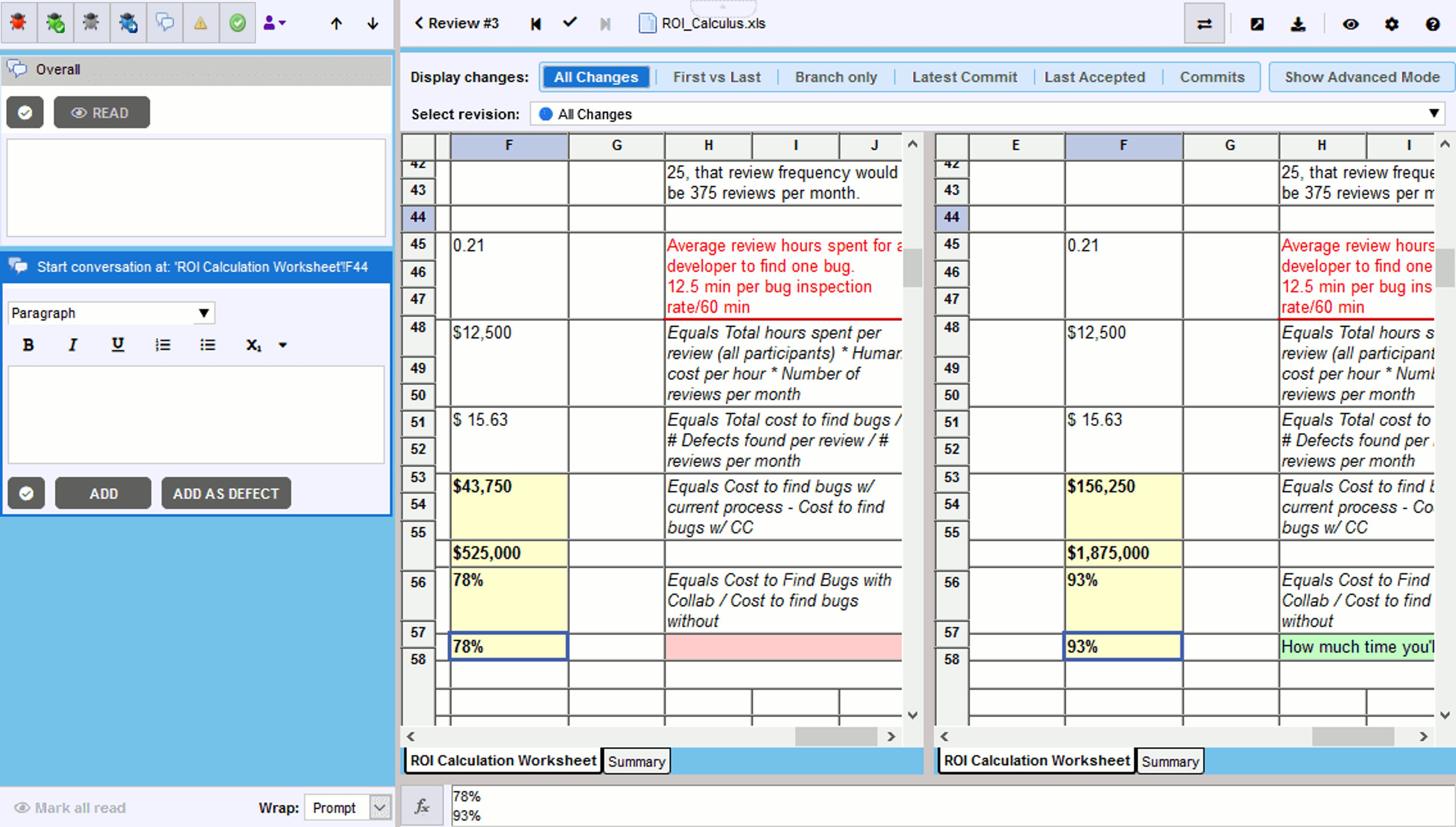
Every batch of changes proposed by the AI appears as a reviewable diff — accept, reject, or undo with Command+Z. Nothing saves to disk until the user explicitly approves. This mirrors the interaction model that made Cursor successful for developers: full visibility into what the AI is changing, with the user in control of what lands. The native Rust core delivers instant cold start and approximately 75% prompt cache rate per turn, making GridPath significantly faster than browser-based or Electron-wrapped alternatives. Charts, conditional formatting rules, named ranges, data validation, merged cells, drawings, freeze panes, pivot tables, and themes all survive the round-trip untouched — full workbook fidelity that preserves the formatting and structure you have already built.
Pricing: Free App, Bring Your Own LLM
| Component | Cost | Details |
|---|---|---|
| GridPath App | Free | Download from gridpath.dev. Native macOS and Windows app. No account or subscription required. |
| Claude Pro | $20/mo | Required for Claude integration. Supports Claude Pro, Max, and Anthropic API keys via OAuth. |
| ChatGPT Plus | $20/mo | Alternative to Claude. Supports ChatGPT Plus and Pro via OAuth. API key users pay per token at standard rates. |
Pros & Cons: The Early-Stage Reality
✓ What Works
- ✅ Formula-first generation writes live Excel formulas, not static values — models remain active and recalculate dynamically
- ✅ Local-first privacy — file stays on disk, only prompt and relevant cell data flow to LLM provider
- ✅ Diff-first editing with accept/reject workflow gives users full control before any change touches the file
- ✅ Free app with no per-seat or per-credit charge — you only pay your existing LLM subscription
✗ What Frustrates
- ❌ Charts and conditional formatting are invisible inside the app — preserved in file but not rendered during editing
- ❌ Only .xlsx supported — .xls, .csv, and Google Sheets integration are on the roadmap but not yet available
- ❌ Very early stage — Windows installer is version 0.0.1, with limited community documentation and support channels
💡 Real User Pulse: What Reddit & Trustpilot Say
How It Compares to Excel Copilot, GPTExcel & FormulaBot
| Feature | GridPath | Excel Copilot | GPTExcel |
|---|---|---|---|
| Architecture | Native desktop (Rust) | Cloud + Desktop | Web-based |
| Formula Output | Live formulas | Mixed | Static values |
| Privacy Model | Local-first | Cloud-dependent | Cloud upload required |
Who Should Use GridPath?
Ideal Users: Financial analysts, business operators, and anyone who works daily in spreadsheets and needs an AI agent that writes real formulas, builds financial models, and handles bulk data operations without uploading files to the cloud. If you are a finance professional building DCF models, three-statement projections, or sensitivity analyses — and you have been frustrated by AI tools that paste static numbers and break your models — GridPath's formula-first approach is genuinely transformative. Data privacy officers and compliance teams will appreciate the local-first architecture that keeps sensitive financial data on-premise. And Rust enthusiasts and technical users will value the engineering quality signals: native core, instant cold start, and high cache rates that suggest the team prioritized performance over shipping speed.
Look Elsewhere If: You need to see charts and conditional formatting while editing. GridPath preserves these elements in the saved file but does not render them in-app, meaning you will need to switch to Excel for visual validation. If you work primarily with .csv files or Google Sheets, GridPath's .xlsx-only support will block your workflow until those formats arrive. Teams requiring enterprise support, SLAs, or extensive documentation should wait for the product to mature — the Windows installer is version 0.0.1, and community resources are still thin. And if you do not have an active Claude or ChatGPT subscription, GridPath is unusable entirely, as the app requires one of these LLM providers to function.
Expert Editorial Opinion
GridPath represents one of the most thoughtful applications of AI agent architecture to a domain that has resisted automation for good reason. Financial modeling is not like generating marketing copy or drafting email responses — it is a discipline where precision matters, errors compound silently, and the cost of a wrong assumption can be measured in millions of dollars. Most AI spreadsheet tools have treated this domain as if it were just another text-generation problem: paste some numbers, hope they are right, and move on. GridPath's formula-first, diff-first, local-first architecture is a direct and deliberate rejection of that approach.
The formula-first decision is the most important technical choice GridPath has made, and it deserves deeper analysis than a bullet point. When an AI writes =B3*(1+C3) instead of pasting 1,247, the spreadsheet becomes a living model rather than a static report. This means the model survives assumption changes, scenario analyses, and stress tests — the exact workflows that financial analysts perform daily. It also means the spreadsheet remains fully portable: open it in Excel, Google Sheets, or LibreOffice, and the formulas work identically. GridPath is not creating a proprietary format that locks you into its ecosystem; it is enhancing the universal .xlsx format with AI-generated intelligence. This is a fundamentally different product philosophy from competitors who generate static outputs that only work within their own platforms.
The diff-first interaction model is equally significant and directly borrows from the Cursor playbook that GridPath explicitly references. In traditional AI spreadsheet tools, the AI inserts changes inline and hopes the user notices errors before they propagate. GridPath reverses this dynamic: every proposed change appears as a reviewable diff, with the user explicitly accepting or rejecting each batch before anything saves. This is not just a UX preference — it is a trust mechanism. Financial analysts will not delegate model-building to an AI unless they can verify every formula, every reference, and every assumption. The diff model makes this verification possible without requiring the analyst to manually reconstruct the AI's reasoning.
Final Verdict
GridPath earns an 8.0 out of 10 as the most technically thoughtful AI spreadsheet agent available in June 2026. Its formula-first generation, diff-first editing workflow, and local-first privacy architecture directly address the three biggest concerns that financial analysts have about AI spreadsheet tools: broken models, unverified changes, and data exposure. The free pricing model — bring your own LLM subscription, pay nothing to GridPath — is genuinely disruptive in a category where competitors charge $20-50 per user per month. The native Rust core delivers performance that browser-based alternatives cannot match. However, the early-stage limitations are significant and should not be underestimated: charts invisible in-app, .xlsx-only support, thin documentation, and a version 0.0.1 Windows installer signal a product that is promising but not yet polished. For financial analysts, business operators, and spreadsheet power users who prioritize model integrity and data privacy over feature breadth, GridPath is the most compelling new tool of 2026. For teams requiring enterprise-grade support, visual formatting validation, or broad format compatibility, waiting for the product to mature may be the wiser choice.
🔗 Related ToolRadar Reviews
More tools from AI Spreadsheet
❓ Frequently Asked Questions
Would You Trust an AI to Build Your Financial Model?
GridPath gives you the tools to verify every formula before it touches your file — but the final decision is still yours. In a world where one wrong cell can cascade into a million-dollar error, is the speed worth the risk, or is caution still the better part of valor?
Download GridPath →
Comments
Post a Comment