


Cleanvoice Review 2026: Can AI Remove Filler Words and Fix Bad Audio?
Cleanvoice strips the ums, clicks, and dead air from raw recordings automatically — the question is whether pay-per-minute cleanup beats a full editor that does the same job plus more.
Every podcaster hits the same wall eventually: the recording is good, the conversation is good, but the audio is full of "um," lip smacks, and eight-second silences while someone finds their train of thought. Cleanvoice is built to fix exactly that, without anyone touching a waveform editor.
📋 Table of Contents
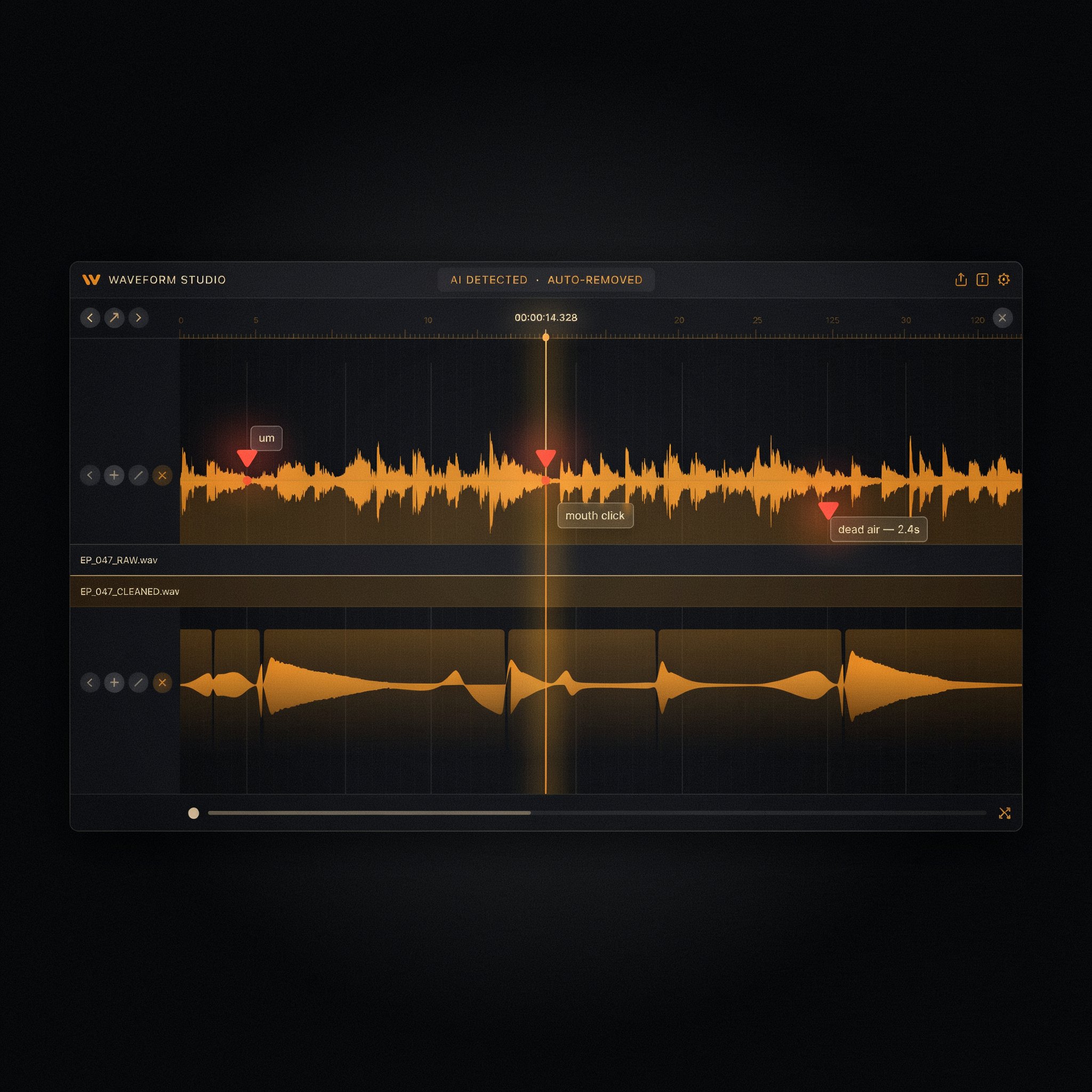
Cleanvoice is not trying to be a podcast editor. It does one job — cleaning up spoken-word audio — and leaves the mixing, sequencing, and publishing to whatever tool you already use for that. You upload a file, the AI scans it for filler words, mouth sounds, stutters, and silence, proposes cuts on an editable timeline, and hands back a polished export.
That narrow focus is the whole pitch. Where an all-in-one editor bundles cleanup with transcript-based editing, multitrack mixing, and AI voice tools, Cleanvoice does the cleanup step alone and charges by the minute rather than by the seat.
Core Features
Filler Word Removal
Detects and cuts "um," "uh," "like," and similar hesitations automatically, with language-specific models rather than a generic speech-to-text pass bolted onto a cutter.
Mouth Sound & Click Removal
Targets lip smacks, tongue clicks, and breath noise — the small artifacts that condenser mics pick up and that are tedious to hunt down manually.
Stutter and Repetition Cleanup
Collapses false starts and repeated words into a single clean take, without needing you to mark the takes yourself.
Dead Air & Silence Trimming
Shortens long pauses to a natural length instead of removing them entirely, which is the detail that keeps edited speech from sounding rushed.
Transcription & Show Notes
Generates a transcript alongside the cleanup pass, which can be turned into show notes or repurposed for social captions.
API for Automated Pipelines
Studios that publish on a schedule can route recordings straight from storage into Cleanvoice and pull back a cleaned file without opening the web app at all.
Pricing
Cleanvoice runs on a credit system rather than a flat monthly seat. A free trial covers 30 minutes of processing with no card required, which is enough to test whether the filler-word detection holds up on your own voice and mic setup.
The pay-as-you-go pack is the more interesting option for irregular publishers: credits don't expire on a monthly cycle, so a podcast that releases twice a month isn't paying for a seat it barely uses. The monthly tiers scale up to roughly $90 for higher processing volume, which is where a full editor with a flat subscription starts looking more competitive.
Pros and Cons
Cleanvoice vs. the Alternatives
The real decision isn't whether Cleanvoice works — it's whether you want a dedicated cleanup tool or cleanup bundled into something bigger.
Pay-per-minute, no subscription required, focused entirely on audio cleanup with an API for pipelines.
Around $24/month, bundles filler-word removal with full transcript-based editing and multitrack mixing in one tool.
Free noise and clarity enhancement, but no filler-word removal, transcription, or timeline review.
Around $11/month for roughly 9 hours, strong on loudness normalization but lighter on filler-word detection specifically.
If cleanup is the only step you need automated and everything else already has a home in your workflow, Cleanvoice's specialization is the advantage. If you're assembling a stack from scratch, an all-in-one editor removes a tool from the chain entirely.
Learning Curve
Low. Upload, pick which cleaners to apply — filler words, mouth sounds, noise, dead air — and review the proposed cuts. There's no timeline to learn beyond accepting or rejecting edits, which is the entire point of a tool this narrow.
Who Should Use It
Good fit: Podcasters, interviewers, and audiobook narrators who already have a publishing workflow and just want the cleanup step automated, especially anyone recording in a language other than English.
Better elsewhere: Anyone starting a workflow from zero, who'd benefit more from an all-in-one editor that bundles cleanup with mixing and transcript-based editing under one subscription.
✅ Choose Cleanvoice if...
You publish on an irregular schedule, already have an editor you like, and just want filler words and mouth sounds gone without paying for features you won't touch.
❌ Look elsewhere if...
You're building a podcast workflow from scratch and would rather have cleanup, editing, and mixing in a single flat-rate subscription.
Expert Editorial Opinion
Cleanvoice's biggest strength is also its biggest limitation: it does one thing and does it thoroughly, which means the value depends entirely on whether that one thing is your bottleneck.
For a podcaster manually cutting filler words in Audacity or GarageBand, automating that single step can turn a two-hour editing session into fifteen minutes of review. That's a genuine time recovery, not a marginal convenience feature.
The pricing gap worth noting is the free-tier question. There's no permanently free plan — only a 30-minute trial — so anyone evaluating Cleanvoice needs to decide within that window whether the detection quality justifies a pay-per-minute commitment. For high-volume shows, the monthly tiers climbing toward $90 start to erode the "cheaper than a full editor" argument that pay-as-you-go credits make at lower volumes.
Multi-language support is where Cleanvoice separates itself from broader editors that treat filler-word detection as an English-first afterthought. If your show isn't in English, that alone may settle the comparison.
The honest framing: Cleanvoice is a specialist tool for a specific pain point. It's not trying to replace your editor, and reviewing it as if it should is the wrong lens.
Final Verdict
Cleanvoice does what it claims: it removes filler words, mouth sounds, and dead air from spoken-word audio with enough accuracy to skip most manual editing passes. Technical execution and language coverage are strong. Price-to-value holds up well at low-to-moderate volume through the pay-as-you-go credits, and softens somewhat at higher monthly tiers where a bundled editor becomes cost-competitive. Documentation and third-party coverage are mature enough to evaluate confidently. For a workflow that already has an editor and just needs cleanup automated, it earns its place.
❓ Frequently Asked Questions
🔗 Related ToolRadar Reviews
- ElevenLabs v3 Review 2026: AI Voice That Sounds Human
- Otter.ai Review: Your Smart Assistant for Meeting Notes
- Fireflies.ai Review: Stop Taking Meeting Notes Manually
- Is Descript Still King of AI Video and Podcast Editing?
- Meta Voice Studio: What It Means for Creators
- Is Cartesia the Fastest AI Voice Engine in 2026?
- Is VoiceAI Actually the Best Real-Time Voice Tool?
- Can Play.ht's New Voices Really Replace Voice Actors?
Comments
Post a Comment