


Canva Craft Review 2026: Can Planning Before Generation Make AI Designs Better?
Canva Craft review 2026: Canva's first in-house image model plans a layout before it generates the image — with 2K output, text rendering in 55 languages, Magic Layers integration, and a #4 DesignArena ranking that deserves a careful reading.
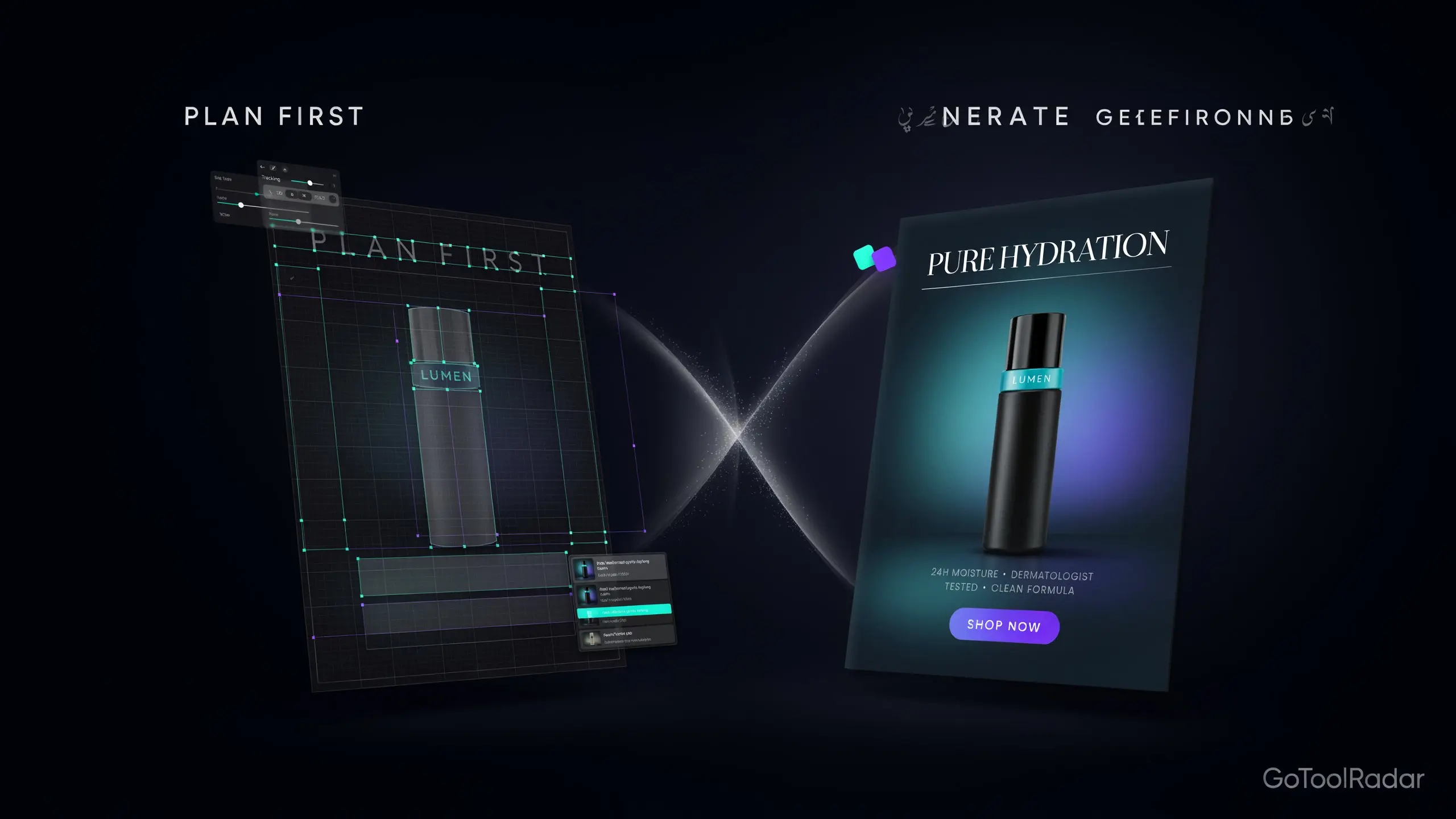
Canva Craft review 2026: Canva announced Craft, its first in-house image generation model, on October 22, 2026 — developed by Canva Research and available inside Canva through Dream Lab and through Canva's public API for developers. The pitch isn't just "another image generator." It's a model Canva says was built to understand design — where elements belong, how large they should be, how they relate to each other, and where text should sit — before it generates a single pixel.
That architectural claim is the whole story, and it's worth testing against a concrete example. Ask a standard image generator for an ad with a product bottle on the right, a headline across the top, three benefit callouts on the left, and empty space for a call-to-action button, and you'll often get a beautiful image with elements shuffled or text garbled. Craft is built specifically to address that failure mode — whether it consistently succeeds is exactly the question this review can't answer yet, because no independent testing of it exists a day after launch.
What this review can do is separate what Canva has publicly stated from what's actually been independently established — and flag clearly which is which, since several of Craft's most prominent claims rest on Canva's own announcement and a competitive leaderboard rather than neutral third-party evaluation.

How Craft Actually Works — Plan, Then Generate
According to Canva's own description, Craft works in two stages. First, a planning stage: the model works out what elements are needed, where they should be positioned, how large they should be, what text should appear, and what visual hierarchy the layout requires. Second, a generation stage: it turns that composition plan into a finished image, at up to 2K resolution. This is Canva's stated architecture, not something independently verified by this review.
The reasoning behind it is the same one most professional designers would recognize — layout before rendering. Canva says the model was trained on millions of human-designed templates including posters, presentations, infographics, and menus, a meaningfully different training emphasis than a generator optimized purely for visual appeal. That difference in focus is real, but it doesn't guarantee any individual output comes out publish-ready on the first attempt — a plan can still be executed imperfectly.
Features & Specs
2K resolution & 30+ aspect ratios
Output up to 2K, with over 30 supported aspect ratios per Canva's announcement — broad enough to cover most social, ad, and print-adjacent formats.
Text in 55 languages
Canva says Craft supports in-image text across 55 languages, with prompts accepted in any language — a support claim, not a guarantee of spelling, numeral, or layout accuracy, particularly for small or dense text.
Magic Layers integration
Designed so output can be converted into separate, editable design elements inside Canva rather than a single flat image — promising for post-generation edits, though real-world separation quality needs hands-on verification.
Design-focused content types
Positioned for ads, posters, product shots, landscapes, portraits, digital art, and marketing designs — particularly work where element placement matters as much as visual style.
Dream Lab & API access
Available in Canva through Dream Lab and via Canva's developer API (currently described as preview), with API generation reportedly taking roughly 50-60 seconds in the conditions Canva cites.
What the #4 DesignArena Ranking Actually Means
Canva reports that Craft ranked fourth overall on DesignArena at launch, and first in two specific categories: People & Portraits and Landscapes & Nature. TechCrunch's launch coverage frames Craft as entering competition with image models from OpenAI, Google, ByteDance, and Meta. Those are different rankings measuring different things, and three caveats keep them from being read as "Craft is the best image model":
First, fourth place overall isn't first place, and category rankings in portraits and landscapes don't automatically predict performance on the poster-and-text-heavy design tasks Craft is actually marketed for. Second, for a designer who specifically needs portraits, that category ranking may matter more than the overall number — the "right" rank depends on your use case. Third, no comprehensive independent test exists in the materials reviewed that independently establishes Craft's superiority across all use cases — DesignArena is a useful recent competitive signal, not a settled verdict on quality.
Access, Plan Limits & What's Unknown
| Item | What's published | What it doesn't tell you |
|---|---|---|
| Canva Free | Up to ~20 uses/month of certain standard or premium AI tools | Doesn't confirm that Craft itself yields 20 free images — usage varies by tool tier and task complexity |
| Canva Pro | Up to ~200 Premium-tool uses/month, ~20 for certain Ultra tools | General category limits, not a confirmed Craft-specific allowance |
| API | Craft available via Canva's developer API (preview) | No clear official per-image price found; usage draws on AI credits tied to the integration |
This is the honest answer to "is it free": access to Craft runs through Canva, but how many Craft generations you actually get depends on your plan, the specific tool tier Craft falls under, and your account's limits — see Canva's pricing page and AI usage explainer directly for current figures. Writing that Craft is "free" or putting a fixed per-image cost on it without an official price list would be inaccurate.
Pros & Cons
Craft vs. GPT Image vs. Midjourney vs. Firefly
Best suited to design work where element placement and text arrangement matter as much as visual style — and where continuing to edit inside Canva is part of the workflow.
GPT Image is a strong general-purpose alternative on instruction following and text; Midjourney remains the stronger fit for stylistic, artistic imagery. No unified test establishes Craft beating either on every task.
The logical alternative for teams embedded in Adobe's ecosystem — compare pricing, usage rights, and plan terms directly before assuming either has an advantage.
Who Should Use It
Ideal user: an existing Canva user producing ads, posters, social graphics, or infographics who wants AI generation that respects layout and text placement, and who'd value being able to keep editing the result inside Canva's editor.
Look elsewhere if: you need independently verified quality evidence before committing (none exists yet), you primarily want stylized artistic imagery rather than layout-driven design, or you need a clear, predictable per-image price for budgeting — Canva hasn't published one.
Expert Editorial Opinion
The most credible thing about Craft isn't any single feature — it's that the design problem it's aimed at is real. Anyone who's tried to get a general-purpose image generator to produce a usable poster knows the specific failure mode: beautiful imagery, garbled or misplaced text, elements arranged the way the model felt rather than the way a layout needed. A model built to plan composition before rendering is a sensible, targeted response to that problem, not a gimmick.
The DesignArena result deserves exactly the amount of weight it can honestly carry. Fourth overall, first in two categories, is a genuinely respectable debut for a first-generation model from a company not previously known for foundational image models — but it isn't a claim of overall supremacy, and Canva itself reports the numbers as what they are rather than overstating them. Treating the ranking as a strong early competitive signal rather than a settled verdict is the right level of confidence.
What this review genuinely can't tell readers is how consistent Craft's output quality is across real-world usage, because that evidence doesn't exist yet. A model released the day before a review can be assessed on its architecture, its announced specs, and its first competitive ranking — it can't be assessed on whether its layouts hold up across hundreds of varied prompts, which is the thing designers will actually want to know. That gap is the single biggest reason this review's score is held lower than the model's early promise might otherwise suggest.
The practical advice for anyone considering it: wait for independent testing before building a paid workflow on Craft, treat the free and Pro plan limits as a way to experiment rather than as a confirmed production allowance, and proofread any text-heavy output manually regardless of the 55-language support claim. None of that is a criticism specific to Craft — it's the right posture for any AI image tool in its first week of public availability.
Final Verdict
Canva Craft earns credit for a genuinely sensible, design-oriented architecture, a competitive DesignArena debut, and integration with Canva's existing editing tools — a meaningful differentiator for layout-driven design work. The score reflects how new it is: launched one day before this review, with no independent testing, no confirmed per-image pricing, an API still in preview, and its fastest variants and MCP integration still unreleased. For existing Canva users wanting to experiment with layout-aware AI generation, it's worth trying; for anyone needing proven, independently verified performance, it's too early to say.
| Dimension | Weight | Score /10 | Why |
|---|---|---|---|
| Technical quality | 30% | 7.5 | A genuinely sensible plan-then-generate architecture and a competitive DesignArena debut, though no independent validation across real-world design tasks exists yet |
| Price-to-value | 25% | 6.5 | Accessible through existing Canva plans, but with no clear Craft-specific allowance or published per-image API price |
| Maturity & documentation | 20% | 5.0 | Launched one day before this review, with an API still in preview and faster variants and MCP integration announced but unreleased |
| Ceiling & flexibility | 15% | 7.5 | Integration with Canva's editor, Magic Layers, and a developer API gives it genuine workflow depth beyond standalone image generation |
| Honesty of positioning | 10% | 7.0 | Canva reports its #4 overall DesignArena rank plainly rather than overstating it, and labels upcoming features as upcoming |
Weighted total: (7.5×0.30) + (6.5×0.25) + (5.0×0.20) + (7.5×0.15) + (7.0×0.10) = 6.7/10 — Score band: 6.0–6.9, "Works, and shows genuine promise, but too new for a confident recommendation — reassess once independent testing and clearer pricing exist."
❓ Frequently Asked Questions
🔗 Related ToolRadar Reviews
Official sources: Canva's Craft announcement · Developer API announcement · Canva Terms of Use. Given Craft's very recent launch, verify current plan limits and commercial usage terms directly before using it for paid work.
Comments
Post a Comment