


Photoroom Review 2026: Can AI Replace a Product Photography Studio?
Photoroom is no longer just a background remover. It now sells AI scenes, virtual models, batch editing and an API to online sellers. The real questions are how far its credits stretch and what happens to the photos you upload.
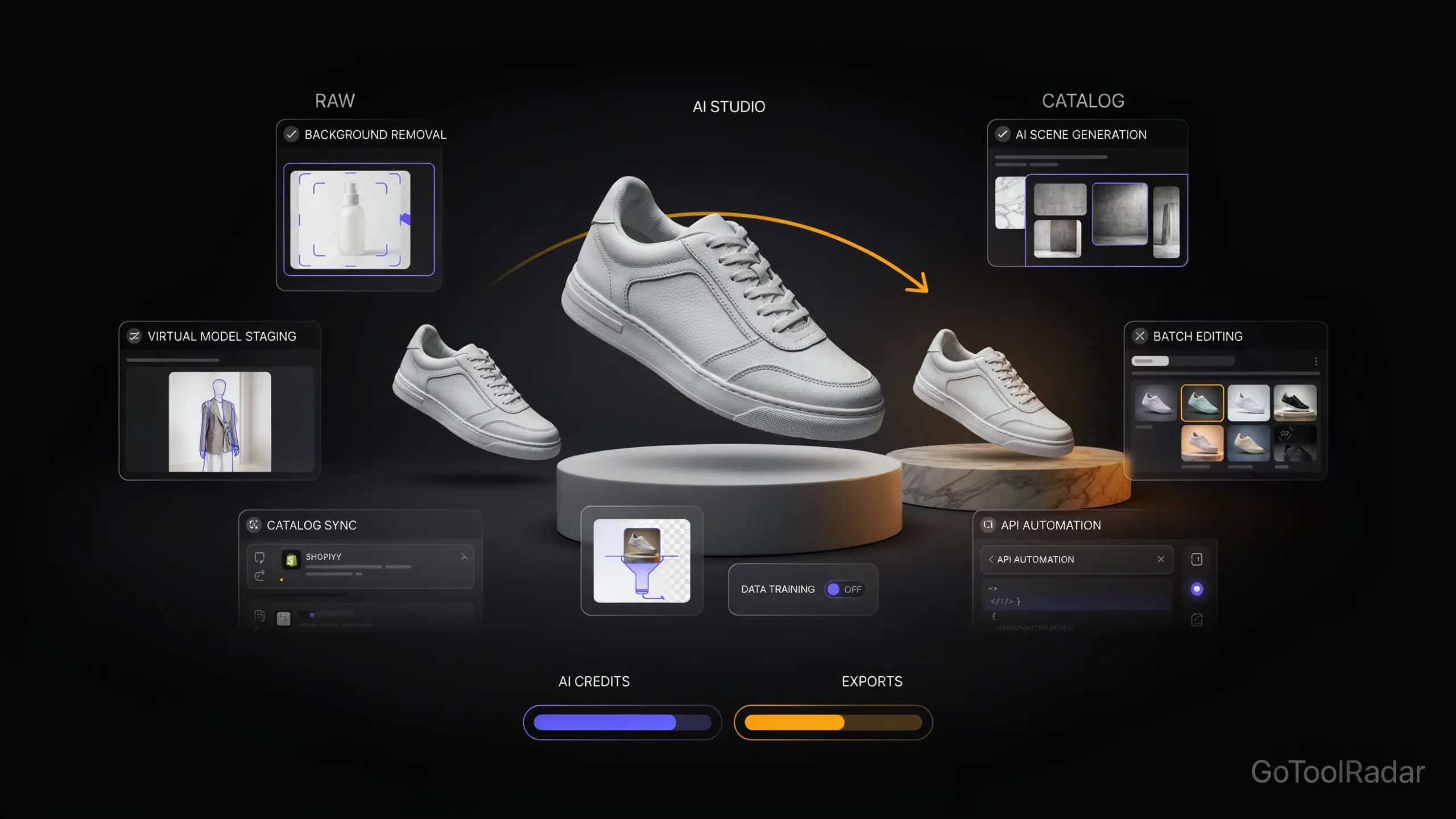
This Photoroom review 2026 starts from the product's pitch: take an ordinary phone photo of an item, and get back a clean, consistent, listing-ready image without a studio. Photoroom now aims at that job across whole catalogs, with AI backgrounds, virtual fashion models, a video generator, batch editing, a Shopify integration and an API.
Two things deserve more attention than the feature list. The first is cost, because Photoroom meters your usage twice, with a pool of AI credits and a separate cap on exports. The second is privacy: by default, images you upload in the app are used to train Photoroom's models, and you have to switch that off yourself. Both come from official pages, which we read on October 13, 2026.

From Background Remover to Catalog Platform
Photoroom's own pages describe a toolkit organized around a seller's workflow, not a single trick. These are the parts that matter.
Core tools with no credit cost
Background Remover, Retouch, AI Product Fixer, preset AI Shadows, AI Fill, AI Expand and Resize, and Image Enhancer are included on every paid plan, subject to fair-use limits.
AI backgrounds and product staging
Generate a scene around an existing product photo, in several quality tiers that spend credits at different rates, including image guidance, relighting and HD modes.
Virtual fashion models
Place clothing and accessories on AI models at 1K, 2K and, on Ultra, 4K resolution. Photoroom also lists ghost-mannequin, flat-lay and recolor tools for apparel catalogs.
Batch editing and Shopify sync
Apply edits to many images at once and sync to a store. Batch is available through paid plans, and the Shopify integration begins at the Max tier.
API, MCP and Enterprise agents
A REST API and an MCP connector for Claude let you automate Photoroom outside the app. Enterprise adds configurable visual agents, a fidelity-checking add-on and SOC 2 Type 2 security.
The original research behind this article framed Photoroom's value as saving time on whole catalogs, and the product pages support that. Cleanup is cheap, while anything generative is where credits disappear. For the wider problem Photoroom targets, see our piece on the AI product photo problem.
Two Meters, Not One: Credits and Exports
Photoroom charges against two separate allowances. AI credits power the more expensive tools, such as the video generator, virtual models, AI Backgrounds Studio and Edit with AI. Exports count every image you save, whether from the editor, Batch or a Shopify sync, and the cap applies to files up to 2K resolution. When you hit the export limit, exports pause until the next cycle or you upgrade. Photoroom also says credit amounts can vary by country or region.
The pricing page publishes how many generations a full month of credits buys on a single feature, which is the number that actually matters.
| Feature (all credits on one tool) | Pro | Max | Ultra |
|---|---|---|---|
| Video Generator | Not included | Up to 50 | Up to 150 |
| AI Fashion Models, 1K | Up to 1,600 | Up to 5,000 | Up to 15,000 |
| AI Fashion Models, 2K | Not included | Up to 185 | Up to 555 |
| AI Fashion Models, 4K | Not included | Not included | Up to 310 |
| AI Backgrounds Studio, basic | 4,000 | 12,500 | 37,500 |
| AI Backgrounds Studio, relight or HD | 1,000 | 3,125 | 9,375 |
| Edit with AI | Up to 400 | Up to 1,250 | Up to 3,750 |
Read the table the way Photoroom does: each row assumes you spend the whole month's credits on that one tool. A seller who mixes staging, models and video gets proportionally fewer of each. Notice also how steeply resolution matters. On Max, a month of 1K models is 5,000 images but 2K drops to 185, and 4K isn't available below Ultra. So "8,000 credits" never means 8,000 images.
One inconsistency on the page itself: the plan cards say Adjustable AI Shadows is not included, yet the comparison grid lists 800, 2,500 and 7,500 generations for the three plans. We couldn't tell which is current, so confirm before relying on that feature.
Pricing: Cheap Entry, Metered Growth
| Plan | Price (billed yearly) | Allowance and key features |
|---|---|---|
| Free | $0 | Basic tools with low AI credits; Photoroom's help center says free accounts can't be used commercially |
| Pro | $7.50/mo | 8,000 AI credits, 1,000 exports, AI Backgrounds, AI Fashion Models, no video, no Shopify |
| Max | $20.99/mo | 25,000 AI credits, 3,000 exports, Video Generator, Shopify integration |
| Ultra | $82.50/mo | 75,000 AI credits, 10,000 exports, 4K image and video resolution |
| Enterprise | Custom, usage-based | Annual shared balance across apps and API, visual agents, SLA, SOC 2 Type 2, SSO, optional Enterprise Guarantee |
These are monthly equivalents when billed annually; the page's toggle claims savings of up to 88% on yearly billing but doesn't display the monthly price in the text we could read, so check the toggle before comparing. Plans allow up to 50 seats, and one subscription covers a Space. Upgrades apply immediately and downgrades at renewal, cancellation is one click, and refunds are available up to a week after purchase.
Two wrinkles. Each paid plan includes a wallet of API and MCP credits worth the plan's price, charged at API rates and separate from the export allowance, which only matters if you automate Photoroom or use its Claude connector. And the Enterprise Guarantee, where you pay only for outputs that meet agreed fidelity criteria, is limited to eligible Food and Fashion businesses on annual contracts. Third-party roundups still quote older free-plan export counts and watermark rules that conflict with each other, so we don't repeat them.
Your Photos Train the Model by Default
Photoroom's privacy policy, updated in March 2026, states that images you upload are used to improve, train and develop its products and models, on a "legitimate interest" basis. You can opt out at any time by turning off the Improve model for everyone setting, but the opt-out has no retroactive effect on processing already done.
The policy adds that training images are selected and annotated without information about your identity, and that Photoroom doesn't collect your name, contact details or location for that purpose. It also says model improvement doesn't apply to images processed through the API, and the help center repeats that only designs made in the app are used. The setting is per account, and Photoroom says there is no way yet to change it for a whole team at once.
What this means in practice depends on what you upload. Public product shots may not worry you. Unreleased products, confidential designs and images whose rights belong to someone else are different, and they warrant switching the setting off before the first upload. API users should read their own contract rather than assume the app's policy covers them. In the app, the control sits under Manage account, then Data control, or in Preferences on the web.
Five Tests Before You Pay
- Product accuracy: do colour, shape, label and logo detail survive an AI scene or a virtual model unchanged?
- Cut-out quality: test glass, jewellery, hair and fabric edges, where automatic cut-outs struggle most.
- Scene realism: check that light, shadow and perspective match the product.
- Consistency: can you produce dozens of images with the same background and framing?
- Real cost: count the usable images per month on your plan, using the resolution you will actually publish.
We haven't run these tests, so treat them as questions, not findings. Photoroom's own fidelity checks and Enterprise Guarantee are vendor offerings, not independent proof that every generated image will match its product. An image that looks better but misstates the product can mislead buyers, which is a cost no credit table shows.
Pros and Cons
Who Should Use It
Best for: online sellers, resellers and small brands that photograph products on a phone and need clean, consistent listings at volume, especially apparel and accessories sellers who value virtual models, and teams that sync to Shopify.
Look elsewhere if: you only need an occasional background removal, you need broad design work such as ads and posters, or you can't accept default-on training for app uploads. Compare against Canva's AI tools, and see our real cost of AI images breakdown before assuming any credit plan is cheap. One third-party report says remove.bg's standalone site is closing on December 1, 2026 as it moves into Canva, so verify before choosing it.
Expert Editorial Opinion
Photoroom is the rare tool whose most useful feature is the boring one. Background removal, retouching and resizing cost no credits on any paid plan, and for a seller with hundreds of listings that alone can justify seven and a half dollars a month. The generative extras are where the story turns, because they are metered, resolution-sensitive and harder to judge.
That is where we'd slow down.
A virtual model or AI scene can look better than the photo you took and still be wrong about the product. A changed colour or a softened logo isn't a cosmetic flaw in a store; it's a mismatch between what a buyer sees and what arrives. Photoroom sells tooling for checking this, and its Enterprise Guarantee ties payment to agreed fidelity criteria, which is a notable commitment. But it's available only to eligible Food and Fashion enterprise customers, so a small seller on Pro is doing the checking by eye.
On the pricing gap: the free tier can't be used commercially, so for a real seller it is a trial, and the first paid step is cheap. The question is whether Pro would be worth paying for without a free trial, and for a seller with a steady catalog we think yes, as long as most of the work is cleanup. If you plan to lean on generated models and 2K scenes, run the numbers on Max first, because 185 two-K model images a month is a very different number from 5,000 one-K ones.
A confidence note: this is a desk review. We didn't process any product through Photoroom, so cut-out quality, scene realism and fidelity are untested, and the customer results Photoroom publishes are its own. The privacy and pricing claims come from its pages and are dated; both change.
Final Verdict
Competent but compromised: Photoroom is a strong value for sellers whose main need is clean, consistent cleanup at volume, and a credible catalog platform for those who want AI scenes and models. The score is held back by two meters that make the real cost hard to forecast, a free tier that can't be used commercially, default-on training from app uploads, and no independent evidence that generated images stay faithful to the product. Test it on your own products, and turn off model training first if your images are sensitive.
| Dimension | Weight | Score /10 | Why |
|---|---|---|---|
| Technical quality | 30% | 7.5 | Broad toolset and unlimited core tools; fidelity and cut-out quality are untested by us |
| Price-to-value | 25% | 7.5 | Low entry price and a published generation table, offset by two meters and steep high-resolution costs |
| Maturity & documentation | 20% | 8.0 | Detailed help center and pricing grid; one page inconsistency and regional credit variation |
| Ceiling & flexibility | 15% | 8.5 | API, MCP, Shopify, batch, 50 seats and 4K on Ultra |
| Honesty of positioning | 10% | 7.0 | Clear privacy disclosure, but default-on training and "up to 88%" savings framing |
| Weighted total | 100% | 7.70 | (2.25 + 1.875 + 1.60 + 1.275 + 0.70) |
❓ Frequently Asked Questions
🔗 Related ToolRadar Reviews
Official sources: Photoroom pricing · Privacy policy · Data permission settings · Free accounts and commercial use · Photoroom.
Comments
Post a Comment