


Most AI Research Tools Help You Find Papers. SciSpace Lets You Interrogate Them.
From Typeset's formatting roots to an evidence-linked research workspace: what SciSpace does well, where the credits bite, and who should actually pay.
📋 Table of Contents
This SciSpace review starts with a simple observation: most AI research tools help you find papers, and SciSpace wants you to argue with them. Open a paper, ask what the authors actually found, press on the methodology, get a stubborn equation explained, then jump straight back to the passage the answer came from. It's available at the official SciSpace site with a free tier to try it on.
That sounds like yet another "chat with PDF" feature, and the category is crowded enough that skepticism is healthy. What makes SciSpace worth a proper look is its history and its ambition: it began life as Typeset, a formatting product for manuscripts, and according to the company's own rebrand announcement it renamed itself SciSpace in 2022 as the product widened into discovery, reading and writing. Today it pitches itself as a full research workspace, with paper search, literature reviews, data extraction and agents bolted around the PDF chat. Whether that breadth is a strength or a sprawl is the real question, and it's one we'll come back to when we compare it with tools like NotebookLM. This is a desk review built on SciSpace's documentation and third-party coverage, not a hands-on test.

What SciSpace Actually Does
Chat with PDF, with receipts
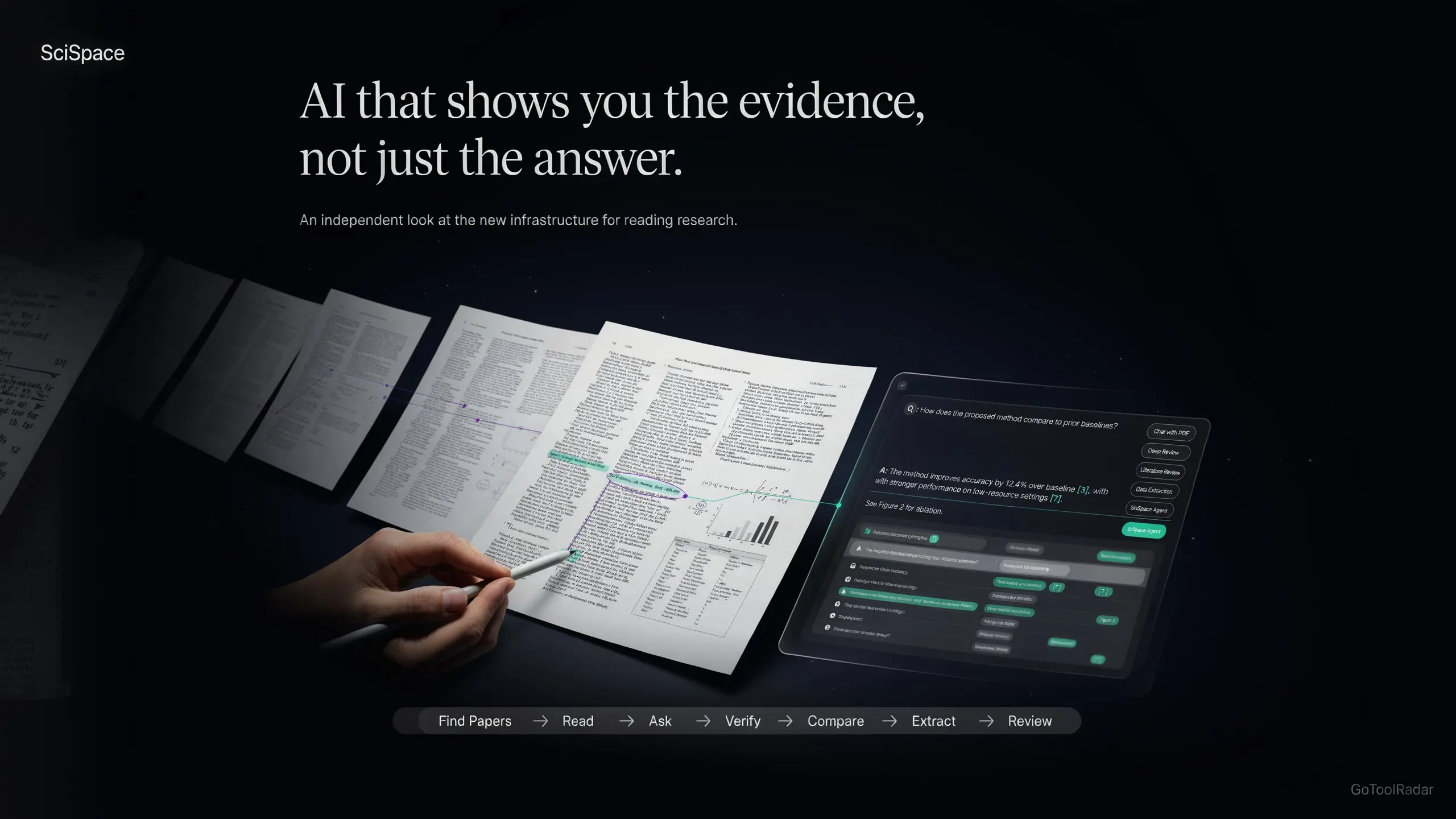
Upload a paper or open one from SciSpace's database and a chat appears beside it. The headline claim is citation-backed answers tied to specific sections of the document, so you can check the passage instead of trusting a summary. SciSpace says it handles abstracts, methods, results, equations, tables and figures. It also advises users to verify against the source, which is the right instinct.
Explain this equation, this table
Highlight something confusing and ask. For readers who understand the paper's argument but get stuck on one formula, this is arguably more useful than a full-paper summary.
Questions across several papers
Multi-document Q&A lets you put more than one PDF in the same conversation and compare findings, with answers linked back to sources. It's the bridge between reading one paper and writing about a field.
Literature Review and Deep Review
The documented workflow runs from search, to fetching papers, to questioning each one, to saving what matters. Deep Review then synthesizes a wider set of sources and lets you click through to the supporting excerpts. Per SciSpace's plan comparison, the Deep Review model sits on the higher tiers.
Data extraction for systematic work
The extractor pulls tables, statistics, citations and findings into a structured grid. Results can be exported to CSV, Excel, RIS, BIB or XML, and the company says one comparison can use up to 50 parameters or columns. That's the feature systematic-review people will care about most.
SciSpace Agent and Biomedical Agent
Launched in July 2025 according to the company, the Agent chains research steps into one workflow. This is also where credits get consumed fastest.
The writing toolbox
AI Writer, Paraphraser, Citation Generator and an AI Detector round out the site. Useful, but secondary to the reading and review tools.
SciSpace Pricing: Plans, Credits and the Fine Print
100 monthly credits, Lite model, limited chats and AI actions.
1,200 monthly credits, Pro model access, Deep Research, unlimited Chat with PDF per the company.
10,000 monthly credits, Pro and Expert models, more parallel Agent chats.
40,000 monthly credits, up to 16 parallel Agent chats, priority support.
Plan names and prices come from SciSpace's official pricing and comparison pages, checked on October 7, 2026. Team and Enterprise pricing is available on request. The word to watch is credits. Heavy agent work draws them down, and third-party reviews note that they expire monthly with no rollover. A single complex multi-paper run can eat a meaningful slice of the Premium pool.
Chat with PDF itself is the exception: SciSpace presents it as free to use, with Premium lifting limits. That means "$20 = 1,200 PDF chats" is the wrong mental model. The credits mostly fund the heavier agentic features.
Easy to Open, Harder to Budget
Starting is trivial. Drop in a PDF, type a question, read the answer next to the page.
The learning curve is really about the surrounding workspace. SciSpace's menu now includes agents, Deep Review, extraction tables, a writer, citation tools and detectors, and it isn't obvious on day one which of those use credits and which don't. New users should expect an afternoon of exploring before the platform feels organized, and a month before they know their own credit burn rate. Compare that with the single-purpose simplicity of a tool like Humata, where there's less to learn because there's less to do.
Strengths and Weak Spots
SciSpace vs Elicit, Consensus and NotebookLM
Strongest at reading a paper with evidence links, then carrying that into reviews and extraction.
Built around literature search and structured evidence extraction.
Best for asking a question and seeing what the research says about it.
Chats and synthesizes over sources you supply, with audio overviews as a bonus.
These tools overlap but start from different places. Elicit and Consensus begin with the question; SciSpace begins with the document. If you already know which papers matter, SciSpace's reading tools are the sharper instrument. If you're still exploring, a search-first tool may serve you better, and our Exa vs Perplexity vs NotebookLM comparison and ResearchRabbit review cover that end of the workflow.
Then there's ChatGPT. It's a stronger general reasoner and writer, but you assemble the research workflow yourself. SciSpace's argument is that the value lies less in the model than in the research context around it: papers, citations, passages and exports.
✅ Choose SciSpace if...
You read dense papers regularly, need to check answers against the source, and want reviews and extraction in the same place. Students and early-stage researchers with a free-tier trial window will get the most from it.
❌ Look elsewhere if...
You only need quick summaries of a few PDFs, you handle confidential manuscripts your journal or university forbids uploading, or you expect to run heavy agent workflows on a Premium credit budget.
Expert Editorial Opinion
SciSpace is an established product that spent several years widening its scope, and that history shapes how to judge it. A newcomer would be graded on whether the core idea works. SciSpace should be graded on whether the expansion improved the core or diluted it. On the evidence, the evidence-linked PDF chat remains the anchor, and the surrounding tools mostly extend it rather than distract from it.
The strongest editorial point is traceability. A chatbot that summarizes a paper asks for your trust. A chatbot that points to the passage asks for your attention, which is a better deal for anyone whose name goes on the resulting work. That doesn't make answers correct; SciSpace itself nudges users back to the passage, table or figure.
Pricing is where the picture gets less tidy. There's a real pricing gap between Premium and Advanced: the monthly price rises 4.5 times ($20 to $90) while the credit pool rises roughly 8.3 times (1,200 to 10,000). On paper the upgrade is good value, but it's a lot of money to commit before you know whether you need that many credits.
Here's the sharper question: would Premium still be worth paying for if the free tier didn't exist? For someone reading papers weekly, probably yes. For an occasional reader, no, and the free plan is the honest answer.
The caveat is scope. A broad "research operating system" invites broad claims, and the gap between marketing and reality is where credit anxiety and confusing price pages live. Use it as a reading and evidence tool first. Treat the agents as optional.
Would you trust an answer you can't trace?
If the honest answer is no, that's the single best reason to try an evidence-linked reader before paying for anything.
Final Verdict
Strong, recommended with named caveats. SciSpace earns its place with evidence-linked paper chat and a credible review-to-extraction workflow, but credit pools that expire monthly, a steep jump between paid tiers and fragmented price lists keep it out of the category-leader bracket. Learn the free tier first, move to Premium if you read papers weekly, and treat Advanced as something to justify with real usage. Start at the official SciSpace website.
| Dimension | Weight | Score /10 | Why |
|---|---|---|---|
| Technical quality | 30% | 8.7 | Passage-linked answers are the core strength; broad synthesis needs more checking. |
| Price-to-value | 25% | 8.0 | Free tier and $12/mo annual Premium are strong, offset by credit limits and a steep next tier. |
| Maturity & documentation | 20% | 8.5 | Years of history, public docs and privacy guidance; scattered across several brands and plans. |
| Ceiling & flexibility | 15% | 8.2 | Good export formats and a separate API; monthly credit expiry limits flexibility. |
| Honesty of positioning | 10% | 7.8 | "Research operating system" is broad, and usage wording differs between pages. |
Final score = (8.7 × 0.30) + (8.0 × 0.25) + (8.5 × 0.20) + (8.2 × 0.15) + (7.8 × 0.10) = 2.61 + 2.00 + 1.70 + 1.23 + 0.78 = 8.32.
Comments
Post a Comment