


OneContext Review 2026: The Open-Source AI Identity Layer That Syncs Across Every Tool You Use
Stop explaining yourself to Claude, Cursor, and ChatGPT separately. One auto-syncing profile. One MCP config. Every AI tool knows who you are — updated daily, completely free.
- What Is OneContext and Why Does It Matter?
- Key Features: How OneContext Actually Works
- Pricing: Completely Free, Open Source Forever
- Pros & Cons: The Honest Breakdown
- Real User Pulse: What Reddit & Hacker News Say
- OneContext vs Competitors: The Comparison
- Who Should Use OneContext (And Who Shouldn't)
- Expert Editorial Opinion
- Final Verdict
- Related ToolRadar Reviews
- Frequently Asked Questions
Here is a scenario that every developer using AI tools in 2026 knows too well. You spend twenty minutes setting up your background, current projects, and coding preferences inside Claude. Then you open Cursor and do it all over again. Then you try a new agent tool and — you guessed it — same story. Three days later, you ship a major feature. None of your AI tools know. Your carefully crafted context is already stale, and you are back to square one.
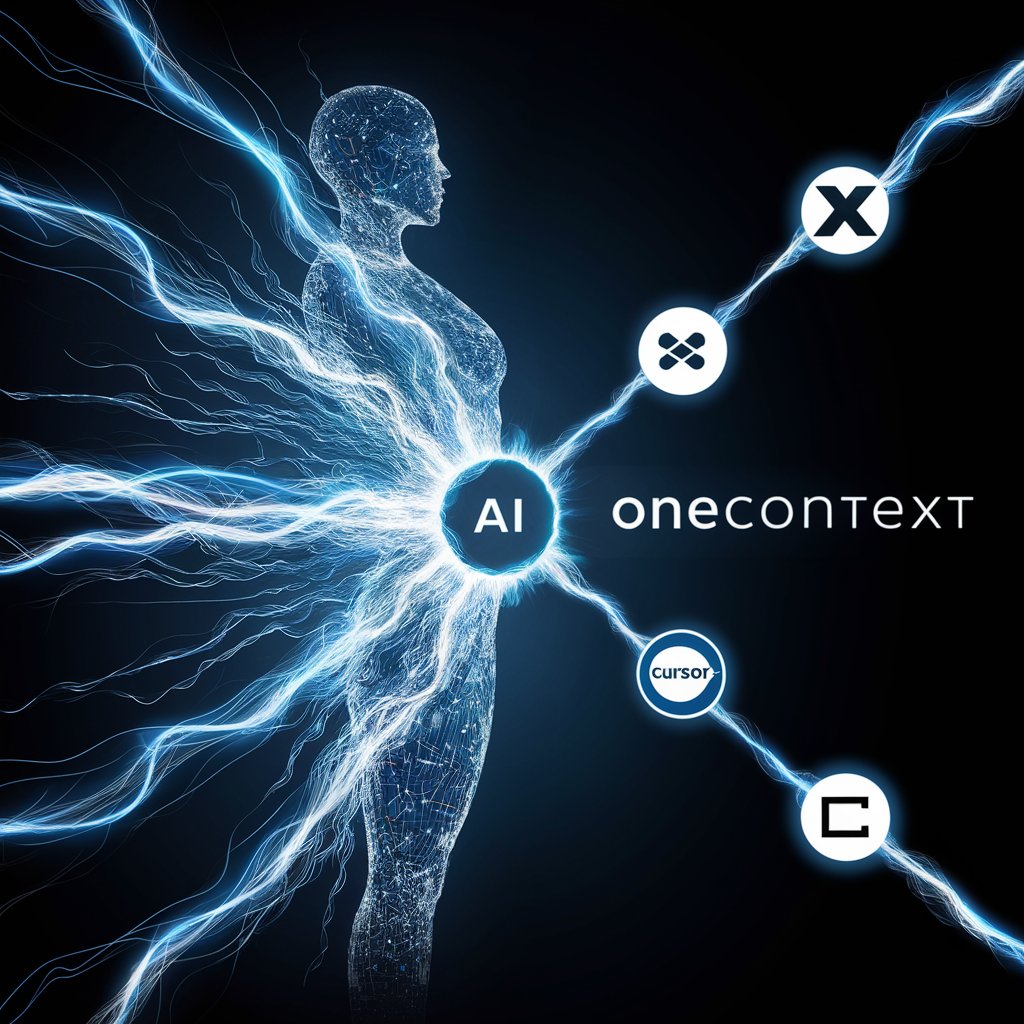
OneContext was built to kill this loop entirely. Launched as a Show HN post in February 2026 by independent developer Robin Faraj, it is an open-source AI identity layer that connects to your X, GitHub, and Notion accounts, builds a living profile from your actual activity, and feeds that context to every AI tool you use through a single MCP configuration. Updated June 2026, this review examines whether a solo-built, free tool can genuinely solve one of the most persistent friction points in modern AI-assisted development.
What Is OneContext and Why Does It Matter?
OneContext is not another chatbot wrapper or a prompt management tool. It is an infrastructure layer that sits between your digital identity and the AI tools you use daily. The core concept is disarmingly simple: instead of repeating your bio, stack, and current projects to every AI assistant separately, you connect your accounts once, let OneContext sync your identity automatically, and every compatible tool pulls from the same source of truth.
The technical architecture is straightforward but well-executed. The platform uses OAuth 2.0 to connect to X (Twitter), GitHub, and Notion, then runs a daily sync that updates your AI identity based on your actual activity. Ship a feature on GitHub? Your context knows. Post an update on X? It is reflected. Add a page to Notion? That knowledge flows into your profile. This is not manual copy-pasting — it is an automated pipeline that keeps your AI identity as current as your real one.
What makes this genuinely useful is the distribution mechanism. OneContext exposes your identity through the Model Context Protocol (MCP), which means a single JSON block in your mcp-config.json file makes your full profile available to Claude, Cursor, OpenClaw, and any other MCP-compatible tool. For everything else, a standard REST API covers custom integrations. The result is one living profile that flows everywhere simultaneously — no per-tool setup, no stale bios, no forgotten updates.
Key Features: How OneContext Actually Works
Auto-Sync From Real Sources
Connects to X, GitHub, and Notion via OAuth and updates your AI identity daily without manual intervention. Ship a feature, post an update, add a Notion page — your context stays current automatically. The sync runs in the background and requires zero maintenance.
MCP-Native Integration
One config block in your mcp-config.json file makes your full identity available to Claude, OpenClaw, Cursor, and any other MCP-compatible AI tool. No per-tool setup, no copy-pasting bios, no managing multiple custom memory configurations across different platforms.
REST API for Everything Else
For tools outside the MCP ecosystem, a standard REST API covers custom integrations, automations, and any workflow that needs your context without MCP support. Generate API keys from the dashboard and integrate in minutes, not hours.
CLI-First Developer Experience
Manage everything from the terminal via npx octx. List memories, update your profile, check sync status — all without opening a browser. Commands include npx octx login, npx octx whoami, npx octx memories list, and npx octx sources list.
Open Source and Self-Hostable
The full codebase is on GitHub under the Apache 2.0 license. Built with Next.js 16, HonoJS, PostgreSQL, and BetterAuth. Teams with strict data requirements can run the entire stack on their own infrastructure using Docker Compose with zero third-party data exposure.
Privacy-First Architecture
Encrypted OAuth tokens, row-level security, and the ability to delete all data at any time. The platform explicitly does not use your data to train models. Your professional identity stays yours, not a training dataset for someone else's AI.
Pricing: Completely Free, Open Source Forever
| Plan | Price | What's Included |
|---|---|---|
| Cloud (Hosted) | Free | Full feature set, OAuth sync from X/GitHub/Notion, MCP server, REST API, CLI access, API key generation, daily auto-sync |
| Self-Hosted | Free | Full source code (Apache 2.0), Docker Compose deployment, PostgreSQL backend, complete data control, zero third-party dependency |
| Enterprise / Team | N/A | Not available yet. Roadmap includes webhooks, team profiles, and calendar/Linear integrations. Currently individual-only. |
There is no pricing gap to analyze here because there is no paid tier at all. OneContext is genuinely free — not "free trial" or "freemium with limits" but completely zero-cost, open-source software. This is both its biggest strength and its most significant risk. The lack of a revenue model means long-term sustainability depends entirely on community support, contributions, and the founder's continued investment of personal time. For individual developers, this is a gift. For teams evaluating it as infrastructure, the question is whether a solo-maintained project can keep pace with the rapidly evolving MCP ecosystem and AI tooling landscape.
Try OneContext Free →Pros & Cons: The Honest Breakdown
✓ What OneContext Gets Right
- ✅ Completely free and open-source — no hidden costs, no credit system, no subscription tiers
- ✅ One config change for all MCP tools — add a single JSON block and every compatible AI assistant knows your identity
- ✅ Auto-sync keeps context fresh — daily updates from real activity mean your profile never goes stale
- ✅ Privacy-first by design — encrypted tokens, row-level security, no data used for model training
- ✅ Self-hostable with Docker — full infrastructure control for teams with strict compliance requirements
- ✅ Clean CLI experience — terminal-native workflow that fits naturally into developer tooling habits
✗ Where OneContext Falls Short
- ❌ Very early stage, solo-built — no funded team, no SLA, no dedicated support. Reliability depends on one developer
- ❌ Limited source integrations — only X, GitHub, and Notion. No Linear, Jira, Slack, Obsidian, or other popular dev tools yet
- ❌ No visual memory editor — everything is CLI or API. No GUI for reviewing or curating what OneContext has learned
- ❌ No team or organization features — built around individual identity only. No multi-user context sharing or role-based access
- ❌ Context quality depends on input quality — sparse GitHub activity or disorganized Notion pages produce noisy or incomplete profiles
- ❌ MCP dependency for primary integration — tools without MCP support require custom REST API integration work
💡 Real User Pulse: What Reddit & Hacker News Say
OneContext vs Competitors: The Comparison
| Feature | OneContext | Custom MCP Memory | Per-Tool Profiles |
|---|---|---|---|
| Cross-Tool Sync | Auto, all MCP tools | Manual per tool | None — isolated |
| Context Freshness | Daily auto-sync | Manual updates | Manual, per tool |
| Pricing | Free forever | Free (DIY) | Usually free |
| Source Integrations | 3 (X, GitHub, Notion) | Unlimited (DIY) | Tool-dependent |
| Team Support | None yet | DIY only | Some tools offer it |
| Self-Hosting | Full Docker support | Possible | Rarely available |
The comparison reveals OneContext's sweet spot clearly. Against custom MCP memory setups, it wins on convenience and auto-sync but loses on flexibility — you cannot add arbitrary data sources beyond the three supported integrations. Against per-tool profiles, it wins on consistency and maintenance overhead but requires MCP support in your tools. The real competitor is not another product but the status quo of manual context management, which OneContext beats decisively for developers already in the MCP ecosystem. For those outside it, the value proposition is thinner until more integrations arrive.
Who Should Use OneContext (And Who Shouldn't)
Ideal for: Solo developers and small teams who use multiple AI coding tools (Claude, Cursor, OpenClaw) and are tired of repeating their background and project context. Particularly valuable for developers with active GitHub profiles, regular X updates, and structured Notion workspaces — the auto-sync actually produces meaningful, current context. Also ideal for privacy-conscious developers who want an open-source, self-hostable solution rather than trusting a closed platform with their professional identity.
Look elsewhere if: You rely primarily on tools outside the MCP ecosystem and do not want to write custom REST integrations. You need team-level context sharing, role-based access, or organization-wide deployment — OneContext is currently individual-only. You depend on Linear, Jira, Slack, or Obsidian as primary knowledge sources, since these integrations are on the roadmap but not yet available. You require enterprise-grade support, SLAs, or guaranteed uptime from a funded team.
Expert Editorial Opinion
 Independent Analysis
OneContext occupies a fascinating position in the AI tooling landscape. It solves a problem that is simultaneously universal and strangely unaddressed: the fragmentation of developer identity across AI assistants. The technical implementation is not revolutionary — OAuth connections, daily cron jobs, and an MCP server wrapper are well-understood patterns. What is remarkable is that no major platform built this first. Anthropic, OpenAI, and Cursor all have incentives to keep your context inside their walled gardens. A neutral, open-source identity layer threatens that model, which may explain why it took an independent developer to build it.
The pricing model — or lack thereof — is the central tension. Being completely free and open-source is a powerful onboarding mechanism. It removes every barrier to adoption and builds goodwill in the developer community. But it also raises sustainability questions. MCP is evolving rapidly. New AI tools emerge weekly. Maintaining integrations, security patches, and protocol updates requires sustained effort. Without a revenue model, OneContext's future depends on whether the community contributes meaningfully or whether Robin Faraj can sustain solo maintenance alongside other commitments. The Apache 2.0 license means a fork is always possible, but fragmentation would dilute the standardization value that makes OneContext useful in the first place.
The absence of a free tier is not a weakness here — it is the entire point. OneContext does not need to justify a paid upgrade because there is none. But teams evaluating it for production use should weigh the risk of dependency on unfunded infrastructure. For personal workflows, the risk is minimal: if development stalls, you still have your data and can self-host or fork. For organizational deployment, the calculus is different. The tool is mature enough for individual use but not yet ready for enterprise contexts requiring team management, audit logs, or guaranteed support response times. The roadmap mentions team profiles and calendar integrations, which would address the biggest gaps. Until then, OneContext is best understood as a powerful personal productivity tool rather than organizational infrastructure.
Final Verdict
OneContext earns a 7.8 out of 10 for solving a genuine, universal pain point with elegant simplicity. The auto-sync from real sources, MCP-native distribution, and zero-cost open-source model make it an easy recommendation for individual developers already using Claude, Cursor, or other MCP-compatible tools. The deduction comes from its early-stage fragility: limited integrations, no team features, solo maintenance, and the uncertainty of unfunded open-source sustainability. It is not yet infrastructure you would bet a company on, but it is absolutely a tool you should try today if you are tired of explaining yourself to every AI assistant you open. Updated June 2026.
🔗 Related ToolRadar Reviews
More tools from AI Developer Tools
- Is Aider the Best Free AI Coding Assistant in 2026?
- Devin Costs Hundreds. OpenHands Costs Nothing. We Tested Both.
- This AI Agent Works While You Sleep — Here's How It Actually Performs
- Build a Complete App From a Single Prompt — We Tested the Claim
- Can an AI Agent Really Replace Your Entire Workflow?
- Why Developers Are Switching From VS Code in 2026
- I Gave AI a 47-Page Spec and Watched It Build the App — Here's What Actually Happened
- Can an AI Agent Really Browse the Web for You in 2026?
❓ Frequently Asked Questions
How many times will you explain your stack before you automate it?
OneContext is free, open-source, and takes 30 seconds to set up. The only question is whether you would rather spend that half-minute now — or keep losing twenty minutes to every new AI tool you try.
Try OneContext Free →
Comments
Post a Comment