


Is Dreamina AI the Best All-in-One Creative Suite for Content Creators in 2026?
ByteDance packed text-to-image, video generation, audio creation, and avatar design into a single web-based studio. But is the free tier actually usable — and should you trust it with your creative workflow?
- What Is Dreamina AI and Why Is Everyone Talking About It?
- Key Features: What Makes It Different
- Pricing: Free Tier vs Paid Plans vs API
- Pros & Cons: The Honest Breakdown
- Real User Pulse: What Reddit & Trustpilot Say
- How It Compares to Midjourney, Runway & Kling AI
- Who Should Use Dreamina AI?
- Expert Editorial Opinion
- Final Verdict
- Related ToolRadar Reviews
- Frequently Asked Questions
Imagine opening a single browser tab and generating a cinematic product video, a logo with perfect typography, a talking avatar for your brand, and a background music track — all before your coffee gets cold. That is the promise of Dreamina AI, ByteDance's all-in-one creative suite that has quietly become one of the most talked-about names in AI content creation since early 2026. With over 6.5 million YouTube views on a single Seedance 2.0 tutorial and daily Reddit threads debating whether it is a scam or the best AI video tool of the year, Dreamina has achieved something rare: genuine cultural relevance in a space crowded with forgettable tools.
But here is what the hype does not tell you. Dreamina is not just another AI image generator with a video add-on. It is a deeply integrated creative pipeline built by the same company that owns TikTok and CapCut — meaning it understands short-form content at a DNA level. The free tier gives you roughly 8-10 images or 2-3 images plus one video per day. The paid plans start at $18/month and climb to $84/month for power users. And the API? Anywhere from $0.42 to $4.60 per 10-second clip depending on resolution. The question is not whether Dreamina is capable — it absolutely is — but whether its opaque pricing, unannounced credit changes, and ByteDance's data governance history make it the right choice for your workflow. This review breaks down everything you need to know.
What Is Dreamina AI and Why Is Everyone Talking About It?
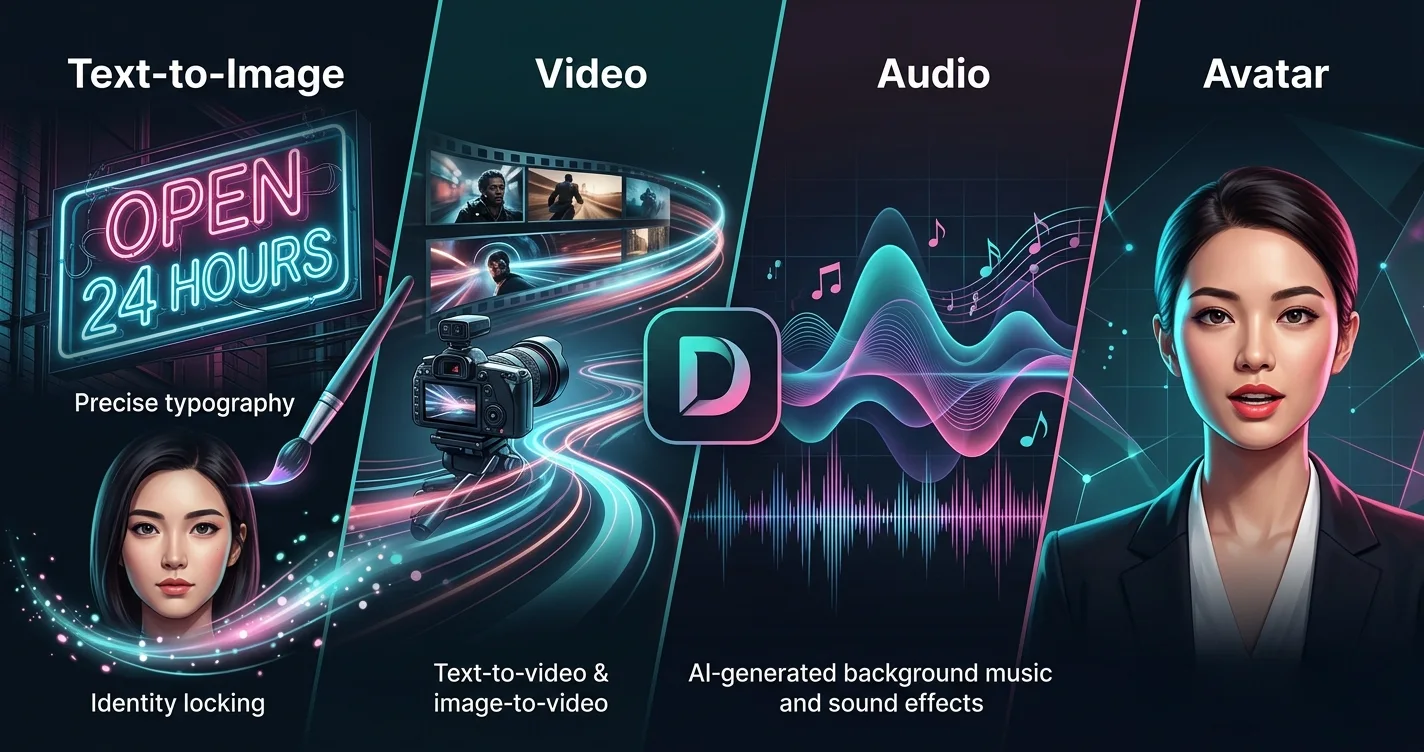
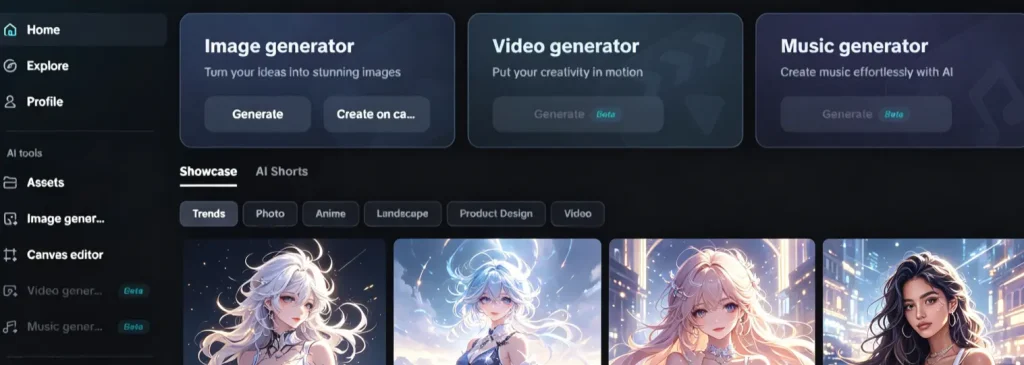
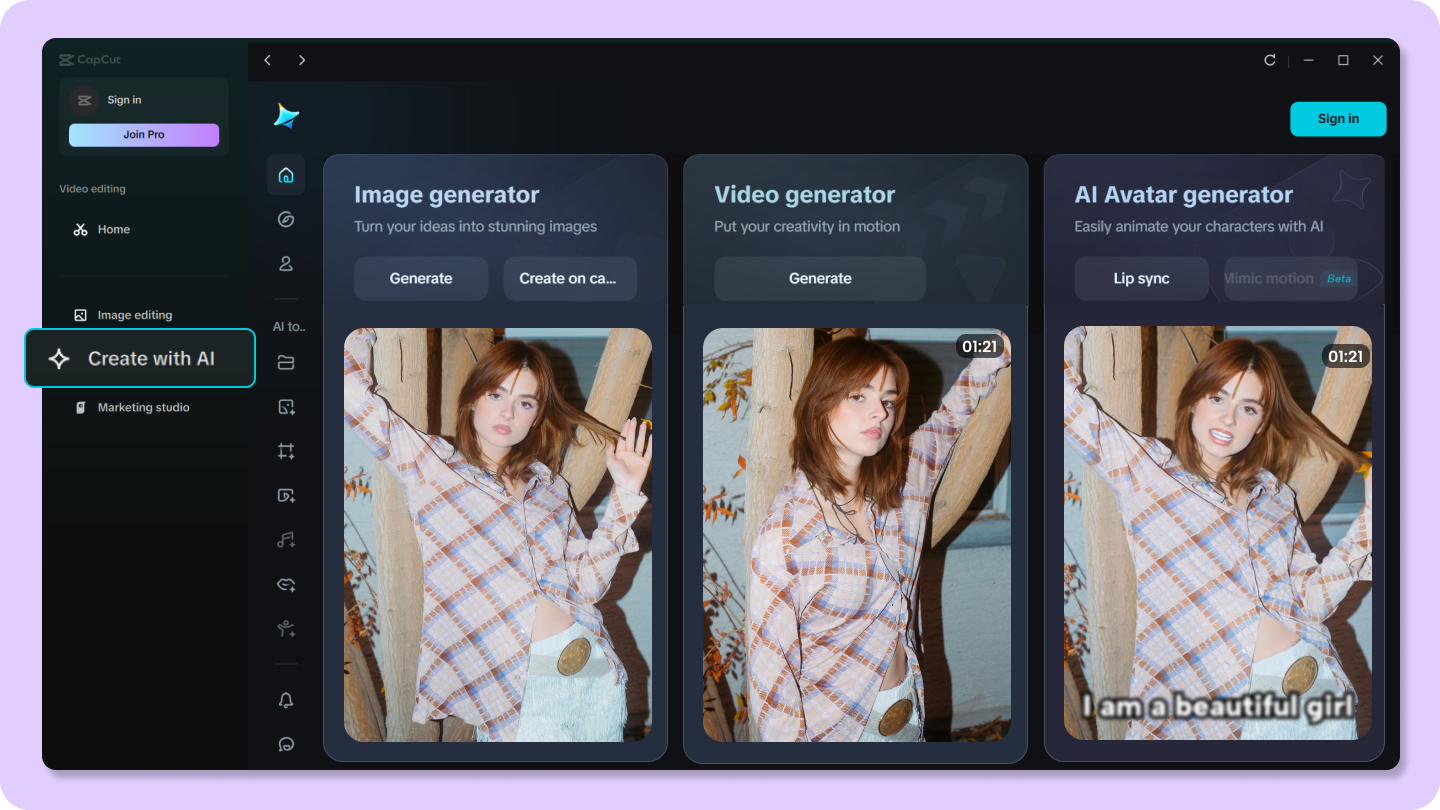
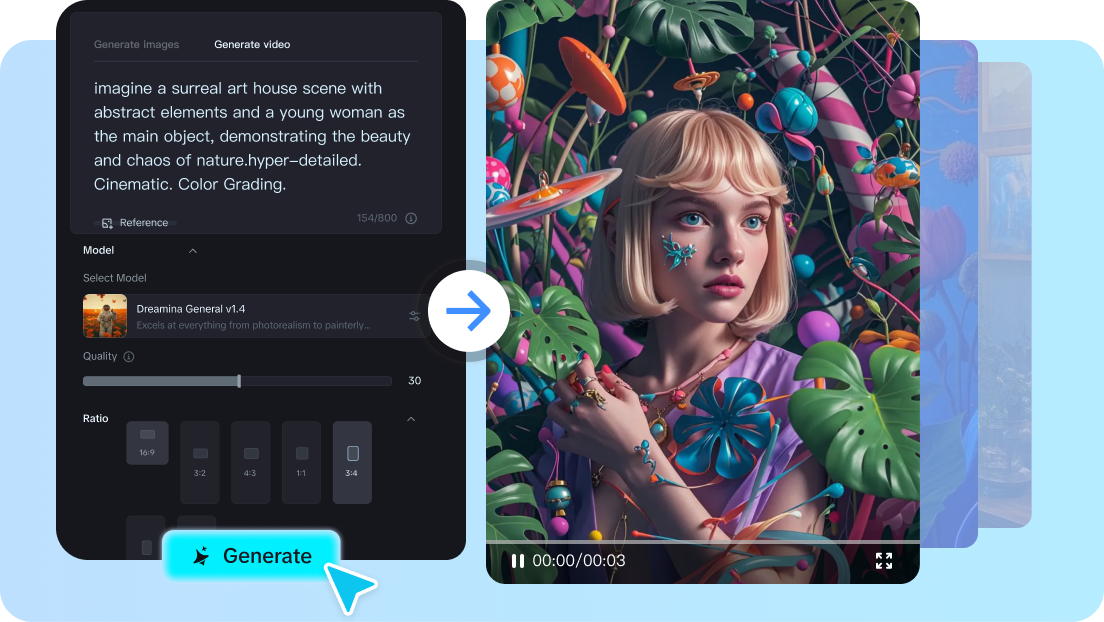
Dreamina AI is ByteDance's international creative suite, built on the same Volcengine backend that powers Jimeng AI — the Chinese domestic version. It was formerly known as CapCut Dream Studio before rebranding to Dreamina in late 2025. The platform bundles text-to-image (Seedream 4.5/5.0), text-to-video and image-to-video (Seedance 2.0), audio generation, AI avatar creation with lip-sync, and a canvas editor with direct CapCut integration into a single web-based interface. Unlike most AI tools that force you to switch between platforms for different media types, Dreamina treats image, video, audio, and avatar creation as interconnected workflows rather than separate products. This integration is its defining advantage — and its most controversial feature, given ByteDance's history with data governance and the significant price gap between its Chinese and international versions.
Key Features: What Makes It Different
Seedance 2.0: Multi-Modal Video Generation
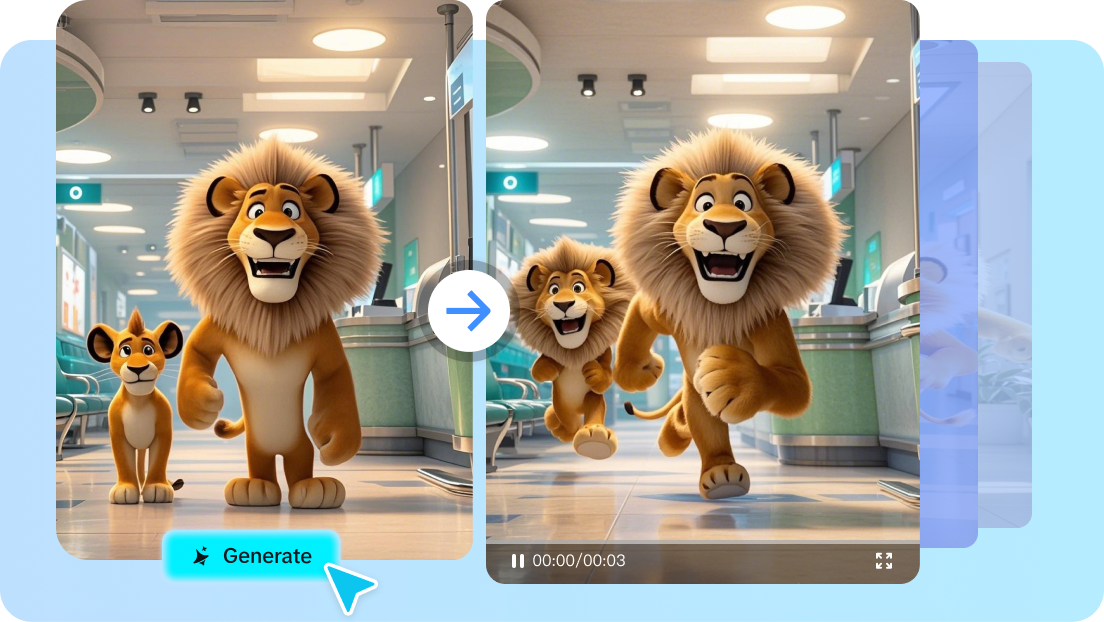
Seedance 2.0 supports mixed input of four modalities — image, video, audio, and text — enabling creators to produce 15-second clips with audio-visual synchronization and multi-shot narrative function. The model understands camera movements, scene transitions, and emotional pacing in ways that feel genuinely cinematic rather than AI-smoothed. You can upload a reference image, describe the motion you want, add background audio, and Seedance will generate a coherent narrative sequence that maintains visual consistency across shots. For short-form content creators on TikTok, YouTube Shorts, and Instagram Reels, this level of integration eliminates the need for separate storyboarding, filming, and editing tools.
Seedream 5.0: Typography That Actually Works
Seedream 4.5 and 5.0 represent a genuine breakthrough in AI image generation: they can render specific words, brand names, and slogans on signs and posters without the garbled distortion that plagues virtually every competing model. A creator can prompt 'a neon sign reading OPEN 24 HOURS in cursive font' and receive exactly that — not 'OEPN 24 HUORS' or random characters. This makes Dreamina the go-to tool for logo generation, poster creation, and branded social media content where text accuracy is non-negotiable. Combined with character consistency locking that keeps a face identical across multiple generated images, storytellers and brand marketers finally have an AI tool that understands visual identity.
Direct CapCut Pipeline Integration
Generated visual assets push straight into CapCut for timeline-based post-production editing — no export, no format conversion, no file management. The system supports vertical 9:16 for TikTok and Reels, landscape 16:9 for YouTube, and square formatting for Instagram posts. This means a creator can generate a product video in Dreamina, add captions and transitions in CapCut, and publish to TikTok without ever leaving the ByteDance ecosystem. For social media managers running multiple accounts, this integration cuts production time from hours to minutes. The workflow is so seamless that it raises a strategic question: are you buying a creative tool, or are you being locked into a content pipeline designed to feed ByteDance's platforms?
AI Audio, Avatar & Canvas Editor
Beyond image and video, Dreamina bundles AI audio generation for background music and sound effects, AI avatar creation with lip-sync capabilities for talking-head content, and a canvas editor for compositing and layering generated assets. The avatar tool is particularly notable for creators who need consistent brand spokespeople without hiring actors — though human-face content triggers content filters frequently, limiting some portrait workflows. The canvas editor supports layering, masking, and basic compositing, making it functional for quick social media graphics without opening Photoshop. While none of these individual features rivals dedicated tools like ElevenLabs for voice or Photoshop for editing, their integration creates a workflow velocity that standalone tools cannot match.
Pricing: Free Tier vs Paid Plans vs API
| Plan | Cost | What You Get |
|---|---|---|
| Free Tier | $0 | ~8-10 images/day OR 2-3 images + 1 video clip. Daily credit refresh. Watermarked exports on some downloads. |
| Pro Plan | $18–25/mo | Higher credit allocation, priority generation, access to Seedance 2.0 and Seedream 5.0. Covers both image and video use cases. |
| API (Seedance 2.0) | $0.42–4.60 | Per 10-second clip via fal.ai or Volcengine. Price varies by resolution and quality tier. Developer access. |
Pros & Cons: The Honest Breakdown
✓ What Works
- ✅ All-in-one creative suite — image, video, audio, avatar, and canvas editing in a single web interface
- ✅ Seedream 5.0 delivers industry-leading typography accuracy; text renders correctly where competitors fail
- ✅ Direct CapCut integration eliminates export/import friction for short-form content workflows
- ✅ Character consistency locking maintains identical faces across multiple generated images for brand storytelling
✗ What Frustrates
- ❌ Opaque pricing with unannounced credit reductions; free-tier allocations changed without notice
- ❌ International users pay $18–84/month while Chinese users pay ~$9.60 for identical models
- ❌ Generation costs vary wildly (75–825 credits per generation) making actual costs unpredictable
💡 Real User Pulse: What Reddit & Trustpilot Say
How It Compares to Midjourney, Runway & Kling AI
| Feature | Dreamina AI | Midjourney + Runway | Kling AI |
|---|---|---|---|
| Media Types | Image + Video + Audio + Avatar | Image + Video (separate tools) | Video only |
| Typography Accuracy | Industry-leading (Seedream 5.0) | Poor (both tools) | N/A |
| Video Max Length | 15 seconds | 16 seconds (Runway) | 10 seconds |
Who Should Use Dreamina AI?
Ideal Users: Short-form content creators and social media managers who need to produce multiple asset types daily without switching between five different tools. If your workflow involves generating product images, animating them into videos, adding background music, and pushing everything to TikTok — Dreamina's integrated pipeline will save you hours. Brand marketers who need consistent visual identity across campaigns will benefit from character locking and typography accuracy that competitors simply cannot match. Small agencies running tight budgets will find the $18-25 Pro plan significantly cheaper than subscribing to Midjourney ($30) plus Runway ($28) separately.
Look Elsewhere If: You need transparent, predictable pricing with enterprise-grade support. Dreamina's opaque credit system and history of unannounced changes make it risky for professional reliance. If you are a filmmaker needing clips longer than 15 seconds, Dreamina's limits will frustrate you — look at Kling AI or Runway Gen-4 instead. Creators uncomfortable with ByteDance's data governance practices or those targeting audiences outside TikTok/Instagram may find the ecosystem lock-in problematic. And if you need advanced post-production beyond basic CapCut editing, you will still need dedicated tools like DaVinci Resolve or Premiere Pro.
Expert Editorial Opinion
Dreamina AI represents one of the most ambitious integrations in the AI creative space — not because any individual feature is revolutionary, but because the combination of features creates a workflow velocity that standalone tools cannot replicate. ByteDance has taken the insight that drove TikTok's dominance — frictionless content creation — and applied it to professional-grade AI tools. The result is a platform where a social media manager can generate a product image, animate it, add music, create a talking avatar, and publish to TikTok without ever leaving the browser. This is not incremental improvement; it is a fundamental rethinking of how creative tools should work.
The technical achievement of Seedream 5.0's typography accuracy deserves particular attention. For years, AI image generation's inability to render readable text has been a running joke in the creative community — 'a neon sign reading OPEN' reliably produces 'OEPN' or gibberish. Seedream 4.5 and 5.0 solve this through what appears to be a dedicated text-rendering pipeline within the diffusion model, allowing specific words, brand names, and slogans to appear correctly on signs, posters, and product mockups. This is not a minor feature; it is the difference between AI-generated content being usable for brand work and being relegated to personal projects.
The pricing analysis reveals a more complicated picture than the headline numbers suggest. At $18-25 per month, Dreamina's Pro plan undercuts the combined cost of Midjourney ($30) and Runway ($28) by nearly 60%. But the credit system introduces unpredictability that flat-rate competitors avoid. One generation can cost anywhere from 75 to 825 credits depending on model, resolution, and clip length — meaning a power user could burn through their monthly allocation in days rather than weeks. The API pricing via fal.ai ($0.42 to $4.60 per 10-second clip) is competitive for developers but adds infrastructure complexity that non-technical users will struggle with.
Final Verdict
Dreamina AI earns an 8.5 out of 10 for its remarkable integration of image, video, audio, and avatar generation into a single creative pipeline. Seedance 2.0 delivers cinematic motion quality that rivals dedicated video tools, while Seedream 5.0's typography accuracy solves a problem that has plagued AI image generation for years. The direct CapCut integration creates a workflow velocity that standalone tools cannot match, and the $18-25 Pro plan undercuts competitors by nearly 60% for equivalent functionality. However, the opaque credit system, unannounced pricing changes, and significant price gap between Chinese and international users introduce real risks for professional reliance. The 15-second video limit restricts its usefulness for filmmakers, and ByteDance's data governance history raises questions that enterprise teams cannot ignore. For short-form content creators, social media managers, and small agencies, Dreamina is the best integrated creative suite available. For everyone else, it is a powerful secondary tool with enough caveats to warrant caution.
🔗 Related ToolRadar Reviews
More tools from AI Creative Suite
❓ Frequently Asked Questions
Are You Ready to Trust Your Creative Workflow to ByteDance?
Dreamina AI offers unmatched integration and value — but at the cost of transparency and predictable pricing. Will you trade peace of mind for creative velocity, or is the risk too high for your workflow?
Explore Dreamina AI →
Comments
Post a Comment