


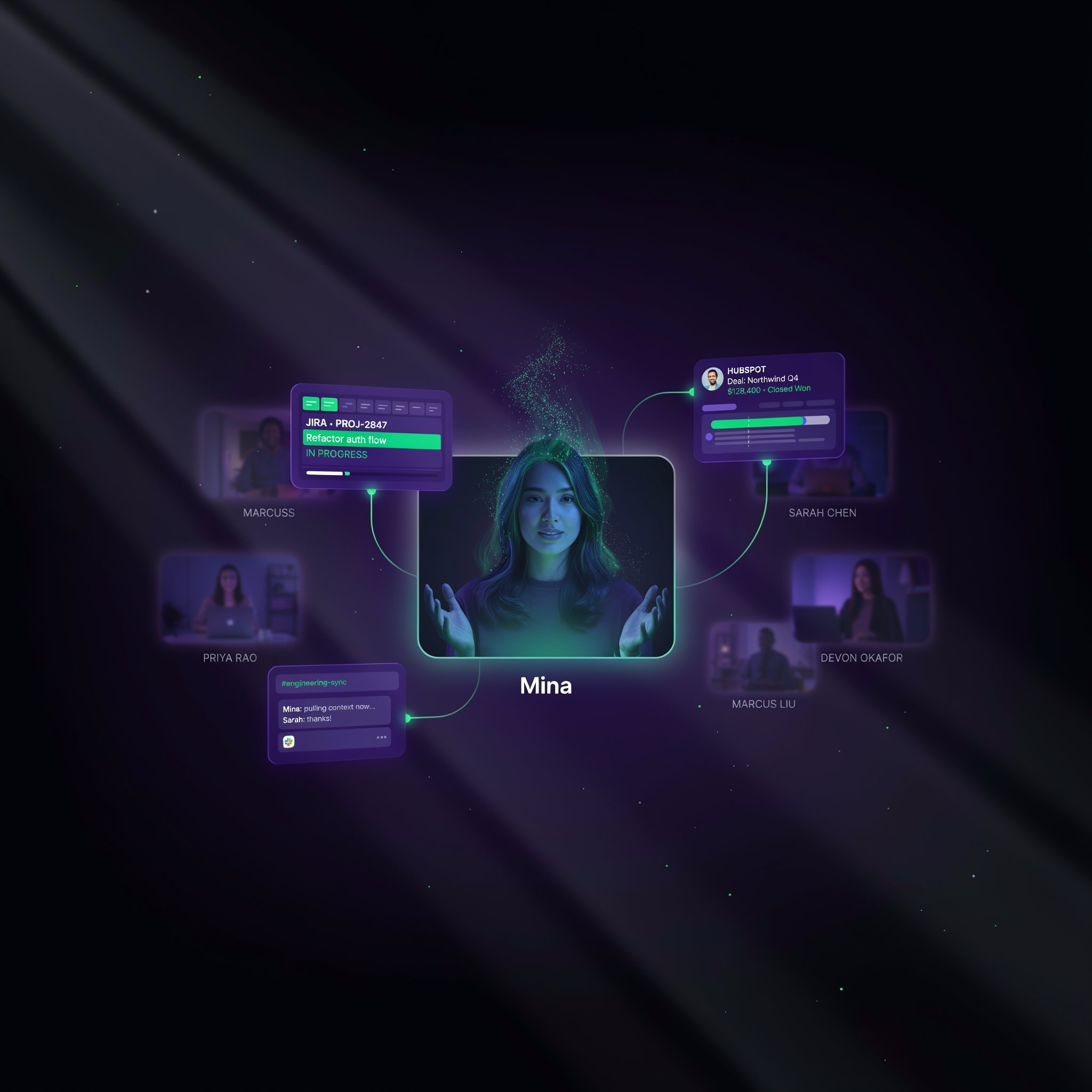
Mina Meeting Assistant Review: The AI Teammate That Speaks, Listens, and Executes Tasks Live — While Your Meeting Is Still Happening
Product Hunt #1 Product of the Day with 506 upvotes — Mina is the first AI meeting assistant that actively participates in calls instead of just recording them. It speaks, pulls context from 200+ tools, executes tasks in real time, and configures into any workflow-specific AI teammate — sales, standups, interviews, customer calls, and more.
Every meeting ends the same way: someone screenshots the whiteboard, someone else volunteers to write up the action items, and then nothing happens for three days until someone follows up asking what was decided. The AI notetaker was supposed to fix this. It didn't — because transcribing a conversation and summarizing it after the fact doesn't actually move work forward. It just creates a more detailed record of the meeting nobody acted on. Mina was built to solve a fundamentally different problem.
Launched publicly on Product Hunt on June 1, 2026 by founder Sridhar Muppidi and the team at Purple Talk, Mina won #1 Product of the Day with 506 upvotes. The product's thesis is a direct challenge to every passive meeting tool that came before it: instead of a bot that records and transcribes, Mina is an AI teammate that actively participates — it can speak during calls when addressed, pull live context from your connected tools in real time, execute tasks while the meeting is still in progress, configure into different workflow-specific roles (sales assistant, interview coach, standup facilitator, customer success agent), and complete the post-meeting workflow automatically. The tech stack is built on OpenAI for language reasoning, Deepgram for real-time speech recognition, and ElevenLabs for natural voice synthesis — confirmed on the Product Hunt built-with page.
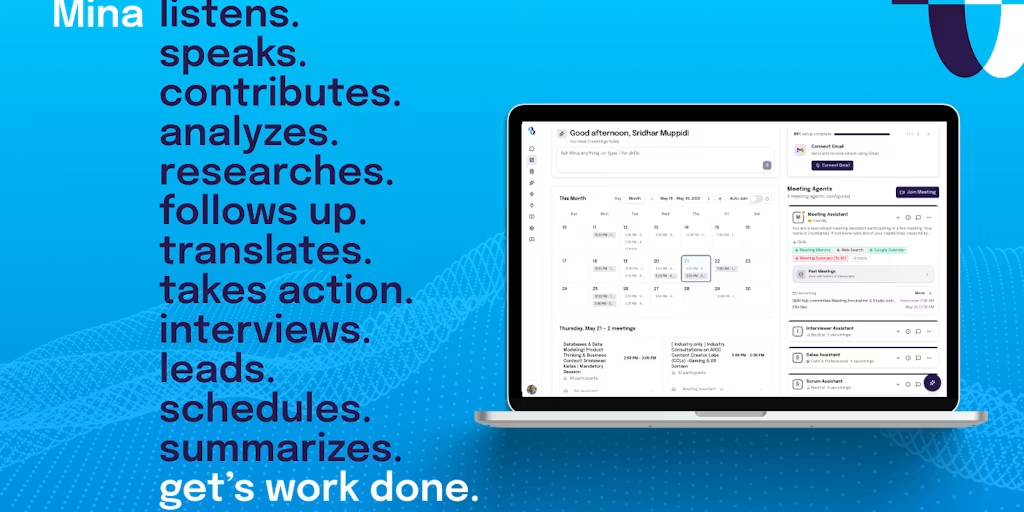
What Is Mina Meeting Assistant?
Mina is an AI meeting assistant platform that replaces passive note-taking bots with an active AI teammate that participates in meetings in real time. The platform operates in two modes: Reactive mode, where Mina listens passively and responds when addressed with a wake word ("Hey Mina" or a custom name you configure — like "Hey Veda"); and Proactive mode, where Mina always listens, analyzes context continuously, and takes actions in the background without being explicitly invoked — including pulling relevant information from connected tools, surfacing context the team needs, and executing tasks as decisions emerge in the conversation. Mina integrates with 200+ tools including Slack, HubSpot, Salesforce, Jira, Notion, Google Meet, Zoom, Microsoft Teams, Linear, and GitHub — enabling it to pull live context (open tickets, CRM records, project status) into the meeting and push outputs (meeting summaries, action items, CRM updates, Jira tickets, Slack messages) automatically after the call. Mina can also be configured into different workflow-specific AI teammates for sales calls, job interviews, daily standups, customer success conversations, and custom team workflows. The customization is no-code.
Key Features
Real-Time Voice Participation
Mina can speak during live meetings when addressed with a wake word, or proactively when it detects a decision or question it can address. Powered by ElevenLabs voice synthesis and Deepgram real-time transcription — not pre-recorded responses but live, context-aware verbal participation in your actual call.
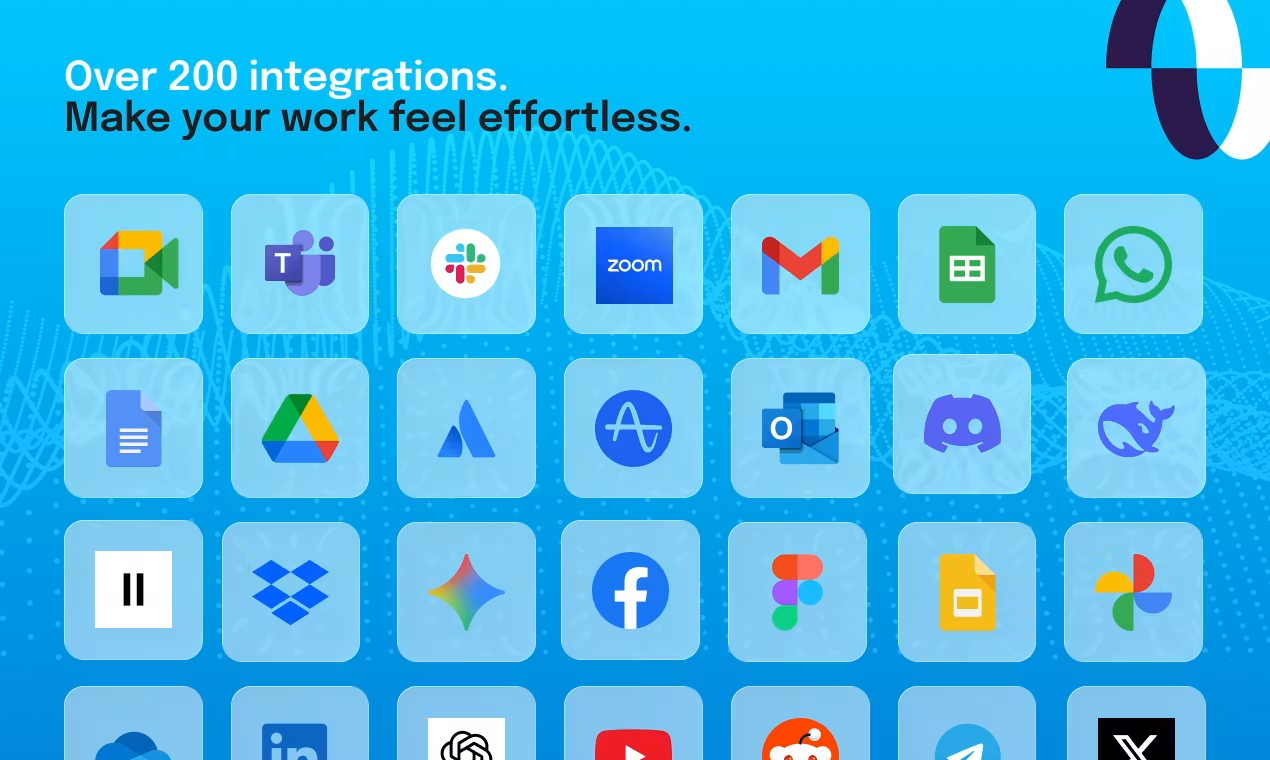
200+ Live Tool Integrations
Pulls context from Slack, HubSpot, Salesforce, Jira, Notion, Linear, GitHub, and 200+ more tools during the meeting itself — not after. If someone asks "what's the status of that bug?" Mina checks Jira and answers live. If a sales deal is discussed, Mina pulls the CRM record without anyone leaving the call.
Workflow-Specific AI Teammate Configuration
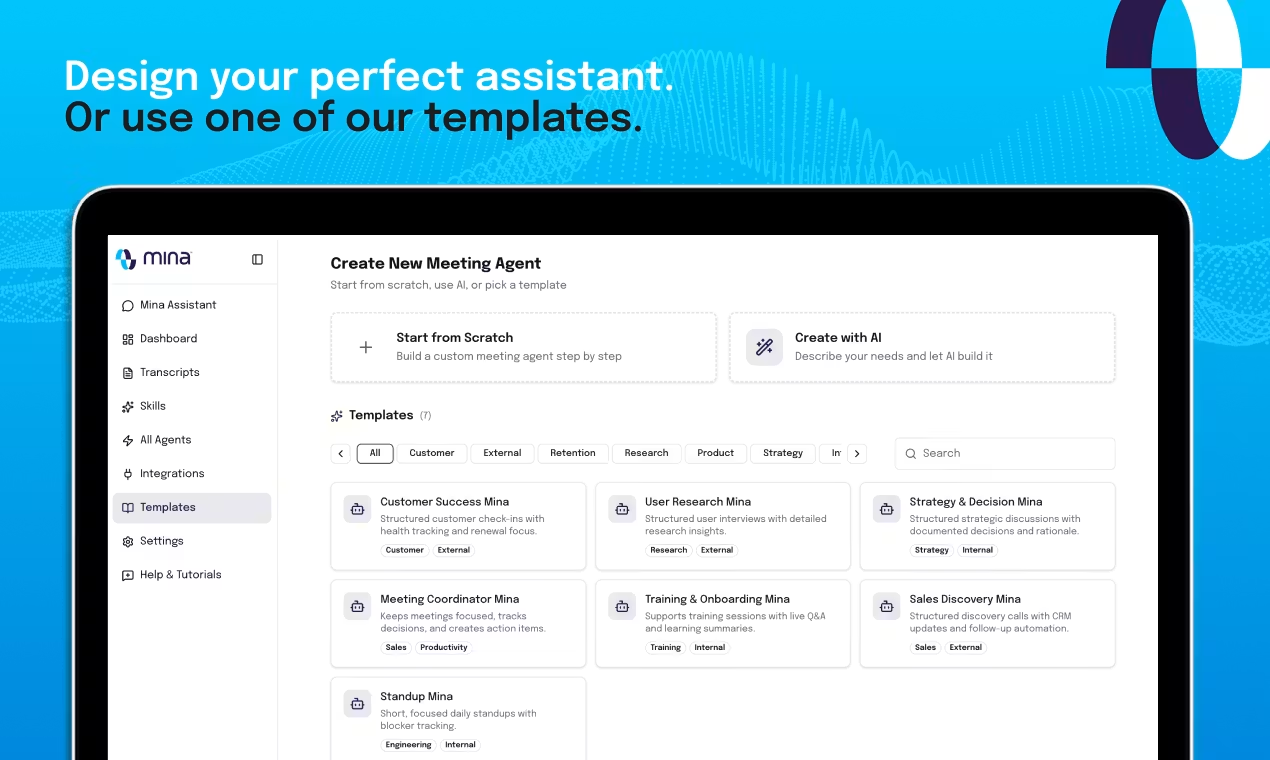
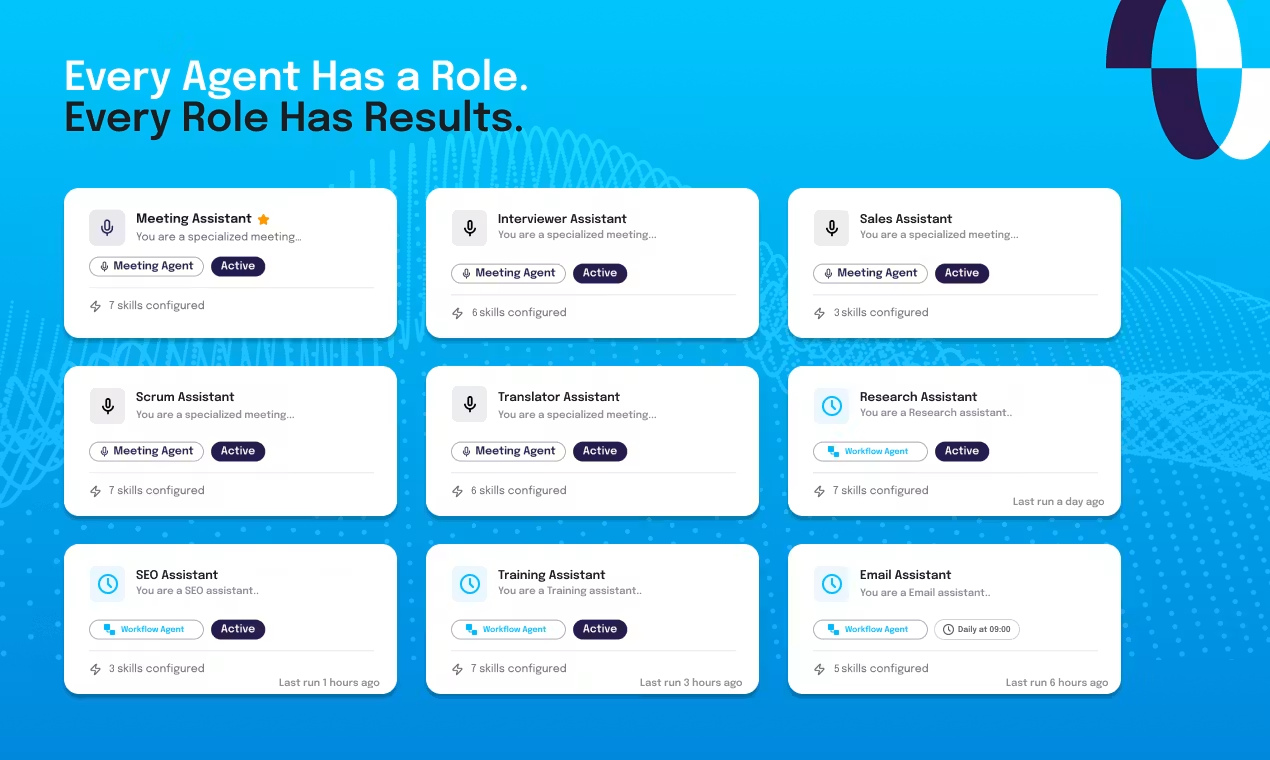
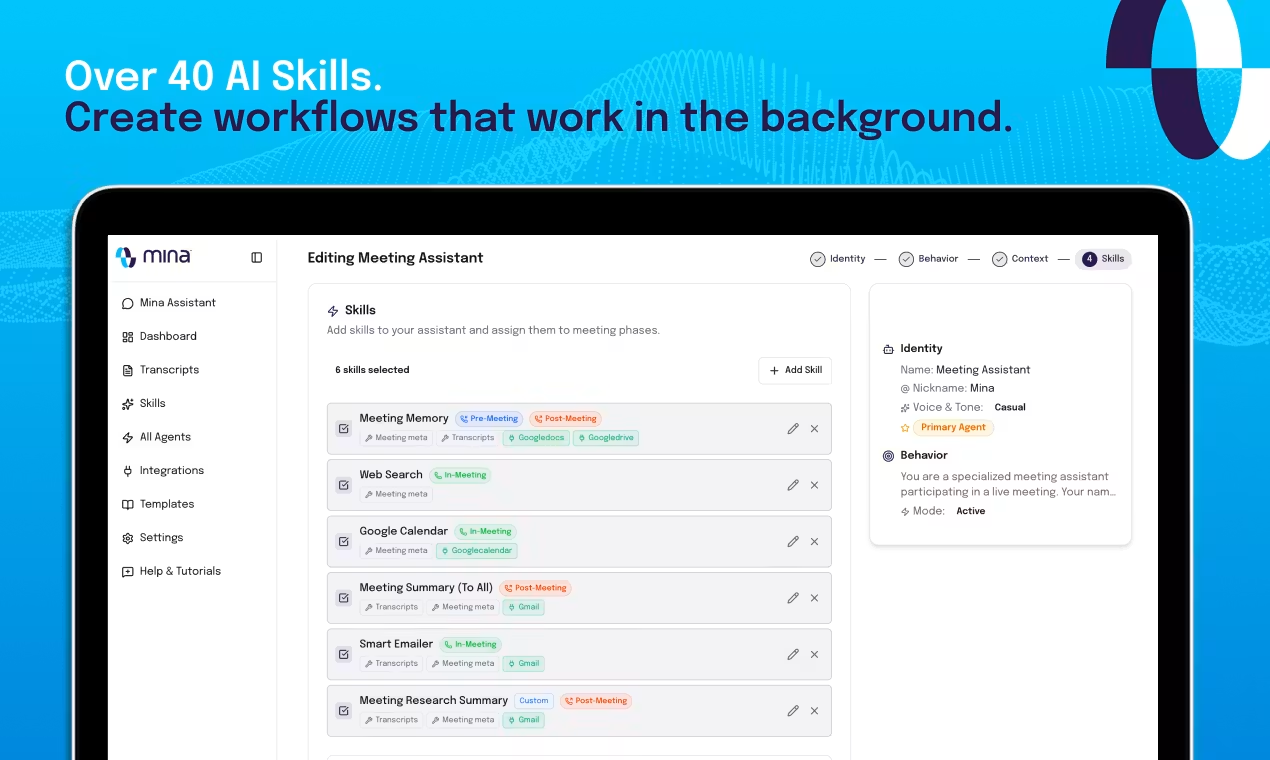
Configure Mina into different roles for different meeting types — sales call assistant, interview coach, standup facilitator, customer success agent, or a fully custom team workflow. No-code setup. Each configuration has its own skills, tool connections, and output templates.
Before, During, and After Meeting Execution
Before: prepares meeting briefs from your tools. During: participates, pulls context, executes tasks in real time. After: generates structured summaries, auto-creates action items, updates CRM records, creates Jira tickets, posts Slack messages — automatically, with no manual cleanup.
Pricing Plans
| Plan | Price | What's Included |
|---|---|---|
| Free | $0 to start | Core meeting participation, reactive mode, basic integrations, standard summaries |
| Pro | Pricing at getmina.ai | Proactive mode, full 200+ integrations, workflow-specific teammate configuration, custom wake words, advanced output templates |
| Enterprise | Custom pricing | Team deployment, admin controls, compliance, custom integrations, dedicated support, SLA |
Mina launched publicly June 1, 2026. Full pricing details are available at getmina.ai. The free tier provides meaningful access to Mina's core reactive participation mode. Proactive mode — where Mina acts without being invoked — is a paid feature given its compute intensity (confirmed by founder on Product Hunt).
Try Mina Free — AI That Actually Participates in Your Meetings →Pros & Cons
✓ What We Like
- ✅ Only AI meeting assistant that speaks live in calls — reactive and proactive voice participation, not just post-meeting summaries
- ✅ 200+ tool integrations for live context pull — pulls CRM records, Jira tickets, Notion docs during the meeting itself
- ✅ No-code workflow-specific teammate configuration — configure different AI roles for different meeting types without engineering
- ✅ Full before-during-after meeting execution — prep, participation, and automatic post-meeting task execution in one platform
✗ What Could Be Better
- ❌ Proactive mode is more expensive to run — always-listening AI that acts without invocation has real compute costs; requires paid plan
- ❌ Some businesses have bot-visibility or compliance requirements — Mina's active participation model requires explicit setup and team awareness
- ❌ 200+ integrations require configuration — tool connections don't auto-discover; initial setup across CRM, project management, and comms tools takes time
- ❌ Very early stage — launched June 2026, no published pricing, enterprise features still maturing
💡 Community Feedback: What Users Say
How It Compares to Alternatives
| Feature | Mina | Fathom | Fireflies | Granola |
|---|---|---|---|---|
| Speaks During Meetings | YES live voice | NO post-meeting only | NO post-meeting only | NO post-meeting only |
| Live Tool Context Pull | YES 200+ tools | NO | PARTIAL | NO |
| Proactive Mode | YES acts without invocation | NO | NO | NO |
| Workflow Config | YES no-code roles | PARTIAL | PARTIAL | NO |
Mina occupies a fundamentally different position in the AI meeting tool landscape than its competitors. Fathom is the gold standard for post-meeting summaries and CRM handoff — it captures, transcribes, and organizes after the call ends, but it does not participate during the call. Fireflies.ai is the most established meeting notetaker with broad platform support and a mature feature set, but it is fundamentally a recording and summarization tool. Granola is a privacy-first, local-capture tool that works without a meeting bot visible to other participants — excellent for sensitive meetings but with no live participation capability. Mina is the only tool that treats the meeting itself as the surface where AI can add value: speaking live, pulling context in real time, and executing tasks while the conversation is still happening. For teams that have maxed out what passive notetakers can do, Mina represents a category shift, not a feature increment.
Who Should Use Mina?
Best For: Sales teams who want a live AI assistant that pulls CRM context and surfaces objection-handling data during customer calls. Engineering teams running standups who want Jira tickets auto-updated and sprint status surfaced without manual lookup. HR teams conducting interviews who want structured evaluation frameworks and real-time coaching. Customer success teams who need live account context during calls without tab-switching. Any team that has tried AI notetakers, found the summaries useless, and wants a tool that actually executes during the meeting instead of after it.
Consider Alternatives If: You need a privacy-first, bot-free meeting capture tool — Granola and Kai for Chrome capture locally without a meeting bot visible to other participants. You want a simple, lightweight notetaker with excellent summaries and CRM handoff — Fathom is more mature and easier to deploy at scale. You only need post-meeting notes and action items and don't need live AI participation — Fireflies.ai or Otter.ai are simpler and more established. You need a fully compliant enterprise meeting platform with detailed audit trails — evaluate Gong or Chorus for regulated sales environments.
Expert Editorial Opinion
Mina's product decision to make the AI speak during meetings — not just record and summarize after — is the most architecturally significant choice in the AI meeting tool category in 2026. Every other tool in this space has made the same implicit assumption: the AI's job is to capture what humans said and organize it afterward. Mina's assumption is fundamentally different: the AI is a participant, with access to your tools, that can answer questions, surface context, and execute tasks while the conversation that requires them is still happening. That's not a feature difference. It's a category difference.
The two-mode architecture (Reactive via wake word vs. Proactive always-listening) is the right design for a product this new. Reactive mode gives teams control and prevents the AI from interrupting inappropriately — you invoke Mina when you need it, just like you'd ask a team member a question. Proactive mode is the more ambitious bet: an AI that analyzes the conversation context continuously and decides on its own when to act. The founder's honest acknowledgment that Proactive mode is "a little bit more expensive" reflects mature product thinking — not everything should be always-on by default. The 200+ integrations for live context pull (checking Jira, pulling HubSpot records, surfacing Notion docs) during the meeting itself is the practical capability that makes the participation model genuinely useful rather than just novel.
The Product Hunt community response — 506 upvotes, #1 Product of the Day, substantive technical questions from developers about integration selectivity and invocation model — confirms that this isn't just impressive demo material. The developer who asked "how do you handle selective integration into tools (items 1-4, 8 and not 5,6,7 etc.)" is the kind of question that comes from someone who actually wants to deploy the tool, not just upvote it. Sridhar's detailed response — explaining the wake word system, reactive vs. proactive modes, and background task execution — showed a founder with a clear mental model of the product's behavior. For teams willing to invest in initial setup, Mina represents the most forward-looking meeting tool architecture available in mid-2026.
Does the Proactive mode compute cost create a pricing gap that limits adoption? This is the critical pricing question. The founder's transparency about Proactive mode being "a little bit more expensive" is the right approach — it sets realistic expectations and justifies the paid tier. For teams that need Proactive mode (always-listening AI that acts without invocation), the value proposition is clear: an AI teammate that reduces context switching, surfaces information before you ask, and executes tasks while the meeting is still happening. The free tier's Reactive mode is generous enough to demonstrate value before paying. For teams that only need Reactive mode (invoke when needed), the free tier may be sufficient for light usage.
The final question is whether Mina is worth the setup investment for teams that already have a notetaker. The answer depends on whether your meetings are documentation exercises or work sessions. If your team uses meetings to make decisions, assign tasks, and coordinate work — and then spends the next two days in Slack threads and follow-up emails clarifying what was decided — Mina's live participation model is the correct architecture. If your meetings are primarily status updates and the post-meeting summary is sufficient, a passive notetaker like Fathom or Fireflies is the simpler choice. For teams that have maxed out what post-meeting summaries can do, Mina is the only tool that moves the work into the meeting itself.
Final Verdict
Mina Meeting Assistant is the most architecturally ambitious AI meeting tool launched in 2026 — and the only one that treats the meeting itself, not just the post-meeting workflow, as the surface where AI can add value. The live voice participation, real-time 200+ tool context pull, no-code workflow configuration, and full before-during-after execution model put it in a category of one among meeting assistants. The tradeoffs are real: setup investment, compute cost of Proactive mode, and compliance considerations for teams with bot-visibility policies. For sales teams, engineering standups, HR teams, and any organization that has maxed out what passive notetakers can do, this is a 9.2 out of 10 and the most important meeting tool to evaluate in 2026.
🔗 Related ToolRadar Reviews
More tools from AI Productivity
- Stop Taking Meeting Notes: Fireflies.ai Review 2026
- I Let AI Take Over My Inbox for 30 Days — Results
- The AI Agent That Works While You Sleep — Full Review
- Can an AI Agent Really Replace Your Entire Team? (2026 Test)
- Gumloop: Build AI Workflows Without Writing Code — Review
- Zapier AI Review 2026: The Automation Tool That Actually Works
- I Replaced My $200K Chief of Staff With a $99 AI Tool — Here's What Happened
- Build a Complete App From a Single Prompt — 2026 Guide
❓ Frequently Asked Questions
Your AI notetaker tells you what happened. Mina makes it happen.
The meeting where work gets done — not just documented — starts with one word: "Hey Mina."

Comments
Post a Comment