


Beautiful.ai Review 2026: Is It Better Than AI Presentation Generators?
Beautiful.ai scores 7.0/10 in ToolRadar's independent review — a Smart Slides presentation platform that auto-formats every layout as you type, tested against its 4.7/5 G2 rating, its far lower Trustpilot score, and real named user reviews.
Comprehensive review based on official company documentation and verified user reviews.
Beautiful.ai has been building AI-formatted slides since 2016, which puts it years ahead of Gamma, Tome, and most of the AI presentation tools people now default to. It also means it's carrying nearly a decade of reviews, and those reviews tell two very different stories depending on where you read them — a genuinely wide gap this review takes seriously rather than averaging away.
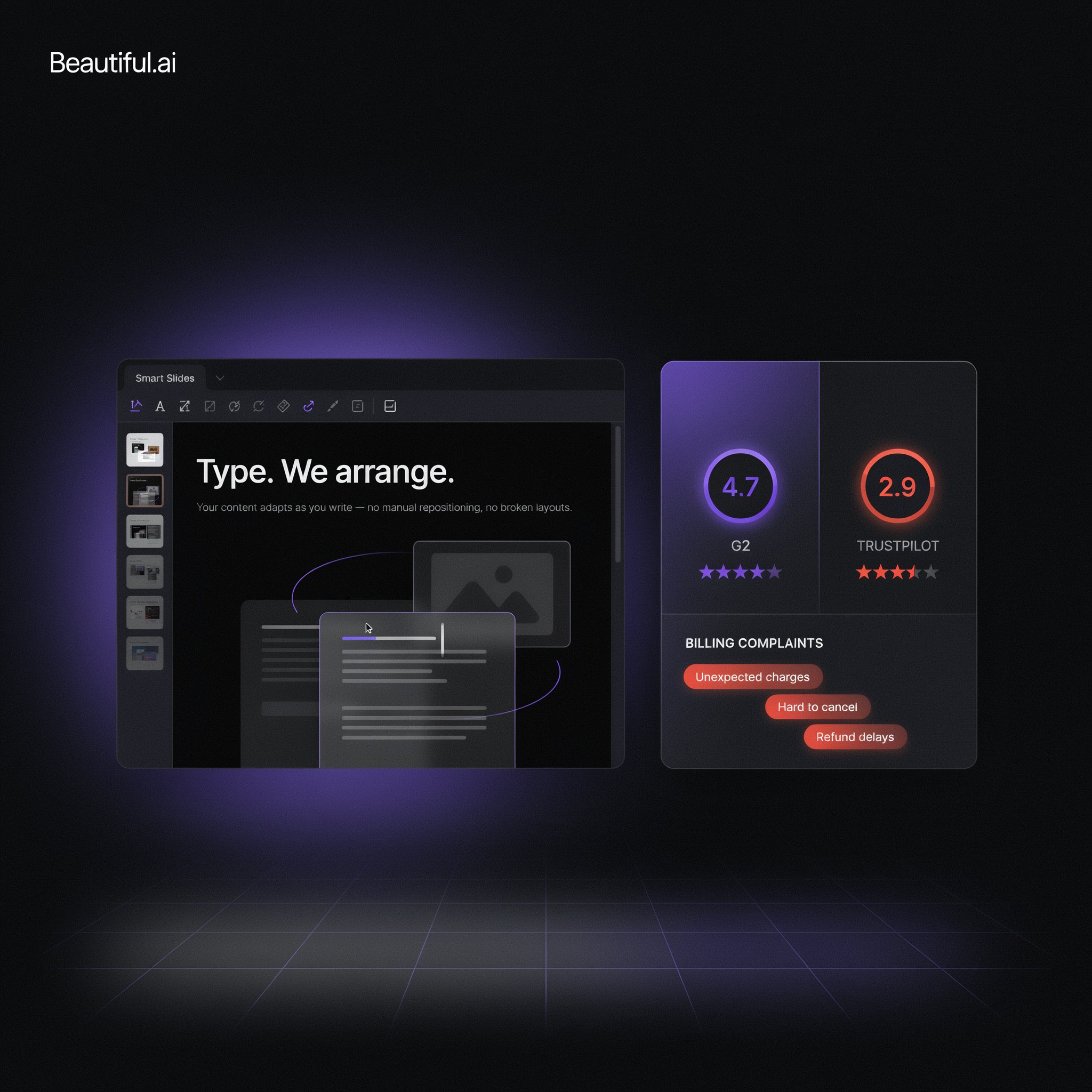
The core product is a Smart Slides engine: choose a layout type, add your content, and the design — spacing, alignment, typography, hierarchy — adjusts automatically every time you edit, no manual formatting required. It's rated 4.7 out of 5 across 195 G2 reviews. It's also rated 2.9 out of 5 across 236 Trustpilot reviews, a 1.8-point spread that one independent reviewer flagged as the widest of any major AI presentation tool. This review covers what the Smart Slides engine actually does well, what's behind that rating gap, and whether it holds up against newer, cheaper AI presentation generators like Gamma and Canva.
What Is Beautiful.ai?
Beautiful.ai is a browser-based presentation platform built around a patented Smart Slides system: pick from more than 70 layout templates, add content, and the tool automatically handles spacing, alignment, and visual hierarchy as that content changes — add a fourth bullet to a three-item list, and the other three resize to fit, no manual dragging required. Classic Slides exist alongside Smart Slides for anyone who wants a blank canvas instead. Beyond layout, the platform includes AI content generation from a prompt, custom brand styling, live data linking so a chart updates across every deck that references it, and integrations with Slack, Salesforce, and PowerPoint import/export.
Key Features
Smart Slides Auto-Layout Engine
This is the feature the product is built around, and it's also the one independent reviewers and G2 users praise most consistently. Add, remove, or resize content on a Smart Slide, and the layout recalculates automatically — no manually dragging text boxes to line up, no fighting with alignment guides. One G2 reviewer, Ishan S., described the practical effect directly: the auto-formatting lets him focus on explaining content rather than fixing slide alignment. The tradeoff, echoed by another G2 reviewer, Duncan B., is real: Smart Slides can struggle when a client specifically needs several dense items packed onto one slide, since the engine is optimized for clean, uncluttered layouts rather than maximum information density.
Prompt-to-Draft AI Generation
Type a topic or prompt, and Beautiful.ai generates a first-draft outline with placeholder content and a suggested structure, which you then refine inside the Smart Slides system. It's a starting point rather than a finished product — the generation step gets you past a blank page faster, but the real value still comes from the auto-layout engine doing the formatting work as you build out real content on top of that draft.
Brand Guardrails and Shared Libraries (Team Tier)
On the Team plan and above, organizations can lock templates, enforce brand colors and fonts, and maintain a centralized, searchable library of approved slides and assets that stay in sync across every deck built from them — push an updated logo or data point once, and it propagates everywhere that asset is used. This is squarely built for larger teams that need visual consistency across many presentation-builders, and it's not available at all on the entry Pro tier, which is worth knowing if brand control is the actual reason you're evaluating the tool.
PowerPoint Import and Export
Existing PowerPoint decks can be imported and reformatted through Smart Slides, and finished presentations export back to editable PowerPoint files — a genuinely practical detail for consultants or agencies whose clients still live in PowerPoint day to day. It means adopting Beautiful.ai doesn't require convincing everyone downstream to also switch tools, since the final deliverable can still land as a normal .pptx file.
Beautiful.ai Pricing
| Plan | Price | What's Included |
|---|---|---|
| Pro | $12/mo (annual) | Unlimited AI presentations, custom branding, analytics, 1 user |
| Team | $40/user/mo (annual) | Real-time collaboration, shared libraries, brand guardrails, up to 20 seats |
| SMB / Enterprise | $6,000–$12,000/yr flat, or custom | SSO, audit logs, dedicated onboarding, priority support |
ToolRadar has no affiliate relationship with Beautiful.ai — the link above goes directly to the official site.
Pros and Cons
✓ What Works
- ✅ Smart Slides auto-layout is genuinely the most mature, consistently well-reviewed engine of its kind in this category, with nearly a decade of refinement behind it
- ✅ PowerPoint import and export means clients or colleagues who haven't switched tools still get a normal .pptx file
- ✅ Team-tier brand guardrails and shared libraries are a real, practical fit for larger organizations that need visual consistency across many decks
- ✅ Annual Pro pricing at $12/month is genuinely inexpensive for a solo user once past the trial
✗ What to Watch For
- ❌ No free plan, and the 14-day trial requires a credit card upfront that auto-bills at the Pro annual rate if not cancelled in time
- ❌ A well-documented 1.8-point gap between G2 (4.7/5) and Trustpilot (2.9/5) — the widest of any major AI presentation tool per independent analysis — with Trustpilot reviews repeatedly citing unexpected renewals and difficulty getting refunds
- ❌ Smart Slides' rigid, clean-layout philosophy struggles with dense, information-heavy slides some client work genuinely requires, and the jump from Pro ($12/user) to Team ($40/user) is steep
💡 What Real Users Are Saying
Beautiful.ai vs. Competitors
| Tool | Best For | Starting Price | Review Spread |
|---|---|---|---|
| Beautiful.ai | Polished, brand-consistent decks with zero manual formatting | $12/mo (annual), no free plan | G2 4.7 vs Trustpilot 2.9 |
| Gamma | Fast AI generation from a prompt, credit-based | Free (400 credits), paid tiers after | Generally consistent across platforms |
| Canva | Broad design flexibility beyond presentations | Free tier, Pro from ~$13/mo | Generally consistent across platforms |
Setup and Learning Curve
Multiple independent reviewers describe the learning curve as genuinely minimal — pick a Smart Slide layout, add content, and the formatting happens automatically, which is a meaningfully lower barrier than a traditional slide tool. Where new users occasionally hit friction is expecting the same flexibility as PowerPoint's blank-canvas freedom; Smart Slides trade some of that manual control for consistency, and it takes a deck or two to stop fighting the system and start working with it.
Who Should Use Beautiful.ai?
Best For: Solo consultants, sales teams, and non-designers in marketing, HR, or L&D who need consistently polished, on-brand decks fast and don't want to hire a designer or fight with manual formatting — and organizations big enough to justify Team-tier brand guardrails across many presentation-builders.
Look Elsewhere If: You want to test a tool without a credit card first (Gamma and Canva both offer that), your decks need dense, information-heavy slides that don't fit a clean auto-layout philosophy, or reliable, responsive customer support is a priority — Trustpilot's pattern of billing and account-access complaints is worth weighing seriously before committing to an annual plan.
Expert Editorial Opinion
The Smart Slides engine is the real thing this product is built on, and nearly a decade of refinement shows. It's consistently the single most-praised feature across every review platform checked for this article, G2 included, and it remains a genuinely more mature auto-layout system than most newer AI presentation tools have matched.
The G2-versus-Trustpilot gap deserves direct attention rather than a passing mention, because a 1.8-point spread this wide, described by an independent reviewer as the widest in the category, isn't noise — it's a real signal about two different experiences. G2 reviews skew toward the core product experience (does the tool make good-looking slides fast), while the Trustpilot pattern centers specifically on billing and support: unexpected annual renewals after the trial, difficulty getting refunds, and slow account-access resolution. Those are different axes of quality, and a buyer should weigh both rather than anchoring on whichever number is more flattering.
The no-free-plan, credit-card-required trial is a real point of friction relative to where the category has moved. Gamma offers 400 free credits with no card, and Canva has a genuine free tier; Beautiful.ai asking for payment information upfront, with an auto-bill if you don't cancel in time, is precisely the pattern several of the Trustpilot complaints describe running into.
Once you're past that friction, the actual pricing is competitive: $12/month annually for Pro is inexpensive for a solo user, and the jump to $40/user/month for Team unlocks real, useful collaboration and brand-control features rather than padding. The SMB flat-rate plans ($6,000/year for 50 seats, $12,000/year for 100) are a reasonable middle path for organizations that want team-wide access without straight per-seat math.
Whether it's worth committing a credit card to the 14-day trial comes down to how much you value polish and consistency over raw flexibility. If your decks are typically clean, idea-per-slide presentations, Smart Slides will likely produce better output faster than you'd get manually. If your work genuinely requires dense, information-packed slides, or you'd rather test-drive for free first, starting with Gamma or Canva's free tiers before ever entering a card number is the lower-risk path into this category.
Final Verdict
Beautiful.ai's answer to whether it beats newer AI presentation generators is genuinely mixed, and that's the honest takeaway rather than a weakness to hide. The Smart Slides auto-layout engine is more mature and more consistently praised than most competitors' equivalent, backed by real, specific G2 reviews rather than vague marketing claims. But the well-documented gap between its G2 and Trustpilot scores, centered specifically on billing and support rather than the core product, is a real pattern worth taking seriously, and the lack of a genuine free tier is a real disadvantage against Gamma and Canva for anyone who wants to try before they commit a card number.
Technical Quality: 8.5/10 · Price-to-Value: 7.0/10 · Support & Trust: 5.5/10
🔗 Related ToolRadar Reviews
More tools from AI Design & Presentation Tools
❓ Frequently Asked Questions
Deciding between Beautiful.ai and a free AI presentation tool?
Read the Trustpilot reviews alongside the G2 ones before entering a card number for the trial — the gap between them tells a real, specific story worth knowing first.

Comments
Post a Comment