


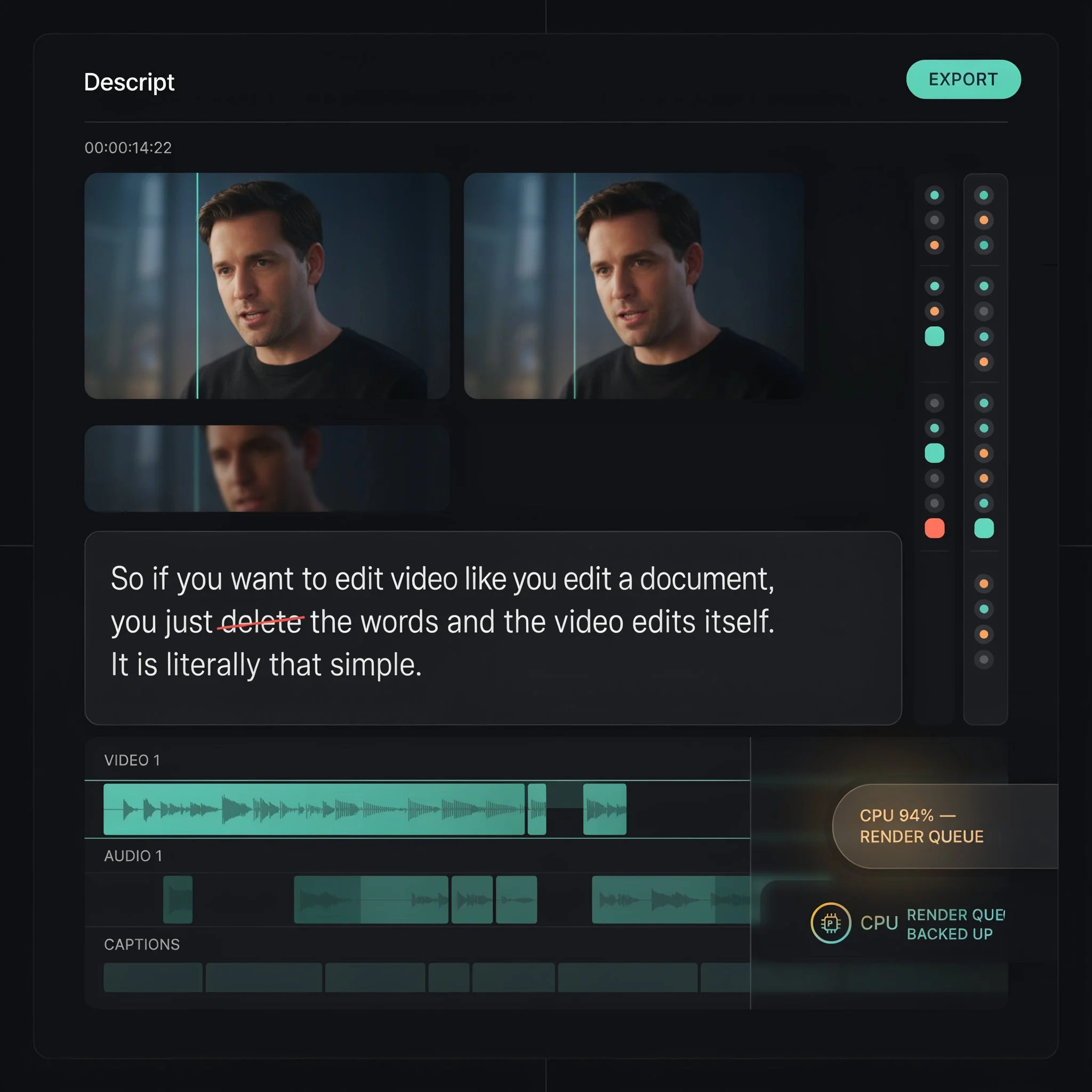
Descript Review 2026: Is the Performance Still a Problem?
Descript scores 6.8/10 in ToolRadar's independent review — the text-based editor that turns a transcript into a video-editing timeline, tested against its 4.6/5 G2 rating, its own acknowledged performance problems, and 865 real reviews.
Comprehensive review based on official company documentation and verified user reviews.
Descript's core idea is genuinely elegant: instead of scrubbing a timeline, you edit the transcript, and the video or audio changes to match. Delete a sentence from the text, and that chunk disappears from the recording. For podcasters and interview-heavy creators, that's not a gimmick — it's a real shift in how editing feels. But this review's title asks a direct question for a reason: performance complaints about Descript have been consistent enough, recently enough, and specific enough that they can't be waved off as a vocal minority.
Descript is a text-based audio and video editor: record or import media, get an automatic transcript, and edit that transcript to edit the underlying content directly. Overdub, its AI voice-cloning feature, lets you fix a misspoken word by typing the correction rather than re-recording. It's rated 4.6 out of 5 across 865 G2 reviews, a strong and substantial sample. It's also the subject of a specific, recurring, and company-acknowledged complaint: freezing, lag, and multi-day processing delays on projects that should take minutes, even on powerful hardware. This review covers both sides directly — what the transcript-editing workflow genuinely does well, and how serious the performance problem actually is in 2026.
What Is Descript?
Descript is an all-in-one audio and video editing platform built around a text-based workflow: record directly in the app or import existing media, get an automatic transcript with speaker detection, and edit that transcript to cut, move, or delete content — the underlying media updates to match. Beyond editing, it includes Studio Sound for AI noise removal, filler-word removal, dynamic captions, screen recording, and Overdub, a voice-cloning feature that regenerates a misspoken word in your own cloned voice rather than requiring a re-record. A newer, beta Video Regenerate feature extends that further, re-syncing lip movement in video to match regenerated audio.
Key Features
Edit-by-Transcript Workflow
This is the feature the entire product is built around, and it's the reason Descript built a loyal following among podcasters and interview-based creators in the first place: instead of scrubbing a timeline to find and cut a specific moment, you find it in the transcript text and delete it, and the audio or video updates automatically. For dialogue-heavy content, this genuinely does turn editing into something closer to word processing than traditional video editing, and it's consistently the highest-praised feature across G2 reviews.
Overdub AI Voice Cloning
Misspeak a word, and instead of re-recording the whole take, you type the correction into the transcript and Overdub generates the fix in your own cloned voice. Consent controls are genuinely tight — you can only clone your own voice, and every piece of Overdub-generated audio carries an invisible watermark. One creator's account on X is specific and credible: cutting pickup time from 3 hours to 30 minutes because a misspoken line no longer meant reopening the mic and re-recording an entire segment. This is the feature that makes podcasters and course creators stick around even when other parts of the product frustrate them.
Studio Sound and Filler Word Removal
Studio Sound applies AI noise removal to clean up background sound without separate audio software, and filler-word removal automatically detects and strips "um," "uh," "like," and repeated words in bulk. Both are genuinely time-saving for raw, unscripted recordings, and Studio Sound specifically improves downstream transcription accuracy by cleaning the audio before the transcript is generated.
Performance: The Feature That Isn't One
This isn't a feature, but it belongs in this section because it shapes the actual day-to-day experience of every other one. Independent reviews compiling G2, Trustpilot, Reddit, and X reports consistently describe the same pattern: 3-5 second freezes on basic operations like searching or deleting a word, even on machines with Apple M4 chips, RTX 3060 GPUs, and 32GB of RAM. One documented case describes a 50-second video that took days to process. Descript's own help documentation acknowledges projects can run "slow, glitchy, or lagging" and suggests downgrading from 4K to 1080p as a workaround — a company confirming, in its own words, what independent reviewers keep reporting.
Descript Pricing
| Plan | Price/Month | What's Included |
|---|---|---|
| Free | $0 | 1 hour transcription, 720p export with watermark |
| Hobbyist | $12–$16 | 10 transcription hours, 1080p export, no watermark |
| Creator | $24–$35 | 30 transcription hours, 4K export, unlimited AI actions |
ToolRadar has no affiliate relationship with Descript — the link above goes directly to the official site.
Pros and Cons
✓ What Works
- ✅ The edit-by-transcript workflow is a genuine, well-loved shift for podcast and interview-heavy content, not a gimmick feature
- ✅ Overdub's voice-clone corrections cut real pickup time — one creator's documented account describes going from 3 hours to 30 minutes
- ✅ Strong G2 sample size and rating (4.6/5 across 865 reviews) reflecting genuine, sustained satisfaction for its core use case
- ✅ Responsible design choices on Overdub: only your own voice can be cloned, and generated audio carries an invisible watermark
✗ What to Watch For
- ❌ Performance complaints are real, recurring, and confirmed by Descript's own help documentation — freezing and multi-day processing delays even on powerful hardware, not an isolated user issue
- ❌ Transcription accuracy (90-95% on clear audio, dropping to 75-85% with noise, accents, or technical vocabulary) is measurably behind category leaders, and multi-speaker or jargon-heavy audio needs real manual correction time
- ❌ Pricing figures vary meaningfully across sources and even across Descript's own historical pages, and multiple G2 reviewers specifically complain that upgrading mid-cycle doesn't credit unused time on the previous plan
💡 What Real Users Are Saying
Descript vs. Competitors
| Tool | Best For | Starting Price | Transcription Accuracy |
|---|---|---|---|
| Descript | Transcript-based editing for podcasts and interviews | Free, then $12-16/mo | 90-95% clear audio, 75-85% with noise/accents |
| VEED | Browser-based social and marketing video | Free, then $12/mo | 98% clear audio (independently verified) |
| CapCut | Fast, free, mobile-first social editing | Free core | Strong, not independently benchmarked here |
Setup and Learning Curve
The transcript-editing metaphor itself is genuinely fast to pick up for anyone comfortable editing a document — several G2 reviewers describe the core workflow as intuitive within the first session. Where the real learning curve shows up is everywhere else: confusing plan tiers, AI credits that run out faster than expected during the learning phase, and, per one detailed G2 review, a genuine struggle understanding what's actually included at each subscription level. Combined with the performance issues on larger projects, new users should expect the first week to involve some real friction beyond just learning the interface.
Who Should Use Descript?
Best For: Podcasters, interview-based YouTubers, course creators, and consultants producing dialogue-heavy, talking-head content where the transcript-editing workflow and Overdub's pickup corrections genuinely save meaningful time — provided project sizes stay modest enough to avoid the worst of the reported performance issues.
Look Elsewhere If: You need reliable performance on longer, more complex, or 4K projects (the performance complaints are real and company-acknowledged), your audio has heavy background noise, multiple overlapping speakers, or technical jargon (accuracy drops meaningfully there), or you need cinematic color grading and motion graphics, which Descript isn't built for.
Expert Editorial Opinion
The transcript-editing idea itself has aged well. It was genuinely novel when Descript introduced it, and it remains the clearest reason podcasters and interview creators choose this tool over a traditional timeline editor. That core insight hasn't been meaningfully improved on by competitors, and it's the reason 865 G2 reviewers still average 4.6 out of 5 despite everything else in this review.
The performance problem is the part that deserves the most direct treatment, because it isn't a rumor or a small vocal minority — it's confirmed by Descript's own help documentation, which explicitly acknowledges projects can run slow or glitchy and recommends downgrading resolution as a workaround. When a company's own support material validates the exact complaint pattern independent reviewers are documenting across G2, Trustpilot, Reddit, and X, that's a different level of evidence than scattered anecdotes, and it should weigh heavily in any decision to adopt this for anything time-sensitive.
The transcription accuracy gap versus category peers is smaller than the performance issue but still real and measurable: 90-95% on clear audio versus VEED's independently verified 98%, with a steeper drop on noisy or jargon-heavy recordings. For B2B or technical content specifically, where product names and domain vocabulary are common, the correction burden can eat significantly into the time savings the transcript-editing workflow is supposed to provide.
Pricing here is genuinely harder to pin down than almost anything else reviewed in this series — Hobbyist has been reported anywhere from $12 to $16 a month and Creator from $24 to $35, across sources published within months of each other in 2026. Combined with real G2 complaints about mid-cycle upgrades not crediting unused time, this is a product where confirming the exact current terms directly before committing matters more than usual.
Whether Descript is worth paying for comes down almost entirely to project size and stakes. For short, dialogue-driven content where the edit-by-transcript workflow and Overdub genuinely apply, the free plan is enough to judge that fit before paying anything. For anything longer, higher-resolution, or time-sensitive, the documented performance issues are a real risk worth weighing against a competitor with a cleaner reliability record before committing a production workflow to it.
Final Verdict
Descript's core idea — edit a transcript instead of a timeline — remains genuinely good, and Overdub's voice-correction feature is the kind of specific, well-executed tool that builds real loyalty among the podcasters and interview creators it was built for. What keeps this review's score from being higher is a performance problem that isn't speculation: Descript's own documentation confirms projects can run slow and glitchy, independent reviewers across every platform checked describe the same freezing and multi-day processing delays, and transcription accuracy trails category leaders like VEED on anything but clean, simple audio. This is a strong tool for its specific, narrow use case and a genuinely risky choice for anything larger, more complex, or time-sensitive until the performance issue is actually resolved rather than just documented as a known limitation.
Technical Quality: 6.5/10 · Price-to-Value: 7.0/10 · Maturity & Documentation: 8.0/10
🔗 Related ToolRadar Reviews
More tools from AI Video Tools
- VEED Review 2026: The Browser Video Editor
- Is CapCut AI Still King of Free Video Editing?
- Can AI Really Edit Your Video Like a Pro?
- Synthesia: Create Videos With AI Avatars
- Lumen5: Create Professional Videos From Text
- Is Fliki the Best Text-to-Video Tool?
- Runway Gen-3 Alpha: The Ultimate AI Video Tool
- Kling AI Review 2026: Best AI Video Generator?
❓ Frequently Asked Questions
Editing podcast or interview content and tired of scrubbing a timeline?
Test the free plan on a short project first, specifically to see whether the reported performance issues show up on your own hardware before committing a real production workflow to it.

Comments
Post a Comment