


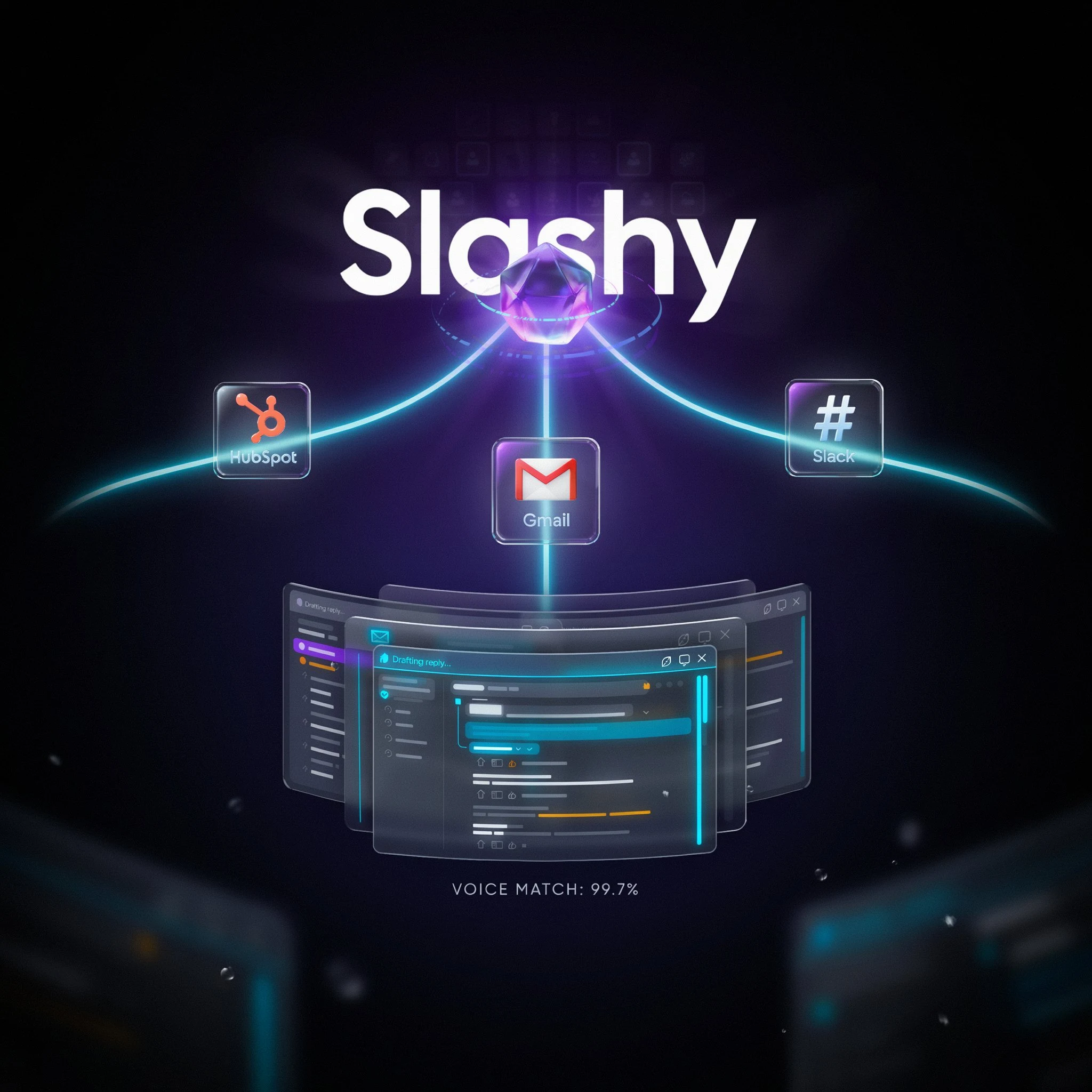
Slashy Review: The YC-Backed AI Email Client That Learns How You Write — and Manages Your Inbox While You Sleep
Y Combinator S25 — Slashy is the AI-native email client with a self-updating memory system that learns your tone, contacts, and habits from your inbox history, drafts replies that sound exactly like you, and automates follow-ups, meeting briefings, and scheduling without you ever leaving your inbox.
Every AI email tool can write. That's the problem. They write — but they don't know who you're talking to, what you discussed in the last meeting, how you actually sign off your emails, or which threads have been sitting unanswered for five days. You paste in context every time and get something that sounds like a press release instead of you. Slashy was built specifically to solve that — not by bolting a language model onto your inbox, but by building a persistent memory of you that gets smarter with every email you send, edit, or archive.
Founded in San Francisco by Harsha Gaddipati (co-founder and "chief email officer") and backed by Y Combinator's S25 batch with $2M raised, Slashy launched publicly on Product Hunt on June 14, 2026. The product positions itself as "Cursor for Email" — the same philosophy that made Cursor the dominant AI coding tool, applied to the inbox: an AI that works inside your existing workflow (Gmail or Outlook), learns your patterns from your actual history, and gets progressively more accurate the longer you use it. It's used by pre-seed founders, investors, and sales teams at fast-growing startups including Corgi, Datafruit, and Autumn.
What Is Slashy?
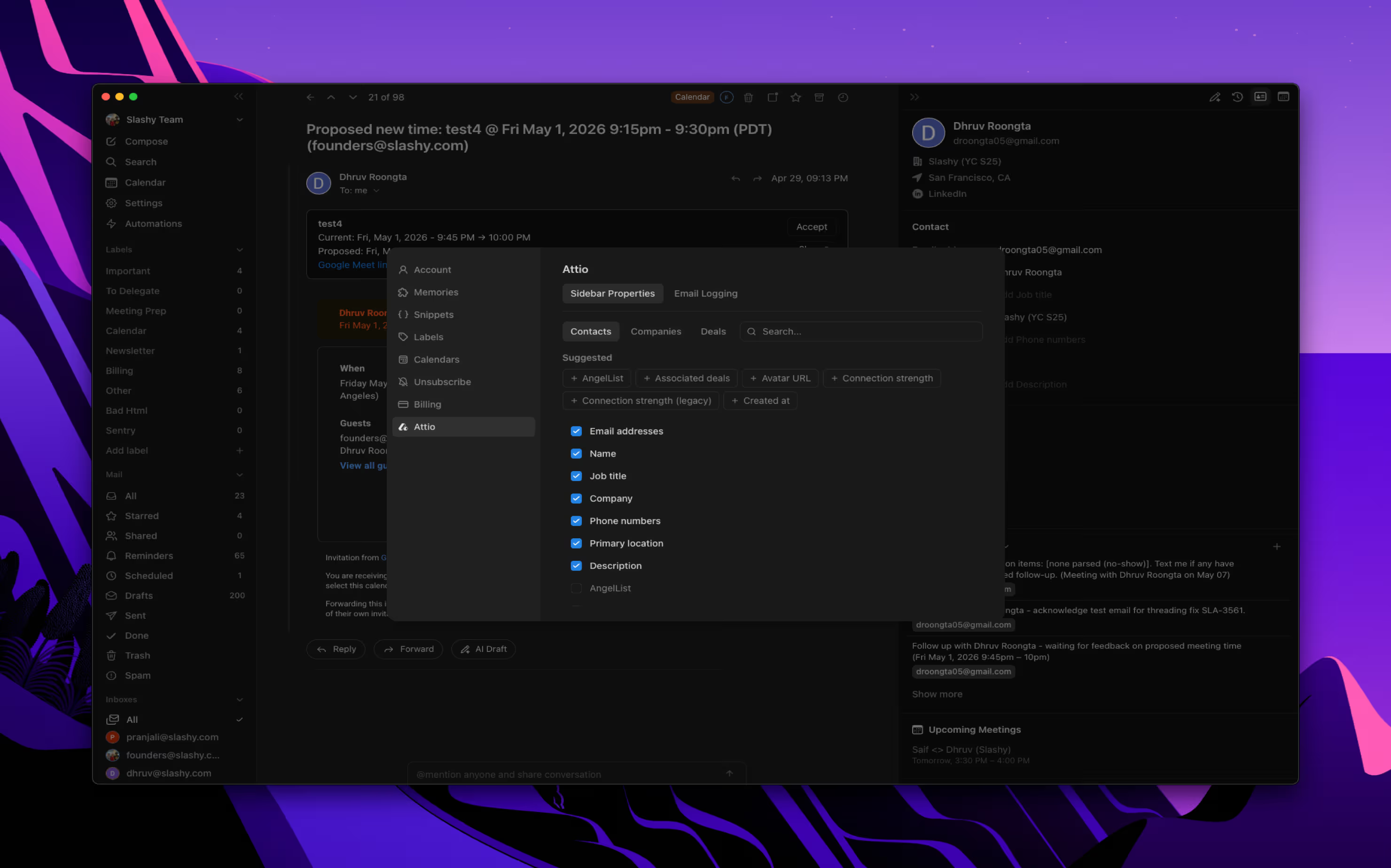
Slashy is an AI-native email client that layers on top of your existing Gmail or Outlook account — no migration required — and builds a persistent, self-updating memory model of how you communicate. Rather than injecting a few recent sent emails into a prompt and generating a generic draft, Slashy studies your full inbox history: your tone and vocabulary, your sign-off preferences, your VIP contacts, your recurring habits (investor updates every Monday, weekly team check-ins), your active to-dos, and how you communicate differently with different people. Every edit you make to a draft, every email you send, and every message you archive feeds back into this model automatically — making each subsequent draft more accurate to your actual style. The platform integrates with 15+ tools including HubSpot and Attio for CRM-aware drafting, Granola for pulling meeting notes directly into email threads, Zoom and Google Meet for auto-attaching conference links, and exposes an MCP server so external AI agents — including Claude and ChatGPT — can read and act on your inbox. Mobile access runs through iMessage and Slack via the "Text Slashy" feature. SOC 2 Type II certified, AES-256 encryption, and no training on customer data.
Key Features
Self-Updating Memory System
Slashy builds a real model of your communication patterns from your full inbox history — tone, sign-offs, VIP contacts, recurring habits, active to-dos — and updates it automatically every time you send, edit, or archive. Drafts become progressively more accurate to your actual voice over time, not worse.
One-Click Voice-Matched Drafting
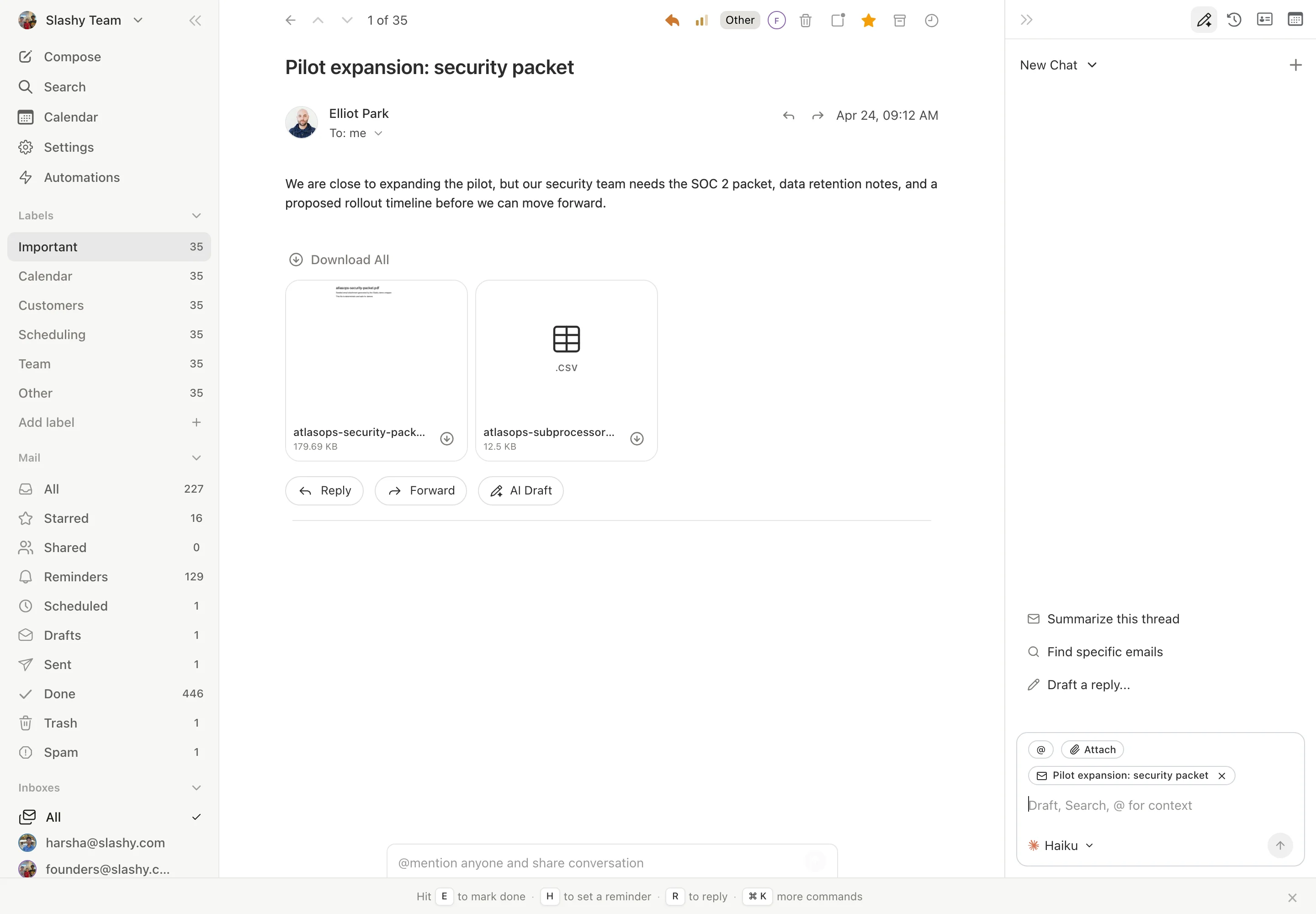
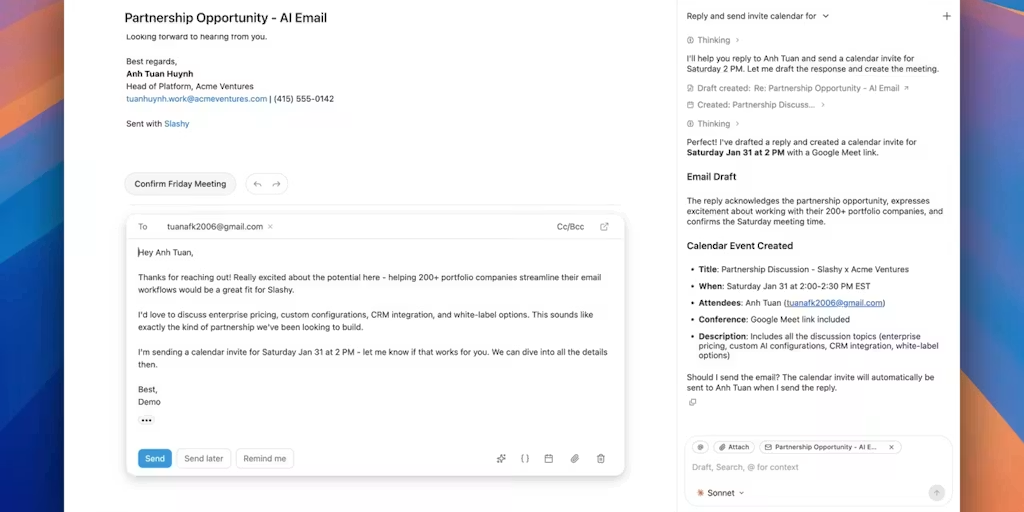
Drafts replies in your tone, ready to send in one click. Calendar-aware drafts include meeting context and open questions from your last call automatically. Inline AI assistant highlights any text for instant rewrite, shorten, or tone change without leaving the thread.
Text Slashy (iMessage & Slack Bot)
Manage your inbox on the go without a mobile app. Text Slashy to draft a reply, triage urgent emails, check your calendar, or send a running-late message to your next meeting. The bot operates with full memory context and never sends without your confirmation by default.
Inbox Automations & Meeting Briefings
Trigger AI workflows on incoming email, before or after calendar events, on email opens, or on a cron schedule. Automated meeting briefings summarize the thread history, decisions, and open questions before every call. Follow-up reminders surface threads that have gone unanswered without requiring manual flagging.
Pricing Plans
| Plan | Price | What's Included |
|---|---|---|
| Free | $0 — no credit card | Core AI drafting, basic memory, single inbox, community support — free to start permanently |
| Professional | $16/month (starts at $16 — exact tiers on slashy.com/pricing) | Full memory system, multi-inbox unified view, automations, meeting briefings, CRM integrations, MCP server, iMessage and Slack bot |
| Enterprise | Custom pricing | SOC 2 Type II compliance, SSO, RBAC, admin controls, audit logs, priority support, custom SLA |
Product Hunt launch promo: SLASHYFRIENDS gets 20% off all subscriptions, lifetime. All tiers include no training on customer data. By default, Slashy never sends email without explicit user confirmation — autonomous sending requires user-configured opt-in.
Try Slashy Free — Start in 2 Minutes →Pros & Cons
✓ What We Like
- ✅ Self-updating memory system — gets smarter every time you send, edit, or archive, no manual training required
- ✅ MCP server with multi-inbox + calendar support — the only email MCP that lets Claude and other agents act on your full inbox with context
- ✅ Text Slashy — manage your inbox from iMessage or Slack without a mobile app, with full memory context
- ✅ SOC 2 Type II + AES-256 encryption + no training on data — enterprise-grade privacy from a YC startup
✗ What Could Be Better
- ❌ No dedicated mobile app — mobile access via iMessage and Slack bot, which works but is a different experience than a native app
- ❌ Memory system takes time to calibrate — drafts improve significantly after 2–4 weeks of real usage; early drafts may require more editing
- ❌ Professional plan pricing not fully transparent at $16/month starting — exact feature tier limits require checking slashy.com/pricing
- ❌ Gmail and Outlook only — no support for other email providers; self-hosting or on-prem email not supported
💡 Community Feedback: What Users Say
How It Compares to Alternatives
| Feature | Slashy | Superhuman | Upstream | Gmail Gemini |
|---|---|---|---|---|
| Memory System | YES — self-updating persistent | NO — session only | PARTIAL | NO |
| MCP Agent Integration | YES — multi-inbox + calendar | NO | YES | NO |
| Text / iMessage Access | YES — native bot | NO | NO | NO |
| Free Plan | YES | NO ($30/mo) | YES | YES (Gmail) |
Slashy occupies a fundamentally different position in the AI email landscape than its competitors. Superhuman is a speed-optimized email client built for keyboard-shortcut power users — it makes you faster at the same tasks, but it doesn't learn your voice or automate your workflow. Upstream adds team collaboration layers to email but lacks the persistent memory architecture that makes Slashy's drafts progressively more accurate. Gmail Gemini is convenient because it's already in your inbox, but it's a generic AI assistant with no memory of how you communicate — every draft starts from zero context. Slashy is the only platform that combines persistent self-updating memory, MCP agent integration, and a free tier, making it the most technically complete AI email client for individual professionals in 2026.
Who Should Use Slashy?
Best For: Founders, investors, sales professionals, and operators who receive 50+ emails a day and spend more than an hour on inbox management. Anyone who has tried AI email tools and found the drafts too generic — not because the AI can't write, but because it doesn't know enough about them. Teams at fast-growing startups who need CRM-aware email drafting (HubSpot, Attio) and meeting-context briefings without switching apps. Power users who want to give Claude or other AI agents access to their inbox via MCP without building custom infrastructure.
Consider Alternatives If: You need a polished mobile app rather than an iMessage bot for on-the-go inbox management — Superhuman has a stronger mobile experience. You want a full team collaboration layer inside email (shared channels, thread commenting) — Upstream is built specifically for that. You're deeply embedded in Google Workspace and want AI that stays inside Gmail's native interface — Gmail Gemini is simpler and requires no new client. You manage a customer support team inbox rather than a personal professional inbox — Front or Intercom are better fits for shared team inboxes.
Expert Editorial Opinion
Slashy's diagnosis of the AI email problem is precise and correct. The reason AI email drafting tools feel generic is not because the models can't write — it's because they have no persistent context. Every session starts from zero. You paste in the email chain, describe who the recipient is, explain the project context, and get something that reads like a competent stranger wrote it. Slashy's self-updating memory system — which builds a real model of your communication patterns from your full inbox history and updates automatically with every interaction — is the correct architectural response to this problem.
The MCP server is an underrated feature. Most AI email tools are closed systems — they draft, you send, nothing else connects. Slashy's MCP implementation lets Claude Desktop, ChatGPT, or any MCP-compatible agent read your inbox, query your calendar, and act on both with the full context of your communication history. For founders and operators already building agent-powered workflows, this means email stops being a silo and becomes a live, queryable data layer for any AI workflow they're running. The co-founder's confirmation on Product Hunt that it's "the only email MCP that supports multi-inbox, calendar, and can update Slashy's personalized memory" is a meaningful technical differentiator.
The real test for Slashy in the next six months is the memory calibration curve. The product works best after weeks of real usage — early users will need to invest time editing drafts before the system truly captures their voice. The Product Hunt comments reflect this: users who've been using it for three months report that email search is excellent and that they're looking forward to agent integrations. Users who are evaluating it fresh will need realistic expectations about the learning curve. The YC backing, the SOC 2 Type II certification at this stage, the "Text Slashy" mobile access innovation, and the MCP-first architecture all point to a team that has thought carefully about what enterprise adoption requires — not just what makes a good demo.
Does the $16/month Professional plan represent a fair pricing gap from the free tier? This is the critical pricing question. The free tier gives you core AI drafting and basic memory — enough to test the interface and see early drafts. The Professional plan unlocks the full memory system, multi-inbox, automations, and MCP server — the features that make Slashy meaningfully different from every other AI email tool. At $16/month (or $12.80 with the SLASHYFRIENDS lifetime discount), the price is competitive with Superhuman's $30/month while offering capabilities Superhuman doesn't have. For professionals spending more than an hour a day on email, the ROI math is straightforward: 4 hours saved per week at any reasonable hourly rate pays for the subscription many times over.
The final question is whether Slashy is worth it for someone who only sends 10 emails a day. The answer is probably no — the memory system needs volume to calibrate, and the automations only matter if you have enough incoming email to automate. For light email users, Gmail Gemini or even plain Gmail is sufficient. But for anyone in a role where email is the primary communication channel — founders, investors, sales professionals, account managers — Slashy is the first AI email client that actually understands the problem it's solving.
Final Verdict
Slashy is the most technically correct AI email client available for founders, investors, and operators in 2026. The self-updating memory system solves the core failure of every AI email tool that came before it. The MCP server with multi-inbox and calendar support opens up agent workflows that no other email client enables. The Text Slashy iMessage bot is a genuinely creative solution to the mobile access problem. SOC 2 Type II compliance and no-training-on-data policy make it enterprise-trustworthy at a YC startup price. For professionals who spend more than an hour a day on email and have been disappointed by generic AI drafts, this is a 9.0 out of 10.
🔗 Related ToolRadar Reviews
More tools from AI Productivity
- I Let AI Take Over My Inbox for 30 Days — Results
- Superhuman Review: The $30 Email App That Actually Works
- Gumloop: Build AI Workflows Without Writing Code — Review
- Zapier AI Review 2026: The Automation Tool That Actually Works
- Can Tana AI Actually Think Ahead of You? — Full Review
- The AI Agent That Works While You Sleep — Full Review
- I Replaced My $200K Chief of Staff With a $99 AI Tool — Here's What Happened
- Stop Taking Meeting Notes: Fireflies.ai Review 2026
❓ Frequently Asked Questions
If your AI email drafts still sound like a stranger wrote them, the problem isn't the model — it's the memory.
Slashy is the first email client that remembers who you are. The question is: are you ready to be remembered?

Comments
Post a Comment