


Cleanvoice AI vs. Descript and Adobe Podcast: Is a Dedicated Cleanup Tool Worth It?
Cleanvoice AI scores 7.6/10 in ToolRadar's independent review — a dedicated audio cleanup tool that automatically strips filler words, mouth sounds, and background noise, tested against its G2 reviews, real Trustpilot accounts, and its 2026 pricing.
Comprehensive review based on official company documentation and verified user reviews.
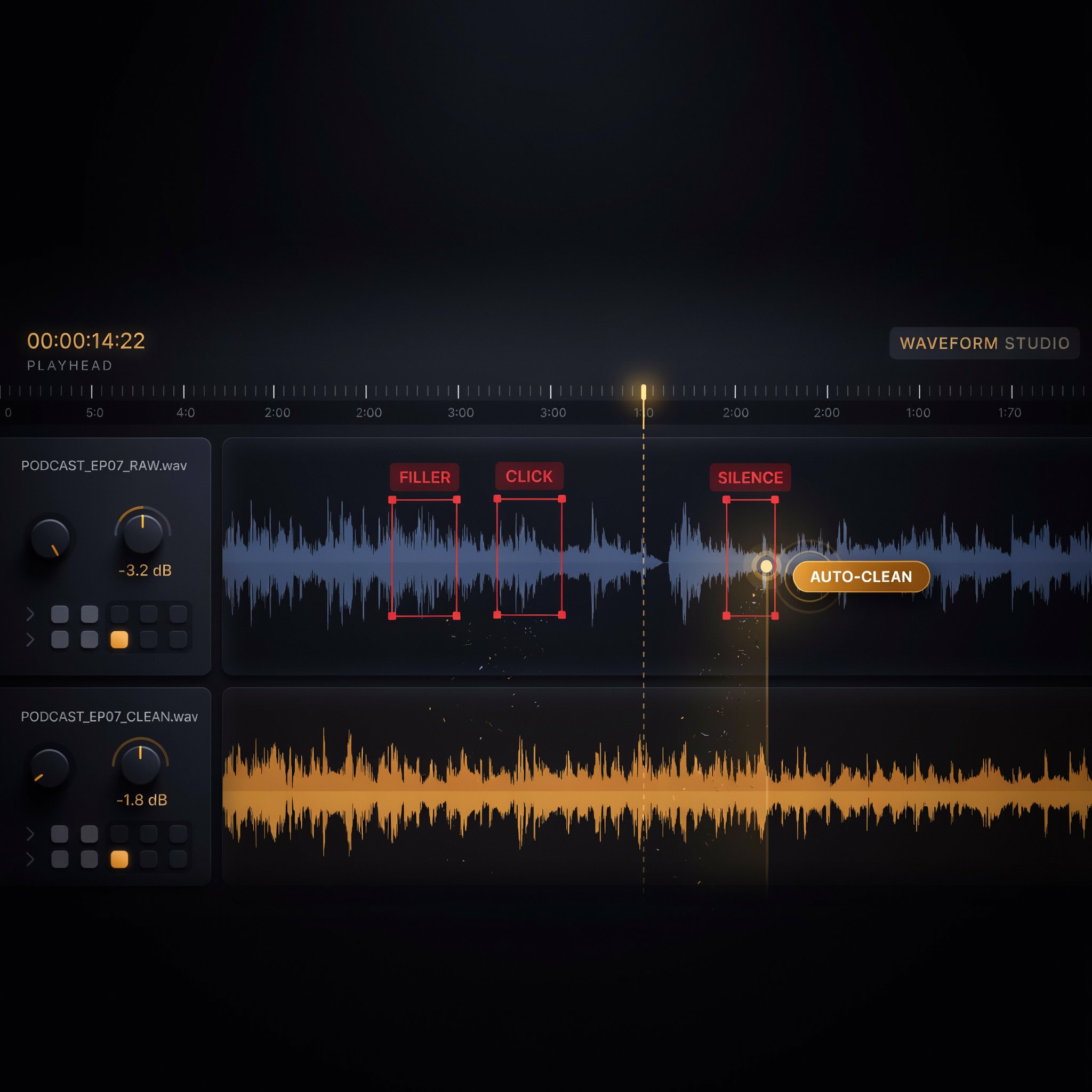
A raw podcast recording is full of the small things nobody wants to hear twice: the "um," the mouth click before a sentence, the three-second silence while someone finds their train of thought. Cleanvoice AI exists to strip all of that out automatically, without asking a creator to open a full editing timeline for a problem that's really just cleanup.
It's a browser-based tool: upload an audio or video file, and it detects and removes filler words, stutters, mouth sounds, long pauses, and background noise, then hands back a cleaned track along with an editable timeline showing exactly what got cut. Beyond cleanup, it generates transcripts, show notes, and social clips from the same upload, and supports more than 20 languages. This review covers what the cleanup actually sounds like according to real G2 and Trustpilot reviewers, including one genuinely specific and moving account of what the tool was used for, and whether a dedicated specialist beats an all-in-one editor like Descript for this one job.
What Is Cleanvoice AI?
Cleanvoice AI is a specialist audio post-production tool: upload a recording, and its machine learning models detect and automatically remove filler words, stutters, mouth sounds, long silences, and background noise, without requiring a full timeline edit. A Timeline Export feature shows exactly what was cut, so a creator can manually review or adjust the AI's decisions rather than trusting a black box. Beyond cleanup, it generates transcripts, AI show notes, and social-ready clips from the same upload, and an API is available for agencies or companies that want to automate cleanup across many files at scale rather than uploading one at a time through the browser.
Key Features
Filler Word, Stutter, and Mouth Sound Removal
This is the core of the product: automatic detection and removal of "um," "uh," stutters, false starts, repeated phrases, and mouth clicks that make raw speech sound unpolished. G2 reviewers consistently rate this the standout feature, with one specifically praising how "beautifully" it handles both filler words and background noise together in a single pass. The honest caveat, also from a G2 review, is real: there's a slight, detectable variation between the cleaned output and the original audio that may matter for advanced audio editing or music production, even if it's inaudible for typical spoken-word content.
Background Noise and Long Pause Removal
Honking cars, barking dogs, HVAC hum, and awkward multi-second silences all get detected and stripped in the same pass as the filler-word cleanup. One Trustpilot reviewer's account is a useful real-world data point: testing it specifically on short, badly-recorded clips with background hiss, faint knocks, and a muffled cough, they described one pass on standard settings as "utterly brilliant," after having tried and given up on Audacity and CrumplePop first for the same job.
Transcription, Show Notes, and Social Clips
Beyond cleaning the audio itself, Cleanvoice generates a transcript, AI-written show notes summarizing episode highlights, and social-ready clips from the same uploaded file — turning one upload into the raw materials for an episode's full publishing checklist rather than requiring separate tools for each output. This bundling is a genuine time-saver for solo podcasters who currently stitch together three or four different tools to get from raw recording to a published episode with promotional assets.
20+ Language Support and API Access
Filler-word and cleanup detection works across more than 20 languages and major accents, a genuinely useful breadth for creators outside English-language podcasting specifically. An API is available for companies and agencies that need to automate cleanup across many files at scale — a real production-pipeline feature, not just a browser tool for individual creators, though it's worth noting at least one third-party listing incorrectly claims Cleanvoice has no API at all, which the company's own site and several other independent reviews directly contradict.
Cleanvoice AI Pricing
| Plan | Price/Month | What's Included |
|---|---|---|
| Free Trial | $0 | 30 minutes of processing, no signup or credit card required |
| Starter | $11 | 10 hours of processing ($1.10/hour), credits roll over up to 3x |
| Standard | $30 | 30 hours of processing ($1.00/hour), higher tiers up to $90/mo available |
ToolRadar has no affiliate relationship with Cleanvoice AI — the link above goes directly to the official site.
Pros and Cons
✓ What Works
- ✅ Genuinely no-signup, no-credit-card free trial (30 minutes) makes it easy to test real audio before paying anything
- ✅ Unused processing credits roll over up to 3x the monthly plan limit, real flexibility for uneven production schedules
- ✅ Specialist focus on cleanup specifically produces results multiple reviewers describe as more thorough than general-purpose editors' built-in noise removal
- ✅ Bundled transcription, show notes, and social clips from the same upload cover more of a podcaster's publishing checklist than cleanup alone
✗ What to Watch For
- ❌ Independent commercial review volume is thin — only 4 total reviews on G2 despite the company being more than 5 years old
- ❌ A G2 reviewer flagged a detectable variation between cleaned and original audio that could matter for advanced editing or music production, and one Trustpilot reviewer reported small pieces of audio being cut during restoration
- ❌ No dedicated desktop or mobile app — it's browser-only, and it's a specialist cleanup tool rather than a full editing suite, so a video-heavy creator will still need a separate editor alongside it
💡 What Real Users Are Saying
Cleanvoice AI vs. Competitors
| Tool | Best For | Starting Price | Scope |
|---|---|---|---|
| Cleanvoice AI | Dedicated, thorough audio cleanup specifically | Free trial, then $11/mo | Cleanup specialist, not a full editor |
| Descript | Cleanup plus full transcript-based editing in one tool | Free, then ~$24/mo | Full editing suite |
| Adobe Podcast (Enhance) | Free, fast noise removal for a single track | Free | Noise cleanup only, no filler-word removal |
Setup and Learning Curve
There's very little to learn: upload a file, let the AI process it, review the timeline of what got cut, and download the result. Multiple reviewers, including a self-described non-technical Trustpilot user who'd already given up on Audacity and CrumplePop, describe this as immediately usable without a learning curve worth mentioning. The one skill worth developing is reviewing the auto-generated timeline before trusting the output blindly, given the documented cases of unwanted small cuts creeping into a restoration pass.
Who Should Use Cleanvoice AI?
Best For: Podcasters, interviewers, and audiobook narrators whose main post-production need is cleanup — filler words, noise, pauses — rather than a full editing timeline, and who'd rather use a specialist tool for that one job instead of learning a heavier all-in-one editor's cleanup features.
Look Elsewhere If: You want cleanup and full editing (cutting, rearranging, multi-track work) in one subscription rather than two separate tools (Descript covers both), your editing is exclusively video-first rather than audio-first, or you're doing music or advanced audio production where the reported slight variation between cleaned and original audio could actually matter.
Expert Editorial Opinion
The specialist-versus-generalist question this review's title asks has a fairly clear answer for the specific job of cleanup: reviewers who've used Cleanvoice alongside general editors consistently describe it as more thorough at this one task than a broader tool's built-in noise removal, which makes sense — a tool built to do one thing well often outperforms the same feature bolted onto a larger product.
The most compelling piece of evidence in this review isn't a feature list — it's the Trustpilot account of someone using Cleanvoice to restore a late spouse's audio recording well enough to build a voice clone for an audiobook. That's about as specific and human a use case as this category gets, and it says more about real output quality under a meaningful, non-trivial task than a generic "saves time" testimonial would.
The commercial review thinness is worth being honest about: only 4 reviews on G2 for a company more than five years old is a real gap, even if what's there is positive and specific. This likely reflects Cleanvoice's positioning — a self-serve tool for individual podcasters rather than a B2B software purchase that generates the review volume enterprise tools typically accumulate on G2 — but it does mean the star rating shouldn't be read as strong social proof at scale.
Pricing here is genuinely one of the more consistent and legible structures reviewed in this series — $1.10 to $1.00 per hour of processing depending on tier, with credits rolling over up to 3x the monthly limit, is straightforward math a buyer can actually calculate against their own production volume. Compared against Descript's roughly $24/month for cleanup-plus-editing, Cleanvoice is cheaper for anyone whose real need is cleanup specifically rather than a full editing suite.
Past the 30-minute free trial, $11 a month for 10 hours of processing is inexpensive relative to the hours of manual editing it replaces, especially for a weekly podcaster whose main pain point really is filler words and noise rather than structural editing. For anyone doing heavier, structural editing work too, the calculation shifts toward whether paying for Cleanvoice on top of a separate editor is worth it versus consolidating into one tool like Descript that does both, even if less thoroughly at cleanup specifically.
Final Verdict
Cleanvoice AI does one job — stripping filler words, mouth sounds, pauses, and noise from spoken audio — and does it thoroughly enough that reviewers who've compared it against general-purpose editors' built-in cleanup consistently rate it higher for that specific task. The genuinely no-signup free trial and legible, rollover-friendly pricing make it low-risk to test against your own worst recording before committing. What holds this back from a higher score is a thin independent commercial review base for a five-year-old company, and real, specific reports of a detectable output variation and occasional over-cutting that are worth knowing about rather than assuming perfection. For pure cleanup, it's a strong, specialist choice; for a single tool that also handles structural editing, Descript remains the more complete option.
Technical Quality: 8.2/10 · Price-to-Value: 8.0/10 · Maturity & Documentation: 6.5/10
🔗 Related ToolRadar Reviews
More tools from AI Audio Tools
- ElevenLabs v3 in 2026: AI Voice That...
- Is Descript Still King of AI Video Editing?
- Is CapCut AI Still King of Free Video Editing?
- Can AI Really Edit Your Video Like a Pro?
- Synthesia: Create Videos With AI Avatars
- Lumen5: Create Professional Videos From Text
- I Summarized a 50-Page Paper in 5 Minutes
- Is Fliki the Best Text-to-Video Tool?
❓ Frequently Asked Questions
Spending hours manually cutting "um"s and background noise out of every episode?
The 30-minute free trial requires no signup — run your worst recent recording through it and judge the cleanup quality directly before paying anything.

Comments
Post a Comment