


CreateOS Sandbox Review 2026: A Promising AI Agent Runtime Still Running on Alpha Promises
CreateOS Sandbox scores 6.4/10 in ToolRadar's independent review — a Firecracker-based, hardware-isolated runtime for AI agents that launched into public alpha this week, tested against its own documentation, GitHub repo, and launch-day technical thread.
Reviewed by the ToolRadar editorial team, based on official documentation, the GitHub SDK repository, and the public launch thread.
- What Is CreateOS Sandbox?
- Key Features
- CreateOS Sandbox Pricing
- Pros and Cons
- What Outside Developers Are Actually Asking
- CreateOS Sandbox vs. Competitors
- Setup and Learning Curve
- Who Should Use CreateOS Sandbox?
- Expert Editorial Opinion
- Final Verdict
- Related ToolRadar Reviews
- Frequently Asked Questions
CreateOS Sandbox is a hardware-isolated runtime for AI agents, built on Firecracker micro-VMs, that shipped its public alpha and Product Hunt launch this week. After digging through the official docs, the GitHub SDK repository, and the actual launch-day comment thread, ToolRadar found a genuinely interesting architecture wrapped in marketing claims the product itself hasn't caught up to yet.
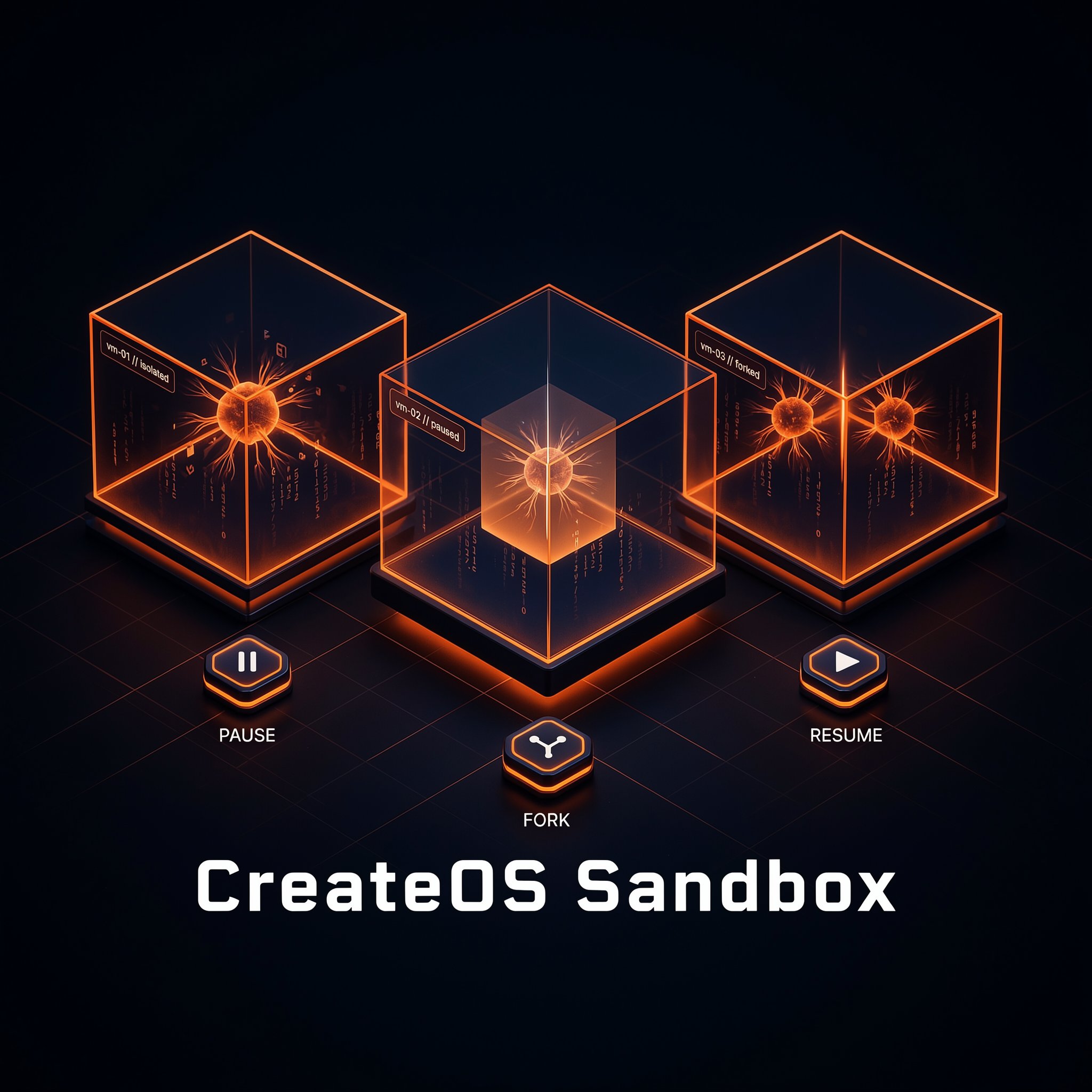
The core idea is simple: instead of running AI-agent-generated code in a shared container, CreateOS Sandbox gives every agent its own Firecracker micro-VM with a dedicated guest kernel, an egress allowlist enforced from outside the guest, and the ability to pause a running sandbox to a snapshot and resume it later without a cold boot. Pricing is matched almost exactly to established players E2B and Daytona. What's less settled is everything around the core tech: the product is explicitly in alpha, the security certifications shown in the site footer are listed elsewhere on the same page as ‘not yet held,’ and the launch thread's own technical back-and-forth revealed the initial egress-mechanism claim wasn't quite accurate. This review breaks down what's real, what's aspirational, and where the gaps are.
What Is CreateOS Sandbox?
CreateOS Sandbox is one product inside a larger platform called CreateOS, which pitches itself as a unified AI execution layer covering an AI gateway, agents, and a CLI alongside the sandbox. The sandbox product itself gives each workload a Firecracker micro-VM with its own Linux kernel, reachable through a TypeScript SDK, a CLI, or MCP so an agent can provision its own compute through a tool call. Sandboxes can talk to each other over a private network for multi-agent setups, mount an S3-compatible bucket you already own instead of copying data around, and pause to a disk snapshot that stops the compute bill and resumes in place later. The company behind it, NodeOps, is a small team building this in public — the Product Hunt launch page for the sandbox is dated today, and the GitHub SDK repository sits at 2 stars and 1 fork as of this review.
Key Features
Firecracker Micro-VM Isolation
Every sandbox runs as its own Firecracker micro-VM with a dedicated guest kernel, which the company positions as a stronger isolation boundary than the shared-kernel containers most competing sandbox tools use for running untrusted, AI-generated code. If a guest kernel is compromised, the blast radius is contained to that one micro-VM rather than spreading to the host or other tenants. Egress is default-deny: outbound network access runs through an allowlist that CreateOS says holds even against fully compromised code inside the sandbox, because the enforcement sits outside the guest. In the public launch thread, the founding engineer clarified under questioning that the actual mechanism is a kernel iptables chain plus a transparent SNI-reading proxy — not eBPF, as the initial marketing copy claimed — though the 'enforced from outside the guest' security property itself held up under the correction. For a team running agent-generated code they haven't reviewed, that's the single most load-bearing claim in the whole product, and it's worth reading the technical thread yourself before trusting it in production.
Pause-to-Snapshot and Fork
Instead of tearing a sandbox down when an agent goes idle, CreateOS can pause it into a Firecracker snapshot on disk — freezing RAM, vCPU registers, and device state — and stop billing compute the moment it pauses. Resuming maps that snapshot back into a fresh micro-VM rather than cold-booting, so a multi-step agent task can survive an idle gap without losing its place. A running sandbox can also be forked into multiple branches that each inherit the full memory and working state of the parent, aimed squarely at agent workloads that explore several possible next steps and want to keep only the winning branch. This pause/fork pairing is a genuinely different design choice than most competing sandbox tools, which mostly offer a single running-or-destroyed state.
Bring-Your-Own Storage and Infrastructure
Rather than locking output inside a proprietary storage layer, CreateOS lets you mount your own Amazon S3, MinIO, or Cloudflare R2 bucket as a filesystem, and the ephemeral disk syncs to it automatically without a manual copy step. Teams that need to keep code and data inside their own security boundary can also run the control plane and storage on their own infrastructure — the company frames this as the interim control for regulated teams while formal certifications are still on its roadmap. A CI-focused use case shared in the launch thread describes swapping ephemeral GitHub Actions runners for these sandboxes to cut runner costs and remove hand-written egress rules from an on-call rotation, though that account comes from someone credited as part of the CreateOS team rather than an independent customer.
Per-Second Pricing Matched to E2B and Daytona
CreateOS bills per second at $0.0504 per vCPU-hour plus $0.0162 per GiB-RAM-hour, with unmetered networking so egress is free — a rate the company says it deliberately matched to established competitors E2B and Daytona, and it does line up with third-party pricing trackers for both. New accounts get 500 free alpha credits with no card required. For teams already comparing E2B or Daytona, that means the sandbox itself isn't a reason to switch on price — it's a wash — so the decision comes down to trusting the isolation model and accepting an alpha-stage product instead.
CreateOS Sandbox Pricing
| Component | Rate | Notes |
|---|---|---|
| Compute | $0.0504 / vCPU-hour | Billed per second |
| Memory | $0.0162 / GiB-RAM-hour | Billed per second |
| Egress | $0 | Unmetered, no per-GB fees |
ToolRadar is not currently a CreateOS affiliate — the link above goes directly to the official sign-up page.
Pros and Cons
✓ What Works
- ✅ Firecracker micro-VM isolation gives each agent a real guest kernel, not a shared-kernel container
- ✅ Pause-to-snapshot and fork are genuinely useful for multi-step, branching agent workflows
- ✅ Per-second pricing matched to established players E2B and Daytona, with free egress
- ✅ Bring-your-own S3/MinIO/R2 storage, with an option to self-host the whole control plane
✗ What to Watch For
- ❌ Publicly in alpha with a 2-star GitHub repo and no independent user reviews yet
- ❌ The site's own FAQ says SOC 2, ISO, HIPAA, and GDPR certifications are on the roadmap, while the footer of the same page displays SOC 2 and ISO badges
- ❌ The founding engineer publicly corrected his own team's initial claim that egress runs on eBPF — it's actually an iptables-and-proxy hybrid — within hours of launch
💡 What Outside Developers Are Actually Asking
CreateOS Sandbox vs. Competitors
| Tool | Isolation | Price | Maturity |
|---|---|---|---|
| CreateOS Sandbox | Firecracker micro-VM, pause/fork | $0.0504/vCPU-hr | Public alpha (launched this week) |
| E2B | Firecracker micro-VM | $0.0504/vCPU-hr + $150/mo Pro floor | Established, 24-hour sessions |
| Daytona | Firecracker micro-VM | $0.0504/vCPU-hr, $200 free credits | Established, ~90ms cold start |
Setup and Learning Curve
There's effectively no learning-curve data yet beyond the SDK's own quickstart, since the product launched days ago. The TypeScript SDK itself reads cleanly — zero runtime dependencies, typed errors, automatic retries — and the docs follow the Diátaxis structure with a real quickstart, tutorial, and API reference rather than just a README. The honest caveat is that 163 commits and 2 GitHub stars is a maintainer's own iteration history, not evidence of outside developers who've actually put it through a production workload.
Who Should Use CreateOS Sandbox?
Best For: Teams already comfortable running on E2B or Daytona and curious about pause/fork for branching agent workflows, who are willing to build on an alpha product with a small team behind it and no formal security certifications yet.
Consider an Alternative If: You need SOC 2 or ISO certification today rather than 'on the roadmap,' you want a sandbox provider with an actual base of independent customer reviews, or you can't tolerate an alpha product's API surface changing under you — E2B and Daytona both have longer track records.
Expert Editorial Opinion
The core architecture is legitimate and not unusual for this category — Firecracker micro-VMs are the same technology E2B and Daytona are built on, and per-VM guest kernels are a real isolation improvement over shared-kernel containers. The pause/fork mechanism, where a paused sandbox is a full memory-and-state snapshot rather than a shutdown, is the one feature here that's meaningfully different from what competitors ship today.
What undercuts the pitch is the gap between the marketing surface and the product's own admissions. The homepage explicitly states it does not publish latency numbers it hasn't measured, yet the meta description and Product Hunt listing for the same product still advertise a roughly 30-millisecond boot time. Those two claims can't both be operating in good faith at once.
The certification badges are a bigger issue. SOC 2 Type II and ISO 27001 badges sit in the site footer, while the FAQ on the same page states plainly that SOC 2, HIPAA, GDPR, and ISO certifications are on the roadmap, not yet held. That's not a minor inconsistency for a product whose entire pitch is running untrusted code safely — it's the kind of claim a security-conscious buyer should verify directly with the company before trusting it.
Pricing itself is one of the more honest parts of the launch: CreateOS matched E2B and Daytona's published per-vCPU rate almost exactly rather than trying to undercut them, and says so openly. That's a reasonable signal the team understands its market position — new entrant, unproven reliability, so compete on the actual differentiator (pause/fork, BYO-infra) instead of price.
Whether that's worth adopting today depends entirely on risk tolerance. The 500 free alpha credits make it cheap to test the pause/fork workflow yourself, and the technical back-and-forth in the launch thread is a genuinely good sign about the team's engineering honesty when pressed. But alpha status, a 2-star repository, and zero independent customer reviews mean this is a product to pilot, not one to route production untrusted-code execution through yet.
Final Verdict
CreateOS Sandbox has a real architectural idea worth watching — Firecracker isolation combined with pause-to-snapshot and fork is a genuinely different take on agent sandboxing — but it launched into public alpha this week with unverified performance claims, certification badges the product doesn't actually hold yet, and no independent customer base to check those claims against. Pilot it with the free credits; don't build production security posture on it yet.
Features: 7.5/10 · Trust & Maturity: 4.8/10 · Pricing Transparency: 8.0/10
🔗 Related ToolRadar Reviews
More tools from AI Agents
- I Dropped an AI Agent Into a 2,000-Person Community
- I Ran My Website Through an AI Agent
- This AI Agent Replaced My Entire Team's Workflow
- This AI Agent Works While You Sleep
- Can an AI Agent Really Replace Your Job?
- I Built a Production AI Agent in 10 Minutes
- I Gave an AI Agent Full Control of My Inbox
- I Built an AI Agent Army Without Writing Code
❓ Frequently Asked Questions
Weighing CreateOS Sandbox against E2B or Daytona?
Start with the 500 free alpha credits, but read the launch thread's technical corrections yourself before trusting it with production workloads.

Comments
Post a Comment