


Goldfish Review 2026: The Mac AI That Silently Remembers Your Work — and Writes Back in Your Own Voice With One Keypress
Product Hunt Product of the Day with 935 upvotes — Goldfish privately captures everything you work on across your Mac, stores it locally on your device, and lets you draft replies, summaries, and continuations in your own tone from any app by pressing ⌥ Option. No copy-pasting. No re-explaining. No cloud.
Every AI writing tool has the same hidden tax: you have to explain yourself first. Paste the email thread. Summarize the Slack conversation. Re-describe the project. Give it the backstory. Only then does it help — and even then, it doesn't sound like you. Goldfish eliminates that entire loop. It already knows what you've been working on because it was watching — quietly, locally, privately — the whole time.
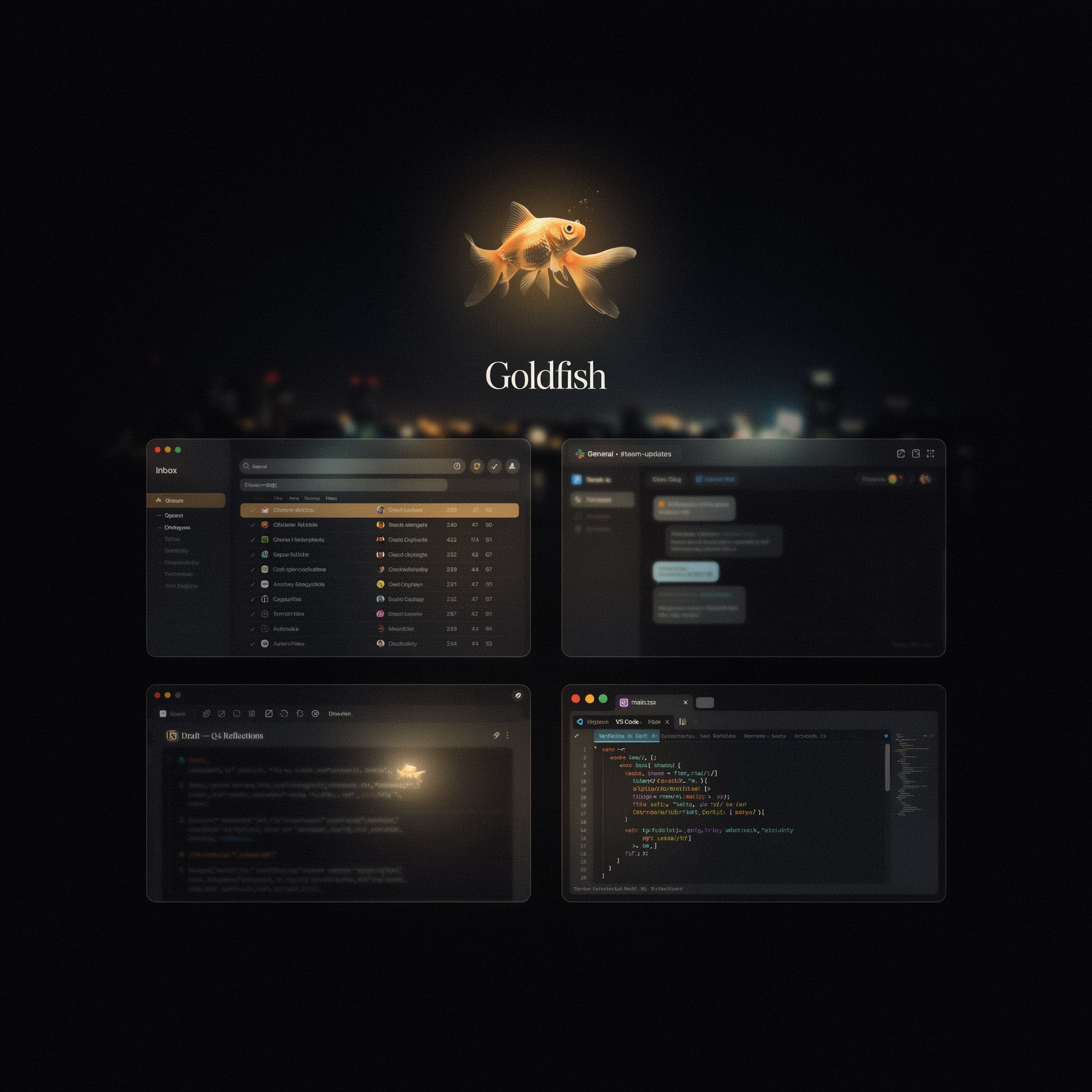
Goldfish is a macOS application that silently captures your work activity across all your apps as you work — emails, Slack threads, Notion docs, browser tabs, calendar events, meeting notes — and stores everything in a local SQLite database on your Mac. Nothing goes to the cloud. No account required. Press ⌥ Option in any text field, anywhere on your Mac, and Goldfish reads the context already on screen, retrieves the relevant memory from your local store, and presents instant options: draft a reply, summarize, rewrite, continue writing — all in your personal tone and style. It launched publicly in June 2026, won Product Hunt Product of the Day with 935 upvotes, and has quickly become one of the most talked-about AI productivity tools in the developer and founder community. Updated July 2026.
What Is Goldfish?
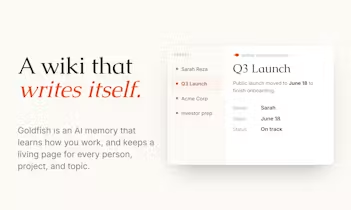
Goldfish is a local-first AI writing assistant for macOS that solves the single biggest friction point in AI-assisted writing: the constant need to re-explain your context. The tool runs silently in the background, observing your work activity across every app you use — reading emails you're drafting, threads you're replying to, documents you're editing, tabs you're browsing, and meetings you've attended — and continuously indexing everything into a searchable, private memory layer stored in a SQLite database on your local device. When you need to write something, press ⌥ Option in any text field in any app — Gmail, Slack, Notion, WhatsApp, your code editor, your browser — and Goldfish reads the context visible on screen, retrieves relevant memory, and generates a contextually accurate draft in your voice. It also exposes your local context to Claude Desktop via a local MCP server for power users who want AI reasoning over their work without manual data transfer, and auto-generates a browsable "wiki" of your work life that you can search and explore.
Key Features
⌥ Option Everywhere
Press the Option key in any text field on your Mac — Gmail, Slack, Notion, WhatsApp, Xcode, your browser — and Goldfish instantly reads the on-screen context, retrieves relevant memory, and presents writing options. No copy-pasting, no app switching, no prompt engineering.
Cross-App Local Memory
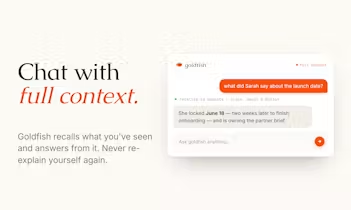
Goldfish observes your work silently across all apps, building a continuously updated, searchable memory of your emails, threads, docs, tabs, and decisions — stored entirely on your device in a local SQLite database. The context it carries is your entire work history, not just the current window.
Tone-Matched Writing
Goldfish learns your writing style, vocabulary, tone, and even how you communicate differently with different people. Replies read like you wrote them — the system adapts per recipient and per scenario, not just per text field.
Claude Desktop MCP Integration
For power users, Goldfish exposes your local computer context to Claude Desktop through a local MCP server. Claude can reason over your actual work history without any manual data transfer — the most private, context-rich AI workflow available on Mac today.
Pricing Plans
| Plan | Price | What's Included |
|---|---|---|
| Free | Free to start | Core memory capture, ⌥ Option in any app, basic writing assistance, local storage |
| Pro | Pricing not yet publicly listed | Advanced tone matching, deeper memory indexing, MCP integration, wiki auto-generation, additional app integrations |
Pros & Cons
✓ What Works
- ✅ 100% local storage — all memory stays on your device, nothing goes to the cloud, zero data retention on AI requests
- ✅ Cross-app context — works in Gmail, Slack, Notion, WhatsApp, browser, code editors — any text field on your Mac
- ✅ Tone-matched writing per recipient — adapts to how you actually communicate with different people
- ✅ Claude Desktop MCP integration — expose your local work context to Claude without any manual data transfer
✗ What Doesn't
- ❌ Mac-only — no Windows, iOS, or Android version yet (multiple Product Hunt users requested mobile)
- ❌ Early access stage — full pricing not yet publicly listed, some features still maturing post-launch
- ❌ Requires background permission — observes your screen activity, which requires trust in the privacy architecture
- ❌ No team or collaborative features — purely a personal productivity tool, not built for shared workspaces
💡 Real User Pulse: Community Feedback
How It Compares to Alternatives
| Feature | Goldfish | Notion AI | Superhuman | Claude Desktop |
|---|---|---|---|---|
| Memory Scope | Cross-app local memory | Notion only | Email only | Per-conversation only |
| Privacy | 100% local SQLite | Cloud | Cloud | Cloud |
| Activation | ⌥ Option anywhere | In-app only | In-app only | Separate app |
| Tone Matching | YES — per-recipient | PARTIAL | YES | PARTIAL |
| Platform | Mac only | All platforms | Mac + iOS | Mac + Windows |
Notion AI is the closest conceptual competitor — it also offers writing assistance inside a productivity platform — but its memory is trapped inside Notion. It doesn't know what you discussed in Slack, what you read in your browser, or what you decided in a meeting. Superhuman excels at email speed and has good voice-matched drafting, but it's email-only and cloud-dependent. Claude Desktop is a reasoning powerhouse but starts from zero in every conversation — it has no persistent memory of your work context unless you manually paste it in. Goldfish's cross-app, local-first, zero-cloud architecture is genuinely unique in the market. The tradeoff is platform lock-in: Mac-only at launch means Windows and mobile users are entirely excluded, which is a significant limitation for teams and cross-platform workers.
Who Should Use Goldfish?
Best For: Founders, product managers, developers, and knowledge workers who switch constantly between apps throughout the day — email, Slack, Notion, browser research, code editors — and spend significant time re-explaining context to AI tools before getting useful output. Anyone who wants a truly private AI memory layer that never leaves their device. Mac users who already use Claude and want to give it live access to their actual work context via MCP. Solo professionals who value privacy above all else and handle sensitive information that cannot be synced to cloud AI servers.
Consider Alternatives If: You need a Windows or mobile solution — Goldfish is Mac-only at launch. You need team collaboration or shared memory — Goldfish is a personal tool. You want a fully managed cloud-based AI assistant with no local setup — tools like Upstream, Notion AI, or ChatGPT are better fits for cloud-first workflows. You only need help in one specific app — Notion AI, Superhuman, or app-specific AI features may be simpler and sufficient.
Learning Curve
Goldfish is designed to be invisible until you need it. The initial setup takes under 5 minutes: download, grant accessibility permissions (required to read on-screen context), and choose which apps Goldfish should monitor. After that, the tool runs silently in the background with no daily management. The ⌥ Option trigger is intuitive — it works exactly like a keyboard shortcut in any app. The learning curve is not about using Goldfish; it's about trusting it. Users need time to internalize that the tool genuinely knows their context before they stop copy-pasting and start relying on the Option keypress. Most early adopters report that shift happening within 2–3 days of use. The MCP integration with Claude Desktop requires slightly more technical setup (installing the MCP server and configuring Claude) but is well-documented on the Goldfish site. For non-technical users, the core Option-key workflow is fully self-explanatory from the first press.
Expert Editorial Opinion

Goldfish solves a problem that is obvious once you've experienced it and invisible until you have. Every AI writing tool resets to zero when you open a new session. You have to paste the email chain, summarize the Slack thread, describe who the recipient is, explain what project this relates to, and then ask your question. That friction compounds across dozens of interactions per day. Goldfish's insight is that the context already exists on your screen — you just need a tool that's been paying attention.
The privacy architecture is the right call for this category. The alternative — syncing your entire work context to a cloud server — would be a non-starter for founders, lawyers, product managers, and anyone handling confidential information. Storing everything locally in a SQLite database, running AI inference through Azure with zero data retention, and giving users full control over which apps are monitored are not just privacy features. They're the reason this tool can be trusted with the level of access it requires. The MCP integration with Claude Desktop is an especially clever detail: it means Claude gets real context without Goldfish needing to become a new AI model.
The 935 Product Hunt upvotes and Product of the Day win in June 2026 reflect genuine community excitement, not marketing spend. The comments on the launch page are unusually substantive — founders describing specific workflow problems this solves, developers asking technical questions about the MCP integration, users requesting mobile and voice control features. That quality of engagement signals a product that resonates with a real pain point, not just a demo that looks impressive. The main risk is the platform limitation: Mac-only at launch excludes a significant portion of knowledge workers, and the team will need to ship Windows and mobile versions to capture the full market opportunity. Does it deserve a paid plan without a more generous free tier? The free tier is already more than enough for most solo users — the Pro plan adds depth for power users, not gatekeeping for basics.
Final Verdict
Goldfish is the most architecturally clever AI productivity tool launched in mid-2026. The local-first memory model, cross-app context awareness, one-keypress activation, and tone-matched writing solve a real and daily friction point that every knowledge worker faces with AI tools. The privacy architecture — 100% local storage, zero cloud retention — makes it uniquely trustworthy for the level of access it requires. The Mac-only limitation and early-access pricing opacity are the only meaningful gaps. For Mac users who live across multiple apps and want AI that already knows their work, this is a 9.1 out of 10.
🔗 Related ToolRadar Reviews
More tools from AI Productivity
- I Let AI Take Over My Inbox for 30 Days — Here's What Actually Changed
- Superhuman Review 2026: The $30 Email App That Promises Inbox Zero
- Can Tana AI Actually Think Ahead of You? A Deep Review
- Is Reflect the Smartest Note-Taking App of 2026?
- I Replaced My Operations Team With an AI Agent — Here's the Real Cost
- This AI Agent Works While You Sleep — Full Review
- Tired of One-Size-Fits-All AI? Dust Lets You Build Your Own
- I Let AI Record My Entire Digital Life — Here's What It Learned
❓ Frequently Asked Questions
If your Mac could remember everything you've worked on today, what would you ask it to write first?
Goldfish doesn't just answer that question — it removes the need to ask. The context is already there. You just have to press one key.

Comments
Post a Comment